hi,
dose using the data annotation validation attribute in acton method paramter good practice
hi,
dose using the data annotation validation attribute in acton method paramter good practice
Know the answer? Post it. Somebody with the same question will find it here.
Answer a question in the forums and earn +20 SHARP for every answer.
See unanswered questions Arun PottiAnswers in the forums20answers02
 Tahir AnsariAnswers in the forums5answers03
 Kamlesh KumarAnswers in the forums5answers04
 Sam HobbsAnswers in the forums4answers05
 Željko PerićAnswers in the forums3answersFull leaderboard →
 DevSocialUpcoming · 3rd editionAI Agents ConferenceDec 1–3, 2026Live onlineFree to attend5days leftRegister

Emily FosterRank #3,495 · 415 reputationPosted Mar 7, 2025, 2:38 PM EST
Hi there!
Using data annotation validation attributes in action method parameters is indeed a good practice in ASP.NET MVC. By adding these attributes to your action method parameters, you can enforce validation rules directly on the input parameters of your controller actions.
For instance, you can use attributes like `[Required]`, `[StringLength]`, `[Range]`, etc., to ensure that the incoming data meets certain criteria before it is processed further. This helps to maintain data integrity, improve security, and provide a better user experience by preventing incorrect or malicious data from being processed.
Here's a quick example to illustrate this:
public IActionResult UpdateUser([Required] int userId, [StringLength(50)] string userName)
{
    // Your logic to update user based on the provided userId and userName
}
In this example, the `[Required]` attribute ensures that the `userId` parameter is provided, and the `[StringLength]` attribute specifies that the `userName` should not exceed 50 characters.
By leveraging data annotation validation attributes, you can easily perform validation without writing custom validation logic in your action methods, making your code cleaner and more maintainable.
I hope this explanation helps clarify the importance and benefits of using data annotation attributes in action method parameters. If you have any more questions or need further clarification, feel free to ask!
mina shaker157 reputationPosted Mar 7, 2025, 2:39 PM EST
i am using it in get request data retreval
Tuhin PaulRank #7 · 71.9K reputationPosted Mar 7, 2025, 3:02 PM EST
Since you are using data annotation validation attributes (like
[Required]) in a GET request for data retrieval, it's not the best practice for a few reasons.Why
[Required]in GET Requests is Not a Good Practice?GET Requests Should Be Idempotent
[Required]does not add significant value, as missing route parameters in a GET request will already result in a 404 (Not Found) or a bad request.Route Parameters Are Already Mandatory
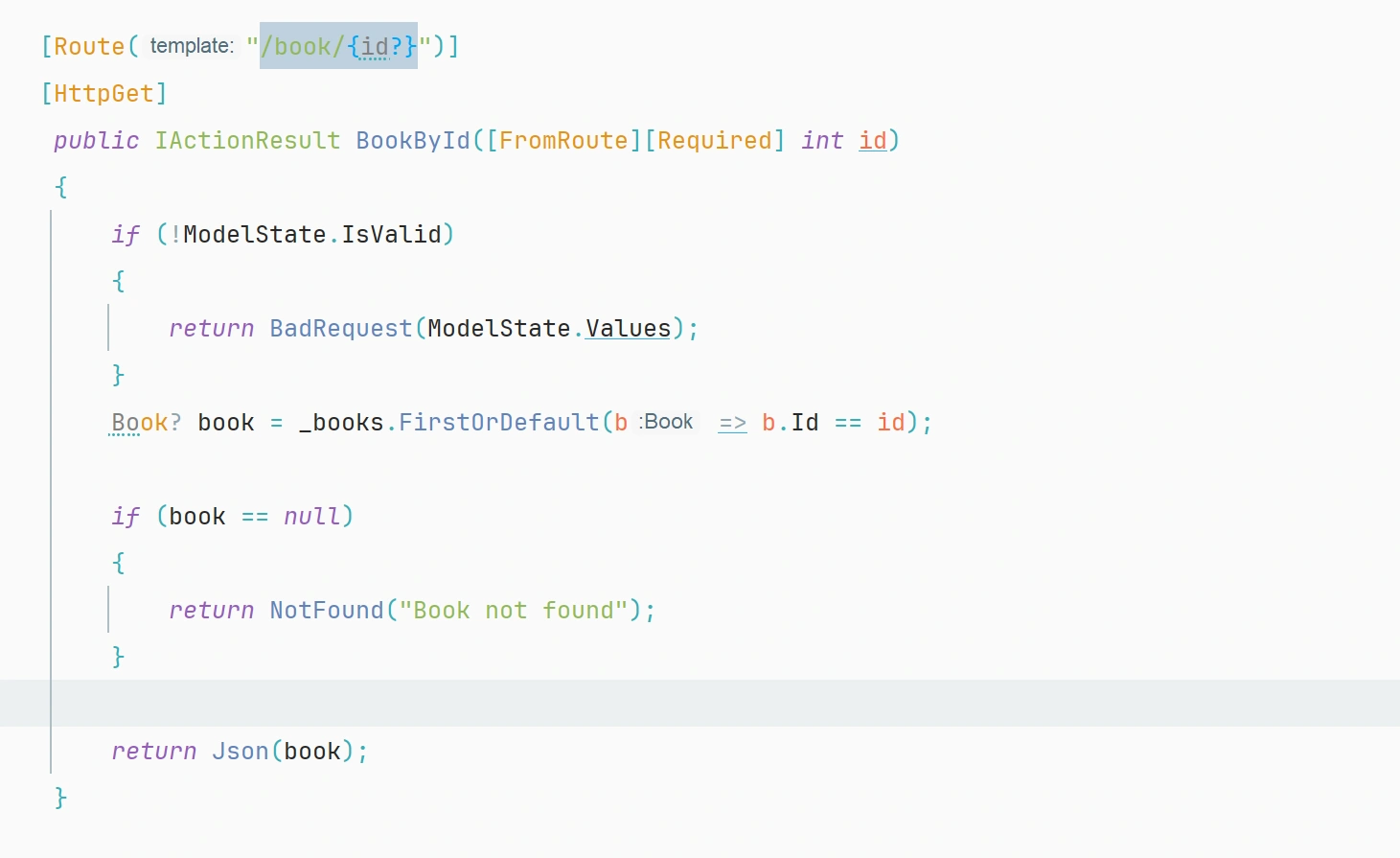
{id}), it is already required. If the client doesn’t provide it, the request won't even reach the action method.[Route("book/{id:int}")] [HttpGet] public IActionResult GetBook(int id)Here, if
idis missing or not an integer, ASP.NET Core won't call this method.Query Parameters Are Optional by Default - If filtering users via query parameters (e.g.,
?name=John), those should be optional, and validation should happen inside the method.[HttpGet("books")] public IActionResult GetBooks([FromQuery] string? name) { if (string.IsNullOrEmpty(name)) { return BadRequest("Name parameter is required."); } var books = _books.Where(b => b.Name.Contains(name)).ToList(); return Ok(books); }Tuhin PaulRank #7 · 71.9K reputationPosted Mar 7, 2025, 3:03 PM EST
[Required]Does Not Work Reliably for Query/Route Parameters[Required]works well for complex models in the request body, not simple parameters in the route or query.public IActionResult GetBookById([FromRoute][Required] int id)Use proper routing constraints like:
[HttpGet("book/{id:int}")] public IActionResult GetBookById(int id)Tuhin PaulRank #7 · 71.9K reputationPosted Mar 7, 2025, 3:05 PM EST
What is the Right Approach?
For Required Route Parameters
Use routing constraints instead of
[Required]:[HttpGet("book/{id:int}")] public IActionResult GetBook(int id)For Optional Query Parameters
Make them nullable and validate manually:
[HttpGet("books")]
public IActionResult GetBooks([FromQuery] string? author)
{
    if (string.IsNullOrEmpty(author))
    {
        return BadRequest("Author parameter is required.");
    }

    var books = _books.Where(b => b.Author.Contains(author)).ToList();
    return Ok(books);
}
For Validating Complex Objects
Use data annotations only for models in the request body (POST/PUT):
public class BookModel { [Required] public string Title { get; set; } [Required] public string Author { get; set; } } [HttpPost("book")] public IActionResult CreateBook([FromBody] BookModel model) { if (!ModelState.IsValid) { return BadRequest(ModelState); } return Ok("Book created successfully"); }Tuhin PaulRank #7 · 71.9K reputationPosted Mar 7, 2025, 3:06 PM EST
Workflow diagram:

mina shaker157 reputationPosted Mar 7, 2025, 10:19 PM EST
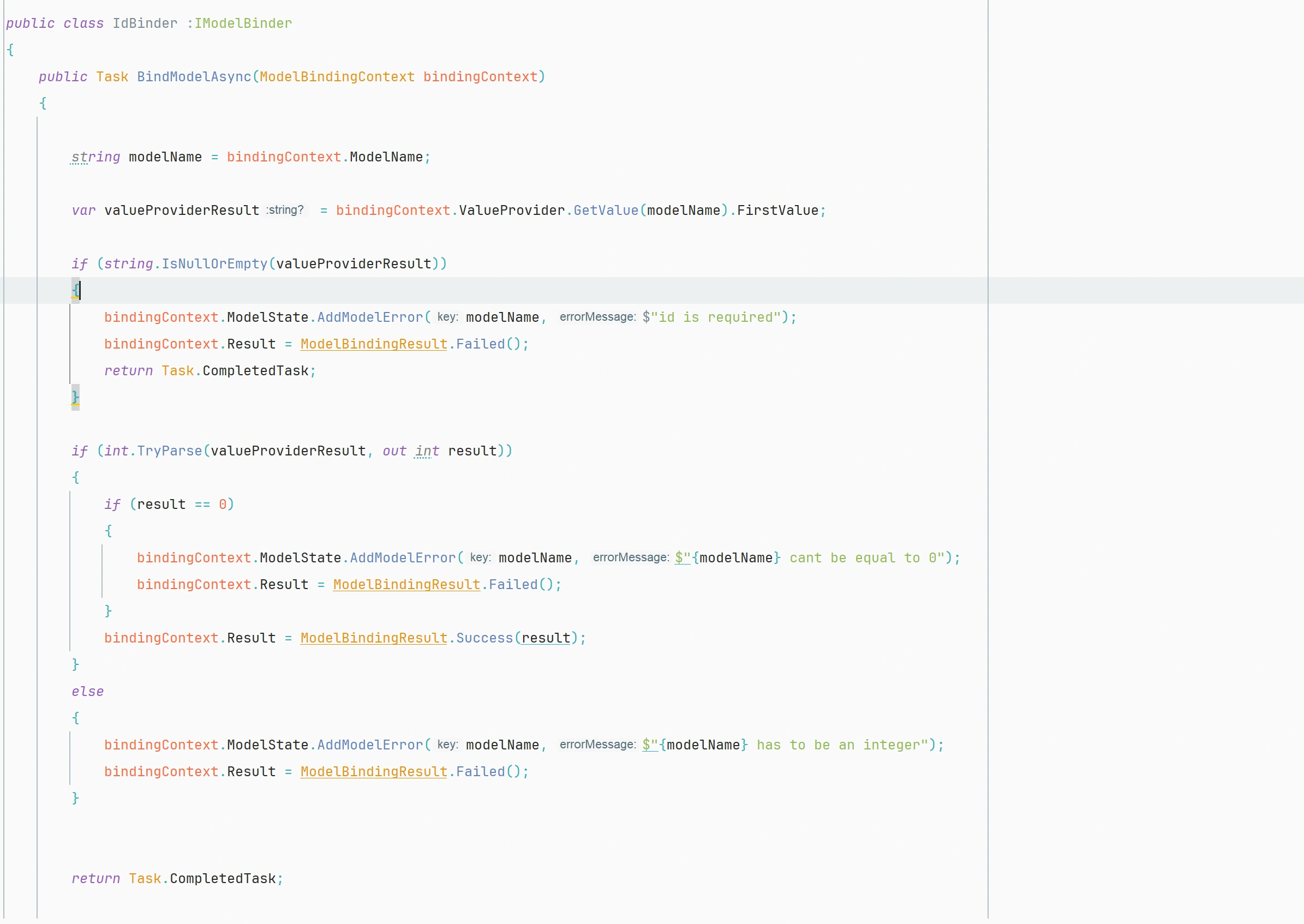
@Tuhin Paul ok can i make this validation from the begining as mking a custom binder to validate before binding to get a valid error message throught the model state object , and this to make the controller small adn lean without more logic in it a to sperate the concern