Hello Team,
Am developing this c# window form application, and i introduce textbox validation in the class to give warning when the user try to insert empty textbox and the code give me this error,
Error 1 'System.Windows.Forms.TextBox' does not contain a definition for 'BorderColor' and no extension method 'BorderColor' accepting a first argument of type 'System.Windows.Forms.TextBox' could be found (are you missing a using directive or an assembly reference?) c:\users\nyanu\onedrive\documents\visual studio 2013\projects\windowsformsapplicationpos\windowsformsapplicationpos\mainclass.cs 189 23 WindowsFormsApplicationPOS
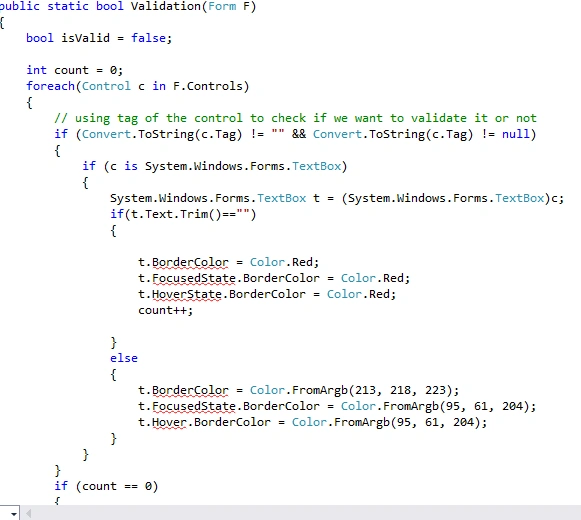
public static bool Validation(Form F)
{
bool isValid = false;
int count = 0;
foreach(Control c in F.Controls)
{
// using tag of the control to check if we want to validate it or not
if (Convert.ToString(c.Tag) != "" && Convert.ToString(c.Tag) != null)
{
if (c is System.Windows.Forms.TextBox)
{
System.Windows.Forms.TextBox t = (System.Windows.Forms.TextBox)c;
if(t.Text.Trim()=="")
{
t.BorderColor = Color.Red;
t.FocusedState.BorderColor = Color.Red;
t.HoverState.BorderColor = Color.Red;
count++;
}
else
{
t.BorderColor = Color.FromArgb(213, 218, 223);
t.FocusedState.BorderColor = Color.FromArgb(95, 61, 204);
t.Hover.BorderColor = Color.FromArgb(95, 61, 204);
}
}
}
if (count == 0)
{
isValid = true;
}
else
{
isValid = false;
}
}
return isValid;
}
}
}







Tahir AnsariRank #366 · 6.8K reputationPosted Oct 14, 2023, 1:35 AM EDT
in your code, you're trying to set the BorderColor properties of a TextBox control, but the standard TextBox control in Windows Forms doesn't have these properties.
Tahir AnsariRank #366 · 6.8K reputationPosted Oct 14, 2023, 1:33 AM EDT
System.Windows.Forms.TextBox' does not contain a definition for 'BorderColor'", indicates that you are trying to access a property or method named 'BorderColor' on a TextBox control, but such a property doesn't exist in the standard TextBox control in Windows Forms.
If you want to set the border color for a TextBox in a Windows Forms application, you might be trying to use a custom or third-party TextBox control that has this feature. Make sure you have added the necessary references and using directives for this custom control if that's the case.
Tahir AnsariRank #366 · 6.8K reputationPosted Oct 14, 2023, 1:34 AM EDT
public static bool Validation(Form F)
{
    bool isValid = true;

    foreach (Control c in F.Controls)
    {
        if (!string.IsNullOrEmpty(Convert.ToString(c.Tag)))
        {
            if (c is TextBox)
            {
                TextBox t = (TextBox)c;
                if (string.IsNullOrWhiteSpace(t.Text))
                {
                    t.BackColor = Color.Red;
                    isValid = false;
                }
                else
                {
                    t.BackColor = SystemColors.Window; // Reset the background color
                }
            }
        }
    }

    return isValid;
}
This code sets the background color of empty TextBox controls to red and sets isValid to false if any empty TextBox is found. Otherwise, it returns true.
Rajanikant HawaldarRank #110 · 20.2K reputationPosted Oct 15, 2023, 1:21 PM EDT
Check how to create custom / user control, there you can have container control for textbox and set border colour etc. And you can use that control wherever you want.