interval = TimeSpan.FromMinutes(int.Parse(Convert.ToString(dtColldata.Rows[0]["timepervisit"])));
DateTime opentime = DateTime.Parse(Convert.ToString(dtColldata.Rows[0]["Starttime"]));
DateTime closetime = DateTime.Parse(Convert.ToString(dtColldata.Rows[0]["Endtime"]));
example opentime=10.00
timepervisit =10
end time=1.00
my purpose is dynamically create button in grid or listview and each button to show time only the format like 10:10,10:20,because timepervisit is 10.
button creating based on how many inter
how many button is want to create based on opentime and timepervisit, like first button with time dispaly in button text 10.00,next button time dispaly 10.10,next 10.20 like that
its urgent can any one help me by coding in c#
The below code i used
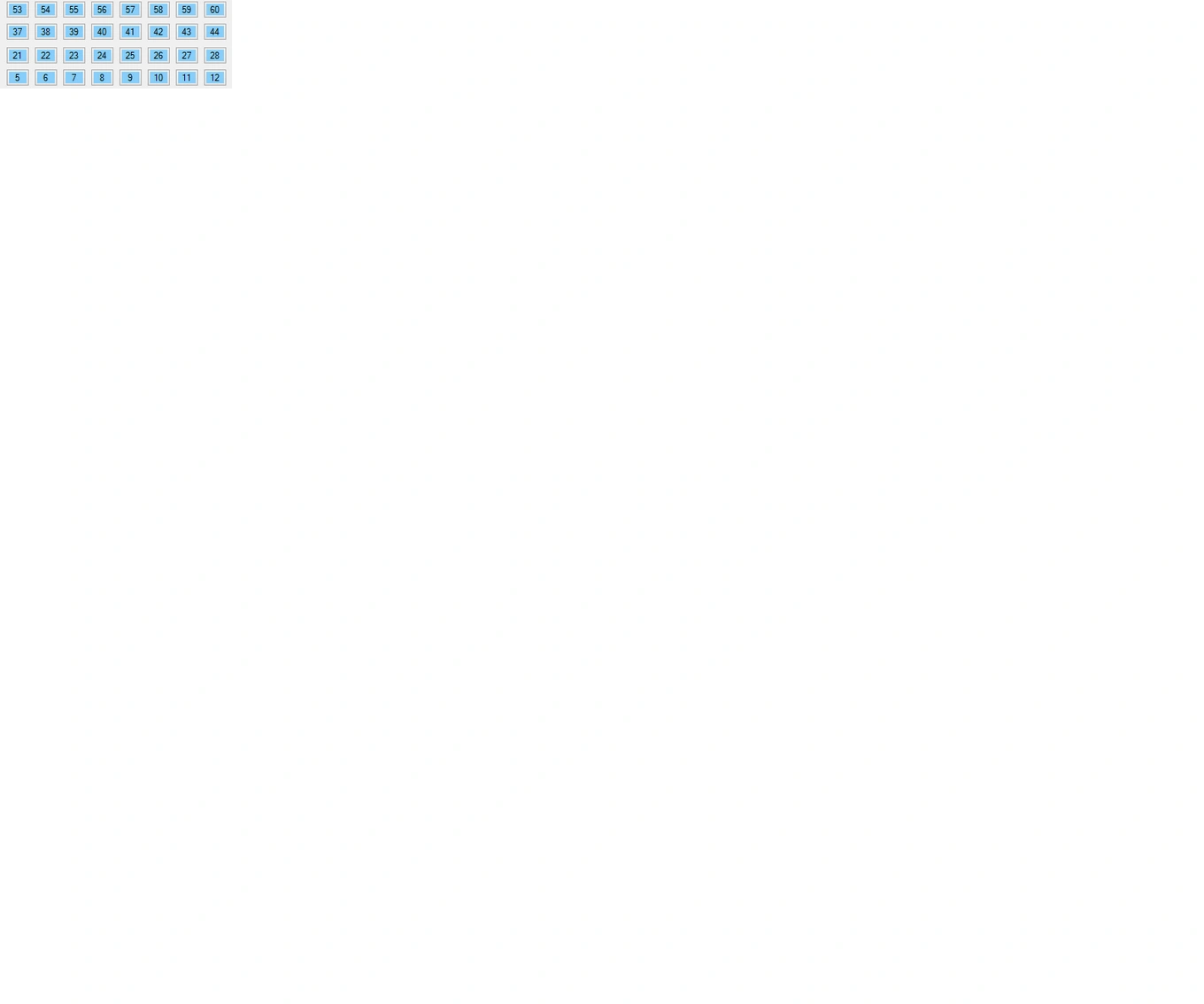
i need the below buttons in multiple row(means each row contain 8 buttns),now all button dispaly in single row
private void CreateButtons()
{
listView1.Controls.Clear();
int x = 0, y = 0;
interval = TimeSpan.FromMinutes(int.Parse(Convert.ToString(dtColldata.Rows[0]["timepervisit"])));
DateTime opentime = DateTime.Parse(Convert.ToString(dtColldata.Rows[0]["Starttime"]));
DateTime closetime = DateTime.Parse(Convert.ToString(dtColldata.Rows[0]["Endtime"]));
DateTime t1, t2;
t1 = DateTime.Parse(opentime.ToString("HH:mm"));
t2 = DateTime.Parse(closetime.ToString("HH:mm"));
for (DateTime current = t1; current <= t2; current += interval)
{
Button b = new Button();
b.Location = new System.Drawing.Point(x, y);
b.Size = new System.Drawing.Size(125, 125);
b.BackColor = Color.Green;
b.Font = new System.Drawing.Font("Microsoft Sans Serif", 20F, System.Drawing.FontStyle.Regular, System.Drawing.GraphicsUnit.Point, ((byte)(0)));
b.Text = current.ToString("HH:mm");
listView1.Controls.Add(b);
x += 130;
//listView1.View = View.List;
b.Click += new EventHandler(this.DynamicButton_Click);
}
}

PradeepRank #6,279 · 271 reputationPosted Feb 16, 2015, 9:34 PM EST
In Design Add PlaceHolder use below code
private void CreateButtons()
{
listView1.Controls.Clear();
int x = 0, y = 0;
interval = TimeSpan.FromMinutes(int.Parse(Convert.ToString(dtColldata.Rows[0]["timepervisit"])));
DateTime opentime = DateTime.Parse(Convert.ToString(dtColldata.Rows[0]["Starttime"]));
DateTime closetime = DateTime.Parse(Convert.ToString(dtColldata.Rows[0]["Endtime"]));
DateTime t1, t2;
t1 = DateTime.Parse(opentime.ToString("HH:mm"));
t2 = DateTime.Parse(closetime.ToString("HH:mm"));
placeHolder.Controls.Add(new LiteralControl("
for (DateTime current = t1; current <= t2; current += interval)
{
Button b = new Button();
b.Location = new System.Drawing.Point(x, y);
b.Size = new System.Drawing.Size(125, 125);
b.BackColor = Color.Green;
b.Font = new System.Drawing.Font("Microsoft Sans Serif", 20F, System.Drawing.FontStyle.Regular, System.Drawing.GraphicsUnit.Point, ((byte)(0)));
b.Text = current.ToString("HH:mm");
placeHolder1.Controls.Add(new LiteralControl(""));Know the answer? Forums  Arun PottiAnswers in the forums20answers02
 Tahir AnsariAnswers in the forums5answers03
 Kamlesh KumarAnswers in the forums5answers04
 Sam HobbsAnswers in the forums4answers05
 Željko PerićAnswers in the forums3answers
?YouYour name goes here.Every answer: 20 SHARP.Join Full leaderboard → DevSocialUpcoming · 3rd editionAI Agents ConferenceDec 1–3, 2026Live onlineFree to attend5days leftRegister
placeHolder1.Controls.Add(b);
placeHolder1.Controls.Add(new LiteralControl("<\tr><\td>"));
x += 130;
//listView1.View = View.List;
b.Click += new EventHandler(this.DynamicButton_Click);
}
}
Answer a question in the forums and earn +20 SHARP for every answer.
See unanswered questionsTop experts