
Introduction
In this article, I will explain how to use AjaxControlToolkit CalendarExtender with specific TimeZone and to override local Timezone.
CalendarExtender Behaviour
Whenever we try to set SelectedDate,StartDate and EndDate properties of ajax calender extension from c#. The datetime will be considered as UTC and while displaying in browser always this time will be converted to local Timezone, so this will be hard to predict that our website will be always opened in specific Timezone.
To overcome this we need to set calender extender DateTime with required TimeZone using JavaScript.
Code
JavaScript
- <script type="text/javascript">
- function clientShowing(sender, args) {
- sender.set_todaysDate(new Date('<%= ToCalenderFormat(GetDatetimewithtimezone("Pacific Standard Time"),GetTimeSpanDifference("Pacific Standard Time")) %>'));
- sender.set_startDate('<%= ToCalenderFormat(GetDatetimewithtimezone("Pacific Standard Time"),GetTimeSpanDifference("Pacific Standard Time")) %>');
- sender.set_endDate('<%= ToCalenderFormat(GetDatetimewithtimezone("Pacific Standard Time").AddDays(7),GetTimeSpanDifference("Pacific Standard Time")) %>');
- }
- </script>
C#
- //Format Datetime with respect to CalendarExtender
- public static String ToCalenderFormat(DateTime dt, TimeSpan TimeZoneDifference)
- {
- return new DateTimeOffset(dt.Ticks, TimeZoneDifference).ToString("yyyy-MM-ddTHH:mm:ssZ");
- }
- //Get Datetime of Specific TimeZone
- public static DateTime GetDatetimewithtimezone(string Timezone)
- {
- return (TimeZoneInfo.ConvertTimeFromUtc(DateTime.UtcNow, TimeZoneInfo.FindSystemTimeZoneById(Timezone)));
- }
- //Get Time Difference between Specific Timezone and UTC
- public static TimeSpan GetTimeSpanDifference(string Timezone)
- {
- TimeZoneInfo TZI = TimeZoneInfo.FindSystemTimeZoneById(Timezone);
- return TZI.BaseUtcOffset;
- }
HTML
- <asp:ScriptManager ID="ScriptManager1" runat="server" />
- <asp:TextBox ID="txtDate" runat="server" CssClass="disable_future_dates" />
- <asp:ImageButton runat="server" ID="imgPopup" ImageUrl="~/Calendar.png" />
- <AjaxControlToolkit:CalendarExtender ID="CalendarExtender1" runat="server" TargetControlID="txtDate" PopupButtonID="imgPopup" OnClientShowing="clientShowing" />
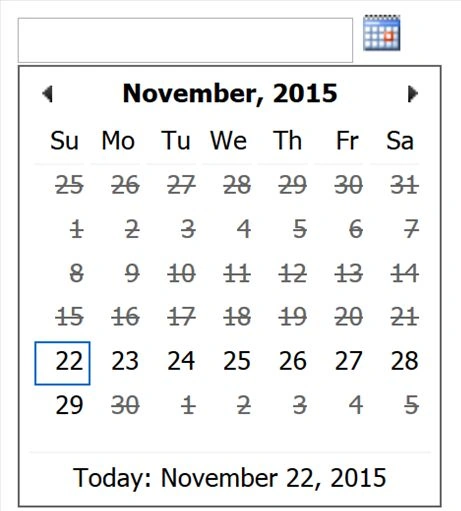
Tech Blog Reference.
Summary
We learned how to use AjaxControlToolkit CalendarExtender for specific Timezone using JavaScript, ASP.NET and C#. I hope this article is useful for all .NET beginners.


Santhakumar MunuswamyPosted Nov 30, 2015, 10:29 PM EST
Welcome
Santhakumar MunuswamyPosted Nov 30, 2015, 10:29 PM EST
Good Start
Mukesh KumarPosted Nov 25, 2015, 7:23 PM EST
Good One... Continue
Ajay GandhiPosted Nov 24, 2015, 10:53 PM EST
Nice
Manas MohapatraPosted Nov 24, 2015, 9:29 PM EST
Good one..
Banketeshvar NarayanPosted Nov 24, 2015, 9:17 PM EST
Good One
Raja TPosted Nov 24, 2015, 9:05 PM EST
Good, Thanks for sharing
Rajeesh MenothPosted Nov 24, 2015, 8:59 PM EST
Good Start!..Welcome to C#- Corner Community..:)