

Overview
In this article, we will see casesenstivity and inline templates in AngularJS. First we will see, caseInsenstive match and an example. We will be using the same example, which we used while using Demo Application .
For more articles on AngularJS, refer to the links, given below-
- Overview Of AngularJS
- Modules And Controller In AngularJS
- Controllers in AngularJS
- AngularJS ng src Directive
- AngularJS ng-Repeat Directive
- Handling Events In AngularJS
- How To Use Two-Way Data Binding In AngularJS
- Filters In AngularJS
- Sorting Data In AngularJS
- Sorting Rows By Table Header In AngularJS
- Creating Custom Filters In AngularJS
- ng-Hide And ng-Show In AngularJS
- ng-init Directive In AngularJS
- Search And MultiSearch In AngularJS
- ngInclude Directive In AngularJS
- $http Service In AngularJS
- Consuming ASP.NET WebService In AngularJS
- AnchorScroll Service In AngularJS
- AngularJS Page Refresh Problems
Here, we will see the casesensitive in AngularJS. Thus, let's get back to our controller i.e our script.js file in it.
- var app = angular.module("Demo", ["ngRoute"])
- .config(function ($routeProvider, $locationProvider) {
- $routeProvider
- /// <reference path="angular.min.js" />
- /// <reference path="angular-route.min.js" />
- var app = angular.module("Demo", ["ngRoute"]).config(function($routeProvider, $locationProvider) {
- $routeProvider.when("/home", {
- templateUrl: "Templates/home.html",
- controller: "homeController as homeCtrl"
- }).when("/courses", {
- templateUrl: "Templates/courses.html",
- controller: "coursesController as coursesCtrl"
- }).when("/students", {
- templateUrl: "Templates/students.html",
- controller: "studentsController as studentsCtrl"
- }).when("/students/:id", {
- templateUrl: "Templates/StudentDetail.html",
- controller: "StudentDetailController as StudentDetailCtrl"
- }).otherwise({
- redirectTo: "/home"
- })
- $locationProvider.html5Mode(true);
- }).controller("homeController", function() {
- this.message = "Home Page";
- }).controller("coursesController", function() {
- this.courses = ["c#", "SQL", "Oracle"];
- }).controller("studentsController", function($http) {
- var vm = this;
- $http.get("StudentService.asmx/GetAllStudents").then(function(response) {
- vm.students = response.data;
- })
- }).controller("StudentDetailController", function($http, $routeParams) {
- var vm = this;
- $http({
- url: "StudentService.asmx/GetStudents",
- params: {
- id: $routeParams.id
- },
- method: "get"
- }).then(function(response) {
- vm.student = response.data;
- })
- });
Initially, I had typed courses in the URL and we got-
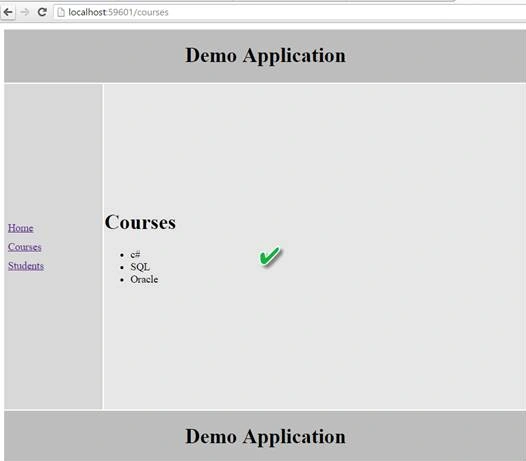
Now, we will type COURSES and let's see the output, given below-

Output
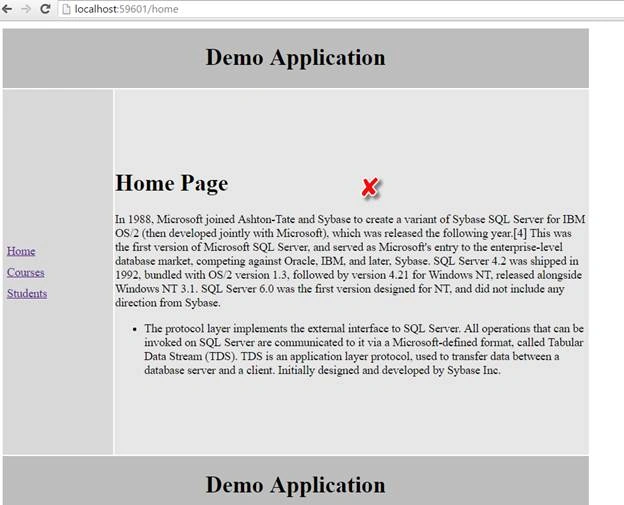
The moment I had hit enter in the URL, it had redirected to home controller, which is because the routes are case sensitive and it is redirecting to home, as we have otherwiseTo :/home configured.
Now, we will comment the Otherwise section in our controller, type COURSES in the URL and see what happens? Thus, lets comment the otherwise section, as given below-

Lets reload the page and type COURSES in the URL and see what happens-
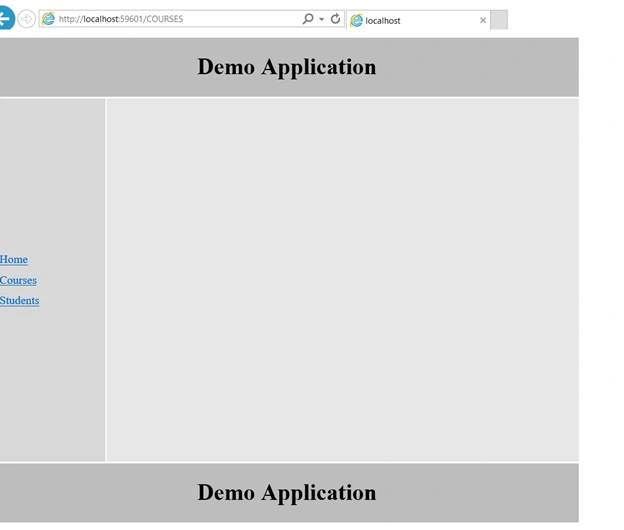
As you can see from the output, no contents are displayed and also, it has not been redirected to our home controller, due to which, we had commented otherwise .
Now, we want all our routes to be case insensitive. We have to set a property here as-
caseInsensitivematch:True
To make all routes case-insensitive, set caseinsensitive match property on $routeprovider.
Now, I will write that caseinsensitiveMatch:true in courses controller as, given below-
- .when("/courses", {
- templateUrl: "Templates/courses.html",
- controller: "coursesController as coursesCtrl",
- caseInsensitiveMatch: true
- })
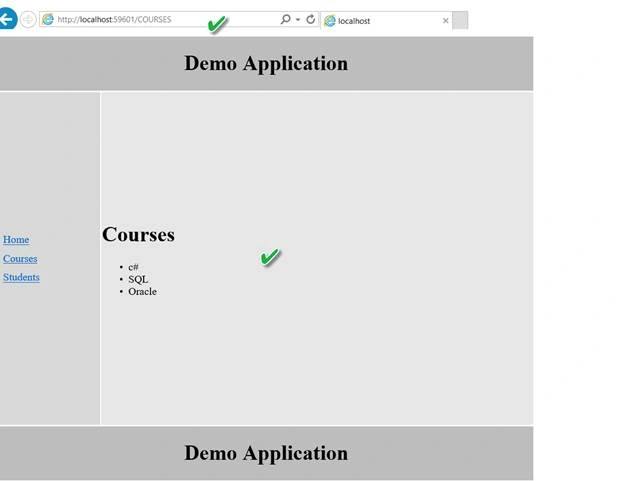
As you can see from the above output, we had got the courses list but for /courses controller and but /home and /students are case sensitive now.
If you want all the routes to be casinsensitive insetad of writing on an individual route, set it on $routeprovider as-

Now, lets save the changes, reload the page, type HOME and STUDENT in the URL. You will see the output as before-
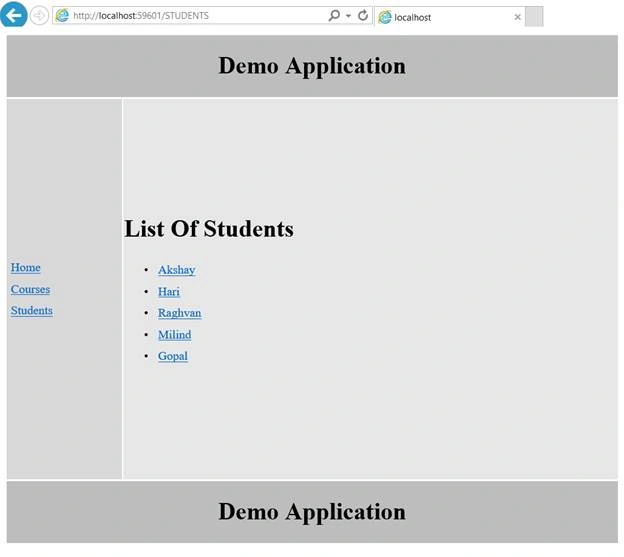
For HOME, the screenshot is given below-
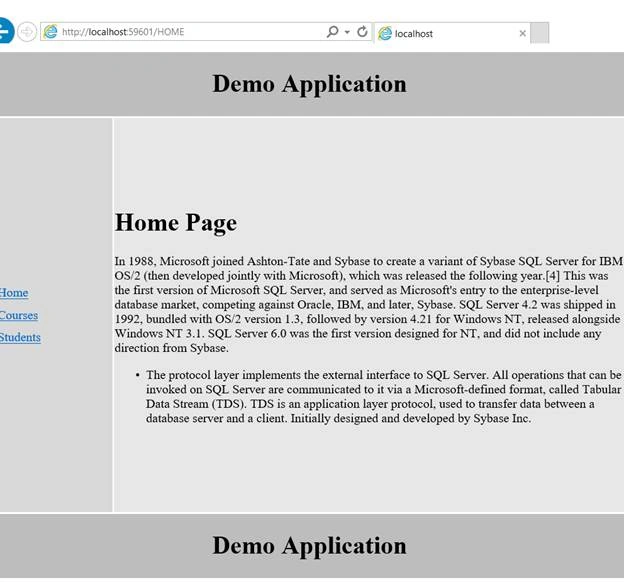
Now, we will see Inline Templates in AngularJS,
As you had noticed, in our controller, their respective controller /courses,/home and so on are coming from respective HTML Files, so all these are separate HTML files here. Thus, the question is does a View comes from a separate HTML file and the answer is, it is not necessary, as it can come from inline also. Lets see how, as we are using template url, remove that template URL and use only template We will put some text inside it as-
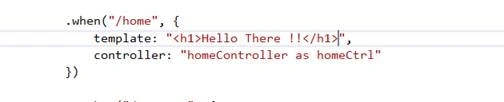
- .when("/home", {
- template: "<h1>Hello There !!</h1>",
- controller: "homeController as homeCtrl"
- })
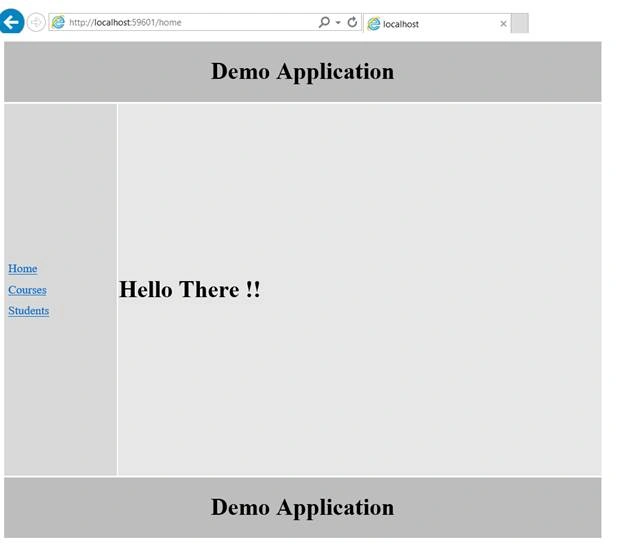
As you can see from the output, shown above, we got Hello There text, which we specified inline in h1 tag. Thus, you can use Inline template as this or else you can use an external template specifying that HTML file .
Conclusion
This was all about AngularJS casesensitive and inline templates. Hope, this article is helpful!!
Srinivas RajolePosted Sep 9, 2016, 7:34 AM
Excellent post
Vignesh ManiPosted Sep 8, 2016, 6:50 PM
Nice