




Overview
In this article, we will see Route Change events in AngularJS. We will see this with an example of how different events are triggered when a route change occurs in an angular application.
- Overview Of AngularJS
- Modules And Controller In AngularJS
- Controllers in AngularJS
- AngularJS ng src Directive
- AngularJS ng-Repeat Directive
- Handling Events In AngularJS
- How To Use Two-Way Data Binding In AngularJS
- Filters In AngularJS
- Sorting Data In AngularJS
- Sorting Rows By Table Header In AngularJS
- Creating Custom Filters In AngularJS
- ng-Hide And ng-Show In AngularJS
- ng-init Directive In AngularJS
- Search And MultiSearch In AngularJS
- ngInclude Directive In AngularJS
- $http Service In AngularJS
- Consuming ASP.NET WebService In AngularJS
- AnchorScroll Service In AngularJS
- AngularJS Page Refresh Problems
- RouteParams In AngularJS
- Angular AnchorScroll With Database Part
- AngularJS Routing Using WebService
- AngularJS Controller As Syntax
- AngularJS Nested Scopes And Controllers As Syntax
- AngularJS CaseSensitive And Inline Templates
In this example we will be looking at,
- Different events that are triggered when a route change occurs in an angular application.
- Logging the event and event handler parameters to inspect their respective properties.
When a route change events occurs the following events are triggered,
- $locationChangeStart
- $routeChangeStart
- $locationChangeSuccess
- $routeChangeSuccess
Let’s see with an example -- we will be using the same example. We will work with the student’s controller,
Now here will inject $rootscope object and $log service in our student’s controller,
- .controller("studentsController", function ($http, $route, $rootScope,$log) {
- var vm = this;
- vm.reloadData = function () {
- $route.reload();
- }
- $http.get("StudentService.asmx/GetAllStudents")
- .then(function (response) {
- vm.students = response.data;
- })
- })
- $rootScope.$on("$locationChangeStart", function () {
- $log.debug("$locationChangeStart is fired");
- });
- $rootScope.$on("$routeChangeStart", function () {
- $log.debug("$routeChangeStart is fired");
- });
- $rootScope.$on("$locationChangeSuccess", function () {
- $log.debug("$locationChangeSuccess is fired");
- });
- $rootScope.$on("$routeChangeSuccess", function () {
- $log.debug("$routeChangeSuccess is fired");
- });
Save the changes and reload the page and launch browser developer tools,
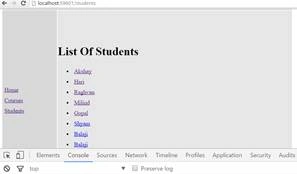
At the moment we are on Student controller; when I click on home controller we will see what happens,
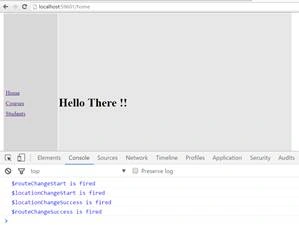
As you can see when I clicked on home controller the various events are fired.
Now we will use three parameters in the function event, next and current which we had seen in the article. Cancel event Routes in Angular JS and also instead of using $rootScope we will use $scope object.
- .controller("studentsController", function ($http, $route, $scope,$log) {
- var vm = this;
- $scope.$on("$locationChangeStart", function (event, next, current) {
- $log.debug("$locationChangeStart is fired");
- });
- $scope.$on("$routeChangeStart", function (event, next, current) {
- $log.debug("$routeChangeStart is fired");
- });
- .controller("studentsController", function ($http, $route, $scope,$log) {
- var vm = this;
- $scope.$on("$locationChangeStart", function (event, next, current) {
- $log.debug("$locationChangeStart is fired");
- $log.debug(event);
- $log.debug(next);
- $log.debug(current);
- });
- $scope.$on("$routeChangeStart", function (event, next, current) {
- $log.debug("$routeChangeStart is fired");
- $log.debug(event);
- $log.debug(next);
- $log.debug(current);
- });
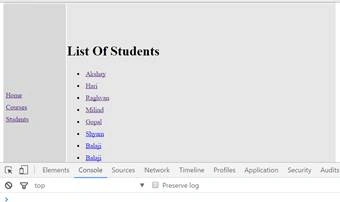
So click on Courses Controller,
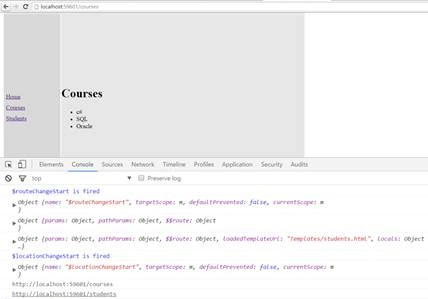
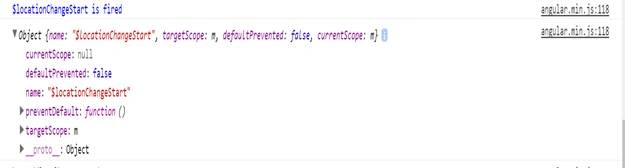
Expand the first event you will get the detailed information:
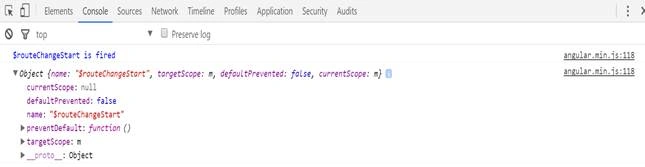
In the next parameter you will get the route information
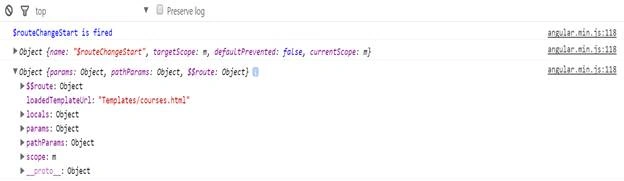
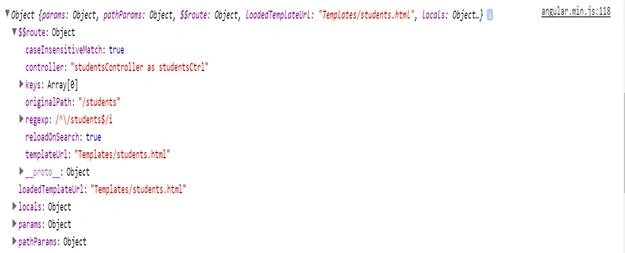
The information as loadedtemplateurl is template/courses.html which is correct. The next parameter is $$route when you expand that,
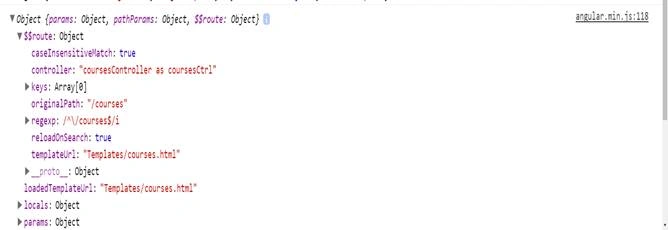
Now here it contains the original path; the original path is /courses, the URL with which we are navigating to the next route.
The third parameter which contains the information about the parent parameter so click on that
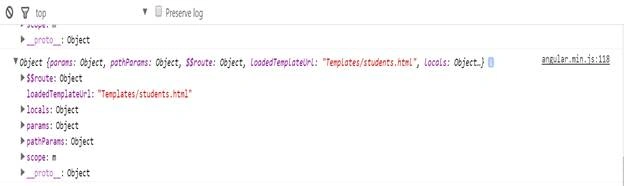
The current parameter has $$route and also has an original path as,
And then it has locationChangeStart event,
Conclusion
So this was all about Route Change events in AngularJS. Hope this article was helpful!!
Vignesh ManiPosted Sep 15, 2016, 4:03 PM
Nice