
Here are the steps,
Step 1: Create basic project MVC with Controller, Model and View.

Step 2: Include required query libraries.

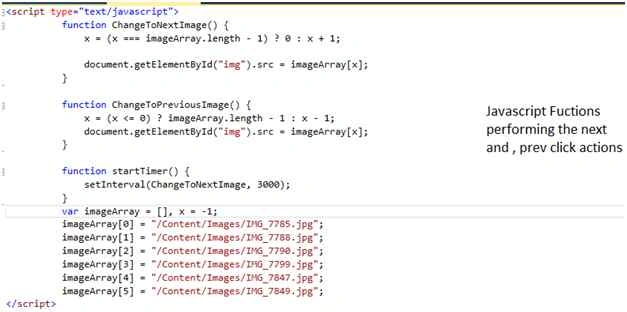
Step 3: Add image, next button and prev button. Also write JavaScript in the following way.
I have set interval as 3 seconds you may change as per your need.
- <script type="text/javascript">
- function ChangeToNextImage()
- {
- x = (x === imageArray.length - 1) ? 0 : x + 1;
- document.getElementById("img")
- .src = imageArray[x];
- }
- function ChangeToPreviousImage()
- {
- x = (x <= 0) ? imageArray.length - 1 : x - 1;
- document.getElementById("img")
- .src = imageArray[x];
- }
- function startTimer()
- {
- setInterval(ChangeToNextImage, 3000);
- }
- var imageArray = [],
- x = -1;
- imageArray[0] = "/Content/Images/IMG_7785.jpg";
- imageArray[1] = "/Content/Images/IMG_7788.jpg";
- imageArray[2] = "/Content/Images/IMG_7790.jpg";
- imageArray[3] = "/Content/Images/IMG_7799.jpg";
- imageArray[4] = "/Content/Images/IMG_7847.jpg";
- imageArray[5] = "/Content/Images/IMG_7849.jpg";
- </script>
- <br>
- <br>
- <br>
- <br>
- <body onload="startTimer()">
- <fieldset style="margin: 8px;border: 1px solid;padding: 8px;border-radius: 4px;width: 430px; height: 230px;">
- <button type="button" onclick="ChangeToPreviousImage()" style="width:80px;height:200px">Previous</button> <img id="img" src="~/Content/Images/IMG_7785.jpg" height="200" width="200" />
- <button type="button" onclick="ChangeToNextImage()" style="width:80px;height:200px">Next</button>
- </fieldset>
- </body>
Controls

Step 4: Run the program and you will find that image automatically change, also it is changing on next and prev button.

Hope you will understand how we can change the image in a specific interval automatically or next and previous button.


Ajay GandhiPosted Jan 5, 2016, 7:59 PM EST
Thanks
Santhakumar MunuswamyPosted Jan 5, 2016, 6:47 PM EST
Thanks for nice article
Ajay GandhiPosted Jan 5, 2016, 3:56 AM EST
Thanks
Muhammad Aqib ShehzadPosted Jan 5, 2016, 2:38 AM EST
Nice dear
Ajay GandhiPosted Jan 4, 2016, 6:24 PM EST
Thanks everyone
Gowtham KTOP 100Posted Jan 3, 2016, 5:25 AM EST
Good One, Thanks for sharing
Ali AhmedPosted Jan 2, 2016, 7:47 PM EST
good one
Humayun Kabir MamunPosted Jan 2, 2016, 7:20 PM EST
Nice...