
This article explains how to calculate a person's age (in years) given his/her date of birth in InfoPath. It can be done without writing even a single line of code.
What we need to do?
We only need to use rules, conditions, the today() function, the number() function, and the substring() function in InfoPath to calculate a person's age given his/her date of birth.
Use the following procedure to do it.
1. Create a new Blank Form in InfoPath.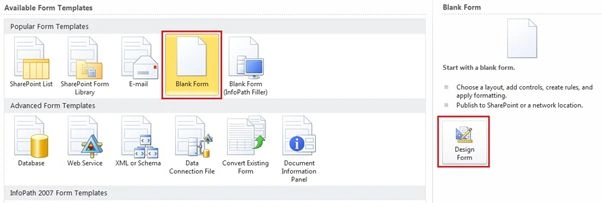
2. Design the form as below: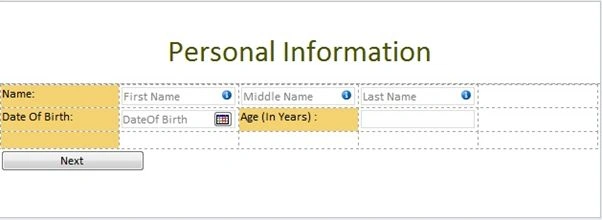
3. Right-click the "Age" TextBox and make it read-only.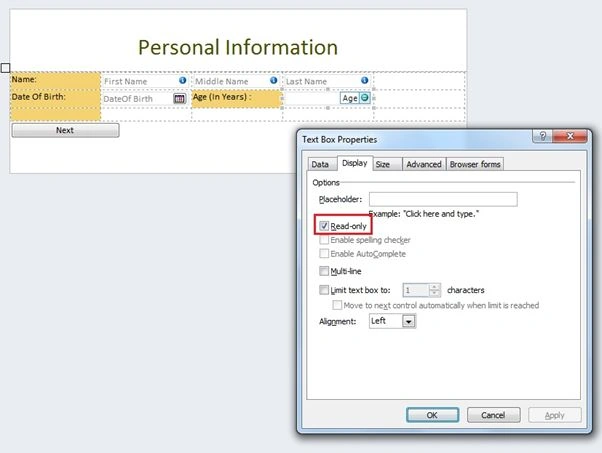
4. Select the Date of Birth Control.
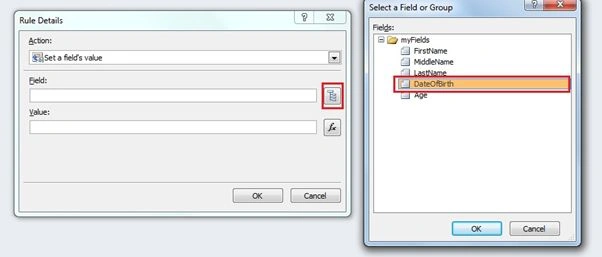
5. Select the Manage rule from the ribbon.
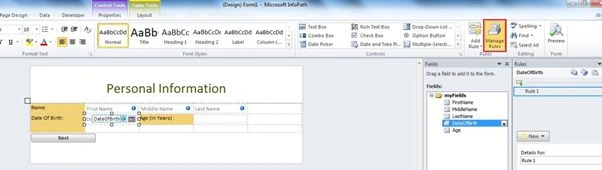
6. Add a new Action.
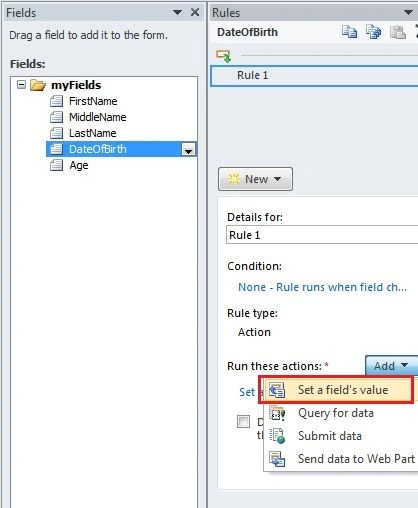
7. In the Action select "Set A field’s Value".
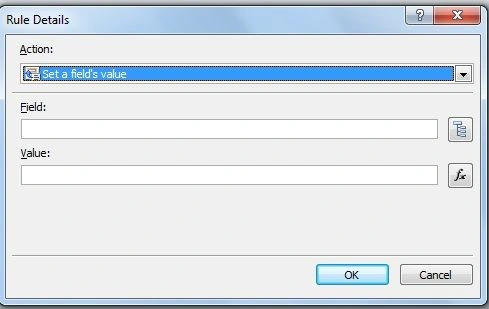
8. In the field select "Date of Birth".
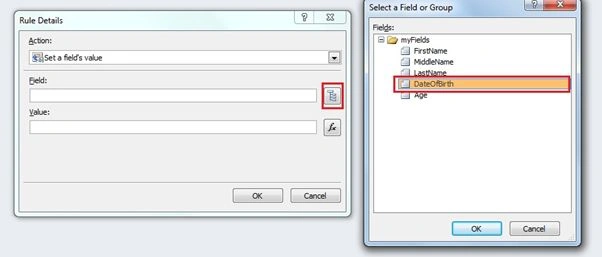
9. In the value select the function icon.
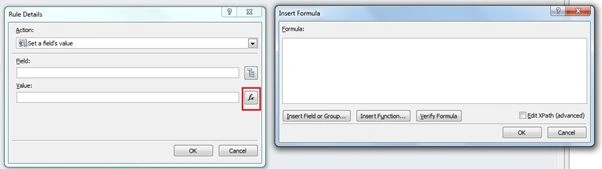
10. Add the following formula:
number(substring(today(), 1, 4)) - number(substring(., 1, 4))
11. Finally you will get the preview as below:
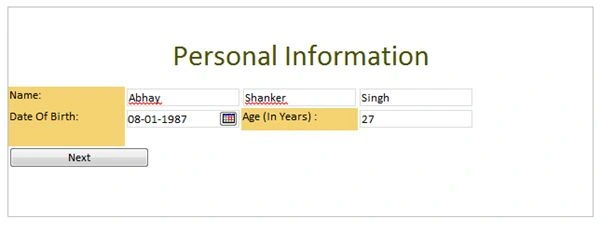
Result
The age in years will be displayed depending on the selected Date of Birth.


rajesh vsPosted May 21, 2015, 4:25 AM EDT
substring is not working it shows error. can u please give right rule for this article
Abhay ShankerPosted Jan 12, 2014, 7:22 PM EST
>Thanks
ali orhunPosted Jan 11, 2014, 7:09 PM EST
Useful site