

CalendarDatePicker represents a control in which users can pick a date from Calendar.
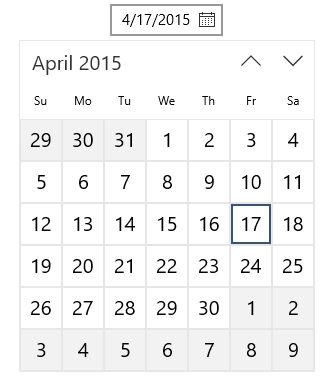
This is how CalendarDatePicker looks like:
(Date Is Not Selected)

(Once Date is Selected)
To declare CalendarDatePicker control, you must add these lines in XAML view:
- <CalendarDatePicker Name="calendarPicker"/>
- Gregorian
- Hebrew
- Hijri
- Japanese
- Julian
- Korean
- Persian
- Taiwan
- Thai
- UmAlQura
But the default calendar we use is Gregorian Calendar.
If you want to see today's date highlighted, you should tick the option "IsTodayHighLighted" as seen below. It is in Common properties of the CalendarDatePicker control:

Selecting a date by code
Since we assigned a name to our control, we can access it via code. We shall select "1 April 1985" in the example. Open your Page Load event or constructor and add the following line:
- calendarPicker.Date = new DateTime(1985, 4, 1);
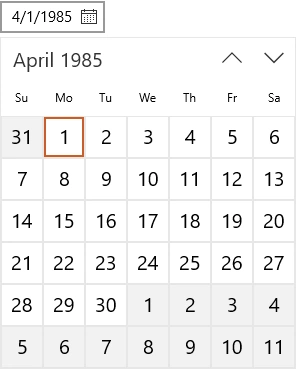
Now lets make another example on how to format the date types. As you can see in the above example, we used "4/1/1985" format. But that's not always what we want in general, so let's see these different ways to format it.
- <CalendarDatePicker Name="calendarPicker" DateFormat="{}{day.integer}/{month.full}/{year.full}" />

For instance, you can use "integer" or "full" identifiers only in a month.
Other formats
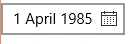

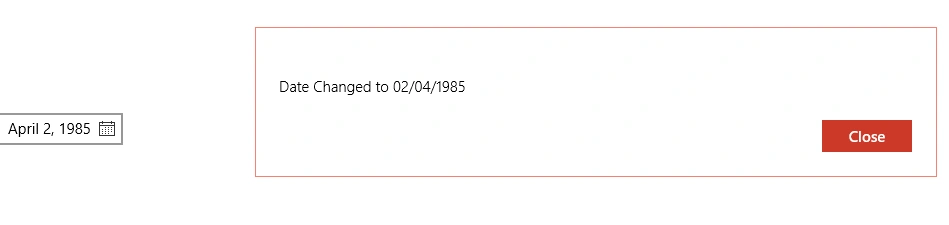
Additionally, you can even do something once a date is clicked. Let's consider an example:- <CalendarDatePicker Name="calendarPicker" DateFormat="{}{day.integer} {month.full} {year.full}" />
- <CalendarDatePicker Name="calendarPicker" DateFormat="{}{month.full} {day.integer}, {year.full}"/>
- public MainPage()
- {
- this.InitializeComponent();
- calendarPicker.Date = new DateTime(1985, 4, 1);
- calendarPicker.DateChanged += (e, f) => { ShowMessage("Date Changed to " + f.NewDate.Value.ToString("dd/MM/yyyy")); };
- }
- public async void ShowMessage(string message)
- {
- var msg = new Windows.UI.Popups.MessageDialog(message);
- msg.DefaultCommandIndex = 1;
- await msg.ShowAsync();
- }
CalendarDatePicker is useful for letting users to pick a date from calendar.
Santhakumar MunuswamyPosted Oct 18, 2015, 2:41 AM
Good one
Mukesh KumarPosted Oct 16, 2015, 3:30 AM
Good One, Thanks for sharing
Nilesh JadavPosted Oct 16, 2015, 1:01 AM
Great !!
RakeshPosted Oct 16, 2015, 12:49 AM
Good one
Ankit BansalPosted Oct 16, 2015, 12:29 AM
thanks for sharing..
Priyaranjan K SPosted Oct 15, 2015, 2:33 PM
Good One
Rajeesh MenothPosted Oct 15, 2015, 2:33 PM
Great!!!