

In this article I will explain how to call Web API using generic handler in ASP.NET and how to pass data from generic handler to Web API.
Before starting working on WEB API, first we need some information about WEB API.
What is WEB API
Basically Web API is the framework for creating HTTP Services and these services consume by the client like web browsers, mobile, iPhone and some other devices. If we want to expose our service data to the browsers, firstly we should have an API which is compatible with the client means with the browsers.
Web API is the best framework for transferring data and services to different other devices and one more thing about the Web API is that it is an open source framework and ideal platform for creating RESTful services in the .NET framework.
Let us see WEB API in the project
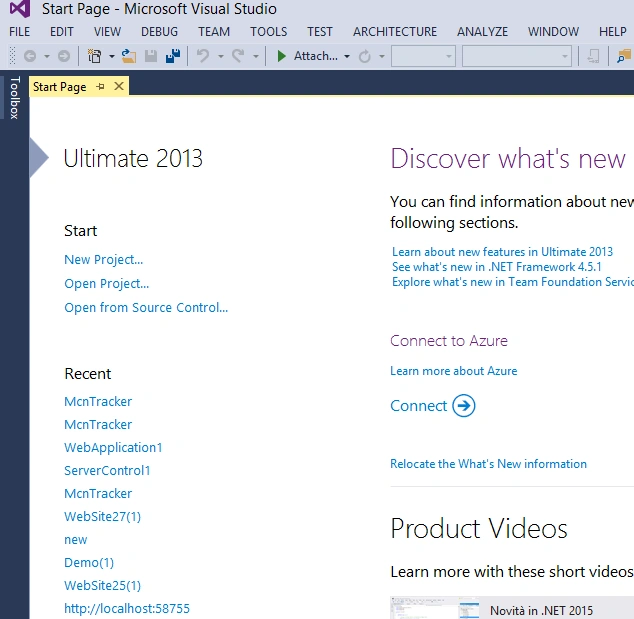
Step 1: Start Visual Studio.
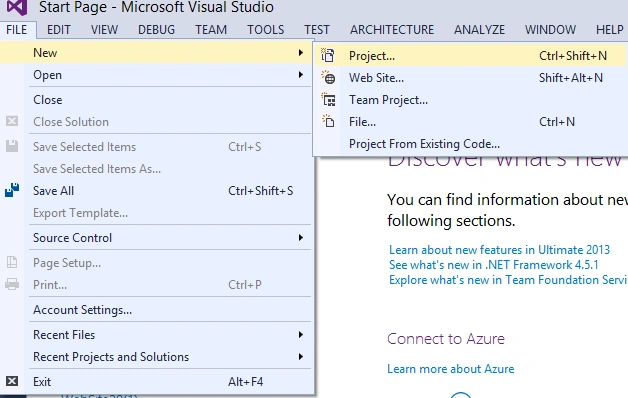
Step 2: Now for creating a website, click on the File, go to New and click on the Project.
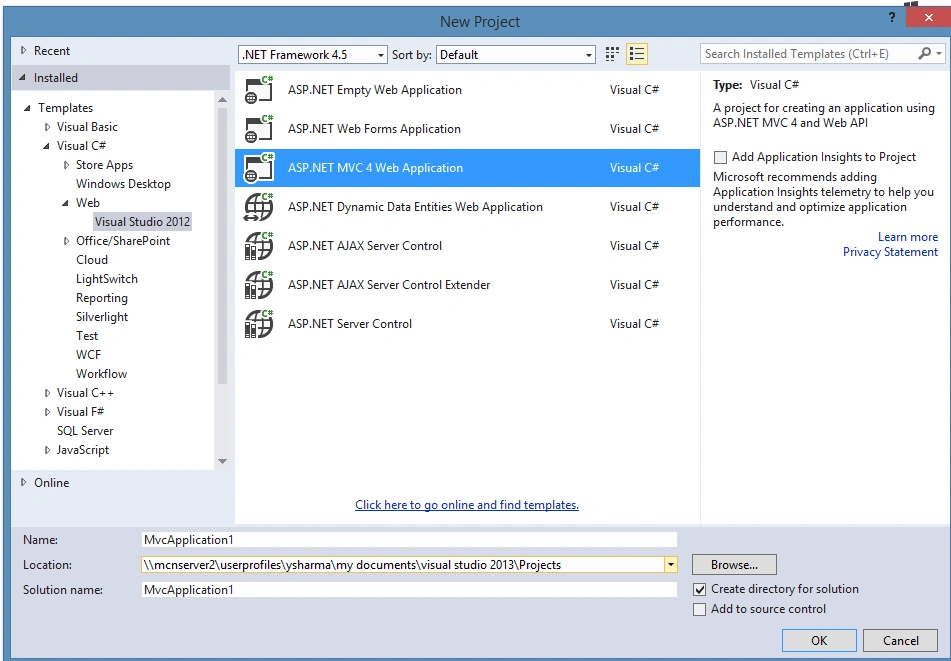
Step 3: Now we will select the ASP.NET MVC 4 Web Application and click on the OK button.
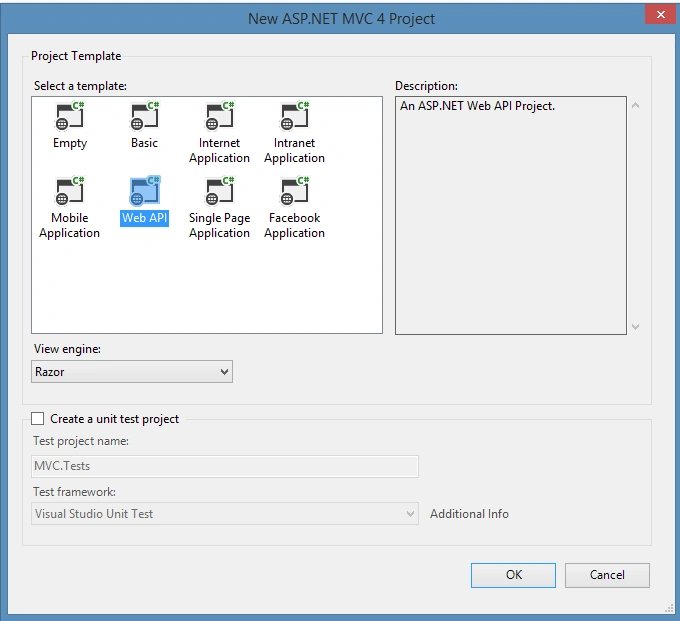
After selecting MVC 4, we will select Web API in the next generated window and click on the OK button.
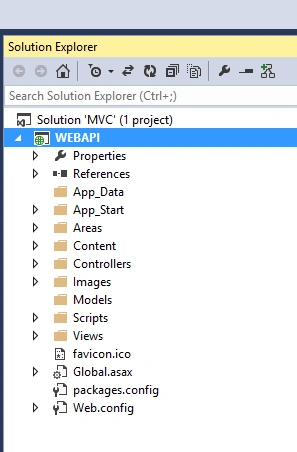
Step 4: Now the solution explorer looks like the following screenshot:
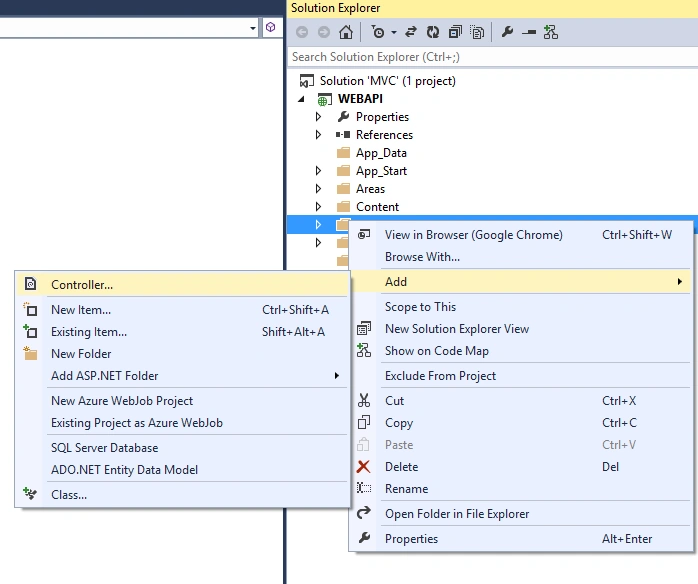
Step 5: Now in the Controller folder add the controller and give the name of the controller whatever you want according to the requirement. By default the following code is added in the Controller.
- using System;
- using System.Collections.Generic;
- using System.Linq;
- using System.Web;
- using System.Web.Mvc;
- namespace MVC.Controllers {
- public class RegistrationController: Controller {
- //
- // GET: /Registration/
- public ActionResult Index() {
- return View();
- }
- }
- }
Step 6: Now call Web API using the Generic handler, and write the following code in the generic handler
- using System;
- using System.Collections.Generic;
- using System.Linq;
- using System.Web;
- using McnTracker.Models;
- using System.Data;
- using System.Data.SqlClient;
- using System.Web.Script.Serialization;
- using System.IO;
- using System.Net;
- using System.Net.Http;
- using System.Net.Http.Headers;
- using System.Configuration;
- using System.Web.UI;
- namespace McnTrackerWeb {
- /// <summary>
- /// Summary description for Registration1
- /// </summary>
- public class Registration1: IHttpHandler {
- /// <summary>
- /// This method for posting the data to the web api
- /// </summary>
- /// <param name="context"></param>
- public void ProcessRequest(HttpContext context) {
- context.Response.ContentType = "text/xml";
- UserRegistration rs = new UserRegistration();
- rs.UserName = context.Request.QueryString["User"].ToString();
- rs.Email = context.Request.QueryString["Email"].ToString();
- rs.pass = context.Request.QueryString["Pass"].ToString();
- rs.Phone = Convert.ToInt64(context.Request.QueryString["Phone"]);
- rs.States = context.Request.QueryString["States"].ToString();
- rs.City = context.Request.QueryString["City"].ToString();
- HttpClient httpClient = new HttpClient();
- httpClient.DefaultRequestHeaders.Accept.Add(
- new MediaTypeWithQualityHeaderValue("application/json"));
- HttpResponseMessage response;
- response = httpClient.PostAsJsonAsync(ConfigurationManager.AppSettings["ApiUrl"] + "Registration/UserRegistration/", rs).Result;
- context.Response.Write("<script type='text/javascript'>alert('Registered Sucessfully');</script>");
- }
- public bool IsReusable {
- get {
- return false;
- }
- }
- }
- }
Step 7: After writing the code in the generic handler, now we need to write the code for responding the values in Web API controller.
We write the following code in the Registration controller.
- using System;
- using System.Collections.Generic;
- using System.Linq;
- using System.Net;
- using System.Net.Http;
- using System.Web.Http;
- using McnTracker.Models;
- using McnTracker.Core;
- namespace McnTrackerAPI.Controllers {
- public class RegistrationController: ApiController {#region Variable
- /// <summary>
- /// This variable is used for RegistrationBAL
- /// </summary>
- RegistrationBAL registraionBL;#endregion
- #region Http Response Method
- /// <summary>
- /// This method is used to register the details of user
- /// </summary>
- /// <param name="registration"></param>
- /// <returns></returns>
- [HttpPost, ActionName("UserRegistration")]
- public HttpResponseMessage UserRegistration(UserRegistration registration) {
- HttpResponseMessage response;
- registraionBL = new RegistrationBAL();
- try {
- var result = registraionBL.SaveUserregisrationBL(registration);
- response = Request.CreateResponse(HttpStatusCode.OK, result);
- //if(result==1)
- //{
- // Response.Write("<script type='text/javascript'>alert('Sucess');</script>");
- //}
- } catch (Exception) {
- response = Request.CreateResponse(HttpStatusCode.InternalServerError);
- }
- return response;
- }#endregion
- }
- }
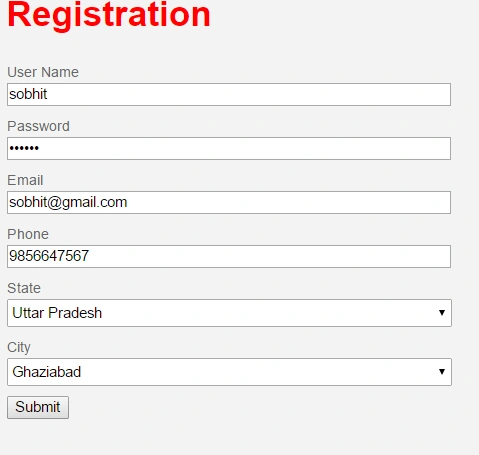
Now check generic handler posting the values in Web API or not.
Fill the details and click on the submit button.
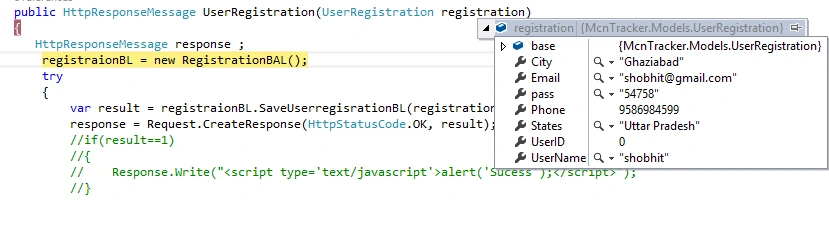
After debugging in the application we show that registration class object have values as in the following screenshot:
Summary
I hope this article is helpful for the users who want to use web API and generic handler for posting the value from the generic handler to Web API in ASP.NET.
Santhakumar MunuswamyPosted Oct 18, 2015, 4:34 AM
Good one
RakeshPosted Oct 10, 2015, 2:12 AM
Good share
Nilesh JadavPosted Oct 10, 2015, 1:51 AM
Nice one sir