
We all developers know how we struggled for a Carousel in SharePoint 2007 and 2010 but here is a superb app in App Store in SharePoint 2013 that will reduce our many days of efforts to a matter of just minutes.
Let's see how.
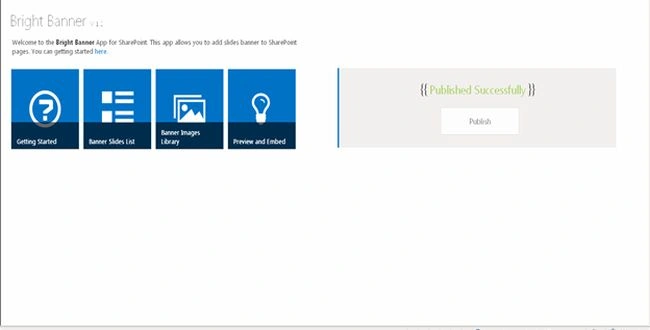
As we can see I have installed an app named Bright Banner. We have the four tabs, Getting Started, Banner Slides List, Banner Images Library and Preview and Embed.
When we click on the Getting Started icon it shows you a Help Page as to how you need to configure the app but you don't need it. I am here to provide you a clearer picture regarding configuration of this app.
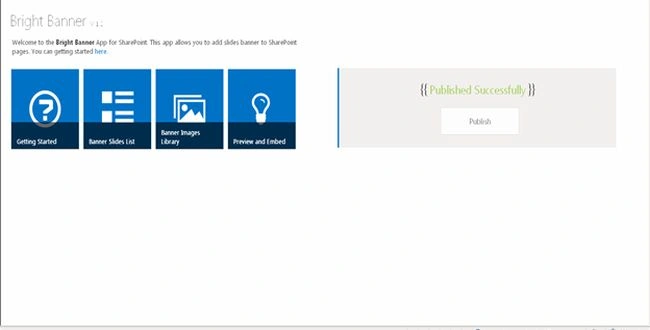
So first click on the Banner Images Library, it will open up as below.

Browse an image and add it to the Library.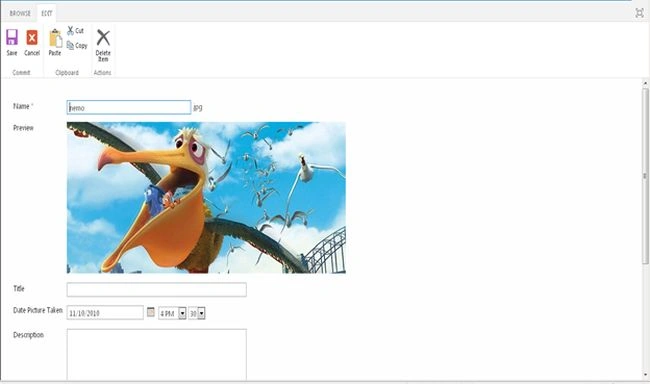
After saving the image click on the Banner Slides List that will be shown as below.
Click on new item.
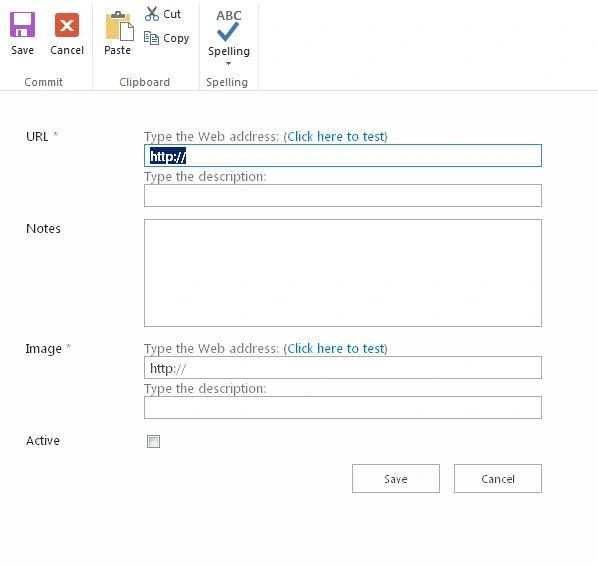
Add the URL of the link you want users to go to after clicking on the image. Then you can add up some notes, then provide the URL of the image that you uploaded in your Image Library and if you want it to be visible immediately on the carousel, click on active.
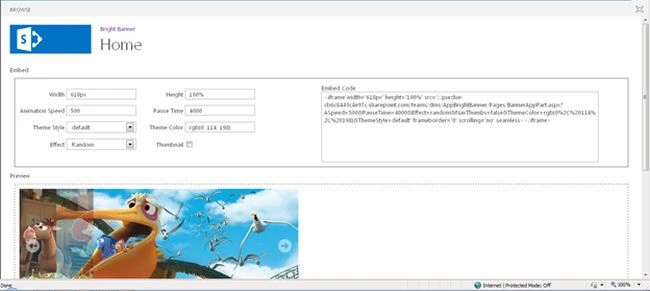
Once you are done you can see the preview and adjust the width, height, effect, speed and so on. of the carousel.
Then you can see a button named Publish, click on it. It will show you Published Successfully.
Once you are done open the page where you want to add the carousel as in the following:
>>Edit the page
>>Click on add a web part
>> You will find the Bright Banner App
>>Add it to the page
>>There you can see the final Carousel

It was quick and simple, right?
Yes, indeed but as a developer we all know how much time it takes to do this using HTML and JavaScript involving many days of effort but this will take a small amount of time of your schedule.
Keep learning.

Join the conversation! Your thoughts help the community grow.