
Support all the language packs.
Create a new team site.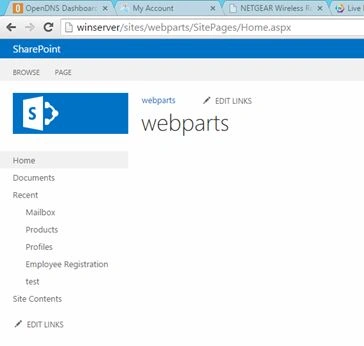
Enable MUI in the SharePoint site.
Go to Site Actions -> Site settings.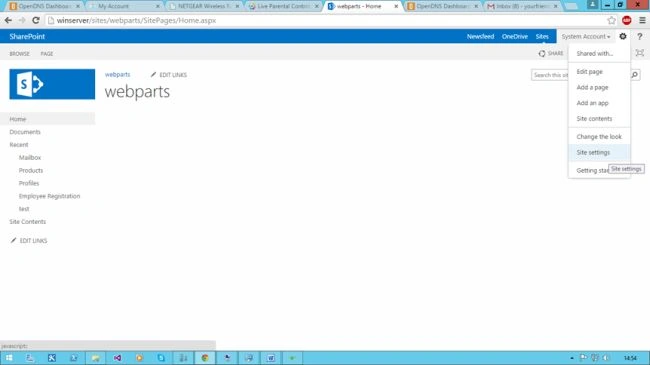
On the page under site administration click Language settings then select Arabic.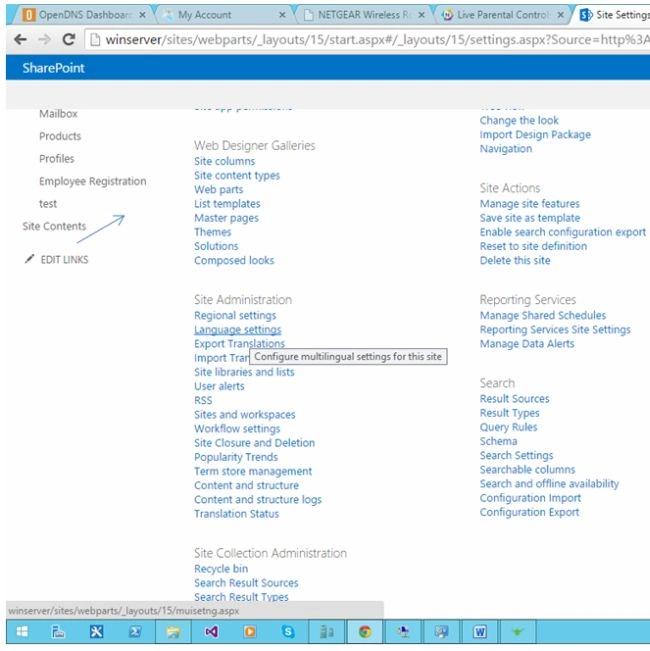
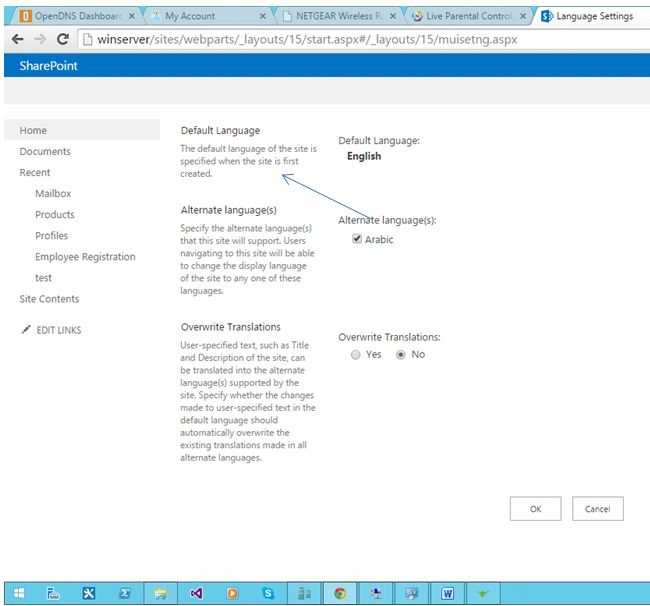
Click OK.
Now I will create a Webparts with Custom title.
So now i am creating the document repository with the default title.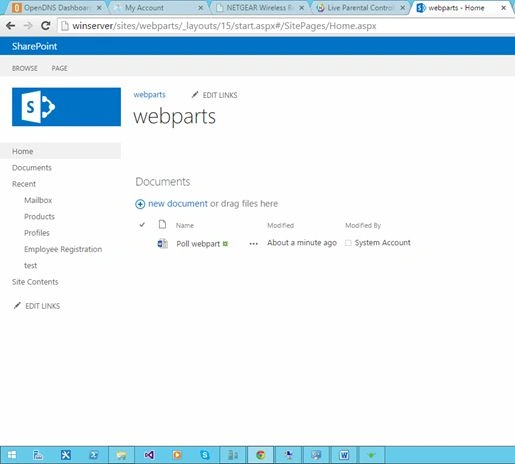
Now I will switch to Arabic.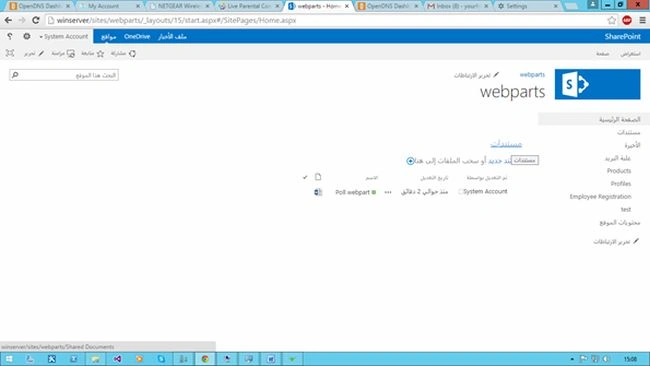
So the webpart title is now switched to Arabic.
Problem: Most of the SharePoint users facing why custom Webpart title won't be changed using MUI, how to do that. If any solutions then don't worry about that now, I will show that.
How to change the custom Webpart header title.
Now am adding two webarts with custom title.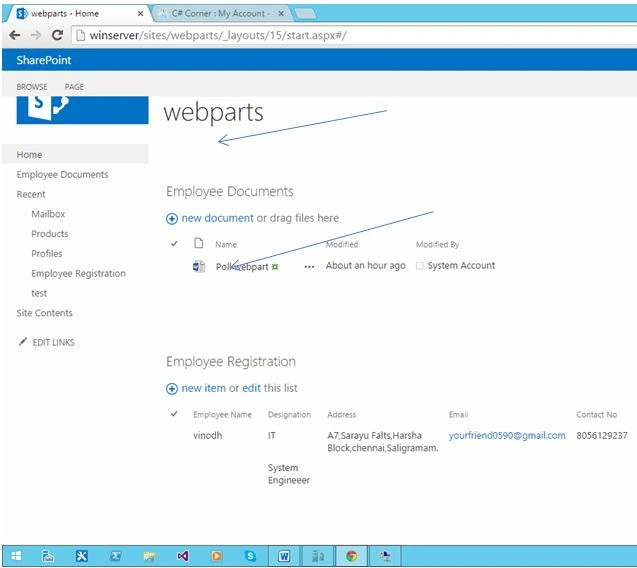
Employee Documents and Employee Registration.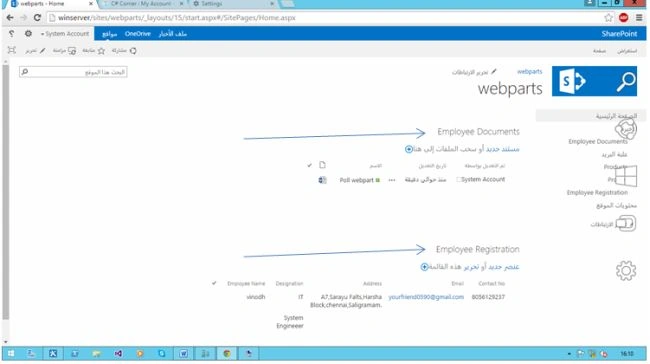
So now the custom Webpart title won't be changed.
Here is the procedure to change the custom Webpart titles.
Go to the Site settings then under site administration click Export Translations.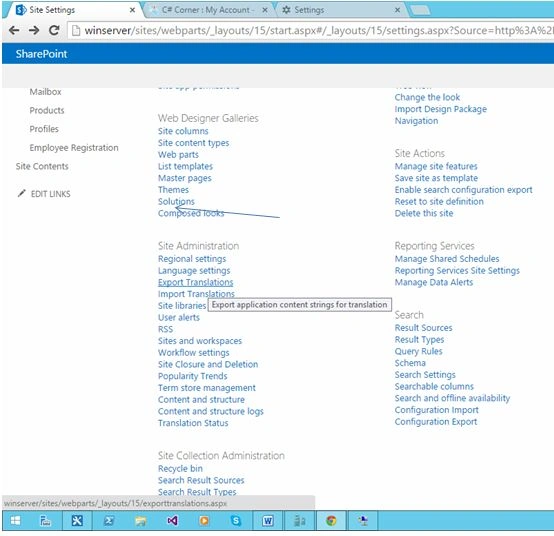
Select Arabic then click Export.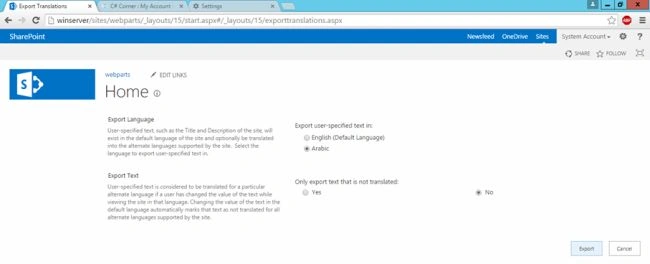
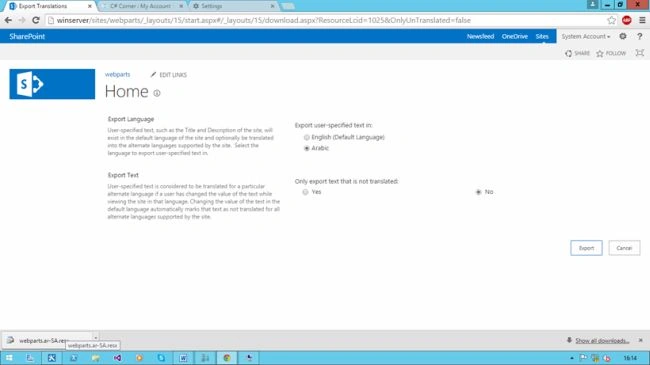
Now the resource file has been downloaded.
Open this file in Visual Studio.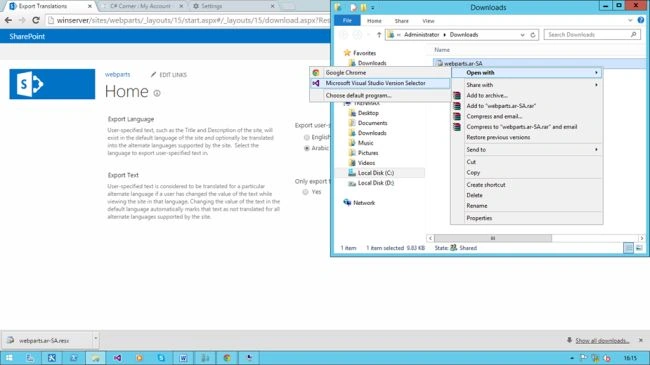
Now you will see the webparts titles are not translated.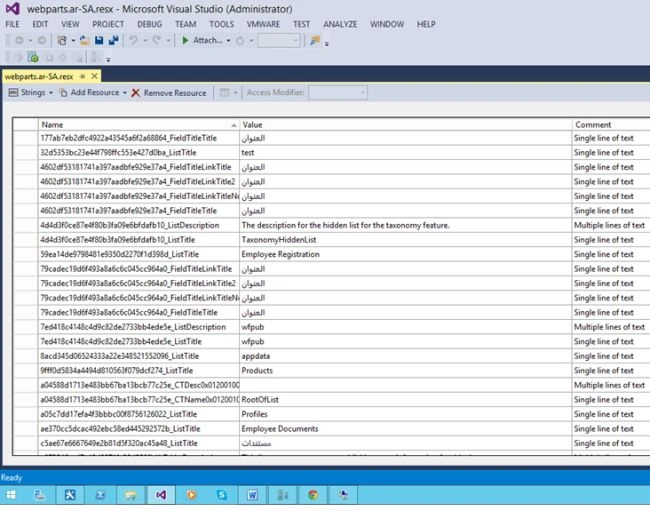
Go to Google translate.
Just translate the text to Arabic.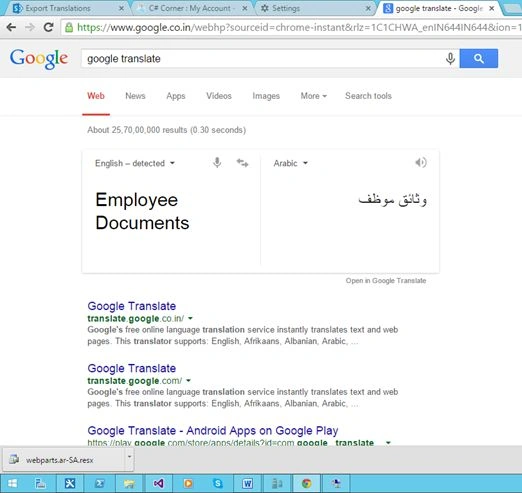
Now copy the translated text into the .resx file.
Replace it with "Employee Documents".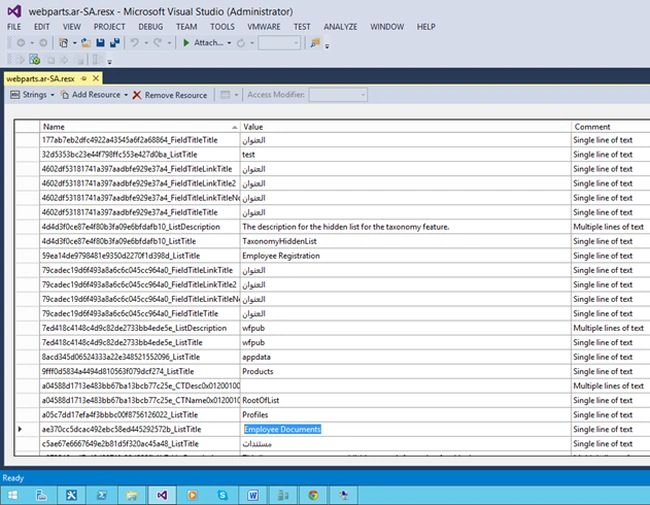
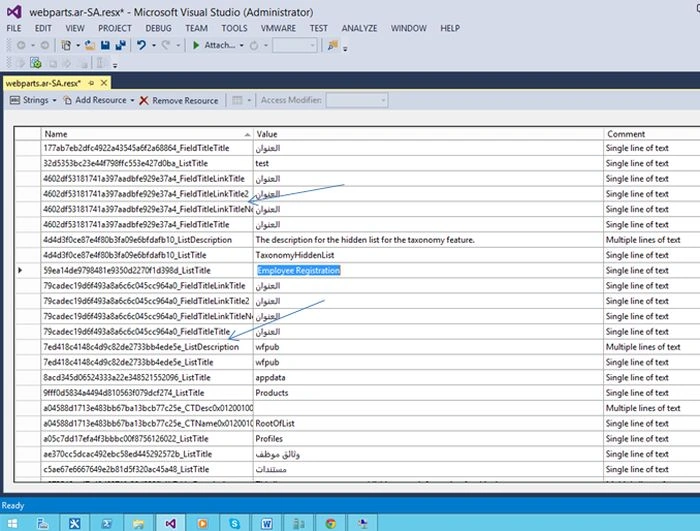
Translate the Employee Registration also.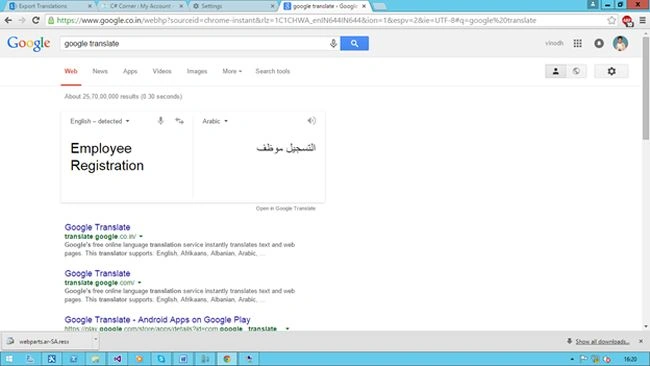
Replace it with "Employee Registration".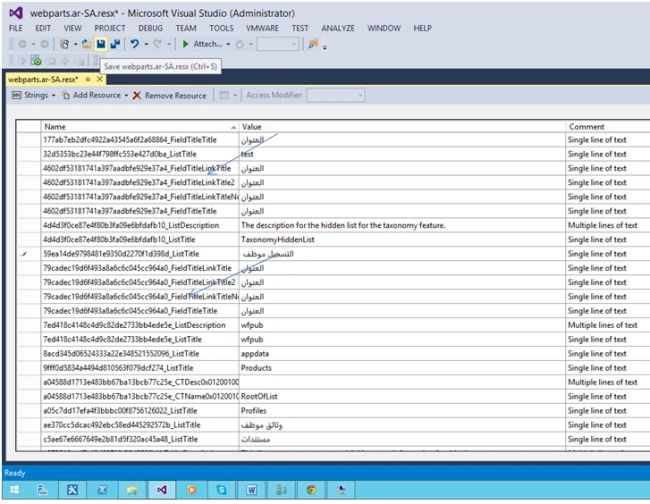
Click Save and close the .resx file.
Now import the modified translation into the SharePoint site.
In Site Actions slelct Site Settings then under Site administration click Import translation.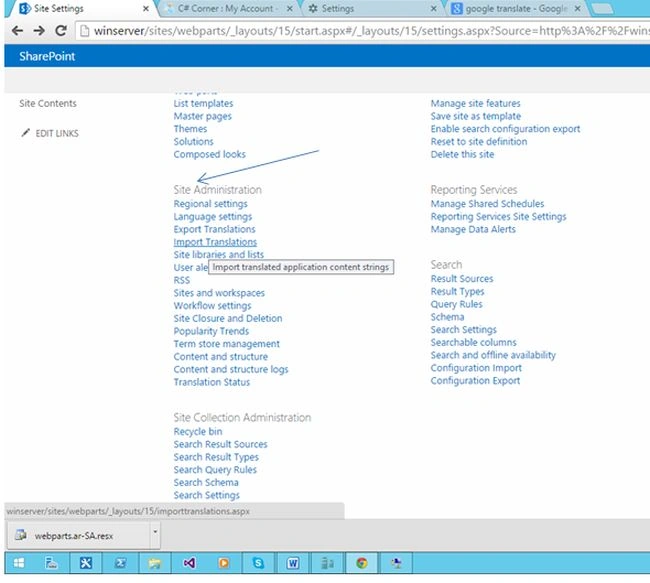
Upload the Translation file we modified.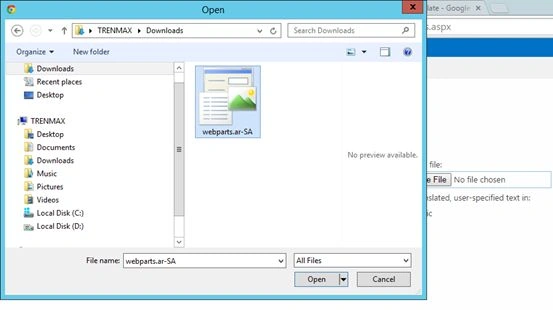
Select Import.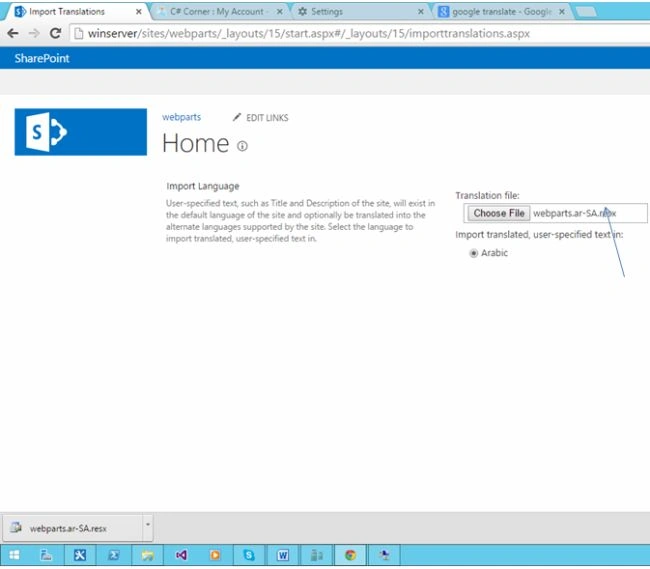
Now the changes have been applied.
The English site looks like this.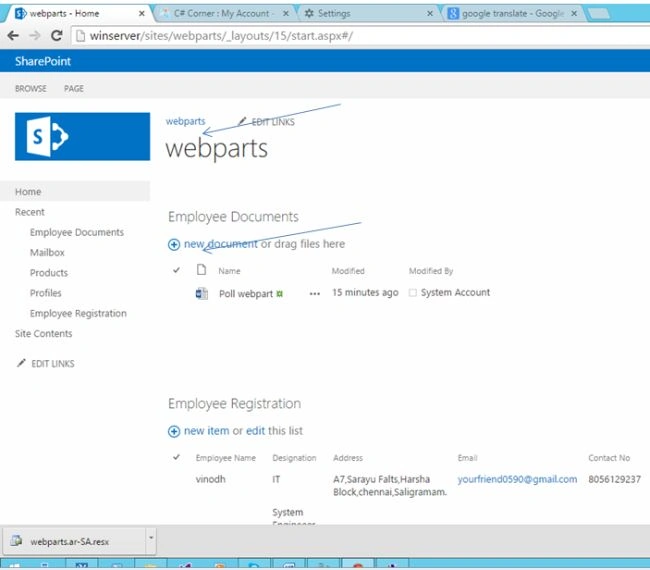
When we switch over, the Arabic site looks like this.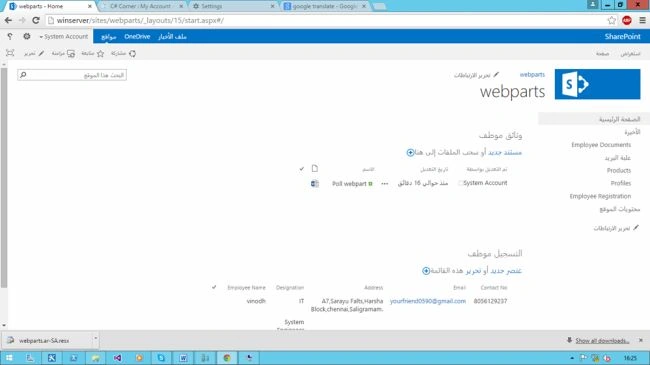
So now the custom Webpart titles have been changed successfully.
I have already explained how to install a language pack and how to switch into the SharePoint site in this link.
Happy SharePoint.
Changing Custom Webpart Titles Using MUI in SharePoint
This article explains how to change custom webpart tiles in SharePoint 2013 Multilingual User Interface (MUI). It is also compatible with SharePoint 2013.


Rajkiran SwainPosted Nov 6, 2015, 3:30 AM EST
very interesting ..
Vinodh NarayananPosted Jul 28, 2015, 5:36 AM EDT
Gowtham Rajamanickam Thanks
Gowtham RajamanickamTOP 100Posted Jul 27, 2015, 1:22 AM EDT
informative
Vinodh NarayananPosted Jul 24, 2015, 1:55 AM EDT
Thanks sir
Santhakumar MunuswamyPosted Jul 23, 2015, 11:07 AM EDT
Thanks for nice article:)
Vinodh NarayananPosted Jul 22, 2015, 9:51 PM EDT
Thank you friends
Rahul Kumar SaxenaTOP 100Posted Jul 22, 2015, 10:21 AM EDT
good Show
Sibeesh VenuTOP 100Posted Jul 22, 2015, 12:04 AM EDT
Nice Share.
Vinodh NarayananPosted Jul 21, 2015, 10:50 PM EDT
Jacob Robinson Thank you
Jacob RobinsonPosted Jul 21, 2015, 10:35 PM EDT
Good One...