
Introduction
This article shows how to use a CheckBoxFor helper handling HttpPost in MVC applications.
Create an ASP.Net Web Application as in Figure 1.
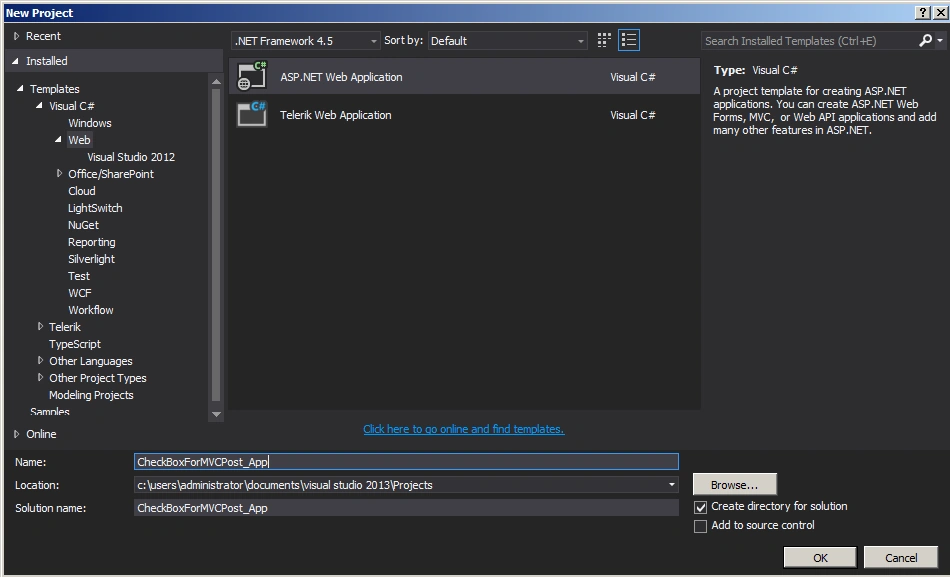
Figure 1: Web Application
Choose MVC template as in Figure 2.
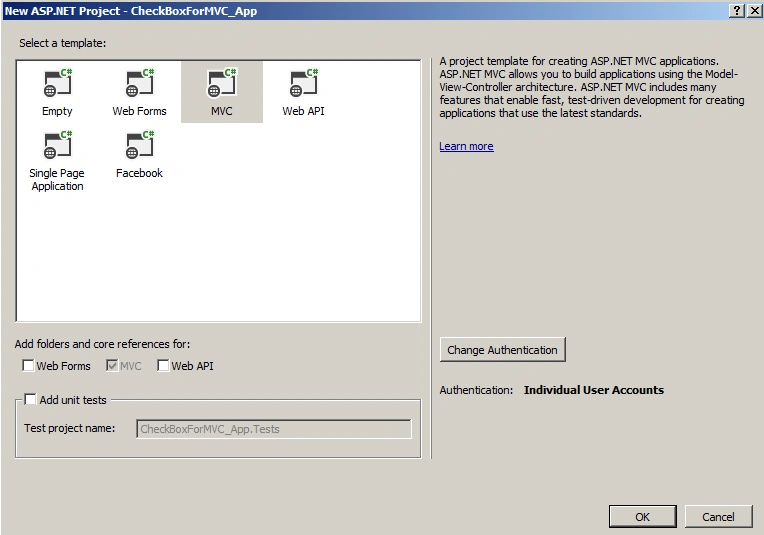
Figure 2: MVC Template
Add an Employee Controller as in Figures 3, 4 and 5.
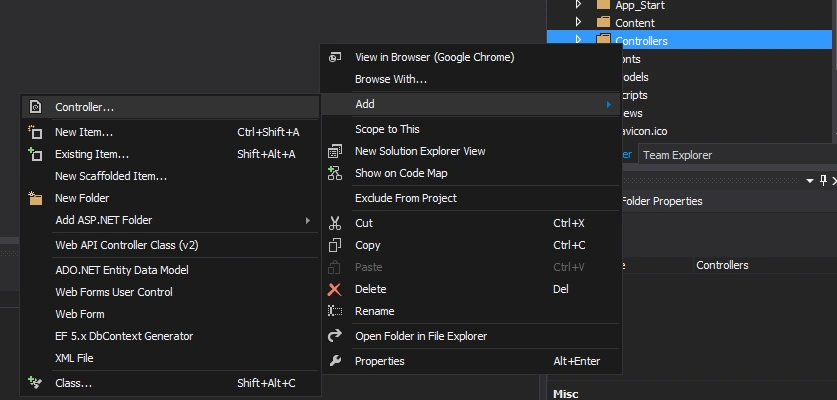
Figure 3: Add Controller
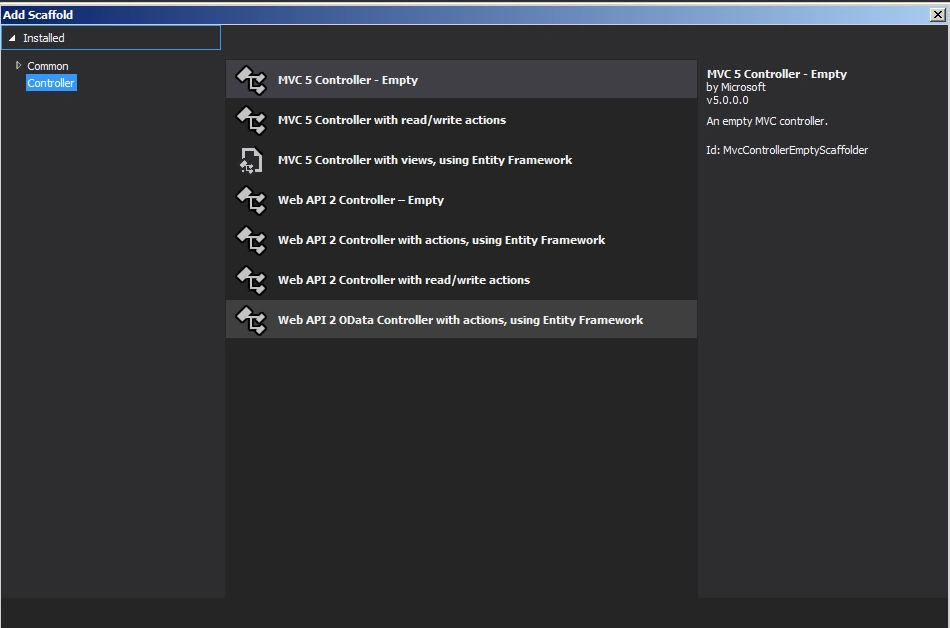
Figure 4: MVC Controller Empty
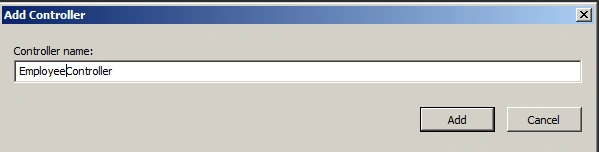
Figure 5: Employee Controller
EmployeeController.cs
- using CheckBoxForMVCPost_App.Models;
- using System;
- using System.Collections.Generic;
- using System.Linq;
- using System.Text;
- using System.Web;
- using System.Web.Mvc;
- namespace CheckBoxForMVCPost_App.Controllers
- {
- public class EmployeeController : Controller
- {
- EmployeeEntities db = new EmployeeEntities();
- //
- // GET: /Employee/
- public ActionResult Index()
- {
- return View(db.Departments.ToList());
- }
- [HttpPost]
- public string Index(IEnumerable<Department> model)
- {
- StringBuilder sb = new StringBuilder();
- foreach (var mode in model)
- {
- if (mode.IsSelected)
- {
- sb.Append("Selected Value is : <b>" + mode.DepartmentName + "</b>");
- sb.Append("<br />");
- }
- }
- return sb.ToString();
- }
- }
- }
Set up the Entity Framework as in Figures 6, 7 and 8.
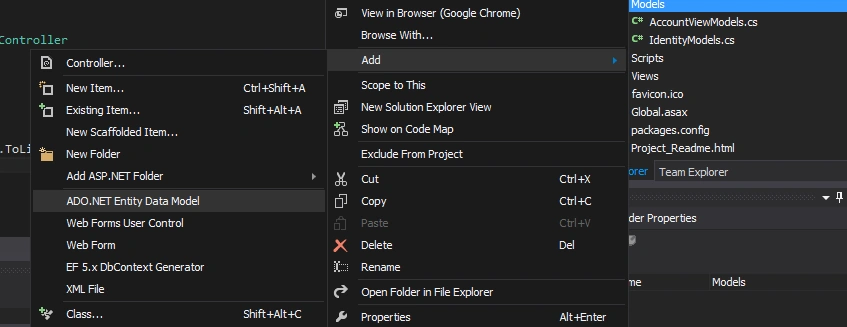
Figure 6: Add ADO.NET Entity Framework
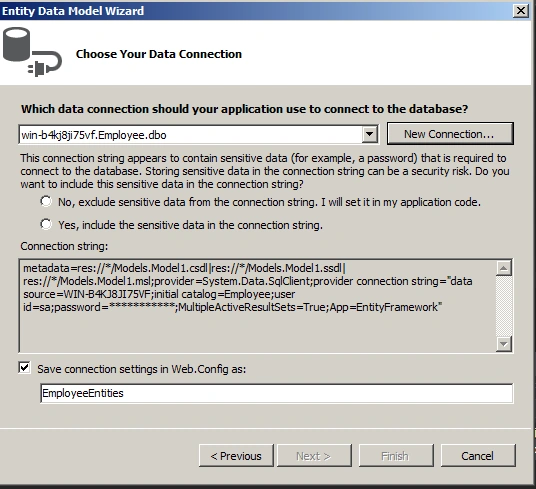
Figure 7: Connection Setting
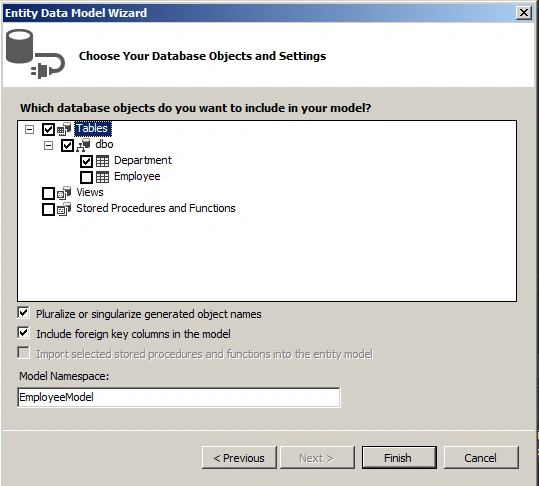
Figure 8: Select Tables
Add a View as in Figures 9 and 10.
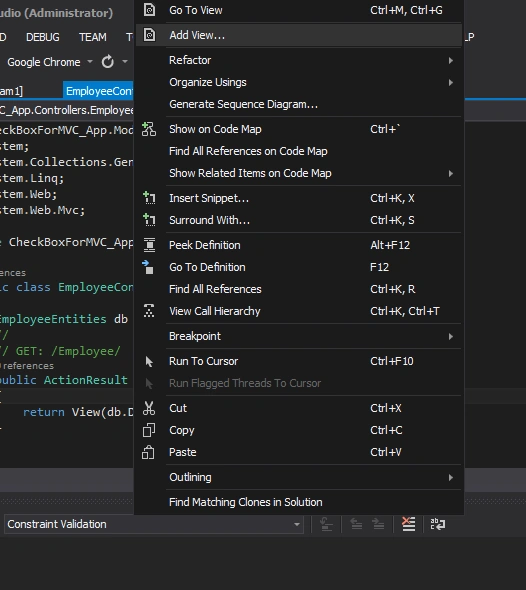
Figure 9: Add View
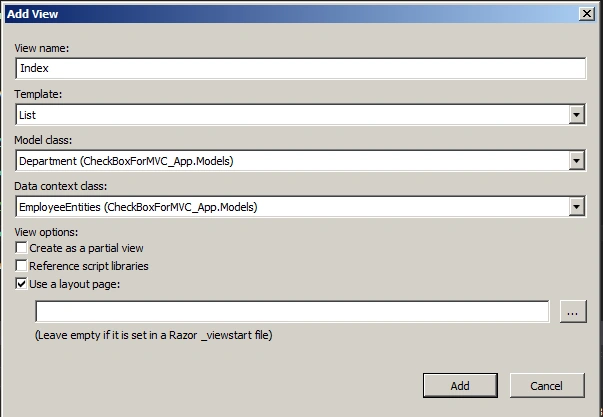
Figure 10: Index View
Index.cshtml
- @model IList<CheckBoxForMVCPost_App.Models.Department>
- @{
- ViewBag.Title = "Index";
- }
- <h2>Index</h2>
- @using (Html.BeginForm("Index", "Employee", FormMethod.Post))
- {
- for (int i = 0; i < Model.Count; i++)
- {
- @Html.HiddenFor(m => m[i].DepartmentName)
- @Html.CheckBoxFor(m => m[i].IsSelected)
- @Html.DisplayTextFor(m => m[i].DepartmentName)
- <br />
- }
- <br />
- <input type="submit" value="Submit" />
- }
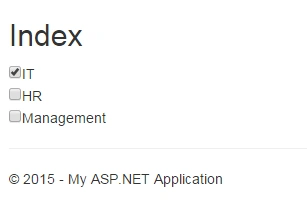
Figure 11: Index
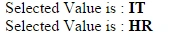
Figure 12: Selected Values
Summary
In this article we saw how to use a CheckBoxFor helper handling HttpPost in MVC applications.
Happy coding.


NitinPosted May 28, 2015, 9:02 AM EDT
good one
Santhakumar MunuswamyPosted May 27, 2015, 11:19 AM EDT
Thanks for nice article
Shailesh UkePosted May 27, 2015, 6:29 AM EDT
Nice Article
Gowtham RajamanickamTOP 100Posted May 27, 2015, 4:24 AM EDT
great...
Sibeesh VenuTOP 100Posted May 27, 2015, 1:56 AM EDT
Good one.