

CLI (Common Language Integration) is an important concept in .Net Framework. As you, .Net supports multiple languages; more than 100 in Visual Studio 2010. Now you want to add two DLLs (dynamic Link Libraries) to your project but one DLL is in C# language and other is in VB Language and when we use both languages together we are getting the same output without any error. So this is the concept of CLI. Now we see how does it happen?
Summary:
Open two different Class Libraries such as ClassLibrary1 and ClassLibrary2, one should be in C# and other should be in any language Like VB. OK.
Open ClassLibrary For C#:
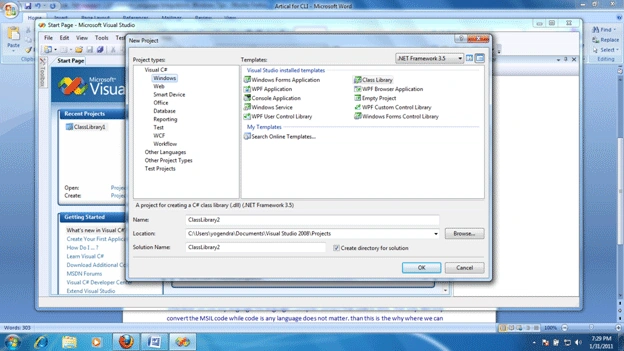
Open ClassLibrary For VB:
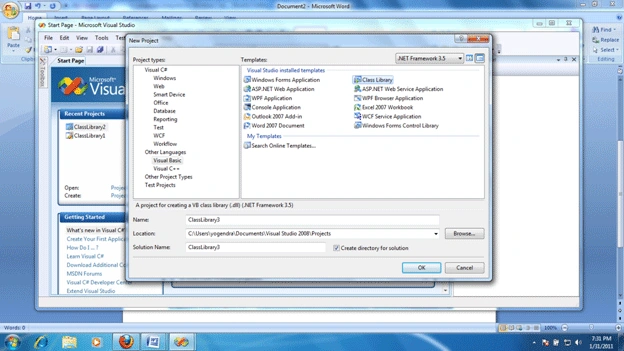
After that just write a code in both languages like in C#
namespace ClassLibrary2
{
public class Class1
{
public int a;
}
}
In VB
Public Class Class1
Public a As Integer
End Class
(Remember we are working in ClassLibrary). And now just compile both projects and we will get two different DLLs; one in C# and one in VB.
Now open command prompt of Visual Studio

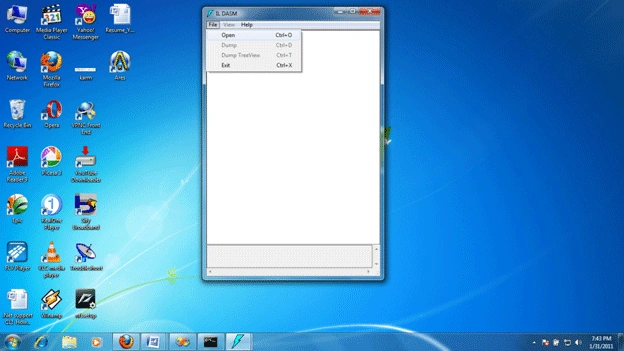
And write the command "ILDASM" (Intermediate Language Disassembler) over there and press enter; do it 2 times.
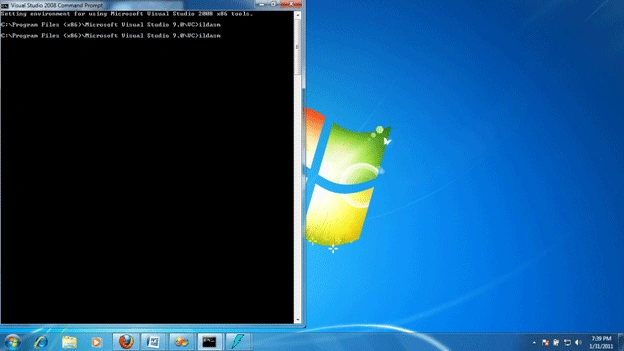
We will get two same ILDASM windows Like:
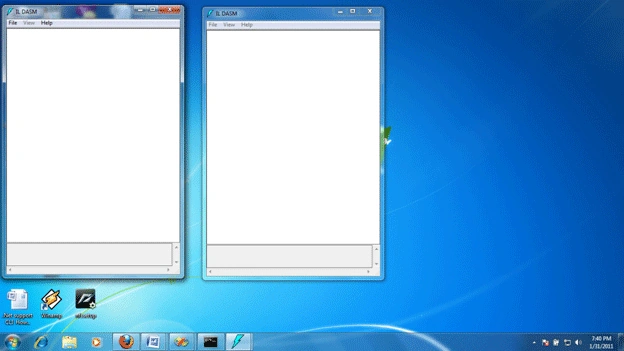
In one just add C# DLL and in other add VB's DLL.
For add (file->open->follow the path for DLL),
And now you will see that both languages code are the same at that position like this:
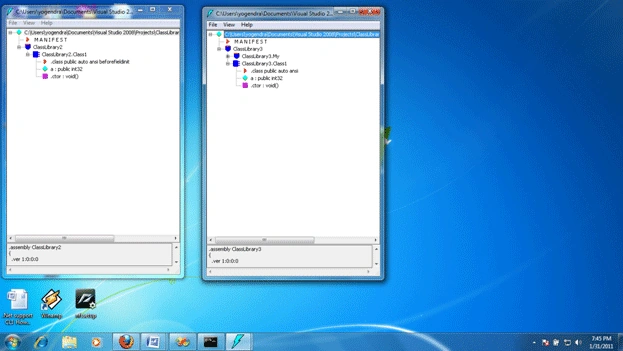
Now we can see that on this position code for variable "a" is same in both windows. This position is known as MSIL (Microsoft Intermediate Language).
So how does it happen, when we use more than one language on .Net platform then you will see that .Net does not understand the languages you use over there, that only understand the MSIL code. So whenever we use any language the language's compiler converts that code to MSIL. That is why .Net only converts the MSIL code while code is written in any language, that does not matter. Then this is the reason, where we can say .Net support CLI.
By,
Yogendra Kumar
Abhishek BhatPosted Feb 2, 2011, 10:07 PM
CLI stands for Common Language Infrastructure... CLI has CLS, CTS and few other things. CLS has rules defined for Common language support in Dotnet. CLS stands for Common Language Specifications. Check - http://en.wikipedia.org/wiki/Common_Language_Infrastructure
knightsPosted Feb 1, 2011, 11:29 AM
It seems that its an effort to explain CLI (Common Language Infrastructure).Please check at "http://en.wikipedia.org/wiki/.NET_Framework#Common_Language_Infrastructure_.28CLI.29".Acronym definition also sounds different if thats the scenario. The same article by same author can be found at http://www.dotnetspider.com/resources/42017-Proof-How-can-you-say-Net-support-CLI-Common.aspx, which has its status as "pending" and the reason mentioned by website Admin is "Reason: Add proper summary && Reference: Content: Use proper title for your resources" I think its a nice idea for Admin of this website to use this feature if possible to track and freeze the content which is unclear for readers for some reason.
Sam HobbsPosted Feb 1, 2011, 2:39 AM
Are you sure that CLI is an acronym for Common Language Integration? See <http://social.msdn.microsoft.com/Search/en-US?query=%22Common%20Language%20Integration%22&ac=8>. I see nothing indicating any relevance to .Net; all I see is something that appears to be a mistake in the MSDN. Now see "Standard ECMA-335 Common Language Infrastructure (CLI)" at <http://www.ecma-international.org/publications/standards/Ecma-335.htm>. That CLI is truly critical to .Net; as far as I know, it is .Net. Finally, using unmanaged code, it is possible to compile source code from more than one compiler and link them together into one executable (exe) file. That is not possible using unmanaged code/compilers, so as far as I am concerned, .Net is less sophisticated in the area of language integration.