
Step 1
Login to the SharePoint 2013 site as an administrator (System Account).
Step 2
Clicking the settings menu near User account (System Account), the following window will appear. In that item details click the Site contents.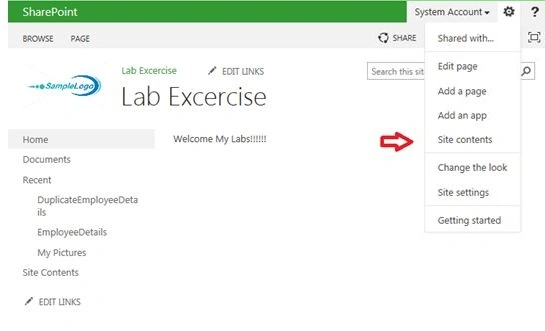
Step 3
Once clicking the Site Contents, the following screen will open. Click the new subsite item.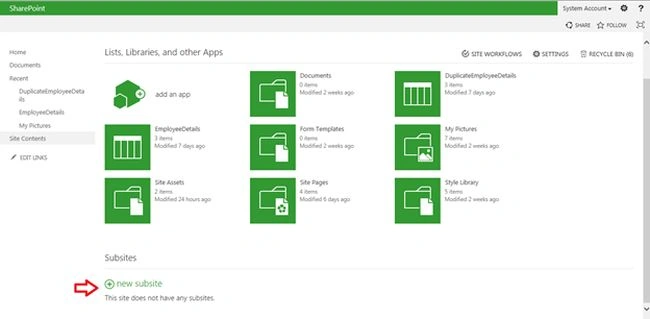
Enter the Community site title and select Community site template in the template section.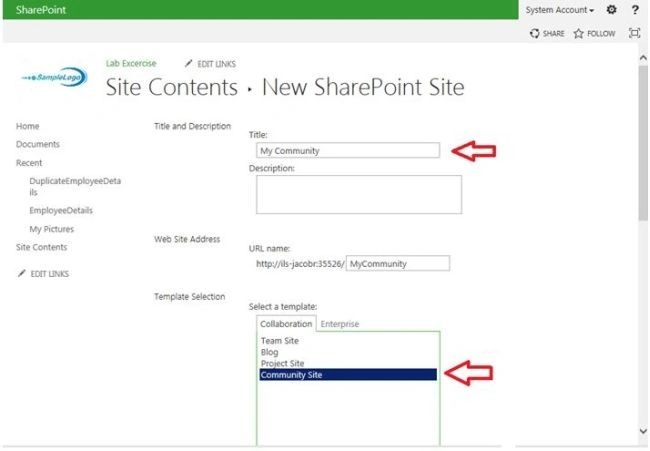
Click the Create button.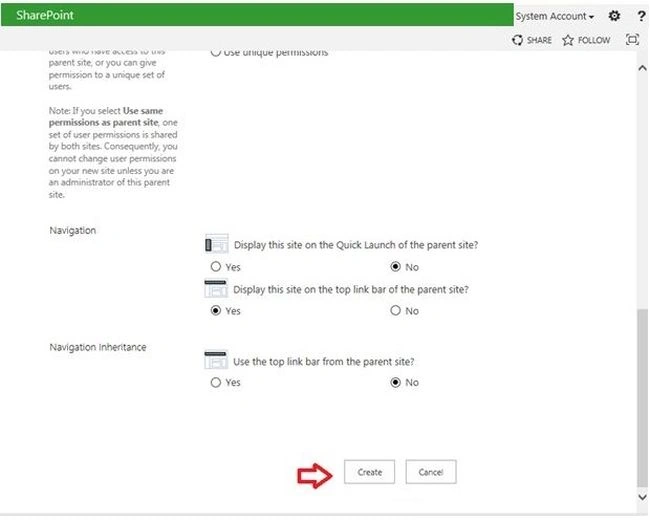
The Community site will be created successfully with community site lists.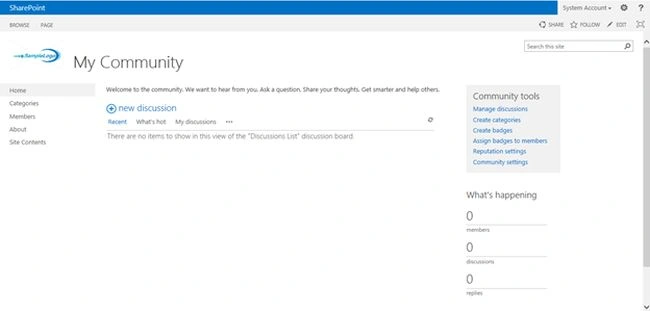
Summary
In this article we explored how to create a community subsite in SharePoint 2013.
Create a Community SubSite in SharePoint 2013
This article explains how to create a community subsite in SharePoint 2013.


Rajkiran SwainPosted Jul 6, 2015, 12:05 AM EDT
nice
SriramPosted Jul 5, 2015, 11:26 PM EDT
Good job..............
Jacob RobinsonPosted Jul 2, 2015, 9:45 PM EDT
Thanks All....
Abhay ShankerPosted Jul 2, 2015, 7:25 AM EDT
Nice One
Sibeesh VenuTOP 100Posted Jul 1, 2015, 2:36 AM EDT
Good one.
Gopi ChandPosted Jul 1, 2015, 2:26 AM EDT
Good one