

You can use the SharePoint client object model to retrieve, update and manage data in SharePoint 2013. SharePoint makes the object model available in several forms as in the following:
- .NET Framework redistributable assemblies
- JavaScript library
- REST/OData endpoints
- Windows Phone assemblies
- Silverlight redistributable assemblies
This article shows how to perform basic operations using the JavaScript object model. You can add a reference to the object model using HTML <script> tags.
The following sections describe the tasks that you can complete programmatically and they include JavaScript code examples that show the operations.
Procedure
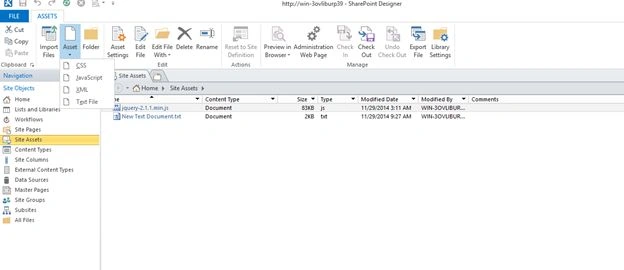
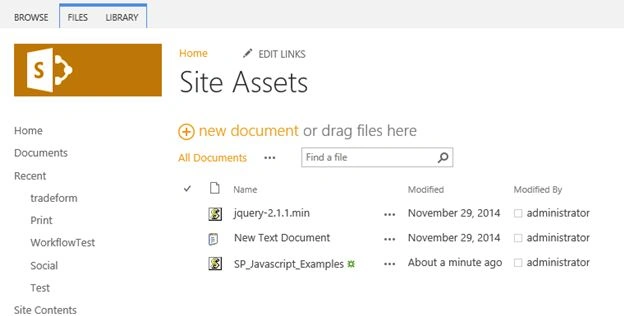
After adding a JavaScript file, the file is available in the SharePoint Site Assets folder as in the following:
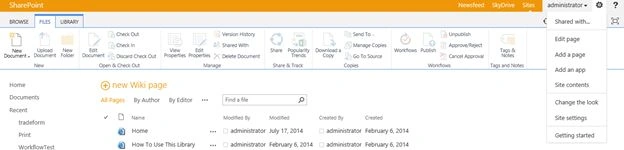
Go to the SP site page and add a new page to the SharePoint site.
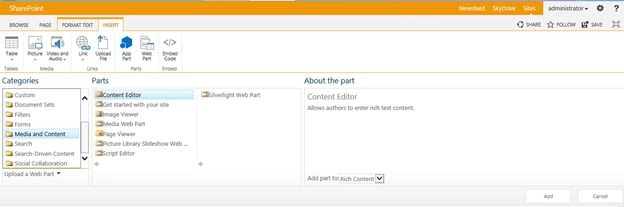
After adding the page select an Insert button in the Ribbon Menu.
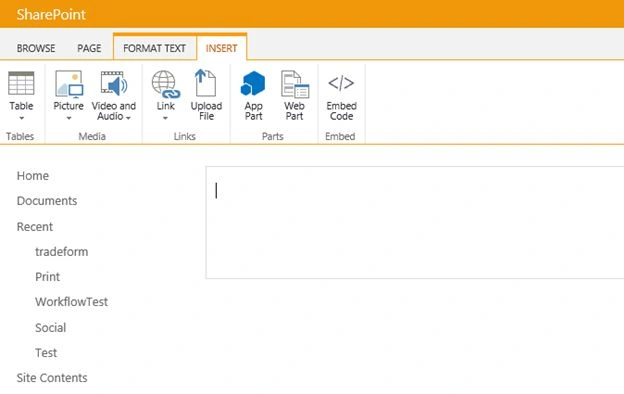
Then add a Content Editor Web part into the page.
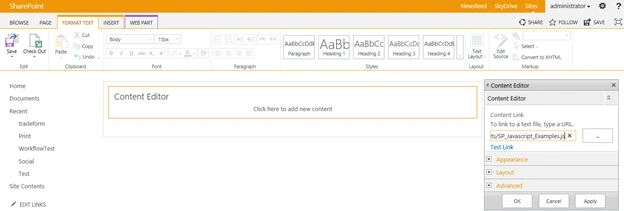
Edit the WebPart and add a JavaScript file link to the content link .
Save the web part and save the page in site. Click the button!
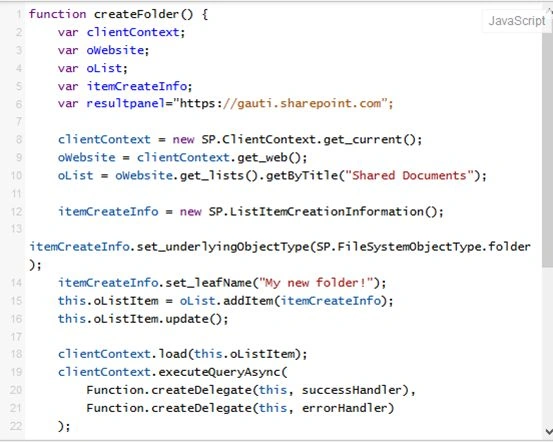
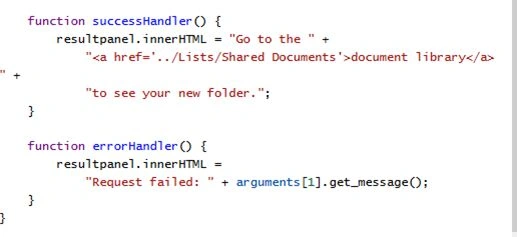
List Created Successfully.
Source Code
- <div><button onclick=" createFolder ()">Click here to AddaFieldtoList</button></div>
- <div id="displayDiv"></div>
- <script type="text/javascript">
- function createFolder() {
- var clientContext;
- var oWebsite;
- var oList;
- var itemCreateInfo;
- var resultpanel=”https://gauti.sharepoint.com”;
- clientContext = new SP.ClientContext.get_current();
- oWebsite = clientContext.get_web();
- oList = oWebsite.get_lists().getByTitle("Shared Documents");
- itemCreateInfo = new SP.ListItemCreationInformation();
- itemCreateInfo.set_underlyingObjectType(SP.FileSystemObjectType.folder);
- itemCreateInfo.set_leafName("My new folder!");
- this.oListItem = oList.addItem(itemCreateInfo);
- this.oListItem.update();
- clientContext.load(this.oListItem);
- clientContext.executeQueryAsync(
- Function.createDelegate(this, successHandler),
- Function.createDelegate(this, errorHandler)
- );
- function successHandler() {
- resultpanel.innerHTML = "Go to the " +
- "<a href='../Lists/Shared Documents'>document library</a> " +
- "to see your new folder.";
- }
- function errorHandler() {
- resultpanel.innerHTML =
- "Request failed: " + arguments[1].get_message();
- }
- }
- </script>
Thanks for reading my article.
Guest UserPosted Apr 6, 2017, 1:51 AM
Can u get me the complete code for multiple files to upload in a document library by selecting the folder ? I need all the approaches REST, CSOM, JSOM, SSOM with complete step by step process plz.
Gowtham RajamanickamPosted Apr 12, 2016, 1:14 AM
so hope you all like it...
Gowtham RajamanickamPosted Apr 12, 2016, 1:14 AM
I will organizes all the aricles in one place
Gowtham RajamanickamPosted Apr 12, 2016, 1:14 AM
thank u all
Gowtham RajamanickamPosted Apr 12, 2016, 1:14 AM
thank u sriram
Gowtham RajamanickamPosted Apr 12, 2016, 1:14 AM
thanks u karthick
Gowtham RajamanickamPosted Apr 12, 2016, 1:14 AM
thanks u shathakumar
SriramPosted Jul 3, 2015, 7:20 AM
Good..........
Karthik Muthu KaruppanPosted May 4, 2015, 2:02 PM
nice
Santhakumar MunuswamyPosted May 3, 2015, 1:41 AM
Thanks for nice article