
Create a team site in SharePoint.
Open the site.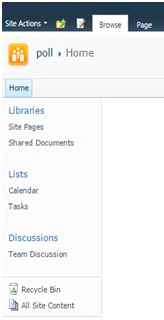
Create a survey webpart and add questions/answers to it.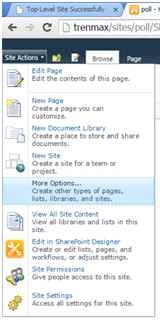
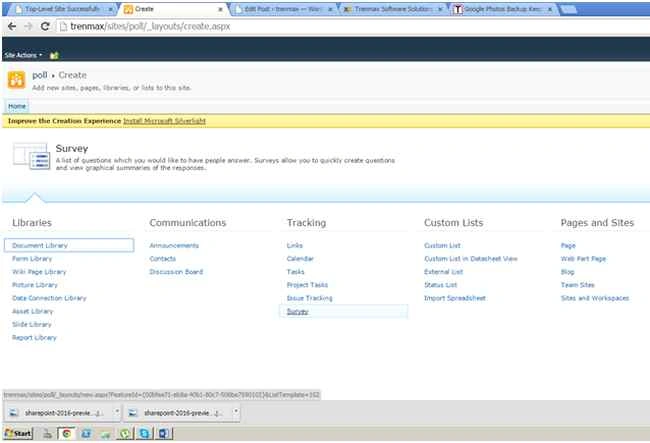
Create a survey webpart named "Poll" then click Next then select Add Question.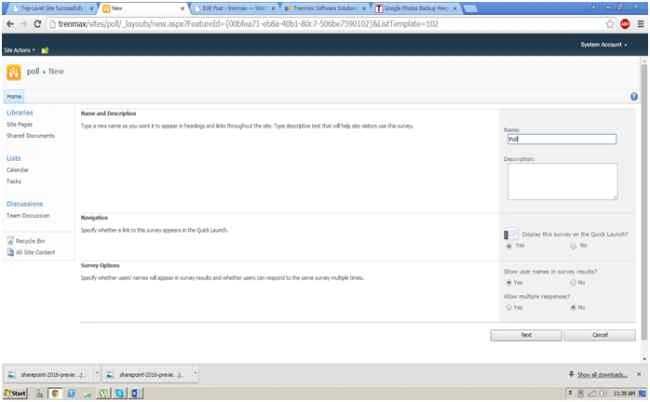
The following shows adding questions and answers.
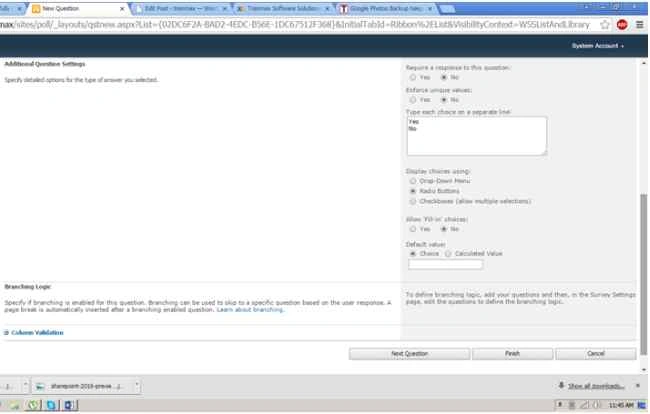
If you guys need to add more questions then please click ADD NEXT QUESTION.
Click Finish.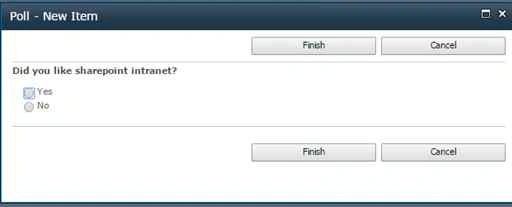
This is the SharePoint default view of the survey webpart.
We will now have some fun in the SharePoint designer for creating a poll webpart on page view.
Open the site in SharePoint designer.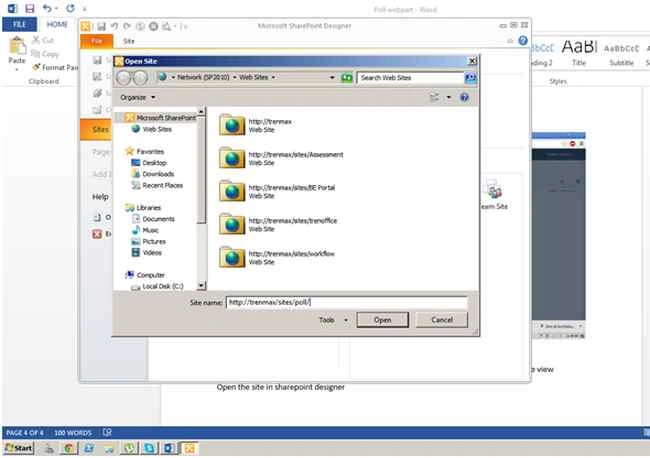
Now go to site pages then select Create a new webpart page name poll.aspx then select Edit file in Advanced Mode.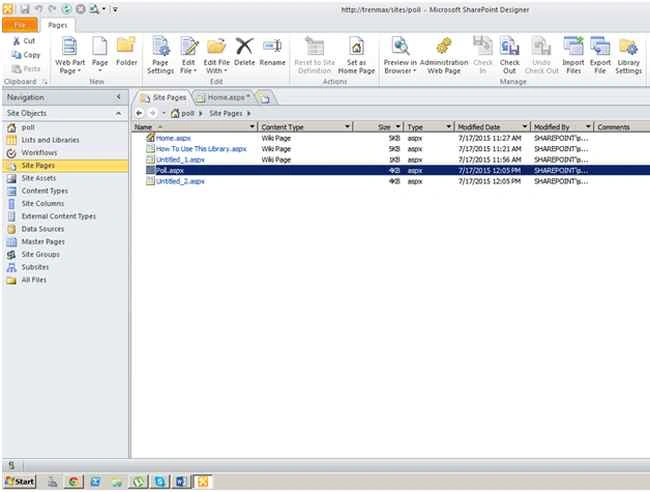
Insert a new data view into Home.aspx.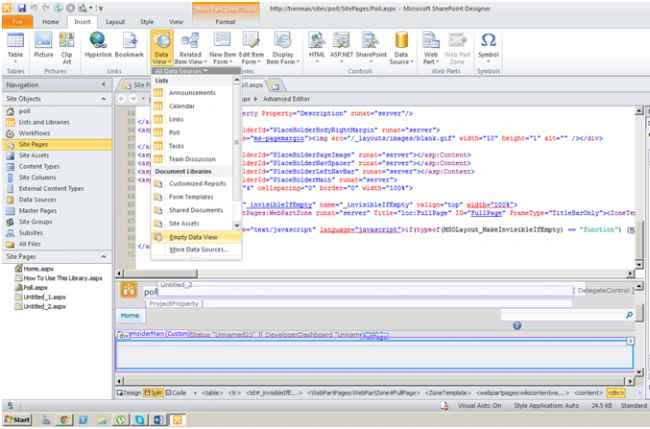
Now click here to select a data source then select Poll.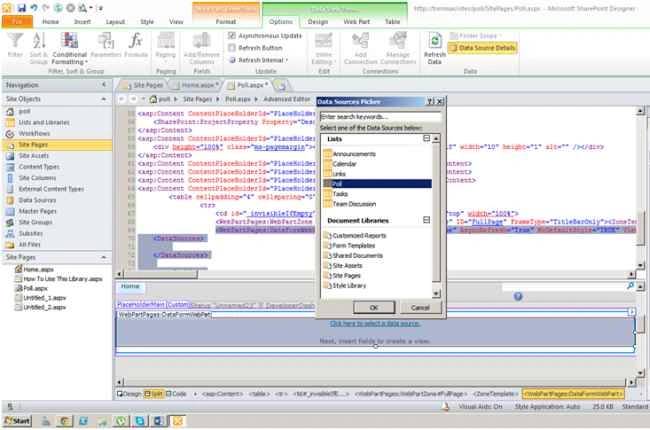
Select Field -> Insert as new item form.
Create a Poll Webpart Using SharePoint
This article explains how to create a poll webpart with free of cost and easily developed using SharePoint environment.


Vinodh NarayananPosted Jan 5, 2016, 9:24 PM EST
Nanddeep Nachan Thanks a lot
Nanddeep NachanTOP 100Posted Jan 5, 2016, 9:23 PM EST
Nice
Abhay ShankerPosted Jul 26, 2015, 6:46 AM EDT
Good One
Gowtham RajamanickamTOP 100Posted Jul 20, 2015, 5:10 AM EDT
good one
Santhakumar MunuswamyPosted Jul 19, 2015, 3:49 AM EDT
Good one
Vinodh NarayananPosted Jul 18, 2015, 7:24 AM EDT
Thanks Sibeesh
Sibeesh VenuTOP 100Posted Jul 18, 2015, 6:46 AM EDT
Nice Share
Vinodh NarayananPosted Jul 17, 2015, 9:34 PM EDT
Thanks guys
Gopi ChandPosted Jul 17, 2015, 9:05 PM EDT
Nice
Nilesh JadavPosted Jul 17, 2015, 8:00 PM EDT
Nice one sir
SharadPosted Jul 17, 2015, 7:33 PM EDT
good one...