

Introduction
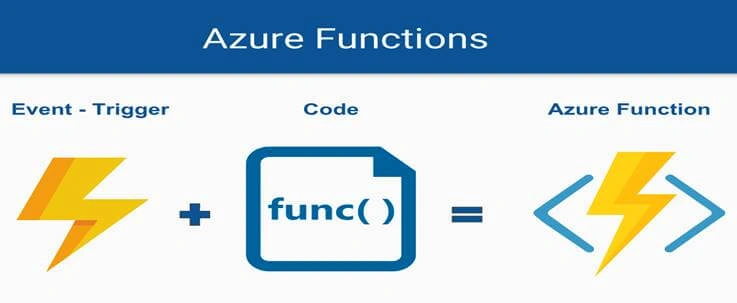
The objective of this tutorial is to create a “Functions App” and then design “HTTP triggered function” in that app using “FaaS – Function as a Service”.
Let me introduce you to some basic concepts first.
Severless Computing
It is an execution model where the cloud provider (Azure, AWS, or Google) is responsible for executing a piece of code by the dynamic allocation of resources and charging only for the amount of resources used to perform this task.
Function Apps
It is basically a container that actually hosts the execution of multiple functions. This helps to logically group the functions in a unit for deployment, scaling, and sharing for the resource.
Road Map
- Basic Concepts.
- Ways to create a Function App
- Creating a function app using Azure Portal
- Creating a Function.
- Select the trigger type.
- Define what the function will do.
- Taking it for a spin.
Basic Concepts
Let’s get to know about the things which we will use in this tutorial.
- Event
It is an action that occurs as a result of the activities done by some user or any other source.
- Trigger
It defines how a function can be revoked and a function must have exactly one trigger.
- Function
It is a server-less computation service that enables us to run code on-demand without explicitly managing the underlying infrastructure.
Ways to create Function Apps
There are actually four methods by which we can create a Functions App.
- Azure Portal
- Microsoft Visual Studio.
- Visual Studio Code
- PowerShell/Bash
In this tutorial, we’ll use the 1st method.
Creating a function app using Azure Portal
- Select "Create a resource" >> Compute >> Function App.
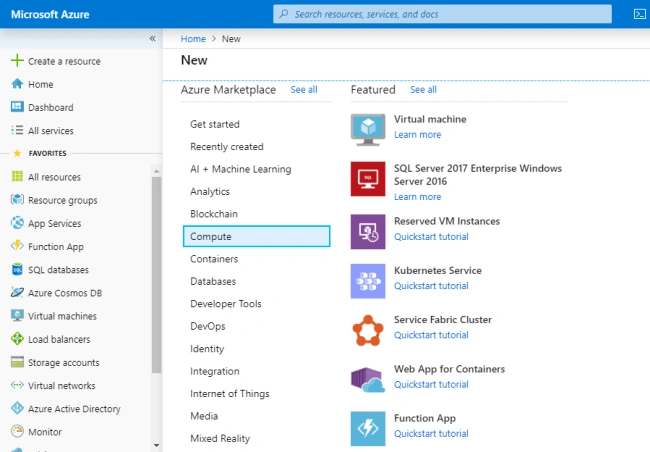
- Fill in the choices with the following information.
- Enter an app name: App name must be globally unique as it will serve as part of the base URL.
- Select a subscription: pick out one of the ones you have.
- Select a resource group: you can choose an existing resource group or create a new one.
- Select an OS: choices here are Windows or Linux; we opt for Windows.
- Select geography: well, select the region closest to you
- Runtimestack: this is the language you are going to be coding, so we select Node.js.
- Create a new storage account: let’s take an existing or create a new one.
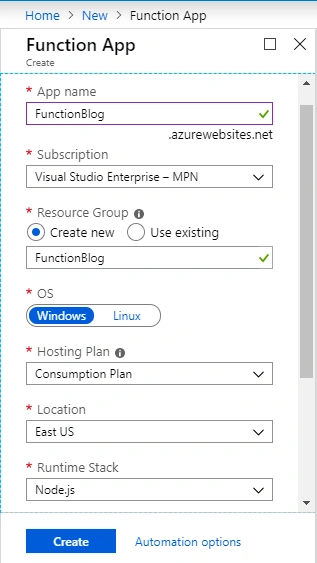
Now, hit the "Create" button.
- Select "Go to resource".
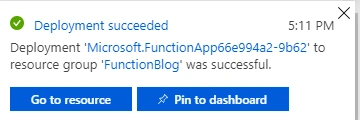
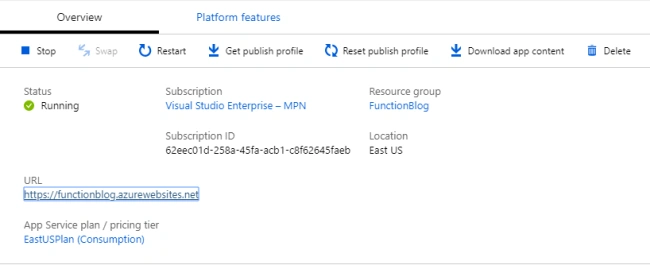
- Now, click on the URL to verify that it has a public URL.
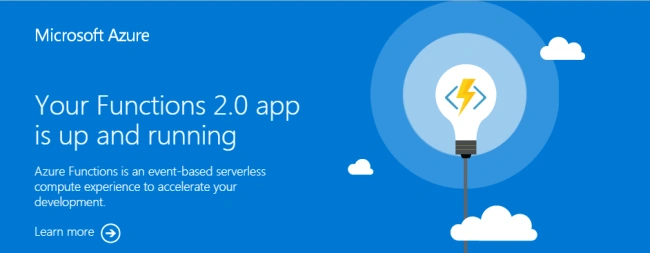
You will see an HTML page on that URL.
Creating a Function
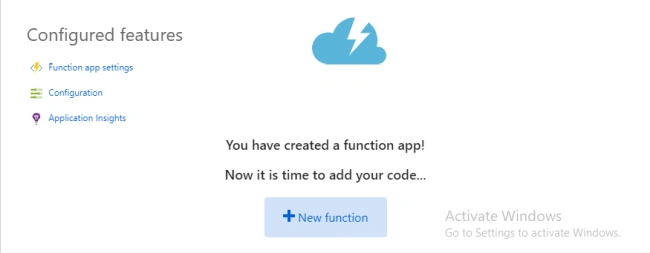
- Now, create a function for your Function App. Click on the ‘+ New function’.
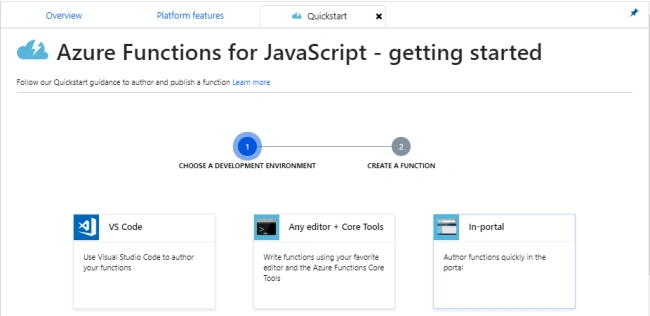
- Select the In-portal (you will write code in the Portal).
Select trigger type
Select trigger type, select “Webhook + API” (the function will run as soon as a certain URL is hit).
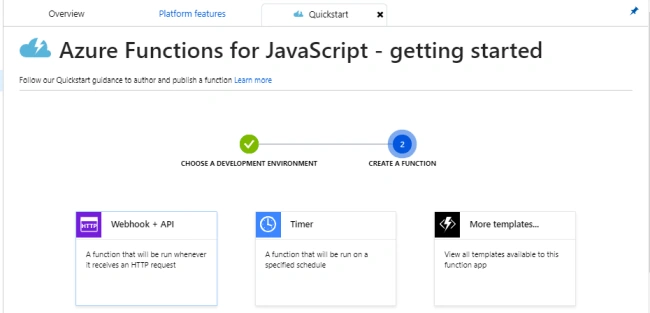
Now, click the “Create" button.
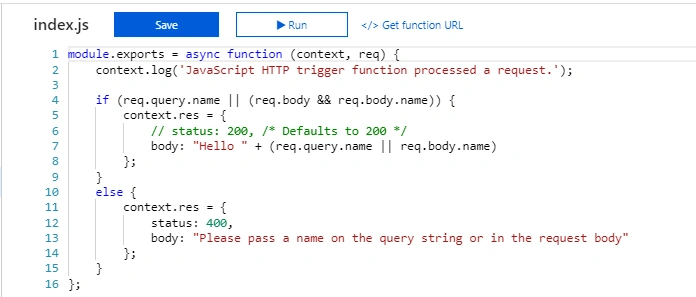
- Our coding environment looks like this.
Define what the function will do
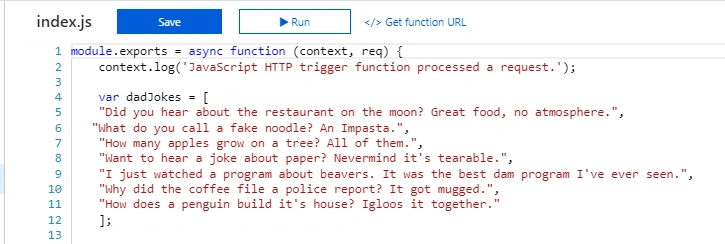
Add the following code to the index.js file.
- //Text to display
- var dadJokes = [
- "Did you hear about the restaurant on the moon? Great food, no atmosphere.",
- "What do you call a fake noodle? An Impasta.",
- "How many apples grow on a tree? All of them.",
- "Want to hear a joke about paper? Nevermind it's tearable.",
- "I just watched a program about beavers. It was the best dam program I've ever seen.",
- "Why did the coffee file a police report? It got mugged.",
- "How does a penguin build its house? Igloos it together."
- ];
- // Image URLs
- var punDogs = [
- "https://encrypted-tbn0.gstatic.com/images?q=tbn:ANd9GcQwYzSHjQje6Dr_XFDOlGv4ug2xrCJHqRkpgvyWZx-HOjL2a1kX",
- "https://cacm.acm.org/system/assets/0001/4295/123013_madlyjuicycom_laughs.large.jpg?1476779462&1388424919",
- "https://encrypted-tbn0.gstatic.com/images?q=tbn:ANd9GcSdq8KeoRbJAxaGER4LXGSAb8OE6IlM9WpovVliz_uiyNwQ8woC",
- "https://encrypted-tbn0.gstatic.com/images?q=tbn:ANd9GcSNsf6nFv99epdsEdEh-Nj_irTb75QYNJCmBnLUteagnONcT320",
- "https://encrypted-tbn0.gstatic.com/images?q=tbn:ANd9GcTBDZs1Jn2SEE8kioGYhFdvnV3Vv-3qhbf5P6qpL0USC8RwDVdR",
- "https://encrypted-tbn0.gstatic.com/images?q=tbn:ANd9GcQRg6oMicA9_df9RqJlmqL6tsmRAX-a2C2IadPYrnaFF-w2uyQq"
- ]
- //random number generator
- var newNumber = Math.floor(Math.random() * dadJokes.length);
- var dogImageUrl = Math.floor(Math.random() * punDogs.length);
And, answer with an HTML response.
- context.res = {
- status: 200,
- headers: {
- "Content-Type": "text/html"
- },
- body: '<h3>'+dadJokes[newNumber]+'</h3>' + '<br><img src="'+ punDogs[dogImageUrl] +'"/>' };
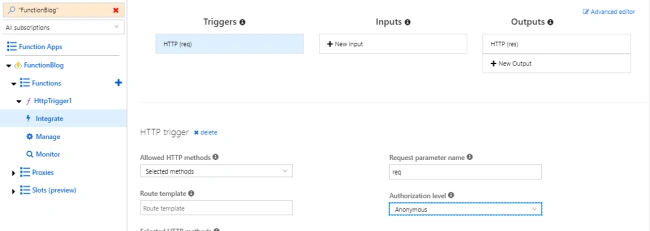
Now, click "Integrate" and select the authorization level to “anonymous” because we don’t want any restriction.
Taking it for a spin
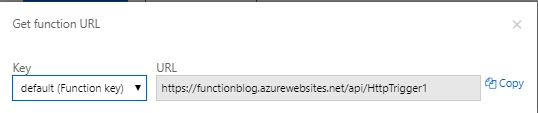
Now click on the “HttpTrigger1” and select “GetfunctionalURL”.
Click "Copy" to copy the URL and paste it into the browser.
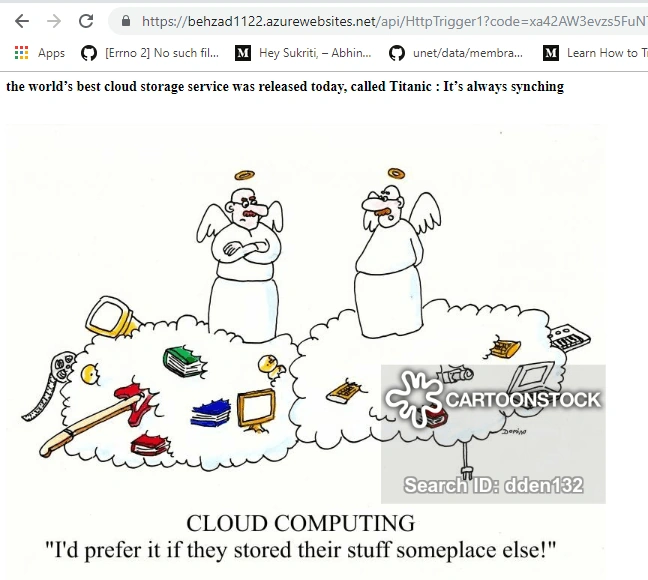
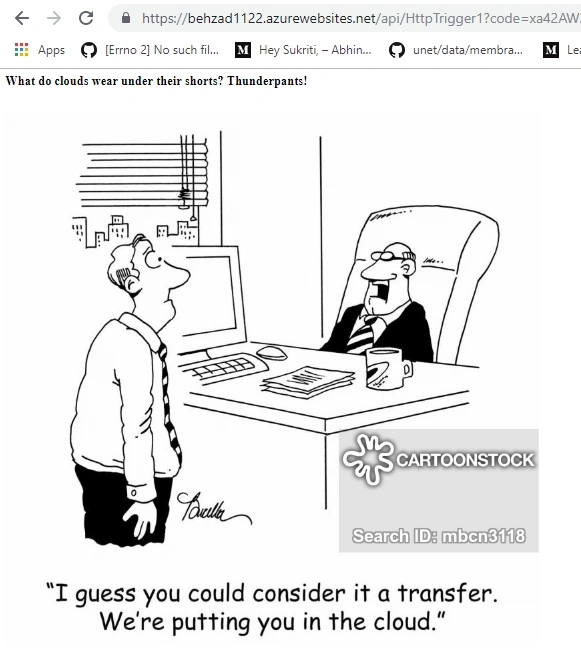
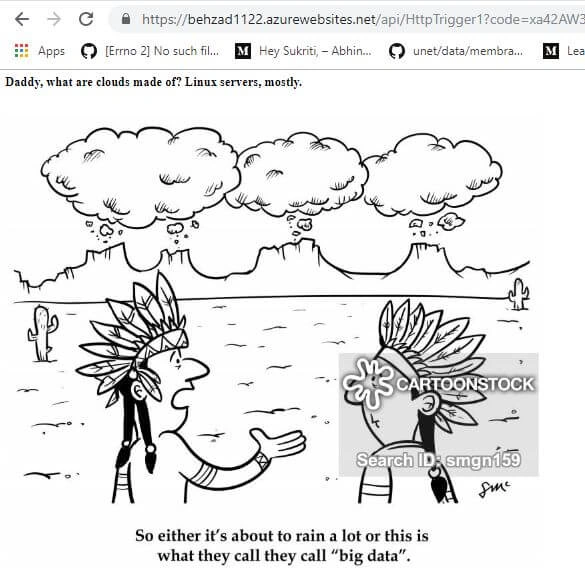
Now, you will see the results like this.
Use cases
- With Azure Functions, we can write function definition in a variety of languages - C#, F#, JavaScript, Bash, PowerShell, etc.
- The amount of code you write in Azure function will be less.
- Azure Functions only charge you for the resources you actively consume.
- Using Function as a Service (FaaS), you only care about the code, not the underlying infrastructure and platform.
- Helpful only when you need to perform work in response to events.
- It is highly scalable when traffic to the specific URL increases.
- Can be used in the development of backend of the website.
- There is no difference between compiled and interpreted languages.
Join the conversation! Your thoughts help the community grow.