
Use the following procedure to create a Wiki Page and Web Part Page in SharePoint Site Pages.
Step 1
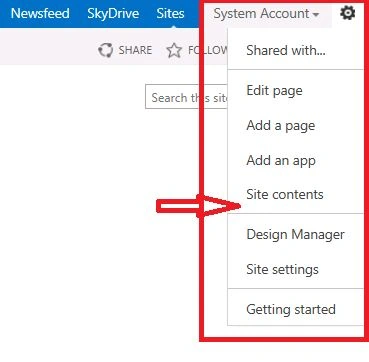
Click the settings menu near User account (System Account) then the following popup will appear. In that item details click the Site contents.
Step 2
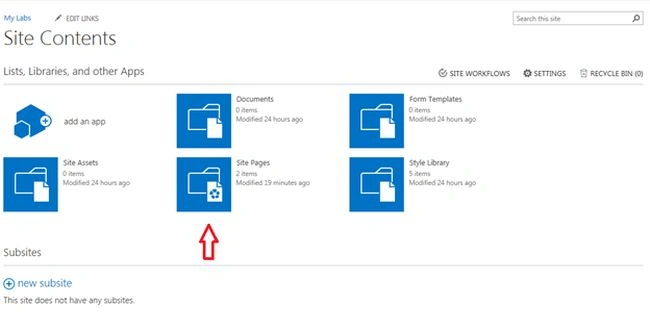
The following site contents page will appear. Click the Site Pages menu.
Step 3
Step 3
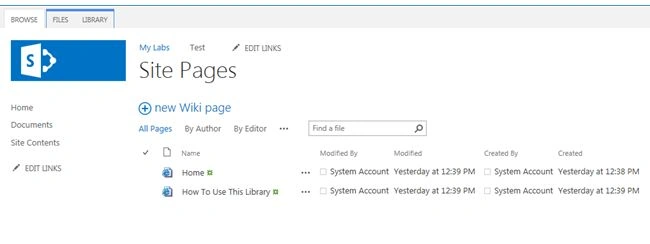
The following screen will appear.
Step 4
Step 4
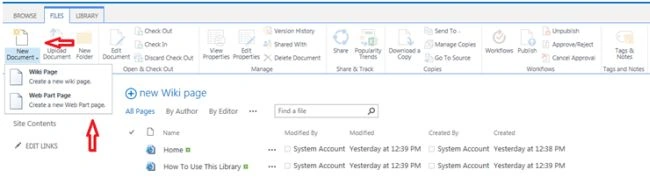
Click Files in the Top Navigation Menu, then click New Document, the following two options will be available: Wiki Page and Web Part Page under New Document Menu.
Create Wiki Page
Click the Wiki Page option then the following screen will appear.
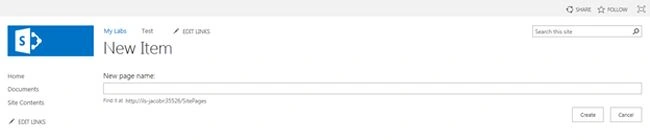
Enter the Page Name and click Create.
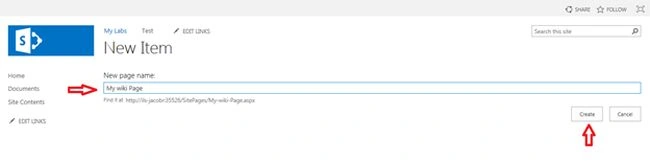
Add some Text Contents to the content box as in the following:
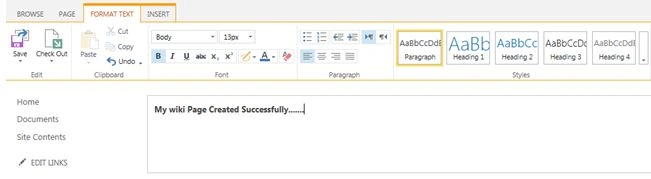
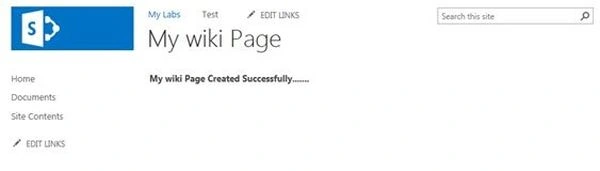
Once the contents have been addded click Save in the top navigation menu. The Wiki Page will be created.
Create web part Page
Click the Web part Page option and the following screen will appear.
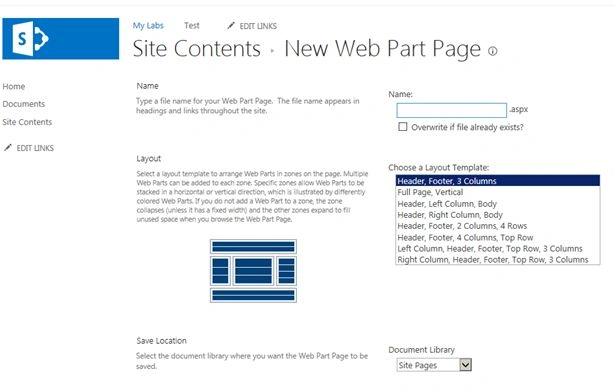
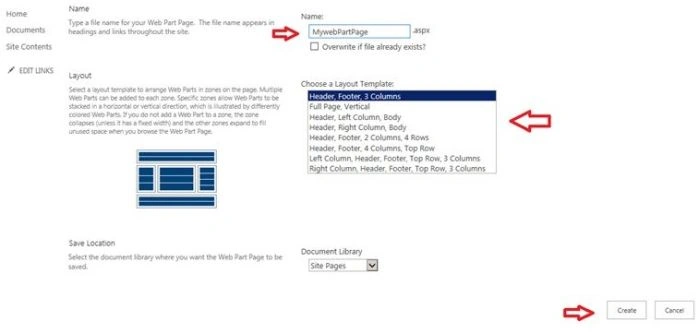
Enter the page name in the Name TextBox and also choose your Layout template in the Layout Option. Then click the Create button.
After clicking the create button the following screen will appear.
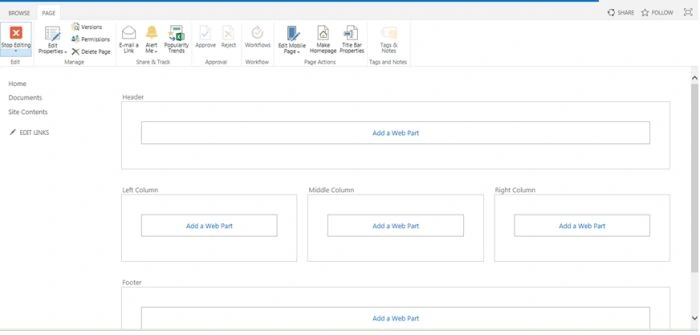
Click the stop Editing menu in the top Navigation Menu. The web part page will be created.
Summary
In this article we explored how to create a Wiki Page and Web Part Page in SharePoint Site Pages.
Create Wiki Page
Click the Wiki Page option then the following screen will appear.
Enter the Page Name and click Create.
Add some Text Contents to the content box as in the following:
Once the contents have been addded click Save in the top navigation menu. The Wiki Page will be created.
Create web part Page
Click the Web part Page option and the following screen will appear.
Enter the page name in the Name TextBox and also choose your Layout template in the Layout Option. Then click the Create button.
After clicking the create button the following screen will appear.
Click the stop Editing menu in the top Navigation Menu. The web part page will be created.
Summary
In this article we explored how to create a Wiki Page and Web Part Page in SharePoint Site Pages.


Gowtham RajamanickamTOP 100Posted Jun 24, 2015, 12:16 AM EDT
simply sooperb..
Sibeesh VenuTOP 100Posted Jun 18, 2015, 2:01 AM EDT
Good one.
Chiheb ChebbiPosted Jun 17, 2015, 11:26 AM EDT
Nice !
Santhakumar MunuswamyPosted Jun 17, 2015, 11:07 AM EDT
Thanks for nice article:)
Gopi ChandPosted Jun 17, 2015, 10:13 AM EDT
Very helpful guide
Dominique CejaPosted Jun 17, 2015, 6:10 AM EDT
Great article
Khan Abrar AhmedPosted Jun 17, 2015, 5:19 AM EDT
Nice artical
Vijay SPosted Jun 17, 2015, 4:50 AM EDT
Good one for Beginners
NitinPosted Jun 17, 2015, 4:41 AM EDT
good one