
Step 1: Create a web application in Visual Studio
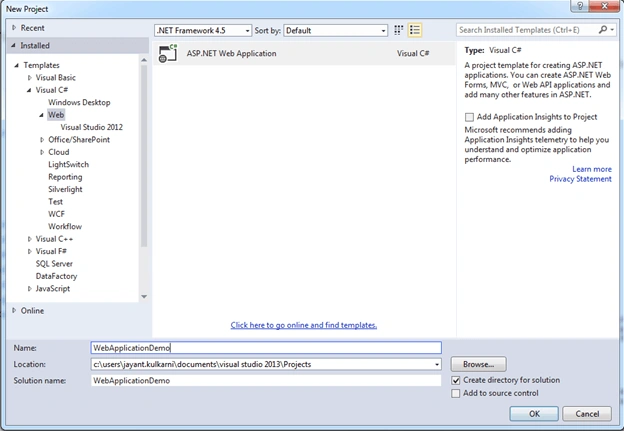
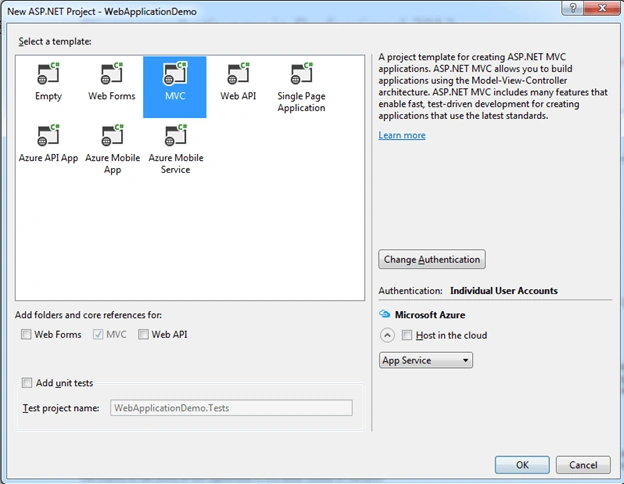
Here, I am selecting MVC Template. In this, I am not changing anything.
Step 2: Create and Publish Web App
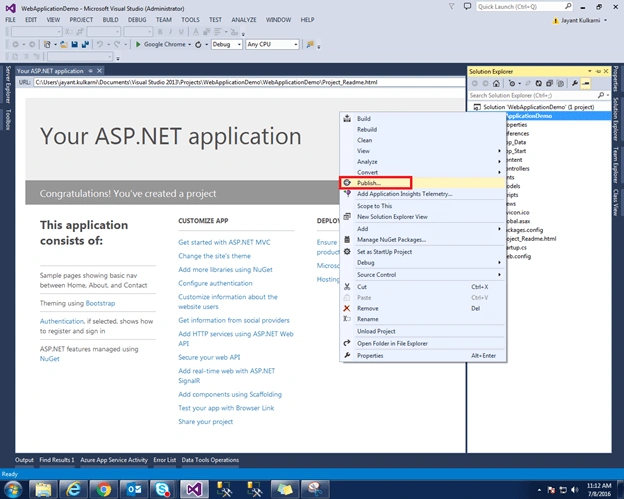
Right click on project and select publish. It will give you a popup for details.
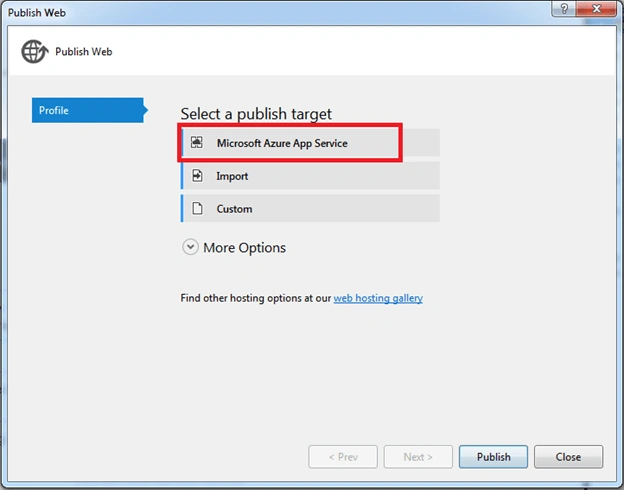
Select Microsoft Azure App Service option.
Put the credentials.
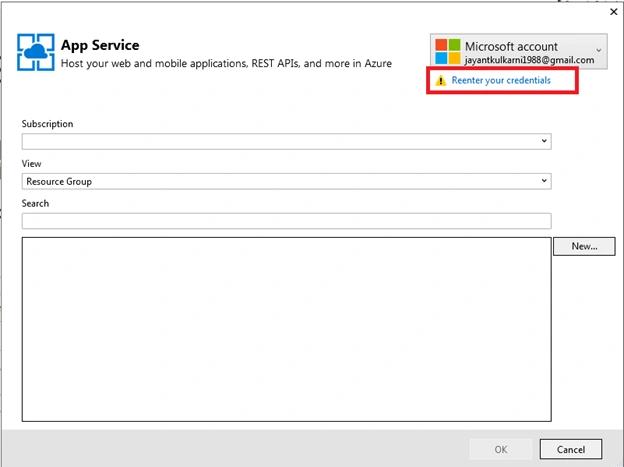
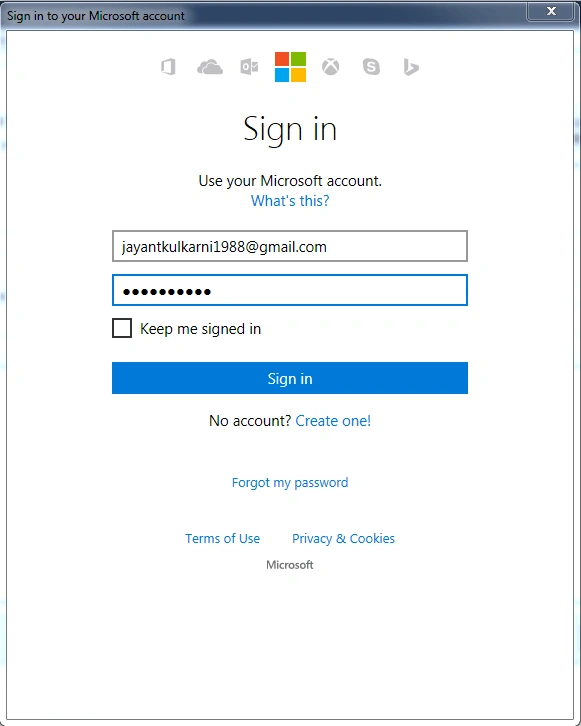
It will fetch all your Web App Services.
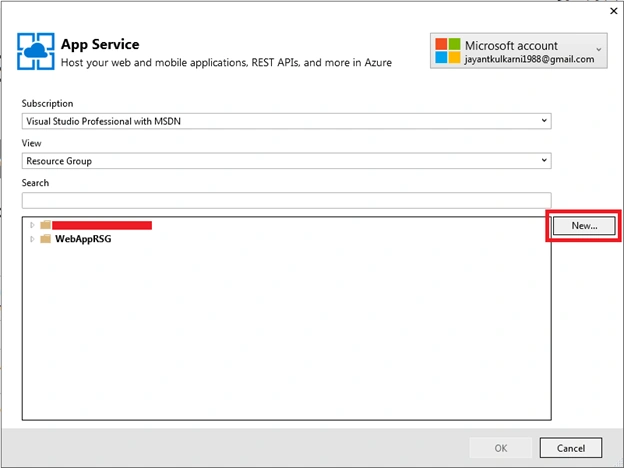
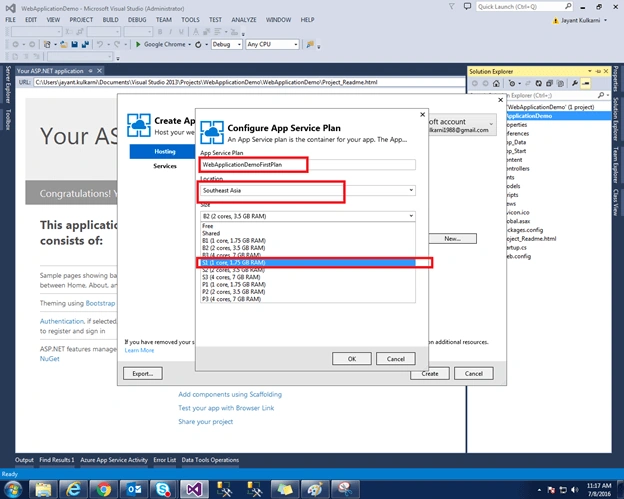
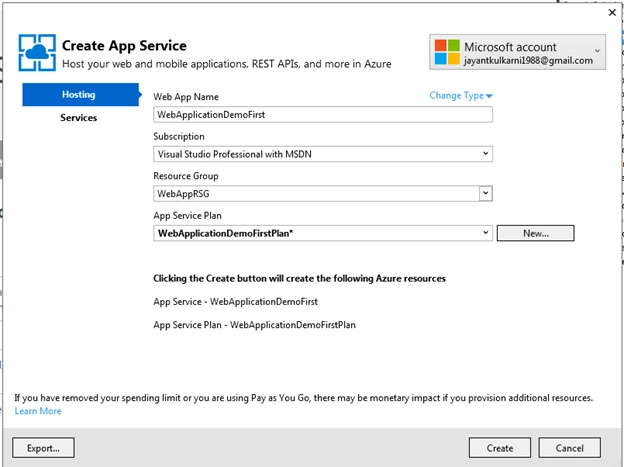
Click on New button to create a new Web App. It will pop up for Configure App Service Plan. Give a name for the App Service Plan and choose location and size. Here, I am choosing S1 (1 core, 1.75 GB RAM).
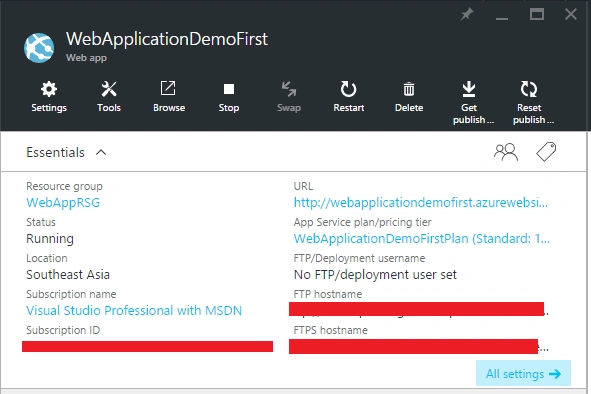
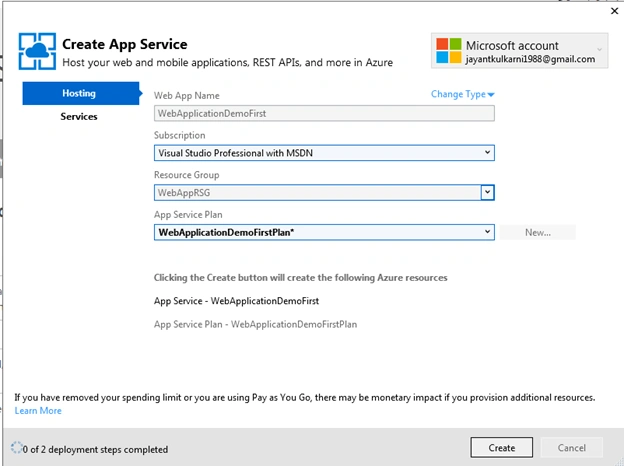
Click on Create button and it will create the Web App. You can see that the Web App is created on the portal.
Now, validate the connection for publishing.
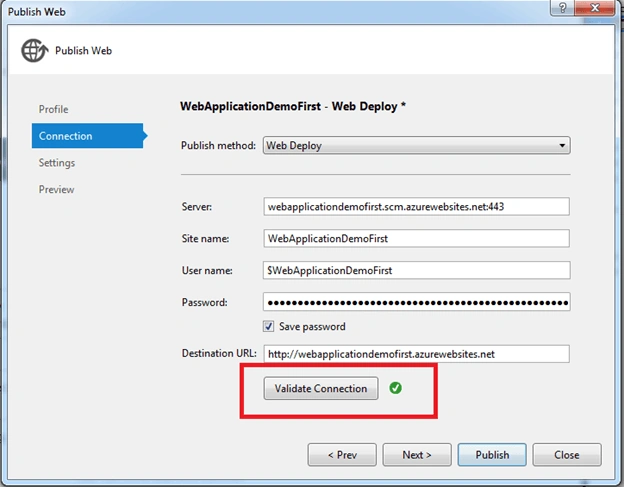
Click on Publish button to publish the Web App through Visual Studio.
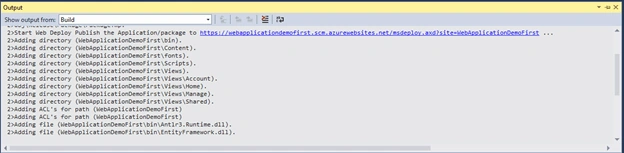
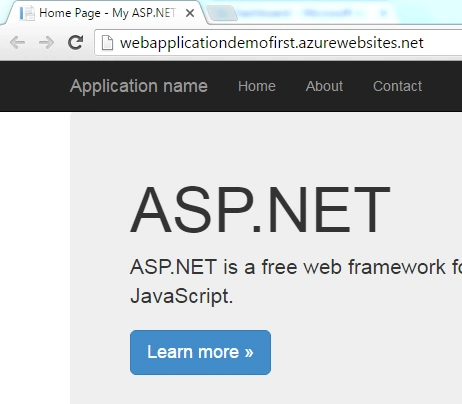
Now, you can create Web Application using Visual Studio.
Create And Publish Azure Web App Using Visual Studio
In this article, we are going to see how to create a Web App through Visual Studio and publish it.


yugandhar pallelaPosted Aug 2, 2016, 10:16 PM EDT
Sir, I want to know the process of azure, what is the use of azure and how to develop an application in azure. please kindly help to learn about azure. Thanks.
Ganesh SattawanPosted Aug 1, 2016, 10:12 PM EDT
Excellent...
Tarun DPosted Jul 31, 2016, 9:01 PM EDT
Nice one.. Thanks for sharing..
Humayun Kabir MamunPosted Jul 31, 2016, 8:30 PM EDT
Nice...
Bhavik PatelPosted Jul 30, 2016, 10:15 PM EDT
Good. Do we need any paid subscription?
Vignesh ManiTOP 100Posted Jul 30, 2016, 4:09 PM EDT
Nice