

Introduction
I assume you have already read my previous article on Page linking and URL parameters In Ruby on Rails. Now, you will learn to how to create Migration files, migration models creation, what migration is, why you should use migration and how to run migration files in Ruby on Rails.
Requirements
- Software - Ruby on Rails Installed In Your System.
- Editor- Atom Text Editor Is The Best In Class.
- Browser – Google Chrome Web Browser.
What is migration?
- A migration is a set of database instructions. Those instructions are ruby code, which migrates our database from one state into another.
- In our migrations we can create a table, add a column, change the name of a column, and drop a table and much more.
- A migration will contain both the instructions for moving to a new state and also instructions for moving back down to the previous state.
- If migration has instructions to create a table when moving forward or up, it will also include instructions to allow it to move back down by dropping the table.
- We can migrate our database to the newest version or migrate back to a previous version.
Why use migrations?
- Migrations maintain our database schema with our application code. We can execute them anytime and they are repeatable.
- Another benefit of migration is that we can share database changes with other developers.
- Migration also helps with version controlling systems like Git. You can check out a previous revision of the code and then migrate your database to put them in the same state the code expects.
- It also allows us to write Ruby code instead of writing SQL.
Generate migrations
- Now, let’s create our first migration. The way of creating migration by using the rails generates command in rails command prompt.
- First open rails command prompt in start>>Railsinstaller>>command prompt then root your application directory.
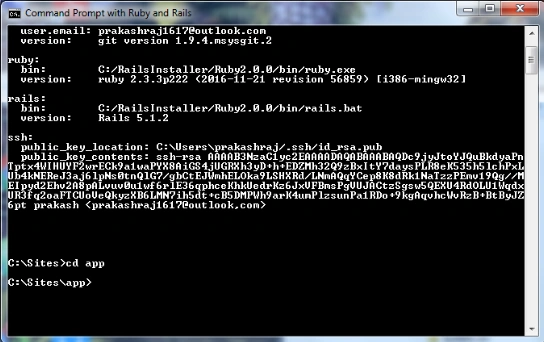
- Now put following rails code in command prompt.
- Rails generate migration record1

- The migration file converted in camel Case to underscore: record_1.rb. And then it puts the current date and time as time stamp in front of it.
- The migration file is located in db directory, inside migrate, and that file has Ruby class defined in it. You can see our file name record there. It inherits from active record migration. That class is called one method.
Default method code for migration
- class CreateUsers < ActiveRecord::Migration[5.1]
- def change
- end
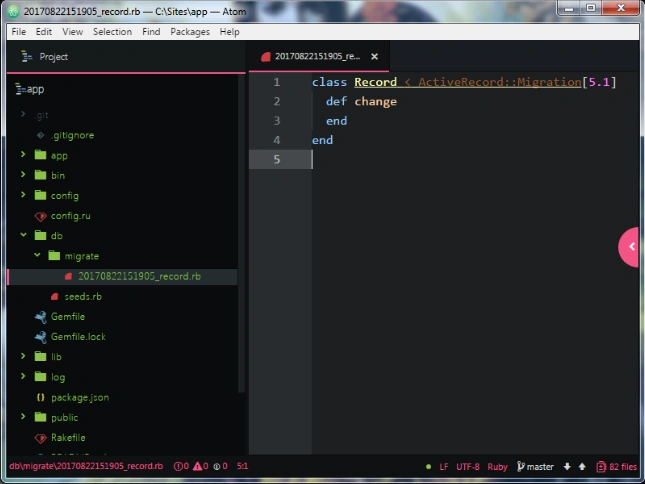
Now we separate that method into two up and down methods. Rails is going to execute the code that is inside our up or down methods. Up will describe the changes we want to make to the current database. Down will describe how to reverse those database changes.
Create two methods using the following code,
- class CreateUsers < ActiveRecord::Migration[5.1]
- def up
- end
- def down
- end
- end
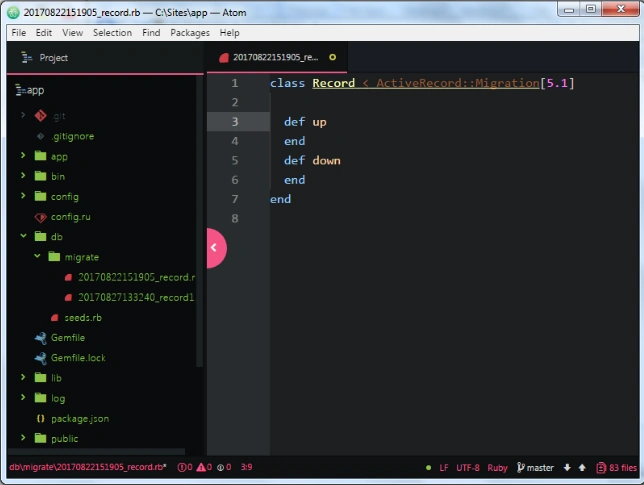
Now, we create model for migration. The way of creating model by using the rails generates command in rails command prompt. Put the following rails code.
- Rails generate model user

The model file is located in db directory, inside migrate folder. Put that model file in the following code,
- class CreateUsers < ActiveRecord::Migration[5.1]
- def up
- create_table: users do |t | t.column "first_name", : string, : limit => 25
- t.string "last_name", : limit => 50
- t, string "email", : default => '', : null => false
- t.string "password", : limit => 40
- t.timestamps
- end
- def down
- drop_table: users
- end
- end
- end
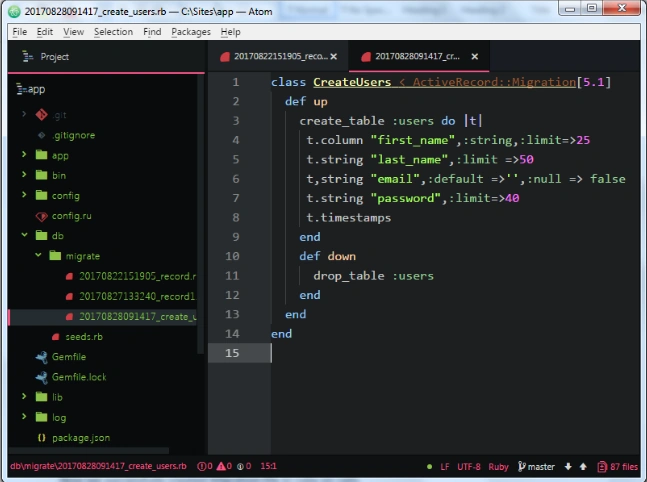
Above the code you can see that names created users. It also inherits from active record migration. The up method code will create table and down method code deletes the created table in database.
Run a migration
- Run the migration in ruby on rails.
- The way that we run a migration is from the command line; put the following rails command in command prompt
- Rails db:migrate

Now, we successfully ran migration file in rails command prompt.
I hope you understood how to create Migration files and migration models creation, what migration is, why we should use migration and how to run migration file in Ruby on Rails. In future articles you will learn more Ruby on Rails in a step by step easy to learn way. Keep in touch.
Nandhini SPosted Sep 1, 2017, 11:59 AM
Nice........ Thanks for Sharing