

In this article, we learn how to create a database when the error “The file MDF is compressed but does not reside in a read-only database or filegroup. The file must be decompressed” occurs.
I was trying to create a database using two methods. The first is by using a command and the second is by using a wizard. When I tried to create a database I got the following error.
Using command:
create database PramodTest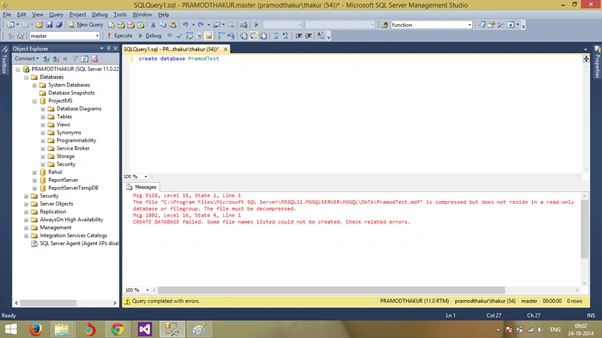
Using the wizard: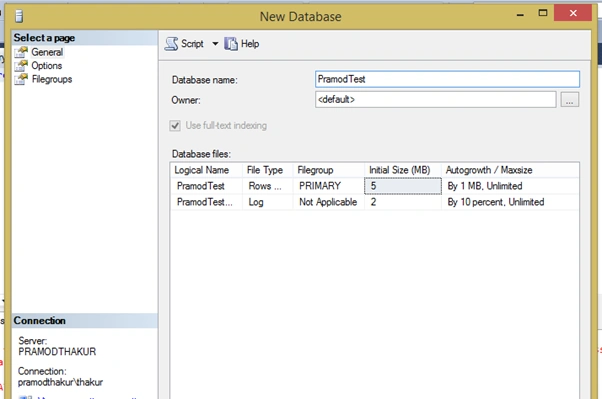
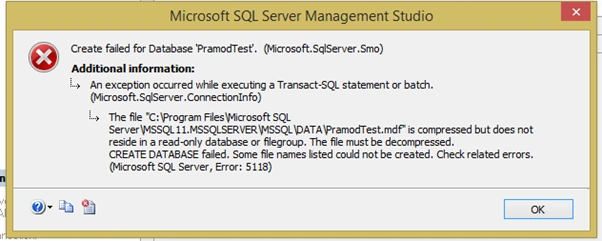
Note: Please change the respective path depending on your SQL Server datafile.
Go to the following path: C:\Program Files\Microsoft SQL Server\MSSQL11.MSSQLSERVER\MSSQL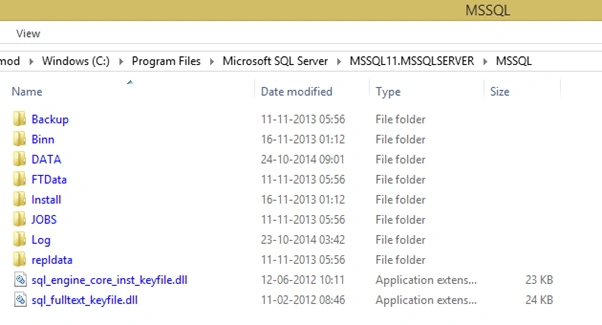
Right-click on the DATA folder and select properties.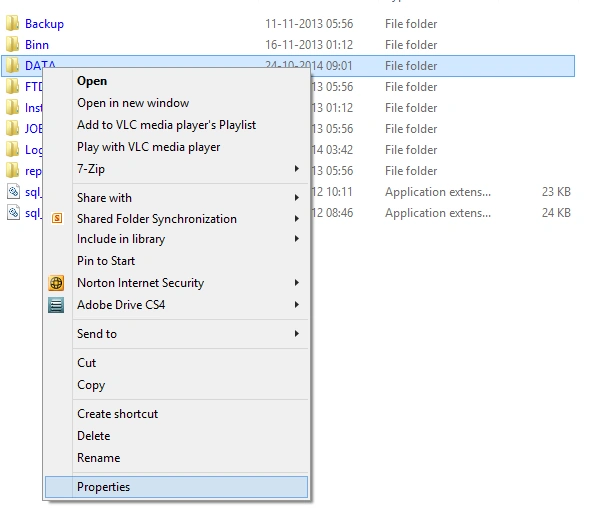
You will find another dialog box.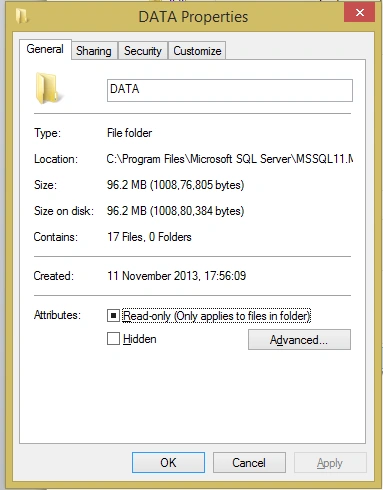
Click on the Advanced button and you will get the following screen.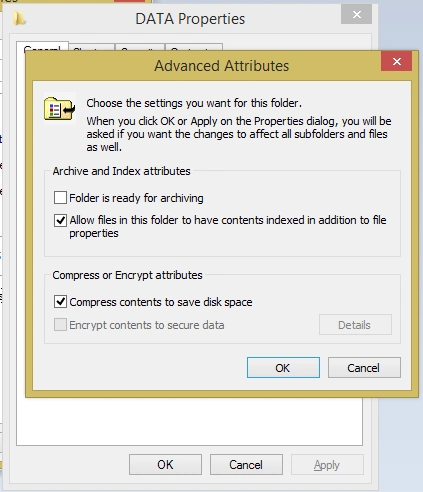
Uncheck “Compress contents to save disk space” and click on OK.
After making those changes I ran the following code and it ran successfully.
I hope this article is helpful for you.
Thanks :)
Creating Database When MDF is Compressed
Here you will see how to create a database when the MDF is compressed.
Join the conversation! Your thoughts help the community grow.
Sign in to leave a comment
It is the same account you read, post and publish with — and you will come straight back to this page.
SubashPosted Jul 4, 2017, 12:19 AM
Yes sir really helpful article