

Introduction
By Deployment, it is clear that what it has to do. Deploy means to move into a position of readiness and availability. Deployment is a process of installing an application into server context. In this article you learn, how to deploy(3-Tier) a Visual Studio LuightSwitch Application.
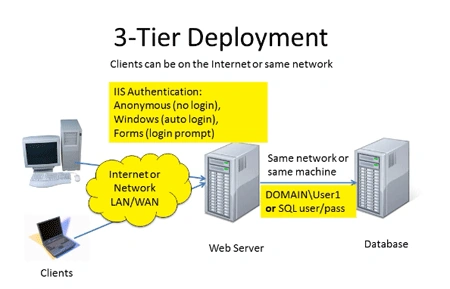
What is 3-Tier
It has 3 parts i.e. client (front end), business logic (protocols are used for processing the request) and database (back end). Basically web application developed in this technology.
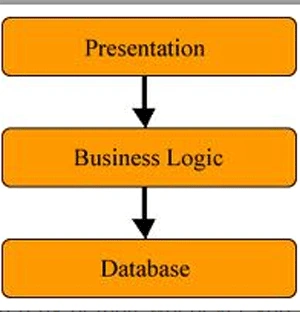
Deploy(3-Tier) LightSwitch Application Step by Step
First of all we will make any application in Visual Studio LightSwitch. To make the application in Visual Studio LightSwitch, please refer this link http://www.c-sharpcorner.com/1/274/visual-studio-lightswitch-2011.aspx
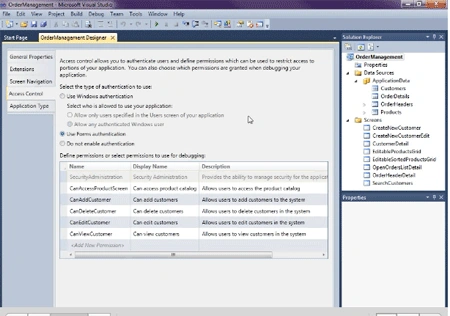
Step 1: Go to properties->Click access control->Click use forms authentication.
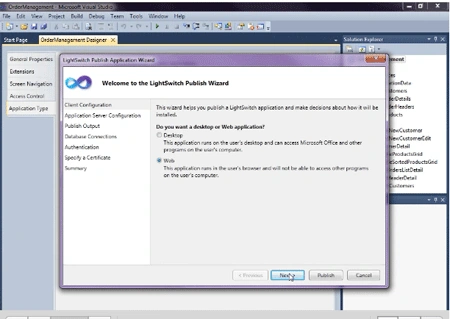
Step 2: Go to application type->Click web->Publish->Click client configuration->Click web->Next.
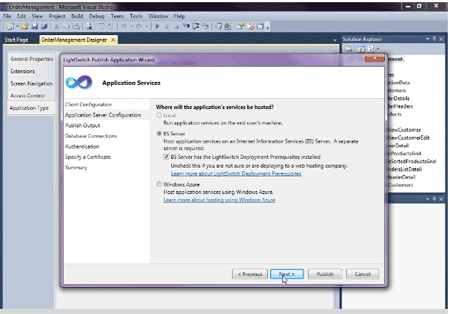
Step 3: Check IIS server->Next.
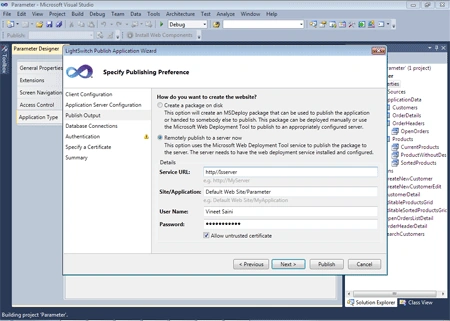
Step 4: Click Remotely publish->Fill service url, user name, word->Next->Next.
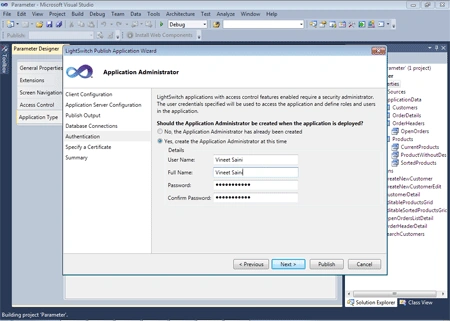
Step 5: Click Yes and fill user name, full name, word->Next->Next->Publish.
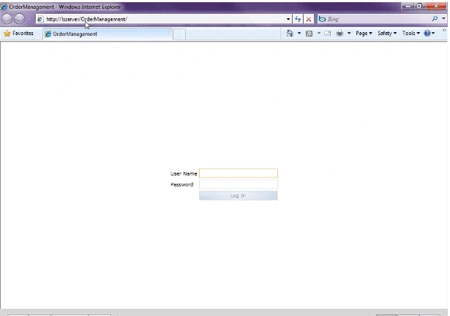
Step 6: Now open any browser and put your url then enter user name and word.
Summary:
Using this article one can easily understand, how to deploy(3-Tier) Visual Studio LightSwitch Application. Basically in 3-Tier architecture web application developed. LightSwitch makes it easy to deploy. You can deploy locally and then to web as needed.
Join the conversation! Your thoughts help the community grow.