

First, let’s create a sample database table, this table should have only one column date. So the scenario is, let’s insert current datetime in table using stored procedure in every one-minute duration from SQL Job.
Here is table script,
- USE [AdventureWorks2017]
- GO
- /****** Object: Table [dbo].[SampleDateTime] Script Date: 10/1/2019 9:08:22 PM ******/
- SET ANSI_NULLS ON
- GO
- SET QUOTED_IDENTIFIER ON
- GO
- CREATE TABLE [dbo].[SampleDateTime](
- [id] [int] IDENTITY(1,1) NOT NULL,
- [CurrentDateTime] [datetime] NULL,
- CONSTRAINT [PK_SampleDateTime] PRIMARY KEY CLUSTERED
- (
- [id] ASC
- )WITH (PAD_INDEX = OFF, STATISTICS_NORECOMPUTE = OFF, IGNORE_DUP_KEY = OFF, ALLOW_ROW_LOCKS = ON, ALLOW_PAGE_LOCKS = ON) ON [PRIMARY]
- ) ON [PRIMARY]
- GO
- Store Proc:
- SET ANSI_NULLS ON
- GO
- SET QUOTED_IDENTIFIER ON
- GO
- CREATE PROCEDURE PROC_InsertDateTime
- AS
- BEGIN
- -- SET NOCOUNT ON added to prevent extra result sets from
- -- interfering with INSERT statements.
- SET NOCOUNT ON;
- INSERT INTO dbo.SampleDateTime (CurrentDateTime) VALUES (GETDATE())
- END
- GO
Let’s set up the SQL job now to run this process and schedule it for every 1 minute.
Why SQL Job?
A job is a specified series of operations performed sequentially by SQL Server Agent. A job can perform a wide range of activities, including running Transact-SQL scripts, command prompt applications, Microsoft ActiveX scripts, Integration Services packages, Analysis Services commands and queries, or Replication tasks.
Create a SQL Job
Step 1
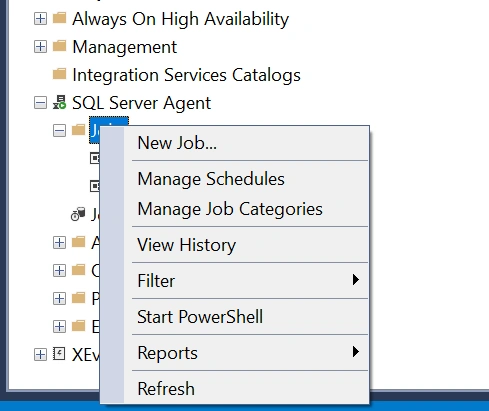
Expand the SQL Server Agent and right click on Jobs and click on New Job…
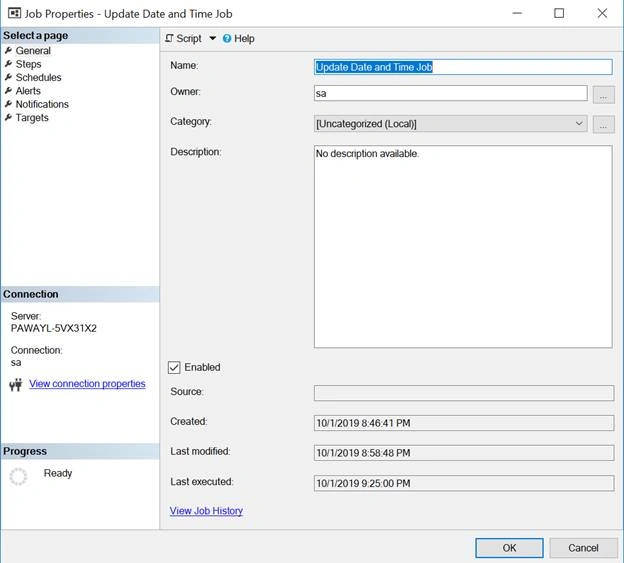
In General tab, Enter job name, owner, category and description.
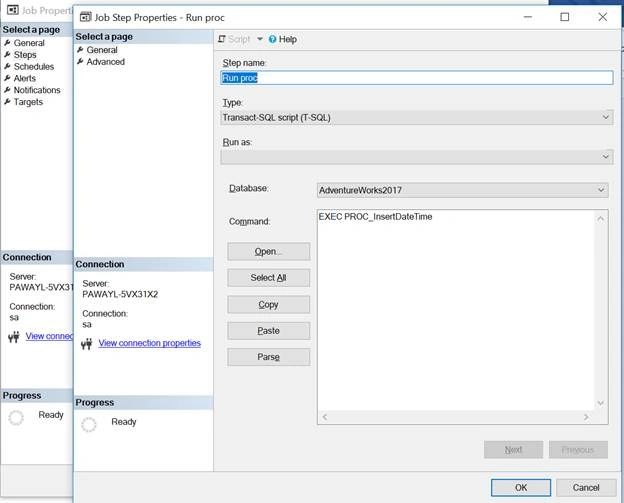
In Steps tab, click New and enter step name, select Type as Transact-SQL script (T-SQL) and select database and put EXEC procedure name in command area.
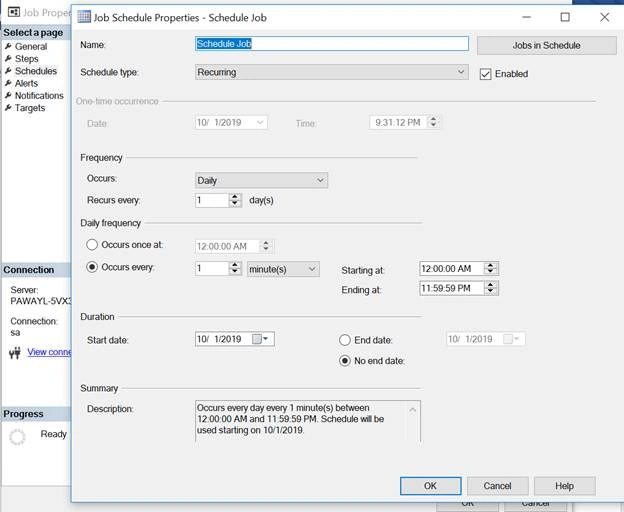
From schedules tab, click new button and put schedule name, frequency, daily frequency and duration.
In my job, I have scheduled it for every 1 minute.
Now we are done here with job part, let’s start the job. Right click on job and hit Start Job at Step…
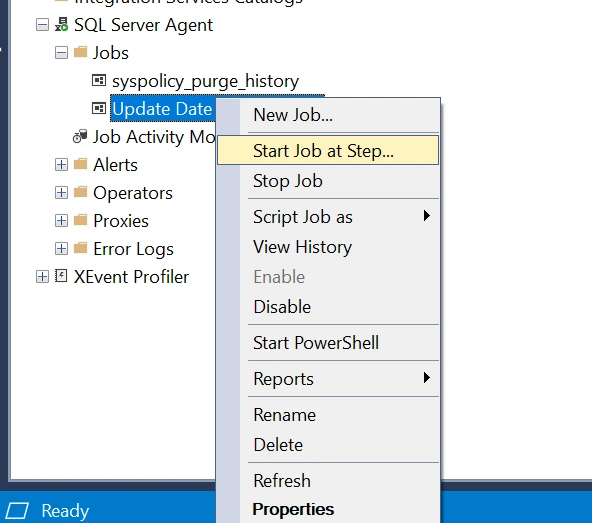
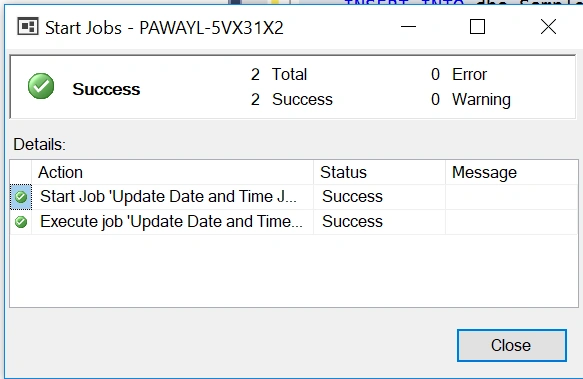
As you can see job has been successfully run, now let’s check in database table.
Our expectation is one record will insert in table on every minute.
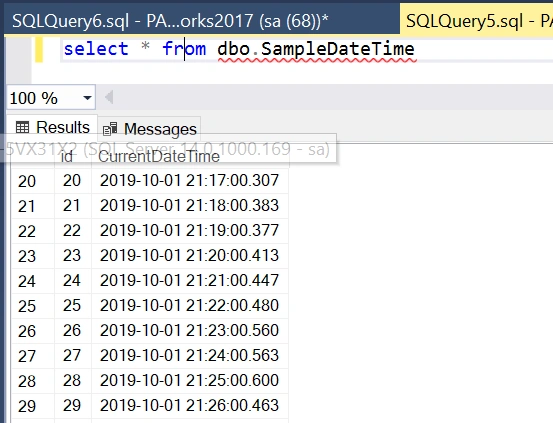
Here you go, as you can see one datetime entry in inserting in table.
Conclusion
In this article, we have learned how to create a SQL Job and schedule it and run stored procedure.
Rajan KumarPosted Mar 28, 2022, 9:25 AM
Thanks nice article
Ravi PatelPosted Mar 3, 2020, 12:21 PM
Thanks good article
Pankajkumar PatelPosted Oct 7, 2019, 12:14 AM
Nice article
Sourav Kumar DasPosted Oct 3, 2019, 11:46 PM
Nice Article Sir.