

In this post we will see how we can export mdx query result. Here we are going to use MVC with the help of jQuery Ajax. We will run the MDX query and get the cell set and then we will convert this cell set to html table so that we can render this html table easily on client side. Once we render the html table we will do some manipulations with the data, to increase the readability. We use one jQuery Ajax Call, One Controller, One function to execute the query and get cell set, and another function to convert the cell set to html table. And at last the controller will return the html table to the Ajax success. And then we will export the data on client side. Simple right? Then let us move on. I hope you will like this article.
You can always read about Microsoft ADOMD, MDX Queries and Cell Set here: Microsoft ADOMD, MDX, CellSet.
Background
Recently I got a requirement to export the MDX query result to Excel. When a user clicks on a button I needed to export the MDX query result of the cube given. Here in this post I am sharing you the process I have done.
Using the code
Firstly, you need to create a button in your page to fire the click event.
- <input type="submit" class="exprotbutton" value="Export to Excel" id='excelExport'/>
- <script src="Scripts/jquery-1.11.1.min.js"></script>
- $('#excelExport').bind('click', function (e)
- {
- try
- {}
- catch (e)
- {
- console.log('Excel Export Grid: ' + e.message);
- }
- });
- $.ajax(
- {
- url: '../Exporting/Export/',
- type: 'GET',
- dataType: 'json',
- contentType: 'application/json; charset=utf-8',
- success: function (data) {},
- error: function (xhrequest, ErrorText, thrownError)
- {
- console.log('Excel Export Grid: ' + thrownError);
- }
- });
Have you noticed that we have not created the action yet. No worries we will create it now.
- public JsonResult Export()
- {
- StringBuilder sbConnectionString = new StringBuilder();
- sbConnectionString.Append("Provider=MSOLAP;data source=");
- sbConnectionString.Append(serverName + ";initial catalog=" + databaseName + ";Integrated Security=SSPI;Persist Security Info=False;");
- string readString = myModel.ExCellSet(query, sbConnectionString.ToString());
- return Json(readString, JsonRequestBehavior.AllowGet);
- }
Now we are passing the query and connection string to our model myModel and fire call the function ExCellSet. This ExCellSet function will execute the query and return the cell set. So shall we create that model function?
- public string ExCellSet(string query, string adoMDConnection)
- {
- string readerString = string.Empty;
- CellSet cst = null;
- AdomdConnection conn = new AdomdConnection(adoMDConnection);
- try
- {
- try
- {
- conn.Open();
- }
- catch (Exception)
- {}
- using(AdomdCommand cmd = new AdomdCommand(query, conn))
- {
- cmd.CommandTimeout = connectionTimeout;
- cst = cmd.ExecuteCellSet();
- }
- if (cst.Axes != null)
- {
- readerString = BuildHTML(cst);
- return readerString;
- }
- else return null;
- }
- catch (Exception)
- {
- cst = null;
- throw;
- }
- finally
- {
- conn.Close(false);
- cst = null;
- }
- }
Anyway I am pasting the code here for your reference.
- try
- {
- System.Text.StringBuilder result = new System.Text.StringBuilder();
- //check if any axes were returned else throw error.
- int axes_count = cst.Axes.Count;
- if (axes_count == 0) throw new Exception(“No data returned
- for the selection”);
- //if axes count is not 2
- if (axes_count != 2) throw new Exception(“The sample code support only queries with two axes”);
- //if no position on either row or column throw error
- if (!(cst.Axes[0].Positions.Count > 0) && !(cst.Axes[1].Positions.Count > 0)) throw new Exception(“No data returned
- for the selection”);
- int cur_row, cur_col, col_count, row_count, col_dim_count, row_dim_count;
- cur_row = cur_col = col_count = row_count = col_dim_count = row_dim_count = 0;
- //Number of dimensions on the column
- col_dim_count = cst.Axes[0].Positions[0].Members.Count;
- //Number of dimensions on the row
- if (cst.Axes[1].Positions[0].Members.Count > 0) row_dim_count = cst.Axes[1].Positions[0].Members.Count;
- //Total rows and columns
- row_count = cst.Axes[1].Positions.Count + col_dim_count; //number of rows + rows for column headers
- col_count = cst.Axes[0].Positions.Count + row_dim_count; //number of columns + columns for row headers
- //gridPanel.ClientIDMode = System.Web.UI.ClientIDMode.AutoID;
- //////lets clear any controls under the grid panel
- //gridPanel.Controls.Clear();
- ////Add new server side table control to gridPanel
- Table tblgrid = new Table();
- tblgrid.Attributes.Add(“Id”, “myhtmltab”);
- tblgrid.Attributes.Add(“class”, “display”);
- //We will use label control to add text to the table cell
- Label lbl;
- string previousText = “”;
- int colSpan = 1;
- for (cur_row = 0; cur_row < row_count; cur_row++)
- {
- //add new row to table
- TableRow tr = new TableRow();
- for (cur_col = 0; cur_col < col_count; cur_col++)
- {
- //create new cell and instance of label
- TableCell td = new TableCell();
- TableHeaderCell th = new TableHeaderCell();
- lbl = new Label();
- //check if we are writing to a ROW having column header
- if (cur_row < col_dim_count)
- {
- //check if we are writing to a cell having row header
- if (cur_col < row_dim_count)
- {
- //this should be empty cell — it’s on top left of the grid.
- //result.Append(” ,”);
- lbl.Text = ”“;
- td.CssClass = “titleAllLockedCell”; //this locks
- //the cell so it doesn’t scroll upwards nor leftwards
- }
- else
- {
- //this is a column header cell — use member caption for header
- //result.Append(cst.Axes[0].Positions[cur_col –
- // row_dim_count].Members[cur_row].Caption + “,”);
- //if (cur_row < 1)
- //{
- lbl.Text = cst.Axes[0].Positions[cur_col– row_dim_count].Members[cur_row].Caption;
- th.CssClass = “titleTopLockedCell”; // this lockeders
- //the cell so it doesn’t scroll upwards
- //}
- if (lbl.Text == previousText)
- {
- colSpan++;
- }
- else
- {
- colSpan = 1;
- }
- }
- }
- else
- {
- //We are here.. so we are writing a row having data (not column headers)
- //check if we are writing to a cell having row header
- if (cur_col < row_dim_count)
- {
- //this is a row header cell — use member caption for header
- lbl.Text = cst.Axes[1].Positions[cur_row– col_dim_count].Members[cur_col].Caption.Replace(“, ”, ”“);
- td.CssClass = “titleLeftLockedCell”; // this lockeders
- //the cell so it doesn’t scroll leftwards
- }
- else
- {
- //this is data cell.. so we write the Formatted value of the cell.
- lbl.Text = cst[cur_col– row_dim_count, cur_row– col_dim_count].FormattedValue;
- //td.InnerText = cst[cur_col – row_dim_count,
- //cur_row – col_dim_count].FormattedValue;
- td.CssClass = “valueCell”; //this right
- //aligns the values in the column
- }
- //turn the wrapping off for row header and data cells.
- td.Wrap = true;
- }
- if (((lbl.Text != previousText) || (lbl.Text == ”“)) && (cur_row < col_dim_count))
- {
- tr.TableSection = TableRowSection.TableHeader;
- th.Text = “HEADER”;
- th.Controls.Add(lbl);
- tr.Cells.Add(th);
- tblgrid.Rows.Add(tr);
- }
- else if ((lbl.Text != previousText) || (lbl.Text == ”“) || (lbl.Text == null) || (lbl.Text == “”))
- {
- td.Controls.Add(lbl);
- tr.Cells.Add(td);
- tblgrid.Rows.Add(tr);
- }
- else
- {
- try
- {
- tr.Cells[tr.Cells.Count– 1].ColumnSpan = colSpan;
- }
- catch
- {}
- }
- if (cur_row < col_dim_count) previousText = lbl.Text;
- }
- //result.AppendLine();
- }
- using(StringWriter writer = new StringWriter())
- {
- HtmlTextWriter htw = new HtmlTextWriter(writer);
- tblgrid.RenderControl(htw);
- return htw.InnerWriter.ToString();
- }
- }
- catch (Exception ex)
- {
- throw ex;
- }
- return Json(readString, JsonRequestBehavior.AllowGet);
- $('#excelExport').bind('click', function (e)
- {
- try
- {
- $.ajax(
- {
- url: '../Exporting/Export/',
- type: 'GET',
- dataType: 'json',
- contentType: 'application/json; charset=utf-8',
- success: function (data)
- {
- data = '<div>' + data + '</div>';
- var updateHtmlDom = $.parseHTML(data);
- var AppliedHtml = updateHtmlDom[0].innerHTML;
- AppliedHtml = tableToExcel(AppliedHtml, title + ".xls");
- saveText($('#SubmitForm'), title + ".xls", AppliedHtml, 'text/xls;charset=utf-8');
- },
- error: function (xhrequest, ErrorText, thrownError)
- {
- console.log('Excel Export Grid: ' + thrownError);
- }
- });
- }
- catch (e)
- {
- console.log('Excel Export Grid: ' + e.message);
- }
- });
- var tableToExcel = (function (table)
- {
- var uri = 'data:application/vnd.ms-excel;base64,',
- template = '<html xmlns:o="urn:schemas-microsoft-com:office:office" xmlns:x="urn:schemas-microsoft-com:office:excel" xmlns="http://www.w3.org/TR/REC-html40"><head><!--[if gte mso 9]><xml><x:ExcelWorkbook><x:ExcelWorksheets><x:ExcelWorksheet><x:Name>{worksheet}</x:Name><x:WorksheetOptions><x:DisplayGridlines /></x:WorksheetOptions></x:ExcelWorksheet></x:ExcelWorksheets></x:ExcelWorkbook></xml><![endif]--></head><body><table>{table}</table></body></html>',
- base64 = function (s)
- {
- return window.btoa(unescape(encodeURIComponent(s)))
- },
- format = function (s, c)
- {
- return s.replace(/{(\w+)}/g, function (m, p)
- {
- returnc[p];
- })
- }
- return function (table, name)
- {
- var length = name.replace('.xls', '').length;
- if (length > 30)
- {
- name = name.slice(0, 25) + '...';
- }
- else name.replace('.xls', '');
- var ctx = {
- worksheet: name || 'Worksheet',
- table: table
- }
- return format(template, ctx)
- }
- })()
- saveText($('#SubmitForm'), title + ".xls", AppliedHtml, 'text/xls;charset=utf-8');
- function saveText(ref, fname, text, mime) {
- var blob = new Blob(1, { type: mime });
- saveAs(blob, fname);
- return false;
- }
If you are new to blog, you can check here using blob to understand how to use it.
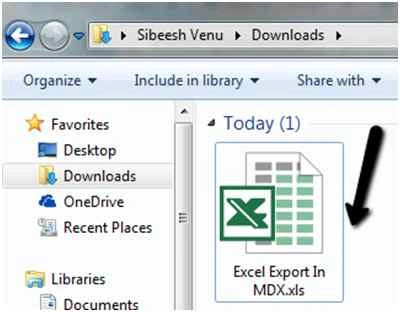
Everything is set now. Build your application and check the output now. Just click on the export button, I am sure an excel file will be downloaded.
The time taken for exporting completely depends on how many data your query returns. I suggest you to export maximum of 5000 for a query, so that it won’t affect any other process.
Conclusion
Did I miss anything that you may think which is needed? Could you find this post as useful? I hope you liked this article. Please share me your valuable suggestions and feedback.
Your turn. What do you think?
If you have any questions, then please mention in the comments section.
Please see this article in my blog here.
Sibeesh VenuPosted Oct 30, 2015, 2:47 AM
Mukesh Kumar Thank you
Mukesh KumarPosted Oct 30, 2015, 2:15 AM
Great Work
Sibeesh VenuPosted Oct 30, 2015, 1:49 AM
Harshad Pansuriya Thank you
Harshad PansuriyaPosted Oct 30, 2015, 1:40 AM
Nice one
Sibeesh VenuPosted Oct 30, 2015, 12:38 AM
Gowtham K Thank you
Sibeesh VenuPosted Oct 30, 2015, 12:38 AM
Priyaranjan K S Thank you
Sibeesh VenuPosted Oct 30, 2015, 12:38 AM
Shridhar Sharma Thank you
Sibeesh VenuPosted Oct 30, 2015, 12:38 AM
Ekrem Tapan Thank you
Gowtham KPosted Oct 29, 2015, 1:42 PM
Good One, Thanks for sharing
Priyaranjan K SPosted Oct 29, 2015, 12:50 PM
Good One
Shridhar SharmaPosted Oct 29, 2015, 11:24 AM
nice share :)
Ekrem TapanPosted Oct 29, 2015, 3:31 AM
good article ;)