

Introduction
In this article I have explained the C# Random function which is used in an ASP.Net application so let us start with the basics to ensure this article is understandable for beginners too.
What is Random Number?
A number that has no specific sequence which is changed dynamically with the given range in the Random function each time it is generated is called a Random number.
So I hope you understand the concept of random numbers. Now we will create the application for demonstrating the use of the Random function.
Now let us start to create a Website as:
- Start - All Programs - Microsoft Visual Studio 2010.
- File - New Website - C# - Empty website (to avoid adding a master page).
- Give the web site a name such as Generate_RandomNumbres or another as you wish and specify the location.
- Then right-click on Solution Explorer - Add New Item - Default.aspx page.
- Drag and drop one button to generate a random number and one label to show the generated random numbers in the <form> section of the Default aspx page.
<formid="form1"runat="server">
<asp:Button id ="Button1" runat ="server"Text="Generate number " onclick="Button1_Click" />
<p>
<asp:Label id ="Label1"runat ="server" Text ="Label"></asp:Label></p>
</ form >
</ form >
Switch the view code and create the Random () object in the partial class as:
static Random random = new Random();
Then double-click on the button and use the following code in the button click event as:
protectedvoid Button1_Click(object sender, EventArgs e)
{
for (int i = 0; i < 2; i++)
{
Label1.Text ="The generated Random number is " + (Convert.ToString(random.Next(10, 200))); // to specify range for random number
}
In the above for loop body random.Next(10, 200) is a function which specifies the range of random numbers to be generated; in other words it will generate numbers in the range 10 to 200.
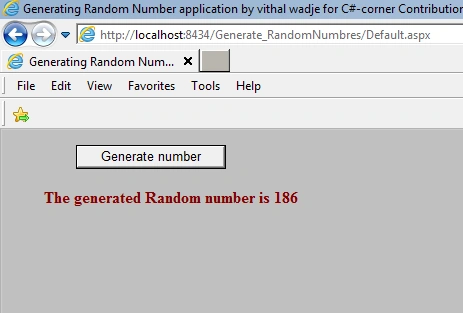
Now run the application and click on the Generate number button which generates the number 186 on the first click as shown in the following image:
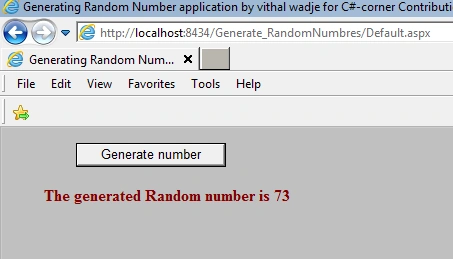
Click on second time on generate button, it will generate the number 73 as shown in the following image:
Similarly, click on N numbers at a time and it will generate various random numbers with no specific sequence and for moves the loop between the random function specified range 10 to 200.
Summary
So by all the examples above I have explained how to use the Random function of C#. You can implement it as you want according to your application requirements. If you have suggestions regarding this article then please contact me.
Girish SharmaPosted Jul 13, 2021, 3:06 AM
What if I wish to display random number after every one second automatically.
Vithal WadjePosted May 14, 2015, 9:05 AM
duplicate as wel ,in current request it will not be return any duplicate but when new request start its possibility to return duplicate value within that given range . to avoid this and if you are trying to generate unique password then try asp.net membership provider class to generate unique password that is Membership.GeneratePassword(8, 1) which takes two parameter password length and number of alphanumerical .
Joel PrabhuPosted May 14, 2015, 1:46 AM
random number return only unique or it will return duplicate also.
Vithal WadjePosted Dec 5, 2014, 12:09 AM
thanks Gowtham Ravi sir
Vithal WadjePosted Dec 5, 2014, 12:08 AM
thanks vinay singh sir
Gowtham RaviPosted Dec 3, 2014, 1:20 PM
nice one
Former memberPosted Oct 9, 2013, 7:30 AM
This is really cool article. have a look of this article and let me know your view
Vithal WadjePosted May 29, 2013, 3:57 PM
i dont know about that Ramesh,but ig you know then you can implement it in our own way,thanks for reading
Ramesh RPosted May 28, 2013, 5:30 PM
Why You are used for loop in above code..it will execute without using for LOOP..
Vithal WadjeeditedPosted Nov 1, 2012, 12:16 AMEdited Nov 1, 2012, 12:17 AM
thanks Rohatash sir,i will keep it in future
Rohatash KumareditedPosted Oct 31, 2012, 11:41 PMEdited Oct 31, 2012, 11:56 PM
Nice article Vithal. Keep it up