
Prerequisites
- Azure account
Now let's get started with the following steps -
Create HBase Cluster
Step 1 - Sign in to the online Microsoft Azure Portal.
Step 2 - In the Jump bar, click New, then click Data + Analytics, and select HDInsight.
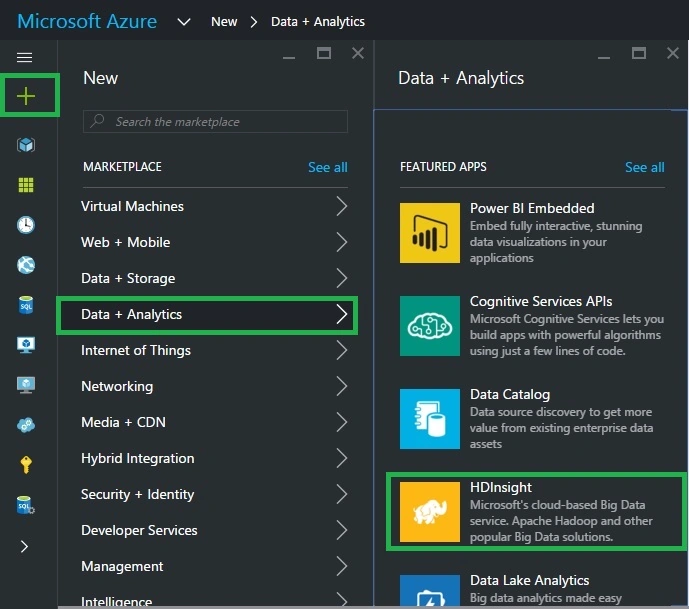
Step 3
In the new HDInsight Cluster account blade, specify the desired configuration for the HDInsight Cluster account (Cluster Name, Cluster Type, Cluster Operating System, HDInsight Version, Resource Group, Credentials, Data Source, Node Pricing Tiers & Optional Configuration).
Cluster Name
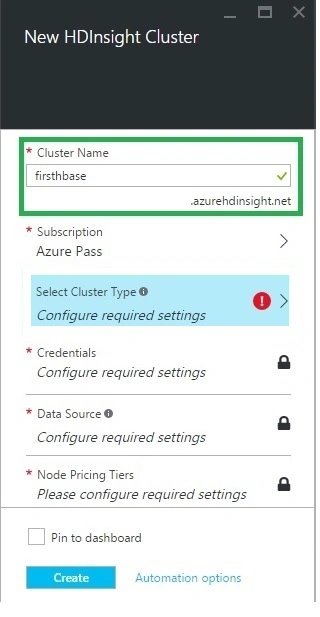
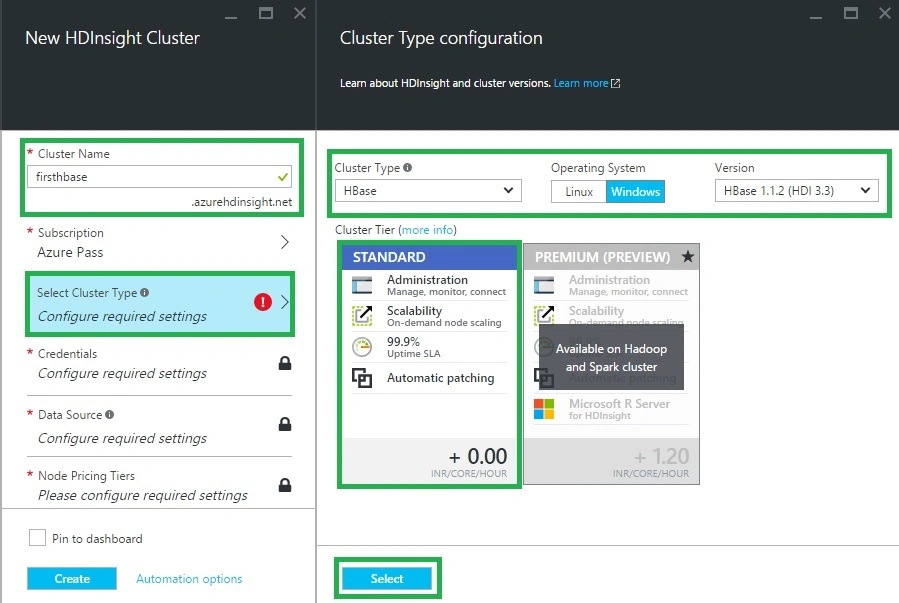
Cluster Type Configuration Details
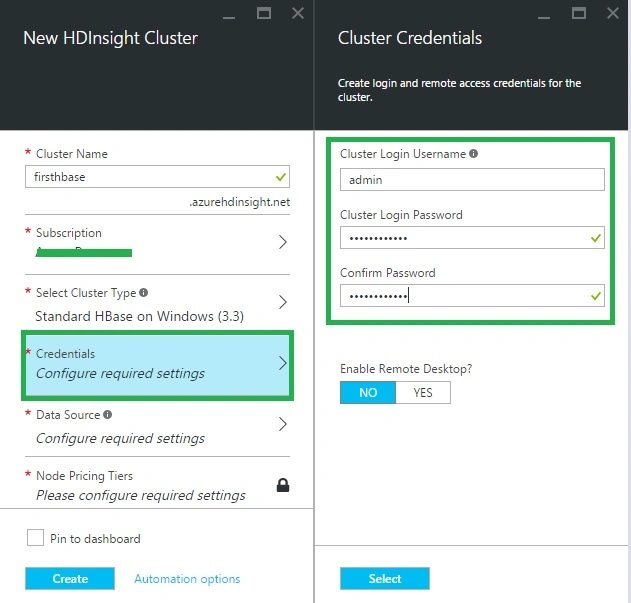
Credentials Details
Data Source Details
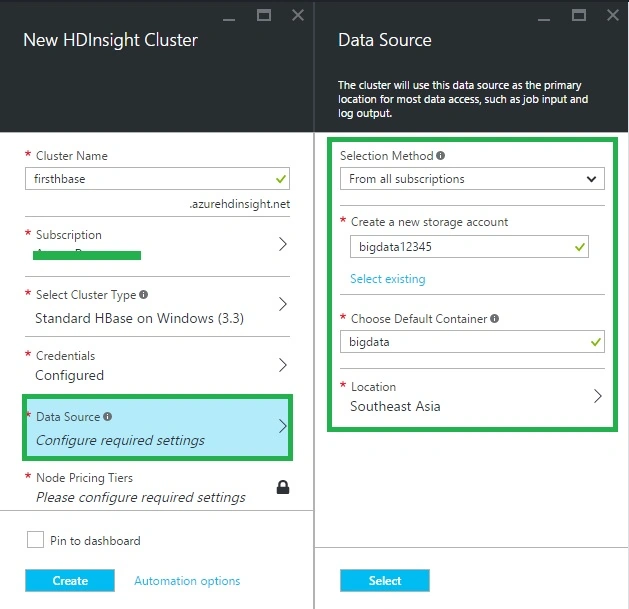
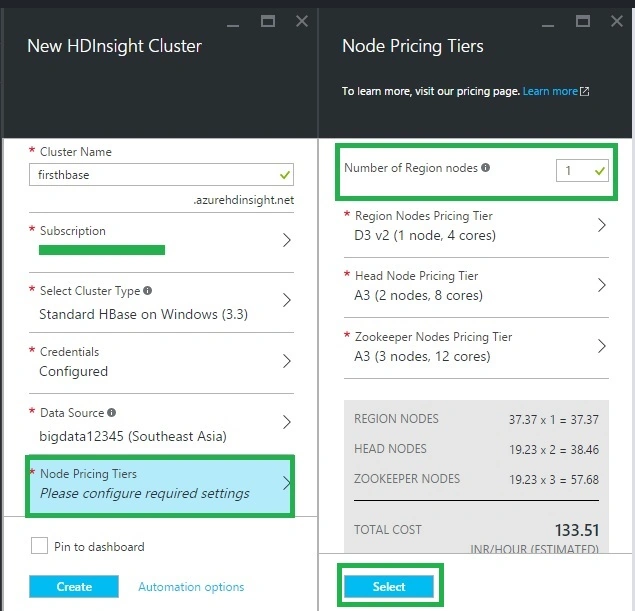
Node Pricing Tier Details
Click Create button at the bottom of the screen to create the HDInsight Cluster.
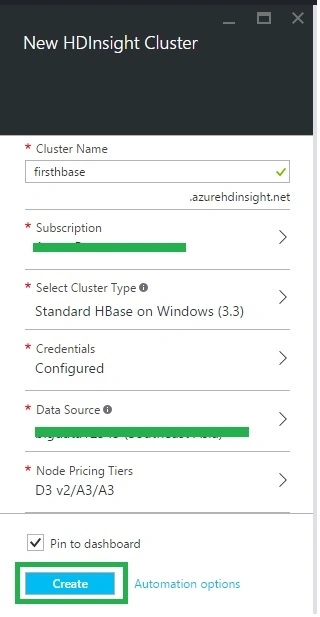
Once the creation completes (Normally, it takes 10 to 15 Minutes), we are ready with our New Cluster.


Munesh SharmaPosted May 22, 2016, 8:12 AM EDT
good
Prasanna MuraliPosted May 18, 2016, 6:37 AM EDT
Nice one...
Debasis SahaTOP 100Posted May 18, 2016, 6:21 AM EDT
Good One..
Pritam ZopePosted May 18, 2016, 6:13 AM EDT
Good One............
Ketak BhalsingPosted May 18, 2016, 4:19 AM EDT
Very Well .....