
In this article I am showing you a very simple way to show the number of hits
that come to a SharePoint site.
1. First you have to open the SharePoint site in Designer
2. Open the page where you want to add the counter
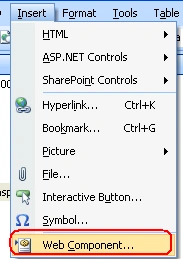
3. Click on the Insert then select Web Component
4. You will get a popup similar to below
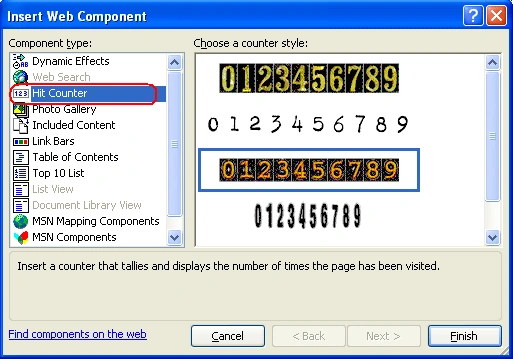
5. Select Hit Counter from the menu
6. It will give different template for your Hit Counter
7. Click Finish.
8. You will get another screen like shown below
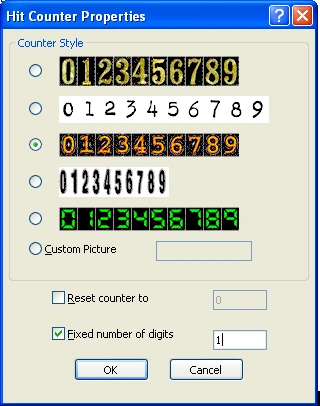
9. Select Fixed Number of digits and reset the counter to 1
10. Click OK
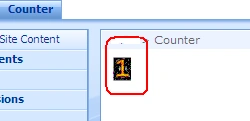
11. Now open your page. You can see the counter is added to the page
12. Just reload the page you can see the counter starts incrementing
2 comments
Join the conversation! Your thoughts help the community grow.

Join to leave a comment
Members earn 10 SHARP for a comment, 10 SHARP for a reaction, and 1,000 SHARP for every article they publish.

Destin JoyTOP 100Posted Apr 24, 2011, 6:44 AM EDT
Hi Bijaya, What you are trying to achieve from this..
jibin koshyPosted Nov 21, 2010, 3:58 AM EST
Thanx destin