
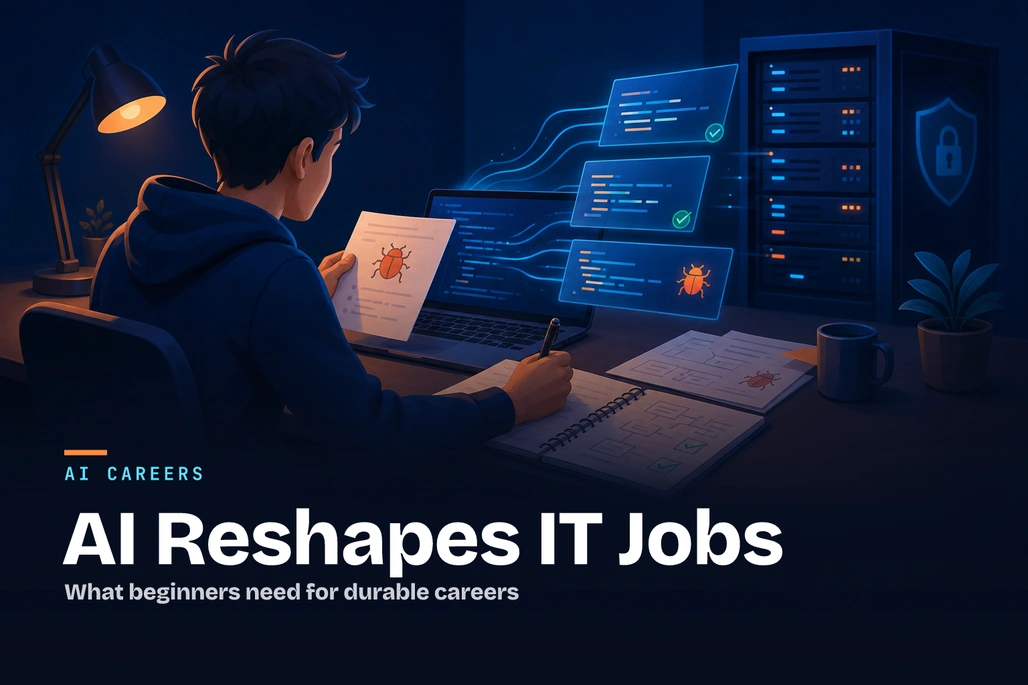
AI-assisted development shifts a beginner's work toward review, testing, and judgment.
AI is changing IT jobs by automating or accelerating parts of work such as code scaffolding, documentation, testing, search, and routine analysis—not by making the need for software professionals disappear. For freshers, the opportunity is to become developers who can use AI productively while still understanding requirements, writing and reviewing code, testing behavior, protecting data, and explaining technical decisions. Current evidence points to changing tasks and skills rather than a simple replacement of all entry-level IT roles.
Key takeaways
- AI tools can speed up particular programming tasks, but measured results differ by developer, task, codebase, and tool.
- Software and applications developers are among the job roles expected to grow fastest through 2030 in the World Economic Forum's employer survey.
- Freshers should treat AI as a drafting and learning assistant, not as a substitute for programming fundamentals or independent judgment.
- Testing, debugging, security review, communication, and understanding a business problem become more valuable when AI can produce code quickly.
- Responsible AI use means checking output, following employer policy, and never exposing secrets or sensitive source code to an unapproved tool.
Is AI replacing IT jobs?
AI is likely to replace some tasks, reshape many jobs, and create demand for new technical work at the same time. It is therefore more accurate to ask which activities within a job can be assisted or automated than to assume an entire occupation will vanish. The International Labour Organization's 2025 update found that one in four workers worldwide was in an occupation with some degree of generative AI exposure, but concluded that most jobs are more likely to be transformed than made redundant because human input remains necessary.
That distinction matters for IT. A developer's job is not only typing source code. It includes clarifying ambiguous requirements, making design trade-offs, navigating an existing codebase, reviewing changes, responding to incidents, collaborating with product and security teams, and being accountable for the result. AI can assist with several of these activities, but its output still needs context and verification.
The World Economic Forum's Future of Jobs Report 2025 presents the same mixed picture at the labor-market level. Based on responses from more than 1,000 employers representing over 14 million workers, the report expects technological change to disrupt jobs through 2030 while also forecasting software and applications developers among the fastest-growing roles in percentage terms. These are employer expectations, not guarantees for every country, company, or graduate, but they show why software capability continues to matter.
For readers in the United States, the U.S. Bureau of Labor Statistics projects employment of software developers, quality assurance analysts, and testers to grow 10% from 2025 to 2035, with about 106,100 openings per year on average across the decade. Those figures describe the combined occupation group and should not be read as a promise that every entry-level applicant will find a role immediately; hiring conditions can vary substantially by location, specialty, and economic cycle.
How does AI-assisted software development change junior work?
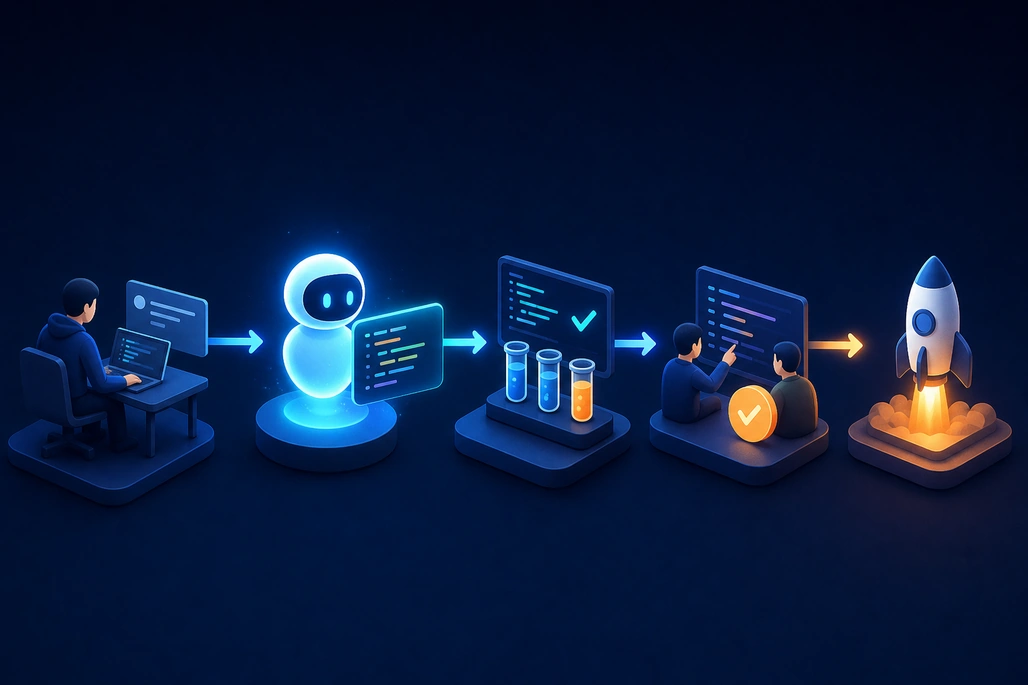
AI output should move through testing and review before it reaches production.
AI-assisted development uses generative AI inside a chat application, editor, or coding workflow to propose code, explain unfamiliar code, generate tests, summarize errors, draft documentation, or suggest refactoring approaches. The developer supplies context and constraints, decides whether the answer is appropriate, and integrates the change through normal engineering practices.
For a fresher, this can shorten the time needed to get unstuck on syntax or boilerplate. For example, an assistant may outline how an ASP.NET Core API validates input, explain a compiler error, or draft a first unit test. That is useful only if the developer can read the output, run it, identify missing edge cases, and change it when the requirement is different.
Research supports cautious optimism rather than a universal speed claim. A June 2025 Microsoft Research paper combined three randomized field experiments involving 4,867 developers at Microsoft, Accenture, and a Fortune 100 company, finding a 26.08% increase in completed tasks for developers given an AI coding assistant; it also reported higher adoption and larger gains among less experienced developers. The study examines a specific type of coding assistant and particular workplaces, so its result should not be applied as a guaranteed productivity increase for every development task.
Other evidence shows why judgment remains important. In a randomized study released by METR in July 2025, 16 experienced open-source developers working on familiar, mature repositories took 19% longer on issues when AI use was allowed. The researchers explicitly cautioned that this narrow study does not prove AI slows most developers. Still, it illustrates a practical point for freshers: generating an answer is not the same as understanding a large system, validating a change, and maintaining it later.
| Activity | How AI can help | What the fresher must still do |
|---|---|---|
| Writing a small function | Draft a first implementation or explain syntax | Check requirements, edge cases, naming, and correctness |
| Debugging | Suggest likely causes and diagnostic steps | Reproduce the issue, inspect evidence, and verify the fix |
| Testing | Propose unit-test cases and test data | Decide meaningful scenarios and confirm tests can catch defects |
| Documentation | Draft summaries, comments, or release notes | Correct inaccuracies and include project-specific context |
| Security review | Flag common patterns or explain a vulnerability class | Follow secure-development rules and obtain expert review where needed |
What work will become more important for freshers?
As routine output becomes faster to produce, employers can place more value on the ability to turn a vague request into a reliable, maintainable solution. That shifts attention toward problem decomposition, system thinking, code review, testing, communication, and security. These are not entirely new skills; AI raises their importance because it can produce plausible-looking output very quickly.
Requirements work is one example. An AI prompt that says “build a login feature” leaves major questions unanswered: Which identity provider is used? What happens after repeated failed attempts? Which roles can access which data? What privacy and audit requirements apply? A developer who asks and documents those questions contributes something that a generic generated snippet cannot supply.
Verification is another. Generative models can produce code that compiles but does the wrong thing, relies on an obsolete library, misses an authorization check, or invents an API. NIST's Generative AI Profile identifies risks including confabulation, information integrity, data privacy, and intellectual-property-related concerns. In a professional environment, an AI suggestion should be treated like an untrusted draft from a very fast collaborator: inspect it, test it, and follow team review processes.
Human skills remain part of technical capability. A developer who can explain a trade-off to a product manager, request help with a blocker, write a clear pull-request description, and accept review feedback can make an AI-assisted team more effective. The World Economic Forum reports that a substantial share of workers' existing skills are expected to be transformed or become outdated between 2025 and 2030, which makes continuous learning a career requirement rather than a one-time preparation step.
How can freshers use AI without weakening core skills?
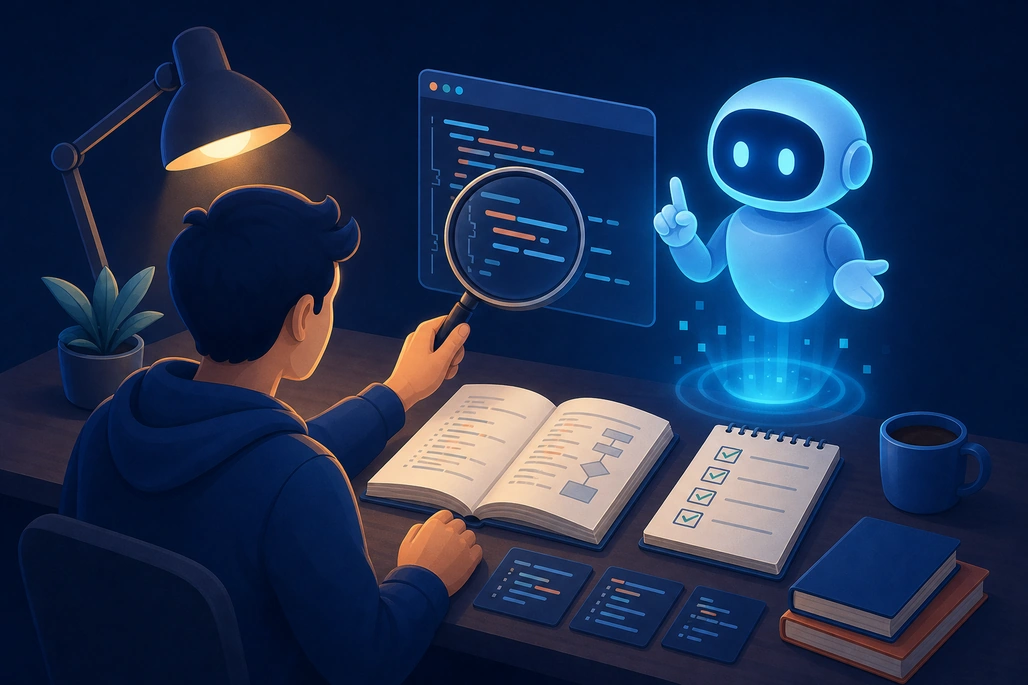
Fundamentals and verification make AI assistance more useful and safer.
The best approach is “learn first, assist second, verify always.” Beginners should first attempt a small problem independently, then use AI to compare approaches or clarify a specific gap. This preserves the productive struggle that builds debugging instincts while also teaching practical AI collaboration.
A useful workflow has four stages. First, state the problem, inputs, outputs, constraints, and definition of done. Second, ask the AI for an explanation or a small proposed change rather than asking it to build an entire application without context. Third, review every line and execute tests. Finally, write down what was learned, including why a suggestion was accepted or rejected.
The following small C# example demonstrates the standard to aim for. An AI tool could help draft this code or suggest additional tests, but the developer should be able to explain the business rule and verify it with automated tests. The example uses ordinary C# and xUnit assertions; it does not require an AI API.
public sealed class SubscriptionPriceCalculator
{
    public decimal Calculate(decimal monthlyPrice, int months, bool isStudent)
    {
        if (monthlyPrice < 0)
            throw new ArgumentOutOfRangeException(nameof(monthlyPrice));

        if (months <= 0)
            throw new ArgumentOutOfRangeException(nameof(months));

        decimal total = monthlyPrice * months;
        decimal discount = isStudent ? 0.10m : 0m;

        return total * (1 - discount);
    }
}

public class SubscriptionPriceCalculatorTests
{
    [Fact]
    public void Calculate_AppliesTenPercentStudentDiscount()
    {
        var calculator = new SubscriptionPriceCalculator();

        decimal result = calculator.Calculate(20m, 3, isStudent: true);

        Assert.Equal(54m, result);
    }

    [Fact]
    public void Calculate_RejectsZeroMonths()
    {
        var calculator = new SubscriptionPriceCalculator();

        Assert.Throws<ArgumentOutOfRangeException>(
            () => calculator.Calculate(20m, 0, isStudent: false));
    }
}
Before accepting this implementation, a junior developer should ask questions that an AI may not know: Is the discount meant to apply for every subscription length? Should currency rounding occur after the discount? Can multiple discounts be combined? Are student eligibility checks required? That questioning is engineering work. To create a basic test project, the .NET CLI supports dotnet new xunit; the important outcome is not merely that the tests pass, but that the tests represent the real business rules.
What should a beginner learn alongside AI tools?
Freshers do not need to become machine-learning researchers to remain employable. They do need a reliable foundation in one programming language, version control, debugging, HTTP and APIs, databases, testing, basic security, and software delivery. AI usage becomes more effective when it is built on that foundation.
- Learn programming fundamentals. Practice variables, control flow, functions, classes, error handling, data structures, and asynchronous programming in a language relevant to the target role.
- Build small projects without copying blindly. A CRUD application, API, command-line tool, or automation script can demonstrate the ability to finish, test, and explain work.
- Use Git from the beginning. Make focused commits, use branches, read diffs, and write meaningful pull-request descriptions. AI output is easier to review when changes are small and traceable.
- Practice testing and debugging. Write unit tests, use breakpoints, read logs, and reproduce defects. These skills help detect confident but incorrect AI output.
- Learn responsible AI practices. Follow organizational policies, avoid pasting credentials or sensitive code into unapproved services, and disclose AI use when a course, employer, or client requires it.
- Develop a portfolio narrative. Be ready to explain the problem, design choices, tests, limitations, and improvements for each project—not just show generated code.
How should freshers prepare for AI-assisted hiring?
Hiring processes may increasingly evaluate whether candidates can work with AI responsibly rather than whether they avoid it entirely. A candidate can prepare by practicing a transparent approach: use AI to brainstorm, then explain the final solution in their own words, identify assumptions, and show tests or evidence that it works.
Interview preparation should include coding without assistance as well as assisted development. A company may ask a candidate to reason through a small problem live, review code, troubleshoot a bug, or discuss how they would validate AI-generated code. Strong answers show that the candidate knows when to use an assistant and when to slow down.
Job titles may also change less quickly than tasks. An entry-level role may still be called junior developer, QA analyst, support engineer, data analyst, or cloud engineer, while the daily workflow includes AI-assisted search, drafting, and automation. Rather than chasing every new tool, freshers should build transferable skills: understanding systems, evaluating evidence, communicating clearly, and learning new tools efficiently.
What is the practical outlook for IT jobs?
The practical outlook is neither “AI will eliminate all IT jobs” nor “nothing will change.” AI is reducing the cost and time of some kinds of digital work, which can change hiring patterns, team structures, and the expected output of junior employees. At the same time, organizations need people who can build, integrate, secure, govern, and maintain AI-enabled systems.
The ILO's June 2026 review of empirical evidence reports that large-scale job displacement has remained limited, while productivity gains have often been uneven and not yet consistently translated into measured output, earnings, or employment. It also warns of risks to younger workers' opportunities. This is a reason for deliberate preparation: freshers need opportunities to learn real engineering work, and employers need to avoid treating AI-generated output as a replacement for mentoring and quality control.
For a beginner, the most durable strategy is to become a capable problem solver who uses AI with discipline. Learn the fundamentals, build and test real projects, understand the limits of generated output, and show evidence of sound judgment. AI can make a fresher faster; it cannot replace the responsibility to know whether the delivered software is correct, safe, and useful.
Frequently asked questions
Will AI replace entry-level IT jobs?
AI may reduce or change some routine entry-level tasks, but current labor-market and research evidence does not support a simple conclusion that it will replace all entry-level IT jobs. Freshers who can use AI while testing, debugging, communicating, and understanding requirements are better positioned for changing roles.
Should freshers learn coding if AI can write code?
Yes. Coding knowledge is necessary to evaluate AI output, identify errors, adapt suggestions to a codebase, write tests, and make sound technical decisions. AI is most useful when the developer understands the work well enough to verify it.
Which skills matter most for AI-assisted software development?
Programming fundamentals, Git, debugging, testing, APIs, databases, security awareness, problem decomposition, and communication are core skills. Prompting is useful, but it should support—not replace—these abilities.
Can AI coding tools make beginners better developers?
They can help beginners learn when used to explain concepts, compare approaches, and generate practice ideas. They can also slow learning when a beginner accepts code without understanding it, so every suggestion should be reviewed and tested.
Is it safe to paste company code into an AI tool?
Not automatically. A developer should follow the employer's approved-tool and data-handling policies, avoid sharing credentials or sensitive information, and use only services authorized for the relevant code and data.
Based on reporting by World Economic Forum, U.S. Bureau of Labor Statistics, International Labour Organization, Microsoft Research, Model Evaluation & Threat Research and National Institute of Standards and Technology.

Join the conversation! Your thoughts help the community grow.