

GitHub Copilot is an AI-powered coding assistant that helps you write code faster and with fewer errors. It provides code suggestions and completions based on the context of your current work. Before you can start using GitHub Copilot, you need to enable its license. This article will guide you through the process in simple, easy-to-understand steps.
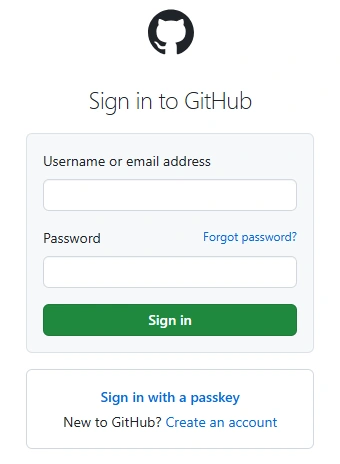
Step 1. Sign In to GitHub.
To get started, you need to sign in to your GitHub account. If you don't have a GitHub account, you can create one for free at https://github.com/login.
Step 2. Subscribe to GitHub Copilot.
GitHub Copilot is a subscription-based service. To subscribe, follow these steps.
- Go to the GitHub Copilot page.
- Click on the "Sign up" button.
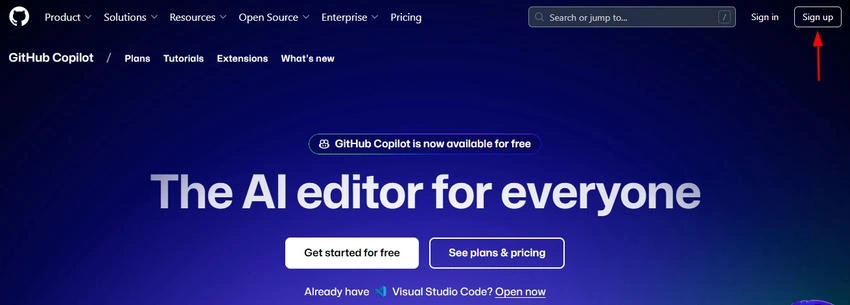
- Choose your subscription plan. GitHub offers different plans based on your needs.
- Enter your payment information and complete the subscription process.
Step 3. Install Visual Studio Code.
GitHub Copilot works best with Visual Studio Code (VS Code), a popular code editor developed by Microsoft. If you don't have VS Code installed, you can download it from VS Code. Follow the installation instructions for your operating system.
Step 4. Install GitHub Copilot Extension.
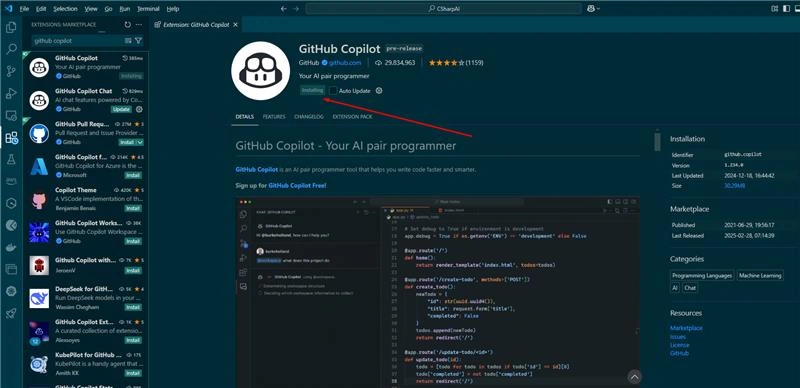
Once you have VS Code installed, you need to add the GitHub Copilot extension.
- Open VS Code.
- Go to the Extensions view by clicking on the Extensions icon in the Activity Bar on the side of the window.
- In the search bar, type "GitHub Copilot" and hit Enter.
- Find the GitHub Copilot extension in the search results and click on the "Install" button.
Step 5. Sign In to GitHub in VS Code.
You need to sign in to your GitHub account within VS Code to enable GitHub Copilot.
- Click on the "Sign in to GitHub" button that appears in the bottom right corner of the VS Code window.
- Enter your GitHub credentials.
- Authorize VS Code to access your GitHub account.
Step 6. Enable GitHub Copilot License.
With everything set up, you can now enable the GitHub Copilot license.
- Open the VS Code command palette by pressing Ctrl + Shift + P (Windows/Linux) or Cmd + Shift + P (Mac).
- Type "GitHub Copilot: Enable" and select the command from the list.
- Follow any additional prompts to complete the process.
Step 7. Start Using GitHub Copilot.
GitHub Copilot is now ready to use. Start a new code file or open an existing one, and Copilot will begin suggesting code completions and snippets as you type. You can accept, reject, or modify these suggestions based on your needs.
Troubleshooting
If you encounter any issues while enabling GitHub Copilot, here are some common troubleshooting tips.
- Ensure you have the latest version of VS Code installed.
- Check that your GitHub Copilot subscription is active.
- Make sure you are signed in to the correct GitHub account in VS Code.
- Restart VS Code to apply any changes.
If problems persist, consult the GitHub Copilot documentation or reach out to GitHub support for further assistance.
GitHub Copilot is available,
- In your IDE
- In GitHub Mobile, as a chat interface
- On the command line, through the GitHub CLI
- On GitHub.com, with a subscription to Copilot Enterprise
Github Copilot License
You can buy a Copilot license via your Github.com account. Login to your GitHub.com account and click on the Copilot menu item in the left side bar. On this screen, you can buy a new subscription or review your existing one.
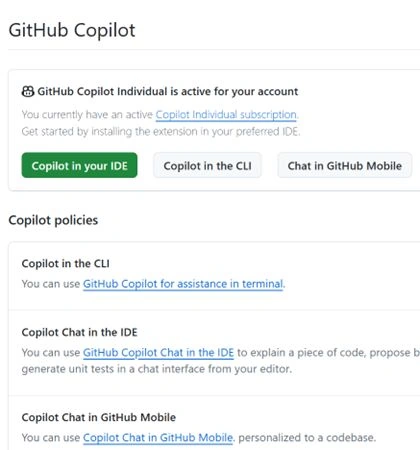
On this screen, you can also set up your subscription policies and more settings.
Conclusion
Enabling the GitHub Copilot license is a straightforward process that can greatly enhance your coding experience. By following the steps outlined in this guide, you can unlock the full potential of GitHub Copilot and enjoy faster, more efficient coding. Whether you're a seasoned developer or just starting out, GitHub Copilot can be an invaluable tool in your programming toolkit.
Download Copilot eBook: Copilot Handbook for Students and Developers
Join the conversation! Your thoughts help the community grow.