
In Windows 10 Technical Preview whenever we press Ctrl + E, the Quick Access in the File Explorer window pops up.
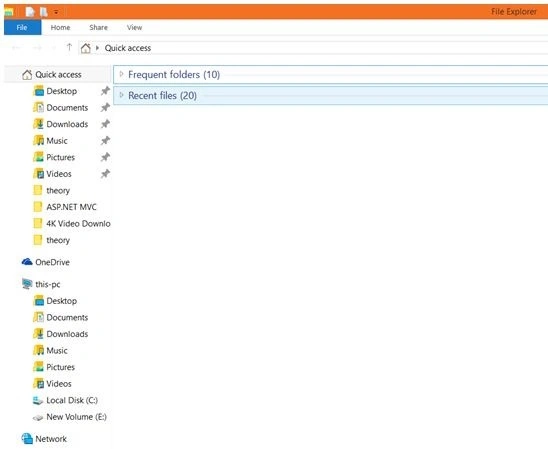
But if you want to replace this Quick Access with the This PC window the File Explorer.
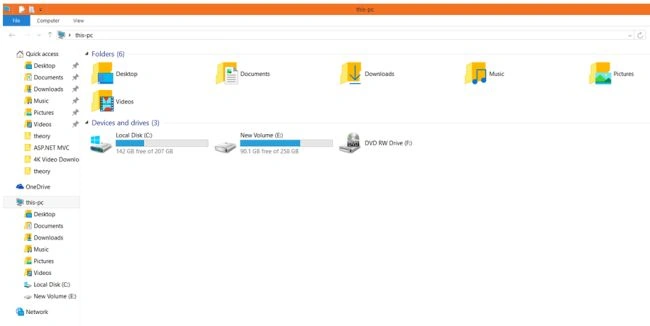
Then use the following procedure.
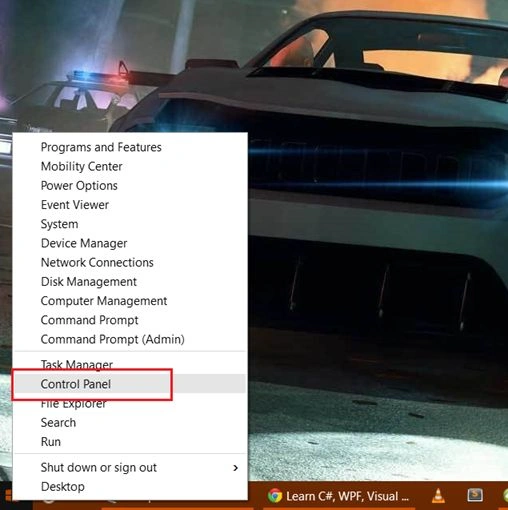
- Right-click on the Start menu icon and select Control Panel.
- The Control Panel window will pop up.
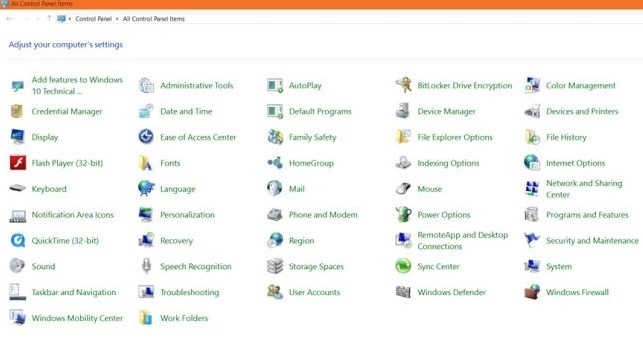
- Look for the File Explorer Options item and open it.
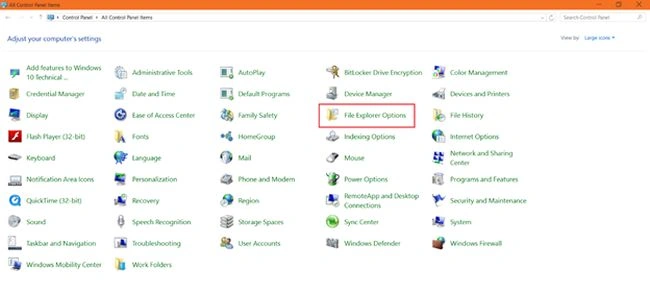
- You will get the following pop-up window.
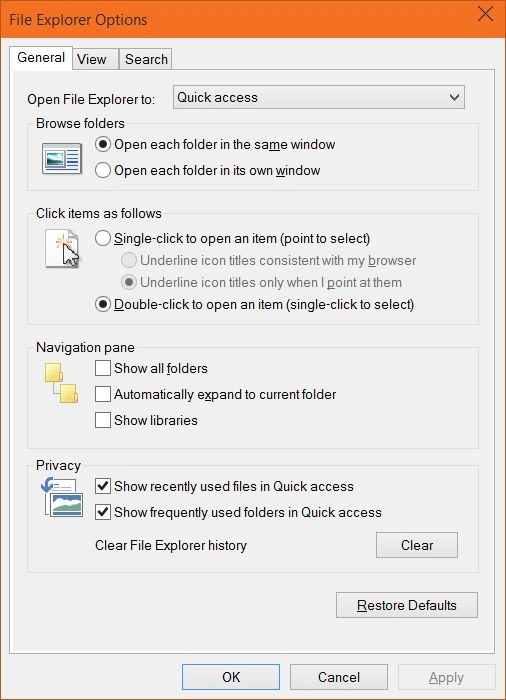
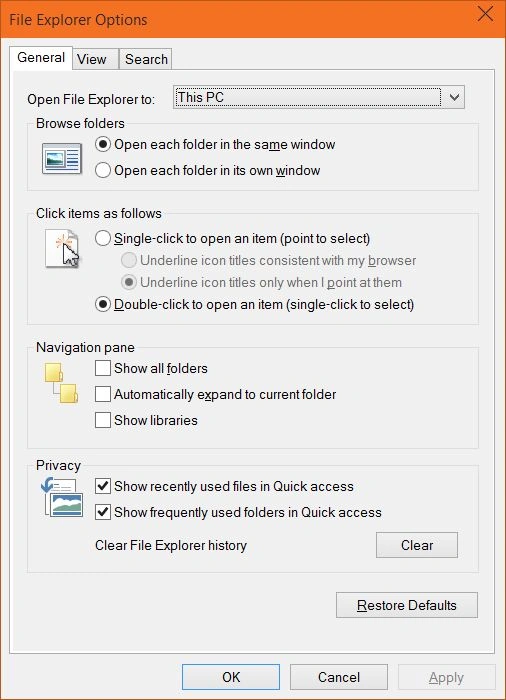
- Click on the dropdown menu for Open File Explorer, you will get two options to select from.

- Select This PC and click OK.
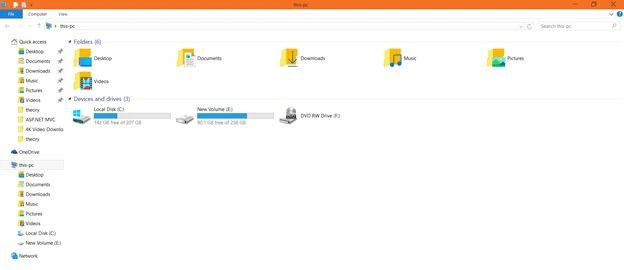
- Now press Ctrl+E, and you will see that the This PC window pops up.
I hope you find this helpful.
Summary
In this article, we learned about how to open This PC Window in Windows 10.


Onkar SharmaPosted Nov 20, 2019, 7:33 AM EST
Nice Article...
Sourabh SomaniTOP 100Posted Feb 26, 2015, 6:45 AM EST
hmmm good thing... :)
Sibeesh VenuTOP 100Posted Feb 25, 2015, 9:40 PM EST
Good One.
Rahul Kumar SaxenaTOP 100Posted Feb 25, 2015, 6:39 PM EST
Good Work...