
Note - All screenshots are applied to SQL Server 2012 Enterprise Evaluation Edition.
Introduction
We can recover deleted rows if we know the time when data is deleted We can achieve this goal using LSN ( Log Sequence Numbers ). As per Microsoft, “Every record in the SQL Server transaction log is uniquely identified by a log sequence number (LSN)". We will use these LSNs to recover our deleted data.
Recover Deleted Rows from SQL Server Table
To recover deleted rows from the table in database, database must be FULL Recovery or BULK-LOGGED Recovery Model.
SIMPLE Recovery doesn’t support transaction logs backup hence it is not possible in SIMPLE recovery model.
Steps Involved
Let’s set up environment for recovering deleted rows step by step:
Step 1
Create a database name RecoverDeletedData and set recovery model as FULL if it is not set as FULL.
Use the following command to create database,
- USE Master
- GO
- CREATE DATABASE [RecoverDeletedData]
- ON PRIMARY
- ( NAME = N'RecoverDeletedData',
- FILENAME = N'D:\RecoverDeletedData\RecoverDeletedData.mdf'
- SIZE = 4096KB, FILEGROWTH = 1024KB )
- LOG ON
- ( NAME = N'RecoverDeletedData_log',
- FILENAME = N'D:\RecoverDeletedData\RecoverDeletedData.ldf',
- SIZE = 1024KB, FILEGROWTH = 10%)
- GO
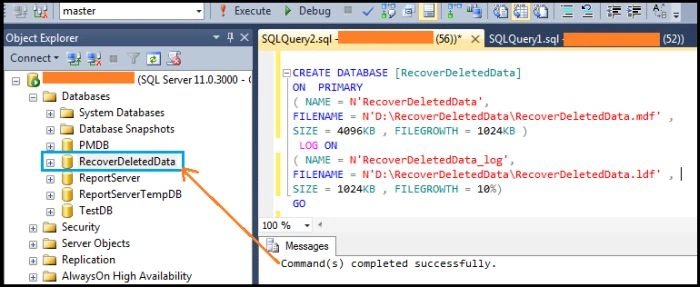
Figure 1 - Creating database RecoverDeletedData
Step 2
In Step 2 we will create a table for our environment.
- CREATE TABLE [Friends] (
- [Sr.No] INT IDENTITY,
- [Name] varchar (50),
- [City] varchar (50));
After creating table “Friends”, let’s insert some values into it.
- USE RecoverDeletedData
- GO
- insert into friends values (1, 'IanRox', 'Delhi')
- insert into friends values (2, 'Jim', 'New York')
- insert into friends values (3, 'Catherine', 'Las Vegas')
- insert into friends values (4, 'John', 'California')
- insert into friends values (5, 'Katie', 'Mexico')
- insert into friends values (6, 'Sabrina', 'Indiana')
- insert into friends values (7, 'Alfred', 'Hamburg')
- insert into friends values (8, 'Vaibhav', 'Bangalore')
- insert into friends values (9, 'Vijeta', 'Mumbai')
- insert into friends values (10, 'YashRox', 'Sultanpur')
After inserting records check the inserted records with below query-
- USE RecoverDeletedData
- GO
- Select * from friends
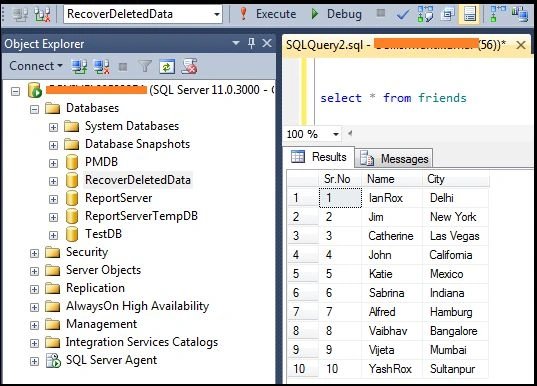
Figure 2 - Fetching data from friends table of RecoverDeletedData database
Step 5
In Step 5, we will take full backup of database “RecoverDeletedData”
- USE RecoverDeletedData
- GO
- BACKUP DATABASE [RecoverDeletedData]
- TO DISK = N'D:\RecoverDeletedData\RDDFull.bak'
- WITH NOFORMAT, NOINIT, NAME = N'RecoverDeletedData-Full Database Backup',
- SKIP, NOREWIND, NOUNLOAD, STATS = 10
- GO
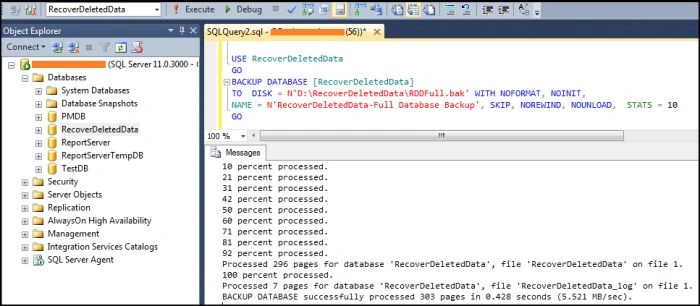
Figure 3 - Full Backup database RecoverDeletedData
Step 6
Now we will go ahead and delete some rows so that we can recover them with the help of LSNs.
- USE RecoverDeletedData
- GO
- DELETE friends
- [WHERE [Sr.No] >5
- GO
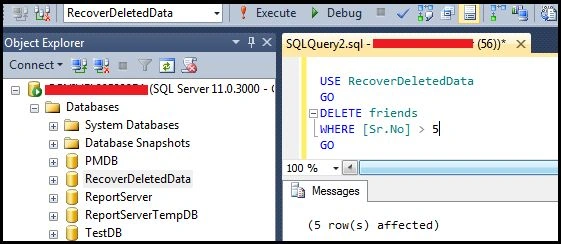
Figure 4 - Deleting rows from friends table
Step 7
Now check the “friends” again from below query:
- select * from friends
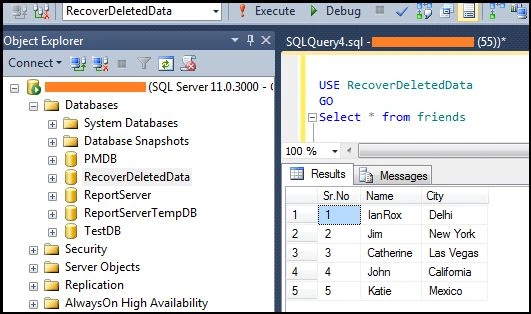
Figure 5 - Fetching rows from friends table after deletion
Ah! Only 5 records left as we deleted the records from 6th rows to 10th rows.
Step 8
Now take transaction log backup of the database.
USE RecoverDeletedData
- GO
- BACKUP LOG [RecoverDeletedData]
- TO DISK = N'D:\RecoverDeletedData\RDDTrLog.trn'
- WITH NOFORMAT, NOINIT,
- NAME = N'RecoverDeletedData-Transaction Log Backup',
- SKIP, NOREWIND, NOUNLOAD, STATS = 10
- GO
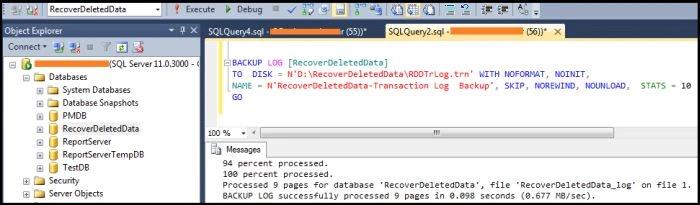
Figure 6 - Backup transaction log for RecoverDeletedData
Step 9
Now to recover deleted rows we must gather information for deleted rows. To gather information about deleted rows we can run below query-
- USE RecoverDeletedData
- GO
- Select [Current LSN] LSN], [Transaction ID], Operation, Context, AllocUnitName
- FROM
- fn_dblog(NULL, NULL)
- WHERE Operation = 'LOP_DELETE_ROWS'
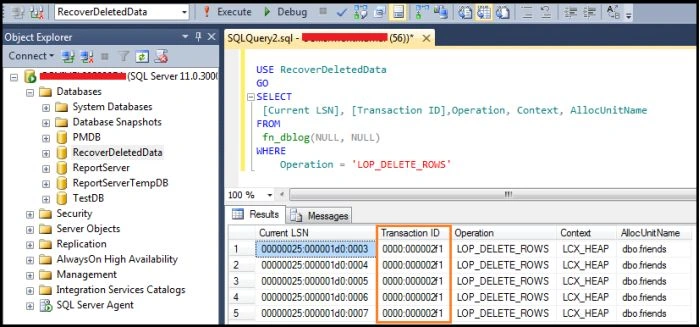
Figure 7 - Finding Transaction ID of deleted rows
From the above query we will get Transaction ID of deleted rows, now we have to find at what time rows got deleted.
Step 10
In Step 10, we will find exact time when rows got deleted with below query using Transaction ID “000:000002f1”:
- USE RecoverDeletedData
- GO
- SELECT
- [Current LSN], Operation, [Transaction ID], [Begin Time], [Transaction Name], [Transaction SID]
- FROM
- fn_dblog(NULL, NULL)
- WHERE
- [Transaction ID] = ‘000:000002f1'
- AND
- [Operation] = 'LOP_BEGIN_XACT'
Step 11
In Step 11, we will proceed with restore operation to recover deleted rows with below query:
- USE RecoverDeletedData
- GO
- RESTORE DATABASE RecoverDeletedData_COPY FROM
- DISK = 'D:\RecoverDeletedData\RDDFull.bak'
- WITH
- MOVE 'RecoverDeletedData' TO 'D:\RecoverDB\RecoverDeletedData.mdf',
- MOVE 'RecoverDeletedData_log' TO 'D:\RecoverDB\RecoverDeletedData_log.ldf',
- REPLACE, NORECOVERY;
- GO
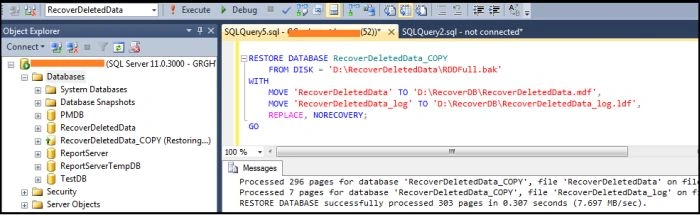
Figure 8 - Restoring with FULL backup
Step 12
In Step 12, we will apply transaction log to restore deleted rows using LSN “00000025:000001d0:0001”
- USE RecoverDeletedData
- GO
- RESTORE LOG RecoverDeletedData_COPY
- FROM DISK = N'D:\RecoverDeletedData\RDOTrLog.trn'
- WITH STOPBEFOREMARK = ‘lsn:0x00000025:000001d0:0001'
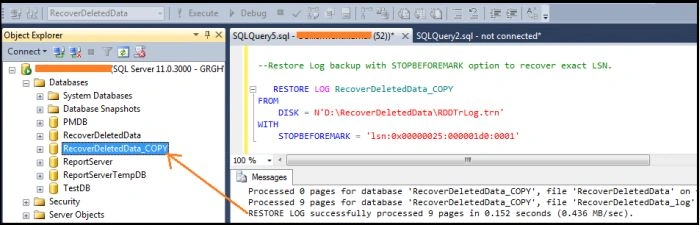
Figure 9 - Restoring transaction log using LSN
Here one thing we need to remember that the LSN values are in hexadecimal form and for restoring with LSN value we need it in decimal form. To convert it to decimal form just put 0x before LSN like below in stopbeforemark clause
STOPBEFOREMARK = ‘lsn:0x00000025:000001d0:0001'
Step 13
As in above screenshot restore operation successfully completed, so here we check that our deleted records are back in RecoverDeletedData_Copy Database:
- USE RecoverDeletedData_Copy
- GO
- Select * from friends
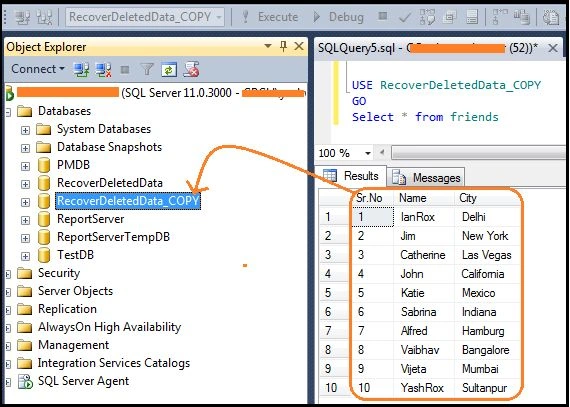
Figure 10 - Fetching records from RecoverDeletedData_Copy database
Wow!! We got all records back…
In this way we can recover deleted records for any database provided database is in FULL or BULK-LOGGED Recovery model.
Final Words
So from the above explanation and steps it is very clear that how we can recover deleted rows if we deleted it accidentally. But before that we must have idea about LSNs, transaction logs etc.


Jaime StuardoPosted Nov 15, 2019, 1:23 AM EST
Hello.. I have accidentally deleted some rows but when I use fn_dblog to search for LOP_DELETED_ROWS operation, nothing is listed. If I don't use the WHERE clause, there is no LOP_DELETED_ROWS. There are only 20 records with other operations, such as LOP_COMMIT_XACT and LOP_MODIFY_ROW. What can I do?
Vignesh ManiTOP 100Posted May 13, 2016, 3:20 AM EDT
Nice
Muhammad Aqib ShehzadPosted May 12, 2016, 10:37 PM EDT
nice
Ram NunnaPosted May 12, 2016, 9:25 PM EDT
Good article. I have one doubt here, if i have restored database from backup file after that i made some changes in that database, how can i rollback that changes means i need to get start position of database.
Hari ShankerPosted May 12, 2016, 8:22 PM EDT
nice one...
Kailash KantPosted May 12, 2016, 7:49 PM EDT
Its very nice and useful article
Bhavik PatelPosted May 12, 2016, 6:30 PM EDT
useful
Sonu ChaudharyPosted May 12, 2016, 7:26 AM EDT
good one
RakeshPosted May 12, 2016, 6:57 AM EDT
Good one
Debasis SahaTOP 100Posted May 12, 2016, 5:54 AM EDT
Good One..
Former memberPosted May 12, 2016, 4:03 AM EDT
good one...
GokulPosted May 12, 2016, 3:31 AM EDT
its very nice and useful article
Pankaj Kumar ChoudharyTOP 100Posted May 12, 2016, 1:16 AM EDT
Nice Article Sir.....