
In SharePoint a new list has a Title column by default but most clients do not need it in the project. This article shows how to hide or remove the default SharePoint list “Title” column such that it does not appear in new item forms.
Create a new Custom list named NewSPList.
Figure 1: New Split
Once the list has been created by default the title column is in the list. Now click on new item to add items into the list.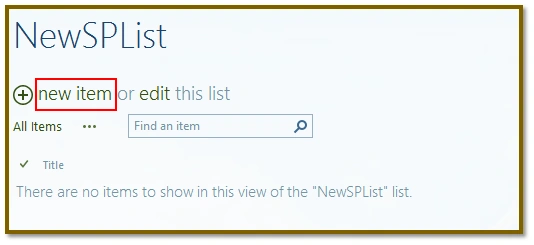
Figure 2: Defoult Title
Add a Title and name to the field and click the Save button. Here our Primary moto is to hide the Title column on this form.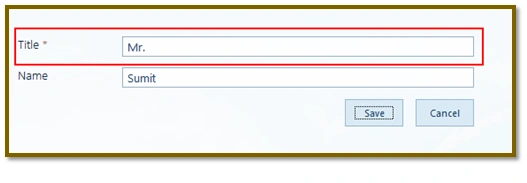
Figure 3: Primary Moto
All the item's data is stored in the list as Figure 4.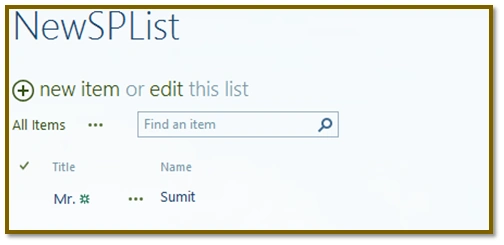
Figure 4: All item data
Now we will hide the Title column in the list. Let us go to List on the Top ribbon then click on the List setting.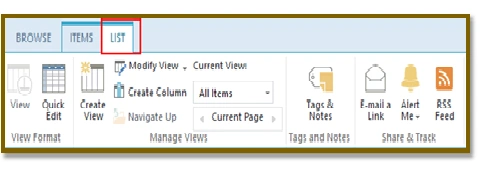
Figure 5: Top ribbon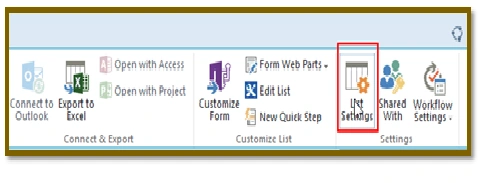
Figure 6: List Setting
The list settings page opens. Then click on Advanced settings.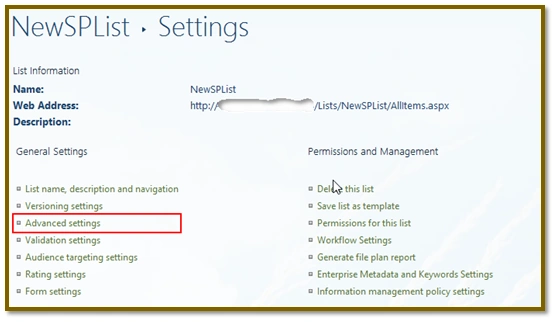
Figure 7: Advanced Settings
Select the “Yes“ Check box to allow management of Content types.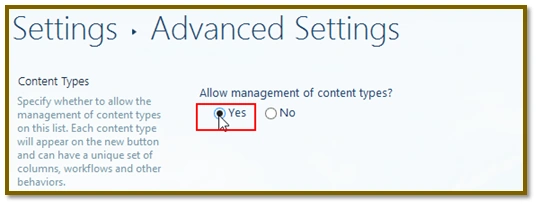
Figure 8: Content Types
Back to the list setting page, you will display a content type item. Click on Item.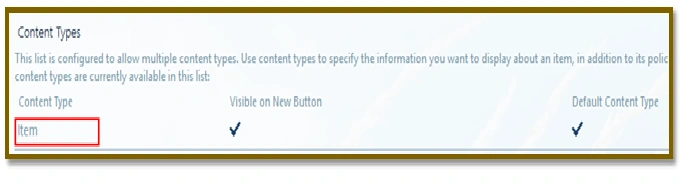
Figure 9: Click on item
9. On the click of Item the content type is displayed. All the columns that were currently created in list are something. Select TitleColumn (by default the status of the Title column in required changes its status to the Hidden type as shown in Figure 10. It will not appear in forms.
Figure 10: Title Column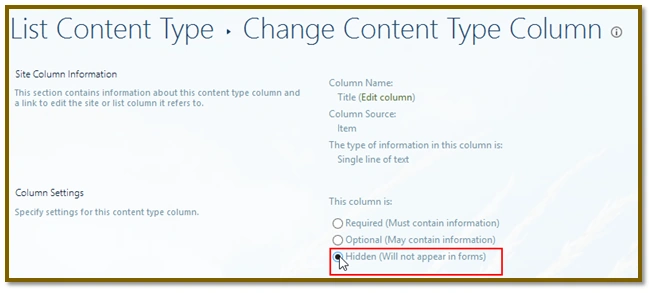
Figure 11: list Content Type
10. And click on OK. Now your default title column does not appear in the new item forms. To hide the Title field from all the item's view, click on All Items on the List Settings page under the Views section.
Figure 12: All Item
Uncheck Title field from the All Items View page.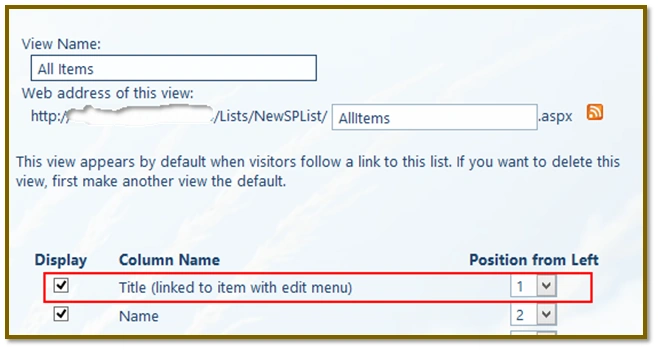
Figure 13: View Page
See now, you will not be able to see the Title column in the All list items as well as the new item page.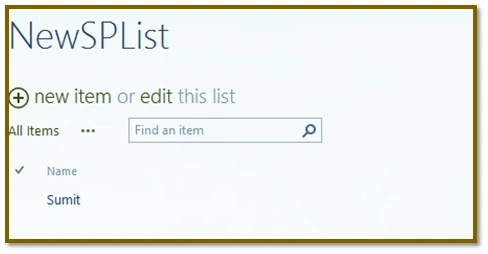
Figure 14: New Item Page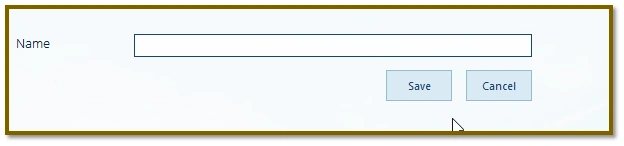
Figure 15: Name
By using the preceding procedure we can hide the Title column from a SharePoint 2013 Custom list.
How to Remove and Hide the Title Column From a SharePoint 2013 List
This article shows how to how to remove and hide the title column from a SharePoint 2013 list.


Zeeshan UmarPosted Aug 31, 2015, 2:02 AM EDT
Nice Article
Ankit BansalPosted Aug 31, 2015, 12:25 AM EDT
thanks for share..
Sumit DeshmukhPosted Aug 30, 2015, 11:50 PM EDT
Thank you Rajeesh
Rajeesh MenothPosted Aug 30, 2015, 8:39 PM EDT
Good One
Hashim ShafiqPosted Aug 30, 2015, 5:42 PM EDT
nice
Gowtham KTOP 100Posted Aug 30, 2015, 8:39 AM EDT
Good one
Prasham SabadraPosted Aug 30, 2015, 4:16 AM EDT
Thanks Sumit for sharing :)
Karthikeyan KPosted Aug 30, 2015, 1:16 AM EDT
Good one sir...Thanks for share
Abhay ShankerPosted Aug 30, 2015, 12:06 AM EDT
Nice Share.....
Sibeesh VenuTOP 100Posted Aug 29, 2015, 9:12 PM EDT
Nice Share
Vinodh NarayananPosted Aug 29, 2015, 9:01 PM EDT
Good one
Santhakumar MunuswamyPosted Aug 29, 2015, 8:03 PM EDT
Nice article
Pankaj Kumar ChoudharyTOP 100Posted Aug 29, 2015, 4:17 PM EDT
Nice Article Sir...........