Introduction
HISTORY
IBM sowed the seed of HTML in the early 1980s. Initially, it was known by the name General Markup Language (GML). It was a powerful language that aimed at creating a document in which one could mark the title, text, heading and much more.
In 1986, the concept of GML became standardized by the ISO. The standardized GML is called Standard Generalized Markup Language (SGML). In 1989, Sir Tim Berners Lee and his team designed HyperText Markup Language (HTML) as an SGML application in which:
- HYPERTEXT means a complete code package that allows the user to create WebPages that includes text and graphics and also you can add links to your WebPages
- MARKUP means highlighting the text by underlining or displaying it with colors
- LANGUAGE refers to the mode of communications among the webpages
Necessary HTML Tags
(Note that upper-case/lower-case is not important,)
The "guts" of every HTML file must look like this:
- <html>
- <head>
- <title>Document's name which appears in the heading, not on the page</title>
- </head>
- <body>
- Type in the information you want to appear on the page here
- </body>
- </html>
Basic HTML Structure
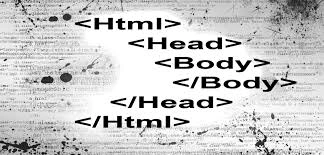
HTML (<HTML> .. </HTML>)
The HTML documents starts with <HTML> tags and ends with the </HTML> tag. Each document is considered to be a single page. Everything is written within these tags. If the commands are not enclosed in tags then the web browser will assume the commands as simple text. The HTML is divided into two parts: the header <HEAD> and the body <BODY>.
HEAD (<HEAD> .. </HEAD>)
A header is a place where you put the information about the web pages. The <HEAD> contains no text within itself.
TITLE (<TITLE> .. </TITLE>)
The <TITLE> tag must be given within the <HEAD> tag. It contains the title of the document.
BODY (<BODY> .. </BODY>)
Within the <body> tag (command), you may use other HTML tags to add images and/or sounds, link your page to other pages (URLs) on the web, highlight your text by bolding or italicizing it, or change the font size.
Note that all tags must be invoked by typing the tag between two brackets (in other words, <body>). Type the tag in brackets again with a slash in front of it (in other words, </body>) to negate the effect.
Example
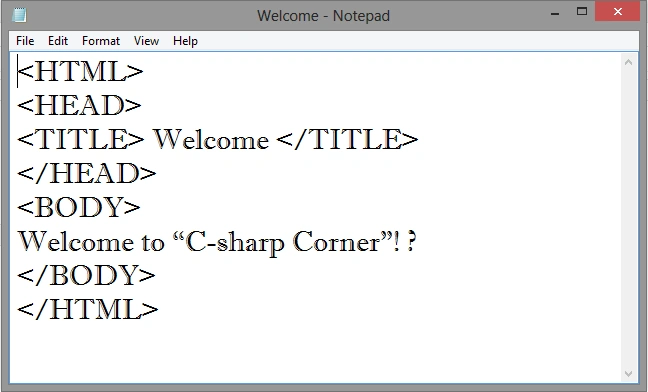
Here's a basic HTML code (just write it in any text editor like Notepad and so on):
- <HTML>
- <HEAD>
- <TITLE> Welcome </TITLE>
- </HEAD>
- <BODY>
- Welcome to “C-sharp Corner”!
- </BODY>
- </HTML>
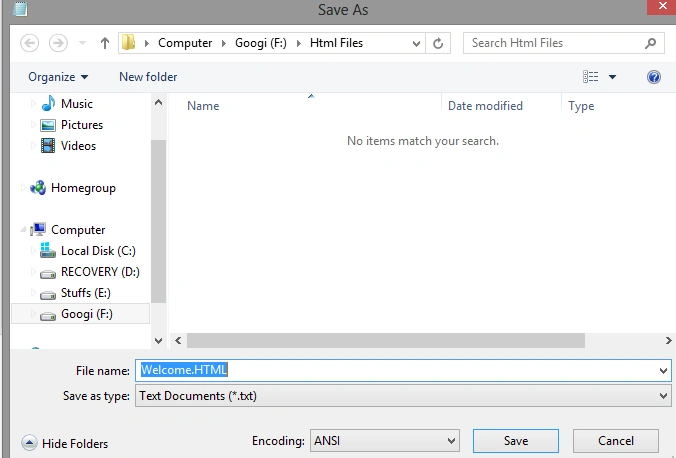
Then save it as you please. In my case it is Welcome.HTML.
Output





Shresthi JaiswalPosted Sep 22, 2016, 11:02 PM EDT
Thanks Sir :)
SubashPosted Sep 22, 2016, 8:30 PM EDT
Nice work
Shresthi JaiswalPosted Jun 13, 2015, 12:05 PM EDT
Thanks !! :-)
Mohammad AliPosted Jun 8, 2015, 4:21 AM EDT
very good
Shresthi JaiswalPosted Jun 5, 2015, 12:40 AM EDT
Thanq :)
Narendran NPosted May 21, 2015, 3:08 AM EDT
Great Start........anyone can be easily understood
Santhakumar MunuswamyPosted Apr 1, 2015, 7:56 PM EDT
Thanks for good start
Karthik Muthu KaruppanPosted Mar 31, 2015, 7:00 AM EDT
good start
Shresthi JaiswalPosted Mar 30, 2015, 8:46 AM EDT
THANKEW ! :)
Abhishek YadavPosted Mar 30, 2015, 8:24 AM EDT
Welcome Shresthi Jaiswal... Good start, keep it up... :)
Shresthi JaiswalPosted Mar 30, 2015, 6:15 AM EDT
thankew ! :)
Gowtham RajamanickamTOP 100Posted Mar 30, 2015, 6:10 AM EDT
good..
Shresthi JaiswalPosted Mar 30, 2015, 5:50 AM EDT
yeah ! always :)
Abhishek JaiswalPosted Mar 30, 2015, 5:22 AM EDT
Kudos.. keep up that good work! :)
Shresthi JaiswalPosted Mar 30, 2015, 4:45 AM EDT
ok fine ! and thankq :)
Sanjay SinghPosted Mar 30, 2015, 3:26 AM EDT
nice start... make it large with series of articles... !!!
Ayush JaiswalPosted Mar 30, 2015, 12:34 AM EDT
Great information :-)
Shresthi JaiswalPosted Mar 29, 2015, 11:33 PM EDT
Thank you for your kind words! :)
Sam HobbsPosted Mar 29, 2015, 11:18 PM EDT
Welcome to C# Corner. I am impressed that you know about GML. You know, I actually used it back in the 1980s. Really.