

The ReportViewer control provides Find and FindNext methods to find a text in the report. The Find method takes two parameters - the text and the starting page number.
Now let's create a Windows Forms application and add a TextBox and a Button control to the form. The button click would search the text entered in the TextBox.
I have Form with a TextBox and a Button control. See Figure 1.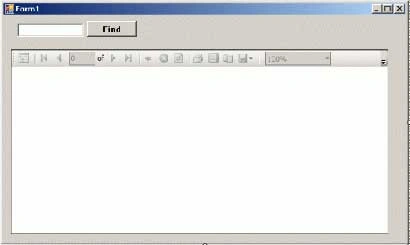
Figure 1.
I definite the following variable in the class:
private bool firstFound = false;
The following code written on the Find Button click event handler.
private void FindButton_Click(object sender, EventArgs e)
{
if (firstFound)
this.reportViewer1.FindNext();
else if (this.reportViewer1.Find(FindTextBox.Text, 1) >= 0)
firstFound = true;
}
Now if I type "Chand" in the TextBox and click the Find button, the first row is selected. Clicking Find again select the next row that has text Chand in it. See Figure 2.
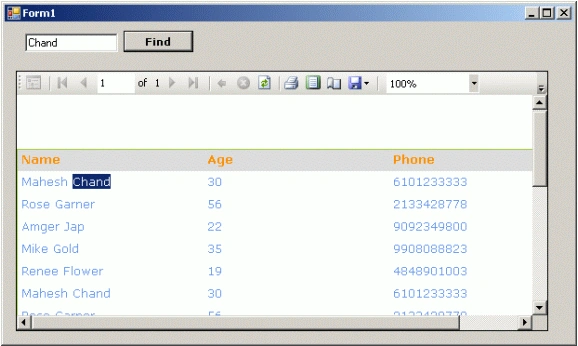
Figure 2.
Download the attached project to see more details and working code.
To learn more about how to generate reports from database, XML documents, and objects, check my articles published in SQL Reporting Services section of this site.
Hawk eyePosted May 17, 2019, 6:49 AM
Probably it is like find thing and not filter thing
Rajshri ShitolePosted Oct 26, 2012, 5:12 AM
good.. but when i click more then time it giving error.
Rajshri ShitolePosted Oct 26, 2012, 5:12 AM
good.. but when i click more then time it giving error.
Rajkumar MishraPosted Jun 5, 2010, 7:59 AM
I want to do Hindi Search from database
Hai Bui ThanhPosted Mar 28, 2010, 11:57 PM
thank you! I'll take a look.
alok pandeyPosted Jan 6, 2009, 10:16 AM
if u have any code related to this, pls upload ur side. i already tried lot but doesnt get. even i build the code as myself using some available resources,but not find. above code there is some problem like when i put something at second time it is unable to find.
vikas vyasPosted Dec 25, 2007, 1:20 PM
First Time it search if i put different search in the textBox it is unable to find that Please Correct It