
When I tried to add the Napa app for developing apps for SharePoint 2013 online I got the below message.
“Turn on Developer Feature” for “Napa” Office 365 Development Tools in SharePoint 2013 online.
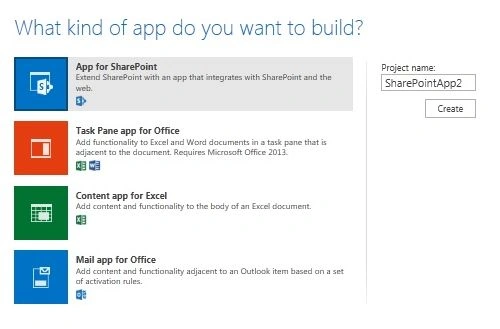
NAPA office 365 Development tools is a built in office 365 tool from Microsoft to develop the apps for office,SharePoint. NAPA tool is the free version and we can develop a SharePoint hosted App.“Napa” Office 365 Development Tools make it easy to start building apps for Office and SharePoint. Just add the “Napa” Office 365 Development Tools app to your SharePoint Online Developer Site, launch it, and you will be ready to create your first app for Office or SharePoint.
For more details about NAPA tool find the below reference,
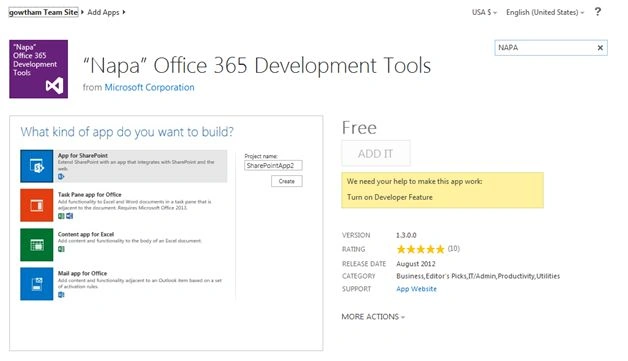
Then I analyzed many blogs to find the solution and it is very simple.
To resolve this issue we need a Developer Site.
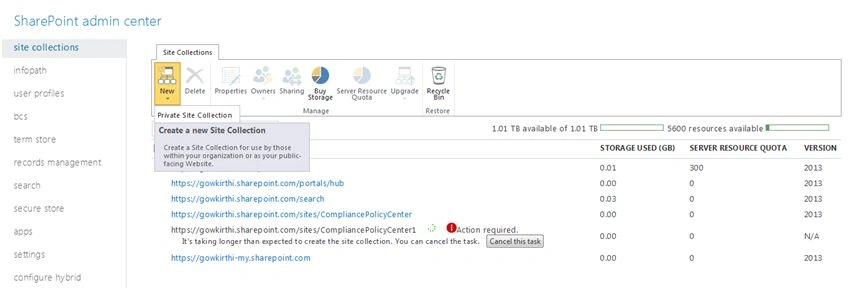
So we need to create a new private site collection with Developer Site as template.
Got to the office 365 central admin and create a webapplication and name it DeveloperAPP,
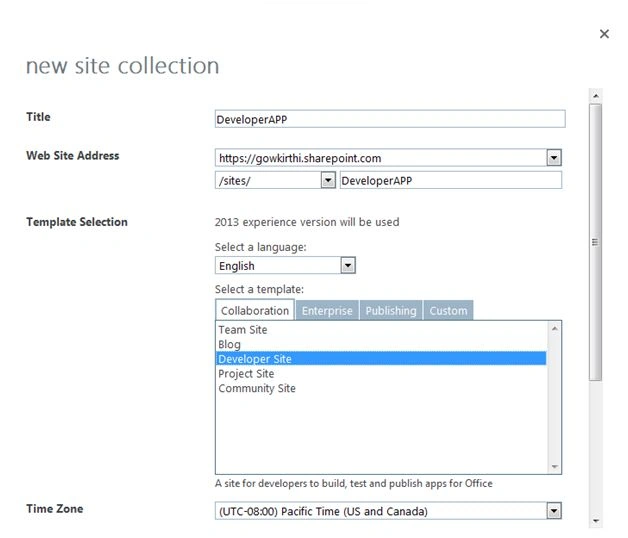
Select the Template as Developer site,
Then Go to the site Contents and Add an app then chose SharePoint Store,
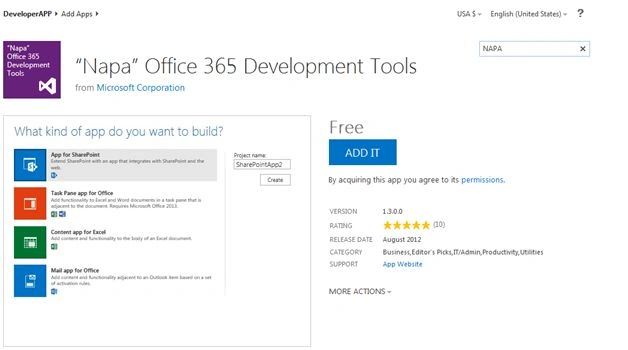
Click add it button. Yes, Napa tool is added in your site.
Install NAPA Tool in Office 365 / SharePoint Online
In this article, I would like to share about how to install the NAPA tool in office 365 SharePoint online.


Siva Krishna KumarPosted Aug 3, 2016, 11:24 PM EDT
Good one . Keep going..
Humayun Kabir MamunPosted May 22, 2016, 3:47 AM EDT
Nice...
Kuppurasu NagarajTOP 100Posted May 17, 2016, 7:01 AM EDT
Nice sharing..
Ketak BhalsingPosted May 16, 2016, 9:58 PM EDT
Good info....
Sonu ChaudharyPosted May 16, 2016, 11:25 AM EDT
good one...
Prasanna MuraliPosted May 16, 2016, 7:57 AM EDT
Nice one