

Introduction
This article is all about a cousin brother of CSS that is more effective and friendly in comparison to CSS. Want to know how? Why? And many other factors? Join me on this journey and let me explain all these facts to you.
Outlines
- Overview
- Introduction
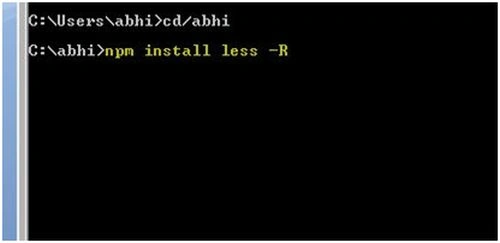
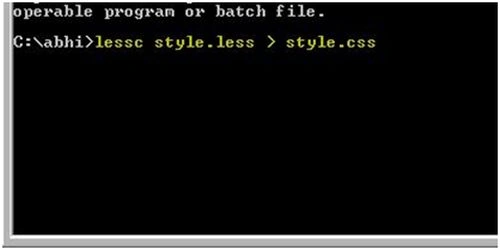
- How to Use
- Methodology: 1
- Methodology: 2
- Structure
- Fundamentals
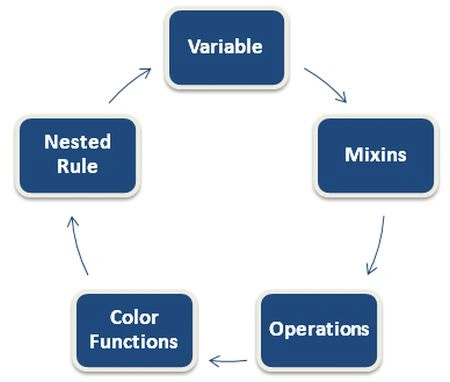
- Variable
- Mixins
- Mixins
- Parametric Mixins
- Operations
- Color Functions
- Nested Rule
- Key Points
- Summary
This article explains what CSS is not the single design language in the world of web development. There are others that exist in that world too, but unfortunately, our development world is not familiar with those other styling languages that are comparatively better, easier and more effective than CSS.
In this entire article I'll try to explain LESS from the very scratch to tip by including all these second thoughts that have begun developing in your mind:
- What is LESS?
- Why use LESS?
- How it's better than CSS?
- How to use LESS?
- Where you can use LESS?
and so on.
- InLine
- Internally
- Externally
- HTML Structure
- <!DOCTYPE html PUBLIC "-//W3C//DTD XHTML 1.0 Transitional//EN" "http://www.w3.org/TR/xhtml1/DTD/xhtml1-transitional.dtd">
- <html xmlns="http://www.w3.org/1999/xhtml">
- <head>
- <title>LESS | Demo</title>
- <link rel="Stylesheet" href="StyleSheet.css" type="text/css" />
- </head>
- <body>
- <div>
- <span class="Square" id="S1"></span>
- <span class="Square" id="S2"></span>
- <span class="Square" id="S3"></span>
- </div>
- </body>
- </html>
- CSS Structure
- body
- {
- }
- .Square
- {
- display: inline-block;
- margin: 25px;
- height: 200px;
- width: 200px;
- padding: 1px;
- background: #6e6e6e;
- }
- Output

- Variable
In LESS, variables are declared using the @ symbol. You just need to provide two attributes after this symbol:
- - Name (Color)
- - Value (#6e6e6e)
- @Color: #6e6e6e;
Demo SnippetUsing this method now you can make any number of changes in your application without changing the color script tag again and again. Through LESS you must only change the place of the default declaration and bang, you will see the magic.- .Square
- {
- display: inline-block;
- margin: 25px;
- height: 200px;
- width: 200px;
- padding: 1px;
- background: @Color;
- }
- Mixins
LESS provides some extended functionality such as drawing shapes, diagrams, defining border margins and so on that was not possible with even CSS3. This extended functionality is provided by several add-ons or prefixes in LESS, these are -webkit-, -moz-, -fa- and so on.So our functionality goes something like this:(It will turn the first shape into a circle.)
- #S1
- {
- -moz-border-radius: 550px;
- -webkit-border-radius:550px;
- border-radius: 550px;
- }
Mixins are also of 2 types, based on the parameters: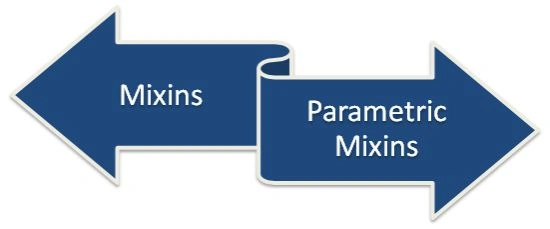
- Operations
In order to use mathematical operations in your web application, you are always welcome to use LESS in your application. LESS provides you this freedom.You can use mathematical operators in your style sheet by simply declaring a variable. I'll show you how easily you can do that.(This will add some border to the shapes.)
- Here's a demo snippet:
- @SquareWidth: 100px;
- @Border: @SquareWidth * 0.1;
You can use these types of operations for your web pages simply using LESS functionality without any headache. - Color Functions
Are you guessing about this functionality, such as what it's going to create for you, or it's a functionality by its name? If yes then let's see how close you were.LESS provides certain sets of color functions that can be used in web applications to make them more effective and dynamic. These color functions are as follows:
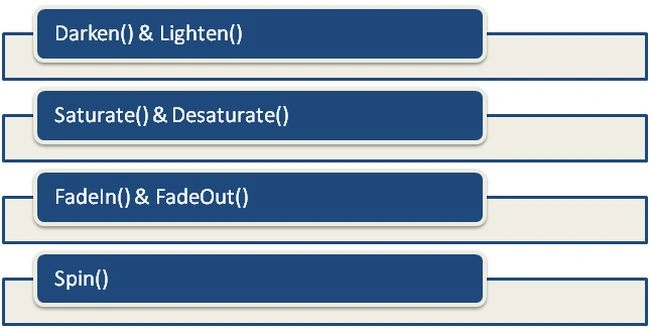 So are you ready to mingle with these functions?Let's explore them.Darken() and Lighten()These functions help in adding some black and white effects in your text, picture, shape and so on, respectively.Saturate() and Desaturate()These functions help in making your text, picture, shape and so on more colorful or taking them more near to a grayscale respectively.fadeIn() and FadeOut()These functions are used for increasing or decreasing transparency in your web application.Spin()It is used for modifying the hue of the color, used in your application.
 - Nested Rule
Now imagine a scenario in which you are designing a complex page using CSS. In which you are using many chain selectors in order to reach the desired page view.Something like this:Now does this seem more cool and artistic? If yes then the choice is yours and if no then let's create a world of possibilities with LESS nested rules.
- #header
- /* Main #header Style*/
- {
- h1
- {
- /* #header h1 Style */
- }
- .
- .
- .
- {
- .
- .
- .
- }
- }
- Makes styling easier
- Easy to handle
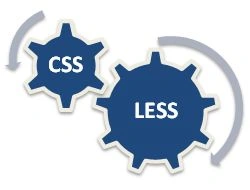
- It's nothing but a CSS Preprocessor
- Can be called “Dynamic CSS" too
- You can use any of the methods to use its functionality in your web page.
- Works more effectively than CSS
- Decreases nesting complexities
- You can use mathematical operators in it
- MIXins for advanced functionality
- Color Functions, for making your page much more adaptive and stylish
Abhishek JaiswalPosted Mar 13, 2015, 2:19 AM
Thanks Buddy! :)
Gowtham RajamanickamPosted Mar 13, 2015, 1:19 AM
Great Work and Nice Content .
Abhishek JaiswalPosted Feb 25, 2015, 4:33 AM
Glad, I could help! :)
Amit TripathiPosted Feb 24, 2015, 6:33 AM
nice article ...its very useful ...
Abhishek JaiswalPosted Oct 10, 2014, 5:23 PM
Yes, u got it right! :)
Sam HobbsPosted Oct 10, 2014, 1:21 PM
I agree that CSS is cryptic and not logical. It helps to have something that makes it easier to use. Yet as far as I know there is nothing else that most browsers support. So of course the idea of an alternative is intriguing. Most of this article implies that LESS replaces CSS but then I get to the end of the article that says it is "nothing but a CSS Preprocessor". So it is very useful and worth learning but what the browser sees is CSS, right?