
Without coding we can do the re-index of SharePoint List, Document library.
What is Re-index?
In SharePoint Online, content is automatically crawled based on a defined crawl schedule. The crawler picks up content that has changed since the last crawl and updates the index. In some cases, you may want to manually request crawling and full re-indexing of a site, a document library, or a list.
Steps
Here are the steps to re-index the SharePoint list,
Step 1: Open list in SharePoint site,
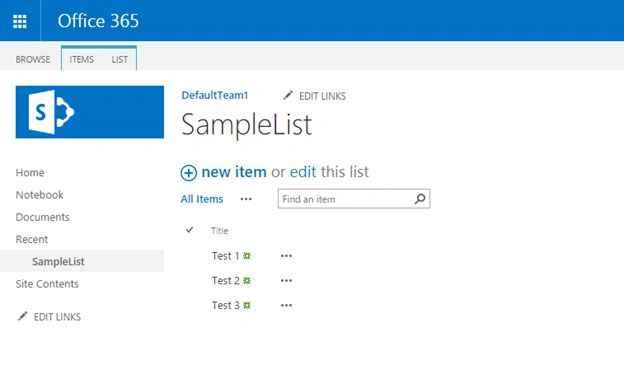
Step 2: Then select the List from the ribbon bar as in the following screenshot:
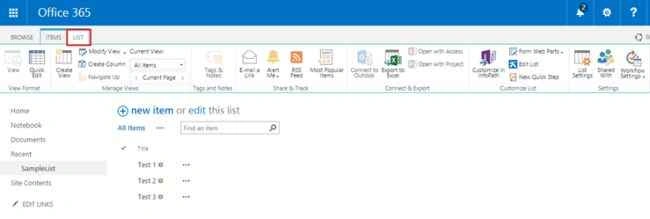
Step 3: On the ribbon click on the “List Settings” to go to the advanced list settings.

Step 4: Then you will navigate to list settings page as in the following screenshot:
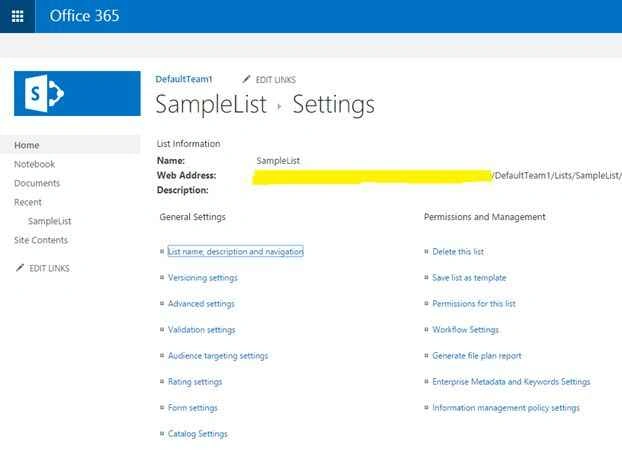
Step 5: Click on “Advanced Settings” in list settings page,
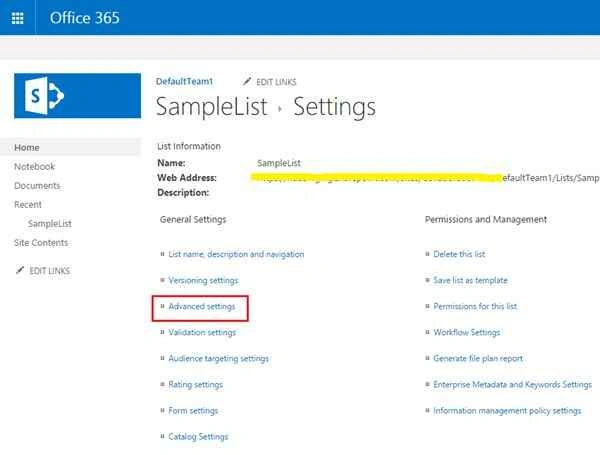
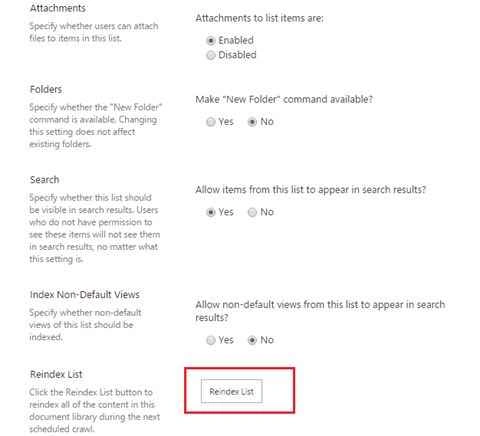
Step 6: On Advanced Settings page click on the “Re-index List” button
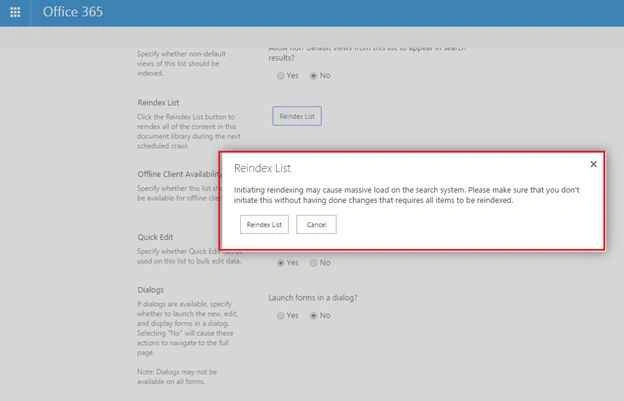
Step 7: Then you will get the popup as in the following screenshot:
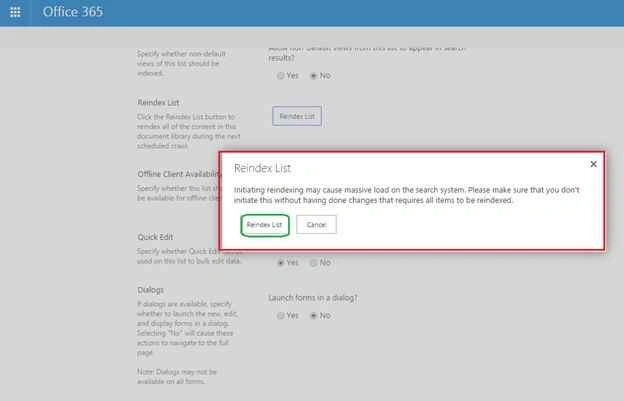
Step 8: Click on the “Re-index List” button on the pop up.
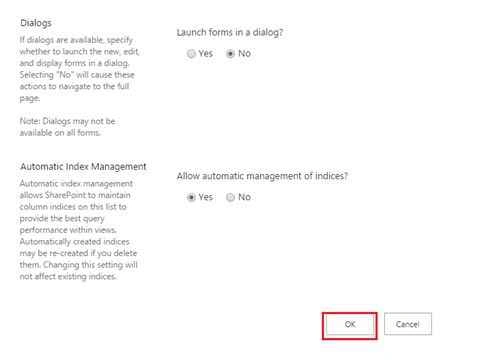
Your SharePoint list will be re-indexed successfully, then Click “Ok” to navigate the settings page.
Summary
In this article we have explored how to Re-index the list in SharePoint Online without any code. I hope this article is useful for who are learning to start the SharePoint Search.
Reference
Manually Re-Index The List In SharePoint
In this article I will share the steps to manually re-ndex the list in SharePoint Online.


Rajkiran SwainPosted Jul 27, 2016, 10:24 PM EDT
Nice Article,.
Kaviya BalasubramanianPosted Sep 22, 2015, 8:23 PM EDT
Thank you Santhakumar :)
Santhakumar MunuswamyPosted Sep 22, 2015, 11:06 AM EDT
Nice Article. Thanks for sharing
Kaviya BalasubramanianPosted Sep 21, 2015, 8:56 PM EDT
Thank you karthikeyan
Karthikeyan KPosted Sep 21, 2015, 7:39 PM EDT
Good one...Thanks for sharing
Kaviya BalasubramanianPosted Sep 21, 2015, 6:40 AM EDT
Thank you Rakesh
RakeshPosted Sep 21, 2015, 6:04 AM EDT
Good Share
Kaviya BalasubramanianPosted Sep 21, 2015, 3:46 AM EDT
Thank you all :)
Nilesh JadavPosted Sep 21, 2015, 2:27 AM EDT
Nice work on Sharepoint!!
Ankit BansalPosted Sep 21, 2015, 2:14 AM EDT
good one...
Vinodh NarayananPosted Sep 21, 2015, 1:53 AM EDT
nice sharep