

Introduction
Azure Table is a highly available NoSQL service, to help us build a scalable application. This makes our development process much easier. It allows us to change our model inside our application without mentioning the table schemas.
- Key-Value pair
- Low Latency
- Scalable Apps and High availability
- Flexible Data Structure
- JSON to serialize the data
- The primary region will have read/write but the secondary region will be read-only
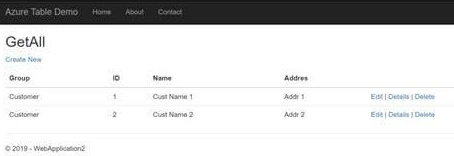
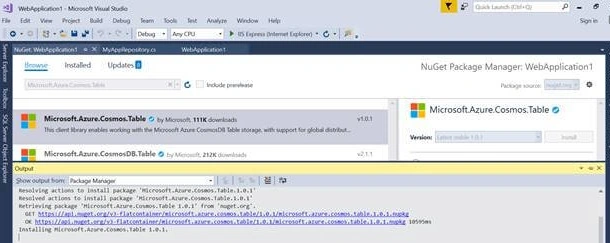
- Create a .NET Core application and install NuGet Packages “Microsoft.Azure.Cosmos.Table”. Then, go here and navigate to the storage account and get the connection key under the “Access Keys” tab.
- Create an object for “CloudTableClient”, which allows us to perform actions against the table inside the storage accounts.
- Create a custom table entity and inherit the “TableEntity” class, it comes with a lot of important items like partition key, row key, etc.
- Write a repository method to populate all the values under one particular table, for this demo, we are using a synchronous approach, but in real-time we should use the async and await approach for a better experience.
- “TableQuery” will allow us to perform specific actions like insert, delete, and update on a particular table.
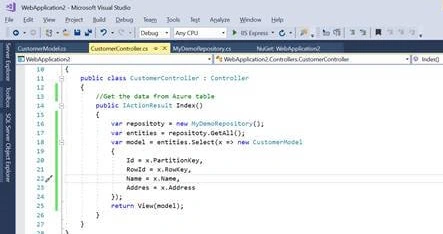
- Create a controller class and methods to pull the records from Azure Tables. Create models under the “Model” folder that represent data that we want to display in the UI. The partition key is used for grouping particular rows in the tables.
- A variety of filters are available in Azure table API, that can be performed on table query i.e. generate filter conditions for binary, bool, date, and many more.
- Create a “TableOperation” to perform insert, delete, and update on specific tables like below.
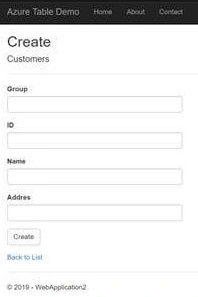
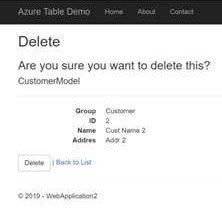
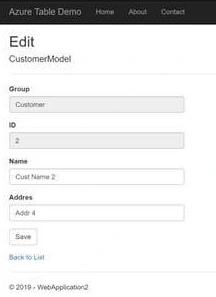
- Create a controller and view pages to perform appropriate actions on the UI.
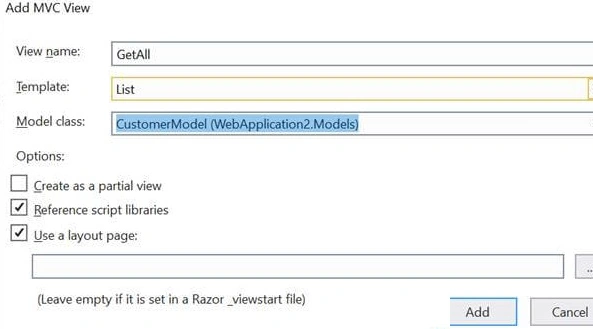
- In this demo, we have used the MVC scaffolding technique to generate the UI
- Follow the simple above steps to get the details from the Azure Table API and kindly, let me know if you are facing any issues.
Repository.cs
C#
public class MyDemoRepository
{
    private CloudTable mytable = null;
    public MyDemoRepository()
    {
        var storageAccount = CloudStorageAccount.Parse("your azure storage key goes here..");
        var cloudTableClient = storageAccount.CreateCloudTableClient();
        mytable = cloudTableClient.GetTableReference("Customer");
        mytable.CreateIfNotExists();
    }

    public IEnumerable<MyTableEntity> GetAll()
    {
        var query = new TableQuery<MyTableEntity>();
        var entties = mytable.ExecuteQuery(query);
        return entties;
    }
    public void CreateOrUpdate(MyTableEntity myTableOperation)
    {
        var operation = TableOperation.InsertOrReplace(myTableOperation);
        mytable.Execute(operation);
    }
    public void Delete(MyTableEntity myTableOperation)
    {
        var operation = TableOperation.Delete(myTableOperation);
        mytable.Execute(operation);
    }
    public MyTableEntity Get(string partitionKey, string RowId)
    {
        var operation = TableOperation.Retrieve<MyTableEntity>(partitionKey, RowId);
        var result= mytable.Execute(operation);
        return result.Result as MyTableEntity;
    }
}

public class MyTableEntity : TableEntity
{
    public string Name { get; set; }
    public string Address { get; set; }
}
CustomerController.cs
C#
public class CustomerController : Controller
{
    //Get the data from Azure table
    public IActionResult GetAll()
    {
        var repositoty = new MyDemoRepository();
        var entities = repositoty.GetAll();
        var model = entities.Select(x => new CustomerModel
        {
            Group = x.PartitionKey,
            ID = x.RowKey,
            Name = x.Name,
            Addres = x.Address
        });
        return View(model);
    }
    public IActionResult Create()
    {
        return View();
    }
    public IActionResult Edit(string group, string id)
    {
        var repositoty = new MyDemoRepository();
        var item = repositoty.Get(group, id);
        return View("Edit", new CustomerModel
        {
            Group = item.PartitionKey,
            ID = item.RowKey,
            Name = item.Name,
            Addres = item.Address
        });
    }
    public IActionResult ConfirmDelete(string group, string id)
    {
        var repositoty = new MyDemoRepository();
        var item = repositoty.Get(group, id);
        return View("Delete", new CustomerModel
        {
            Group = item.PartitionKey,
            ID = item.RowKey,
            Name = item.Name,
            Addres = item.Address
        });

    }

    [HttpPost]
    public IActionResult Delete(string group, string id)
    {
        var repositoty = new MyDemoRepository();
        var item = repositoty.Get(group, id);
        repositoty.Delete(item);
        return RedirectToAction("GetAll");

    }
    [HttpPost]
    public IActionResult Create(CustomerModel customerModel)
    {
        var repositoty = new MyDemoRepository();
        repositoty.CreateOrUpdate(new MyTableEntity
        {
            PartitionKey = customerModel.Group,
            RowKey = Guid.NewGuid().ToString(),
            Name = customerModel.Name,
            Address = customerModel.Addres

        });
        return RedirectToAction("GetAll");
    }

    [HttpPost]
    public IActionResult Edit(CustomerModel customerModel)
    {
        var repositoty = new MyDemoRepository();
        repositoty.CreateOrUpdate(new MyTableEntity
        {
            Name = customerModel.Name,
            Address = customerModel.Addres

        });
        return RedirectToAction("GetAll");
    }
}
Summary
In this section, we have created a simple CRUD application in .NET Core and retrieved data from Azure Table API Service.
Amit MohantyPosted Jul 18, 2019, 11:41 PM
Nice article