

Introduction
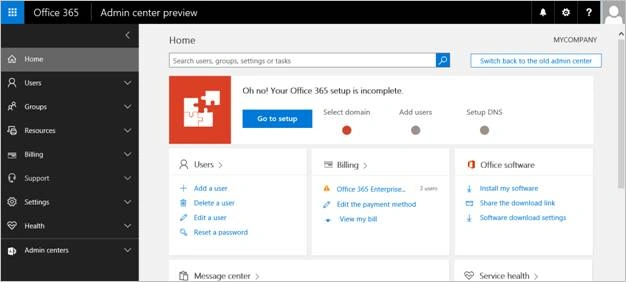
Office 365 is set of office services and other productivity services hosted in cloud environment and enabled to users based on the subscribed plans over the internet. To manage those hosted services and settings for the subscribed environment; Office 365 team has provided a nice responsive dashboard.
The configurations in Office 365 are categorized into different sections and added to the navigation in Admin dashboard. Here, I have listed out the different sections and their uses as below,
- Manage Users
- Manage Groups
- Manage Resources
- Manage Billing
- Support
- Settings
- Health
- Admin Centers
USERS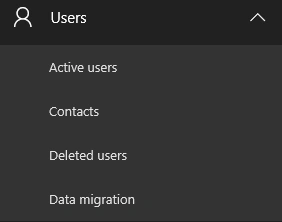
This section contains the links to the pages, there users can,
- manage the active users and their information with security configurations,
- create new contacts and manage the existing contacts.
- take action on deleted users.
- migrate / import email messages into office 365.
GROUPS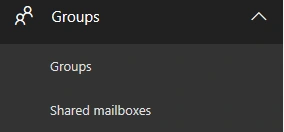
This section contains the links to the pages, there users can,
- manage the groups and allows to configure the permissions for each group, manage users associated to each group.
- create and configure the accounts for shared mailboxes.
RESOURCES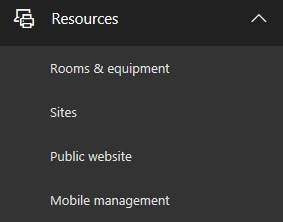
This section contains the links to the pages, there users can,
- manage the mailbox for rooms and equipment objects,
- View and create a SharePoint site collections associated to the Office 365.
- Used to map the Public site information to the Office 365 account
- Redirects the page to Intune page to setup the mobile integration with Office 365
BILLING
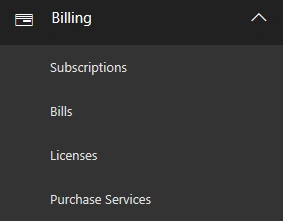
This section contains the links to the pages, there users can,
- View the current office 365 plan and, also allows to subscribe more plans.
- View the billing details about the current plan.
- View the current plan’s usage summary,
- Redirects to the page, which lists out the office 365 plans available for the purchase.
SUPPORT
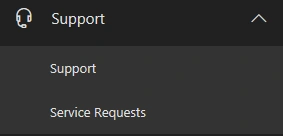
This section contains the links to the pages, there users can,
- View the details about the services offered in the plan.
- Raise new requests and view the status on those to get their issue resolved.
SETTINGS
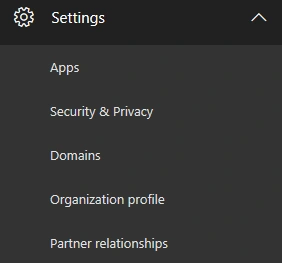
This section contains the links to the pages, there administrators can,
- View, enable / disable and configure the apps available in office 365 current plan,
- Set the password policy for user accounts.
- Manage the domain information.
- Configure the organization information
- Manage the information about partner relationships
HEALTH
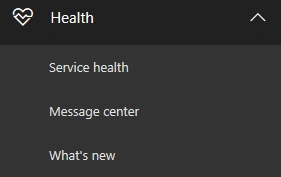
This section contains the links to the pages, there users can,
- View the health status on each services associated to the office 365.
- View the lists of changes or updates added to the office 365 environment.
- View the summary about the changes and upcoming changes of the office 365.
ADMIN CENTERS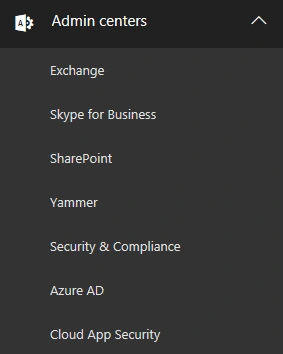
This section contains the links to the pages, there administrators are,
- Redirected to the Exchange admin center dashboard page, allows to manage the mailboxes and the permissions, etc…
- Redirected to the Skype for Business admin center dashboard page, allows to configure the communication settings.
- Redirected to the SharePoint admin center dashboard page, allows to manage the SharePoint settings and site collections across office 365.
- Redirected to the Yammer social network page.
- Redirected to the Security & Compliance dashboard page, allows to configure the security & compliance polices across office 365.
- Redirected to the Azure AD dashboard page, allows to map and configure the AD accounts.
- Redirected to the app security pages, allows to configure the associated permissions apps.
Gowtham RajamanickamPosted Apr 21, 2016, 6:45 AM
vry good
Vignesh ManiPosted Apr 14, 2016, 8:20 AM
Nice one
Humayun Kabir MamunPosted Apr 13, 2016, 12:16 AM
Nice...
Rahul Kumar SaxenaPosted Apr 12, 2016, 2:06 PM
Good Show
Mohammed IbrahimPosted Apr 12, 2016, 2:04 PM
nice
Debasis SahaPosted Apr 12, 2016, 1:24 PM
Good One..
Kuppurasu NagarajPosted Apr 12, 2016, 12:26 PM
Nice Sharing..
Gowtham RajamanickamPosted Apr 12, 2016, 10:54 AM
Good article....