

Introduction
- Inline styles
- Embedded styles
- External styles
Inline styles
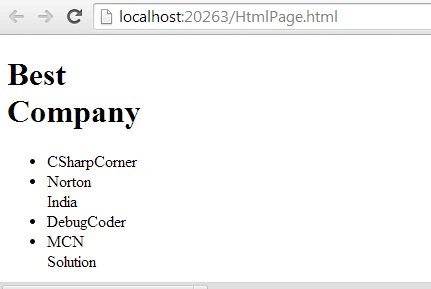
Inline styles have the highest priority over the external style and external styles. Inline styles take priority over embedded styles and external styles. Inline-styles are applied directly to an element via the style attribute.
Code of Inline style
- <!DOCTYPE html>
- <html xmlns="http://www.w3.org/1999/xhtml">
- <head>
- <title> My HTML Page </title>
- </head>
- <body>
- <div id="Box" style="width:10px">
- <div id="Table">
- <h1>Best Company</h1>
- <ul id = "list" >
- <li> CSharpCorner</li>
- <li> Norton India</li>
- <li id="DebugCoder">DebugCoder</li>
- <li>MCN Solution</li>
- </ul>
- </div>
- </div>
- </body>
- <!DOCTYPE html>
- <html xmlns="http://www.w3.org/1999/xhtml">
- <head>
- <title> My HTML Page </title>
- <style type="text/css">
- h1 {
- color: #f00;
- }
- </style>
- </head>
- <body>
- <div id="Box">
- <div id="Table">
- <h1>Best Company</h1>
- <ul id = "list" >
- <li> CSharpCorner</li>
- <li> Norton India</li>
- <li id="DebugCoder">DebugCoder</li>
- <li>MCN Solution</li>
- </ul>
- </div>
- </div>
- </body>
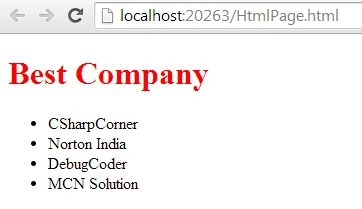
CSS code of embedded style
- html {
- }
- body {
- }
- #Box {
- color:#f00;
- }
- #Table {
- }
- #list {
- }
- }
External styles
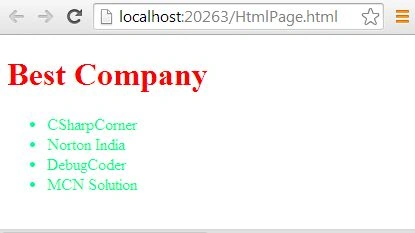
External styles have less priority. It is a file with a CSS extension that is applied in the head of your document. Never remind that external files do not take priority over inline styles and embedded styles.
HTML code of external style
- <!DOCTYPE html>
- <html xmlns="http://www.w3.org/1999/xhtml">
- <head>
- <title> My HTML Page </title>
- <link href="StyleSheet.css" rel="stylesheet" />
- <style type="text/css">
- h1 {
- color: #f00;
- }
- </style>
- </head>
- <body>
- <div id="Box">
- <div id="Table">
- <h1>Best Company</h1>
- <ul id = "list" >
- <li> CSharpCorner</li>
- <li> Norton India</li>
- <li id="DebugCoder">DebugCoder</li>
- <li>MCN Solution</li>
- </ul>
- </div>
- </div>
- </body>
CSS code of external sheet
- html {
- }
- body {
- }
- #Box {
- color:#00ff90;
- }
- #Table {
- }
- #list {
- }
CSS precedence level of selectors
- ID selector
- Class selector
- Type Selector
- Element Selector
ID selector
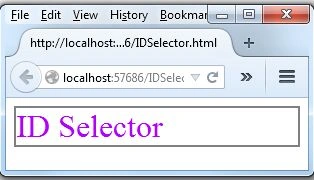
ID selector can be used to override all the selectors. The #id selector applies the styles to elements with a specific id. The #id selector can be supported in all browsers.
HTML code for ID selector
CSS code for ID selector
- <div id="div1">
- Hello
- </div>
- </body>
- #div1{
- font-size:32px;
- color:#b200ff;
- border: 2px solid gray;
- }
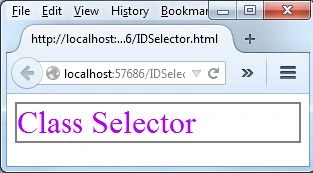
- <body>
- <div class="div1">
- Class Selector
- </div>
- </body>
CSS code for class selector
- .div1{
- font-size:32px;
- color:#b200ff;
- border: 2px solid gray;
- }
HTML code for element selector
CSS code for element selector
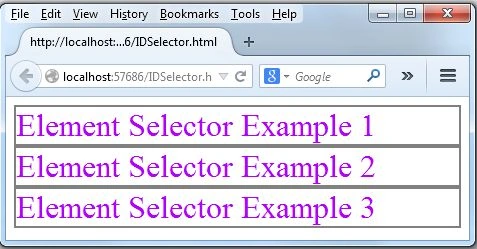
- <body>
- <div>
- Element Selector Example 1
- </div>
- <div>
- Element Selector Example 2
- </div>
- <div>
- Element Selector Example 3
- </div>
- </body>
- div{
- font-size:32px;
- color:#b200ff;
- border: 2px solid gray;
- }
HTML code for element selector
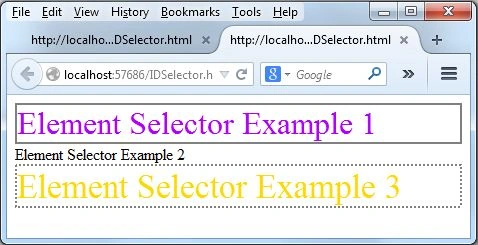
- <div>
- Element Selector Example 1
- </div>
- <div>
- Element Selector Example 2
- </div>
- <div>
- Element Selector Example 3
- </div>
CSS code for element selector
- div:first-child {
- font-size: 32px;
- color: #b200ff;
- border: 2px solid gray;
- }
- div:last-child{
- font-size:34px;
- color:#ffd800;
- border : 2px dotted gray;
- }
Vithal WadjePosted Sep 25, 2014, 2:24 PM
great keep it up
Sahil SharmaPosted Jun 25, 2014, 7:58 AM
Nice explanation :)