

Introduction
In this article, we are going to describe how the priority queue is developed in Java. In Java you can easily make a priority queue with the help of the Java API. Java a sprat class named PriorityQueue. The PriorityQueue class implements the Queue interface. When items are added to a PriorityQueue they are not ordered by First In, First Out. Instead, all items in a PriorityQueue must be comparable (either by implementing the Comparable interface or by a Comparator) which is used to sort the items in the list.
PriorityQueue in Java
A priority queue is a collection of elements in which each element has been assigned a priority and depending on that order each element is deleted and processed depending on the following rules:
- An element of higher priority is processed before any element of lower priority.
- Two elements with the same priority are processed according to the order in which they were added to the queue.
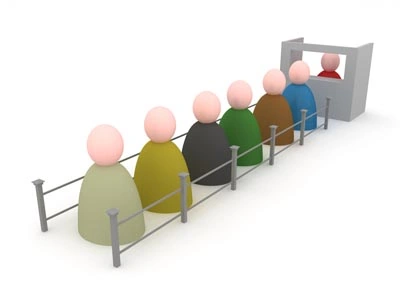
A PriorityQueue is a queue where a sorted order is permanently imposed on the items it contains; in queue terms, the highest-priority element is at the head of the queue (and the lowest is at the tail of the queue) queue operations are efficient: that is, removing the highest-priority element and adding any element are both efficient operations.
Non-queue operations (such as searching for an item that isn't at the head of the queue) are not efficient.
Remember that a queue, in general, is essentially a structure optimized to add things to one end and remove them from the other. With a priority queue, we can envisage this queue as a permanently-sorted list, so that the highest priority element is always at one end and the lowest-priority element at the other. In this case, we don't actually add an element to the "end": each element added is automatically slotted into the relevant place in the list depending on its priority.
Example
- public class PriorityQDemo
- {
- // array in sorted order, from max at 0 to min at size-1
- private int maxSize;
- private long[] queArray;
- private int nItems;
- public PriorityQDemo(int s)
- {
- maxSize = s;
- queArray = new long[maxSize];
- nItems = 0;
- }
- public void insert(long item)
- {
- int i;
- if (nItems == 0)
- // insert at 0
- queArray[nItems++] = item;
- else
- {
- // start at end,
- for (i = nItems - 1; i >= 0; i--)
- {
- // if new item larger,
- if (item > queArray[i])
- // shift upward
- queArray[i + 1] = queArray[i];
- else
- // if smaller,
- break;
- // done shifting
- }
- queArray[i + 1] = item;
- // insert it
- nItems++;
- } // end else (nItems > 0)
- }
- public long remove()
- {
- return queArray[--nItems];
- }
- public long peekMin()
- {
- return queArray[nItems - 1];
- }
- public boolean isEmpty()
- {
- return (nItems == 0);
- }
- public boolean isFull()
- {
- return (nItems == maxSize);
- }
- public static void main(String[] args)
- {
- PriorityQDemo thePQ = new PriorityQDemo(5);
- thePQ.insert(30);
- thePQ.insert(50);
- thePQ.insert(10);
- thePQ.insert(40);
- thePQ.insert(20);
- while (!thePQ.isEmpty())
- {
- long item = thePQ.remove();
- // 10, 20, 30, 40, 50
- System.out.print(item + " ");
- }
- System.out.println("");
- }
- }
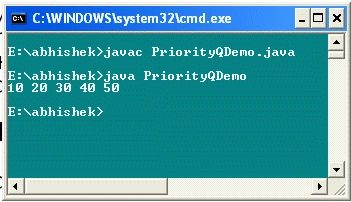
You can see that the insertion order is different and displays in a different order.
Resources
Sandeep SharmaPosted May 9, 2013, 12:51 AM
nice article.....you explained it well. Thanks