

Query Suggestions
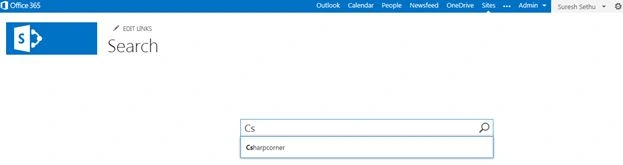
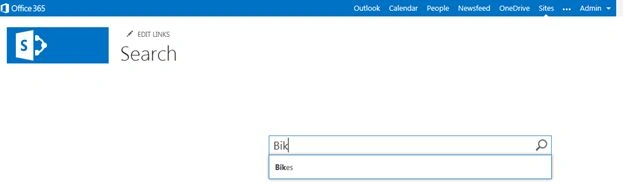
Query Suggestions are an interesting feature within the SharePoint 2013 search function that provides type-ahead suggestions for users when submitting a query. For example, if you begin by typing “c” then SharePoint might suggest “c sharp corner”. It's almost similar to Google search or you can say the auto-complete feature.
SharePoint automatically creates a query suggestion when users have clicked a search result for a query at least six times. Yeah six times!! For example, if users have entered the query word “ice cream” and then clicked on a search result six times, then “ice cream” automatically becomes a query suggestion.
You can also create query suggestions explicitly. In this article I'll use a simple example to show how you can do that.
Step 1: Login into SharePoint online environment as a site collection admin.
Navigate to Search Administration.
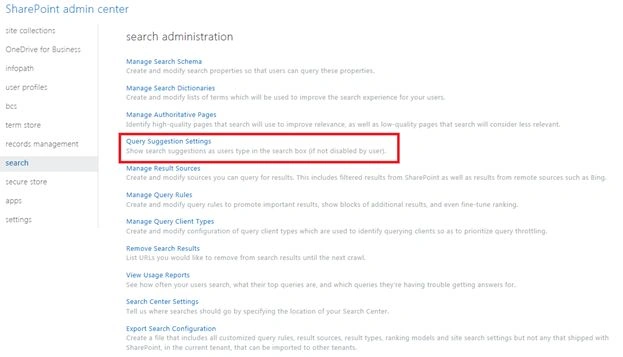
Step 2:
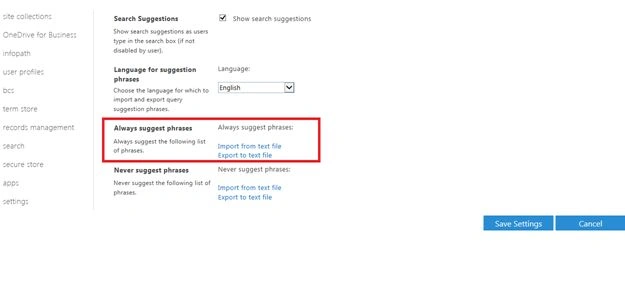
- Ensure that the Show Search suggestion is checked on.
- Click Import from text File
Step 3: Open Notepad and type whatever you want to appear as query suggestions. Kindly ensure that you save it in UTF -8 Format.

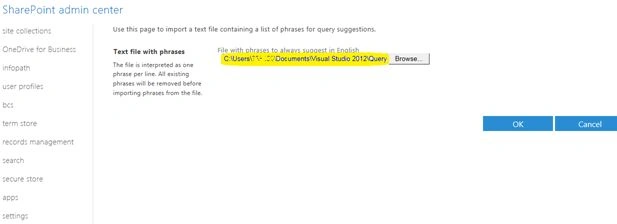
Step 4: Choose Browse and Select the file and Click Ok.
Step 5: Create a New Search Center site as follows.
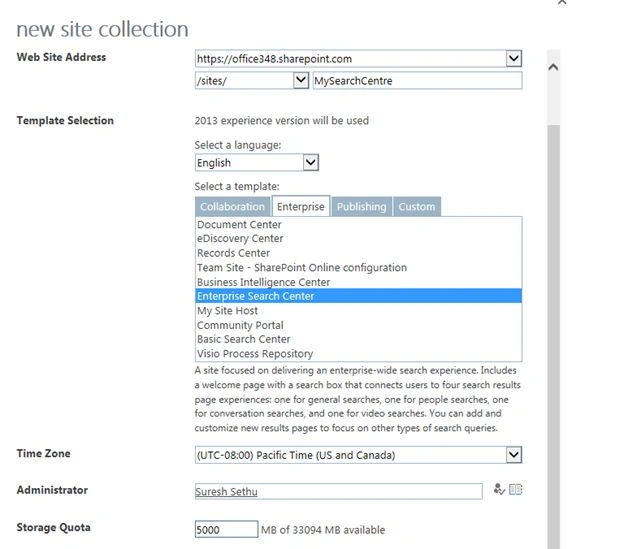
Step 6: Enterprise Search Center will be generated automatically.

Step 7: Since I'm setting up a SharePoint Online Environment I have delayed the preparation of the query suggestion job to run and the see the query suggestions based on our input file.

HITESH KUMARPosted Sep 1, 2017, 4:28 AM
Is is possible to implement it to a subsite if you are not an Admin ?
HITESH KUMARPosted Sep 1, 2017, 4:28 AM
How to Implement search SUGGESTION in Sharepoint 2013 On premise version?
Lakshmanan Sethu SankaranarayanPosted Mar 27, 2014, 1:14 AM
Thanks Abhay :) yeah it is !!
Abhay ShankerPosted Mar 27, 2014, 12:41 AM
Greate Post...,This is the new feature added in SharePoint 2013