

Authentication is an important part of any modern application. In ASP.NET Core, JWT (JSON Web Token) is commonly used to secure APIs. However, JWT tokens usually have a short expiry time.
To avoid forcing users to log in again and again, we use refresh tokens.
This article explains:
What refresh tokens are
How refresh token rotation works
How to revoke refresh tokens on logout
A simple real-time flow using ASP.NET Core 8.0
Why Do We Need Refresh Tokens?
JWT tokens are short-lived for security reasons.
If a token is stolen, it should not work for a long time.
Example:
JWT token expires in 2 minutes
Refresh token expires in 7 days
When the JWT expires, the client uses the refresh token to get a new JWT without logging in again.
Access Token vs Refresh Token
| Token Type | Purpose | Lifetime |
|---|---|---|
| Access Token (JWT) | Access protected APIs | Short (2 minutes) |
| Refresh Token | Generate new access token | Long (7 days) |
Authentication Flow
This section shows how authentication works step by step, along with small code examples.
Step 1: Login – Generate Access Token and Refresh Token
The user logs in using valid credentials.
The API generates and returns both tokens.
Login API
POST /api/auth/loginSample Controller Code
[HttpPost("login")]
public IActionResult Login()
{
    var accessToken = _tokenService.GenerateAccessToken("admin");
    var refreshToken = _tokenService.GenerateRefreshToken();

    return Ok(new
    {
        accessToken,
        refreshToken
    });
}
Response
{
  "accessToken": "eyJhbGciOiJIUzI1NiIs...",
  "refreshToken": "b4e3d8c1-9c77-4d..."
}
Step 2: Access Protected API Using JWT
The client sends the JWT token in the request header to access secured APIs.
Request Header
Authorization: Bearer <access_token>Protected API
[Authorize]
[HttpGet("secure")]
public IActionResult SecureApi()
{
    return Ok("API accessed using valid JWT token");
}
Step 3: JWT Token Expired
After the access token expires (2 minutes), the API rejects the request.
Response
401 UnauthorizedNote: At this point, the client should not ask the user to log in again.
Step 4: Refresh Token – Generate New Access Token
The client calls the refresh API and sends the refresh token.
Refresh API
POST /api/auth/refreshController Code
[HttpPost("refresh")]
public IActionResult Refresh([FromBody] string refreshToken)
{
    if (!_tokenService.ValidateRefreshToken(refreshToken))
        return Unauthorized();

    var newAccessToken = _tokenService.GenerateAccessToken("admin");
    var newRefreshToken = _tokenService.RotateRefreshToken(refreshToken);

    return Ok(new
    {
        accessToken = newAccessToken,
        refreshToken = newRefreshToken
    });
}
Old refresh token is invalid
New refresh token is issued (rotation)
Step 5: Access API Using New Token
The client replaces the expired JWT with the newly generated one.
Request Header
Authorization: Bearer <new_access_token>Refresh Token Rotation
Refresh token rotation means:
Old refresh token becomes invalid after use
A new refresh token is issued every time
This improves security and prevents token reuse.
Why Rotation Is Important
Prevents replay attacks
Limits damage if a token is leaked
Follows industry standards
Step 6: Logout – Revoke Refresh Token
When the user logs out, the refresh token is revoked.
Logout API
POST /api/auth/logoutController Code
[HttpPost("logout")]
public IActionResult Logout([FromBody] string refreshToken)
{
    _tokenService.RevokeRefreshToken(refreshToken);
    return Ok("Logged out successfully");
}
After logout:
Refresh token is invalid
Token refresh is no longer possible
User must log in again
1. Login API Call – Generate Access Token and Refresh Token
This screenshot shows the Login API call executed from Swagger.
API: POST /api/auth/login
Response contains:
JWT access token
Refresh token
This confirms that login is successful and tokens are generated.
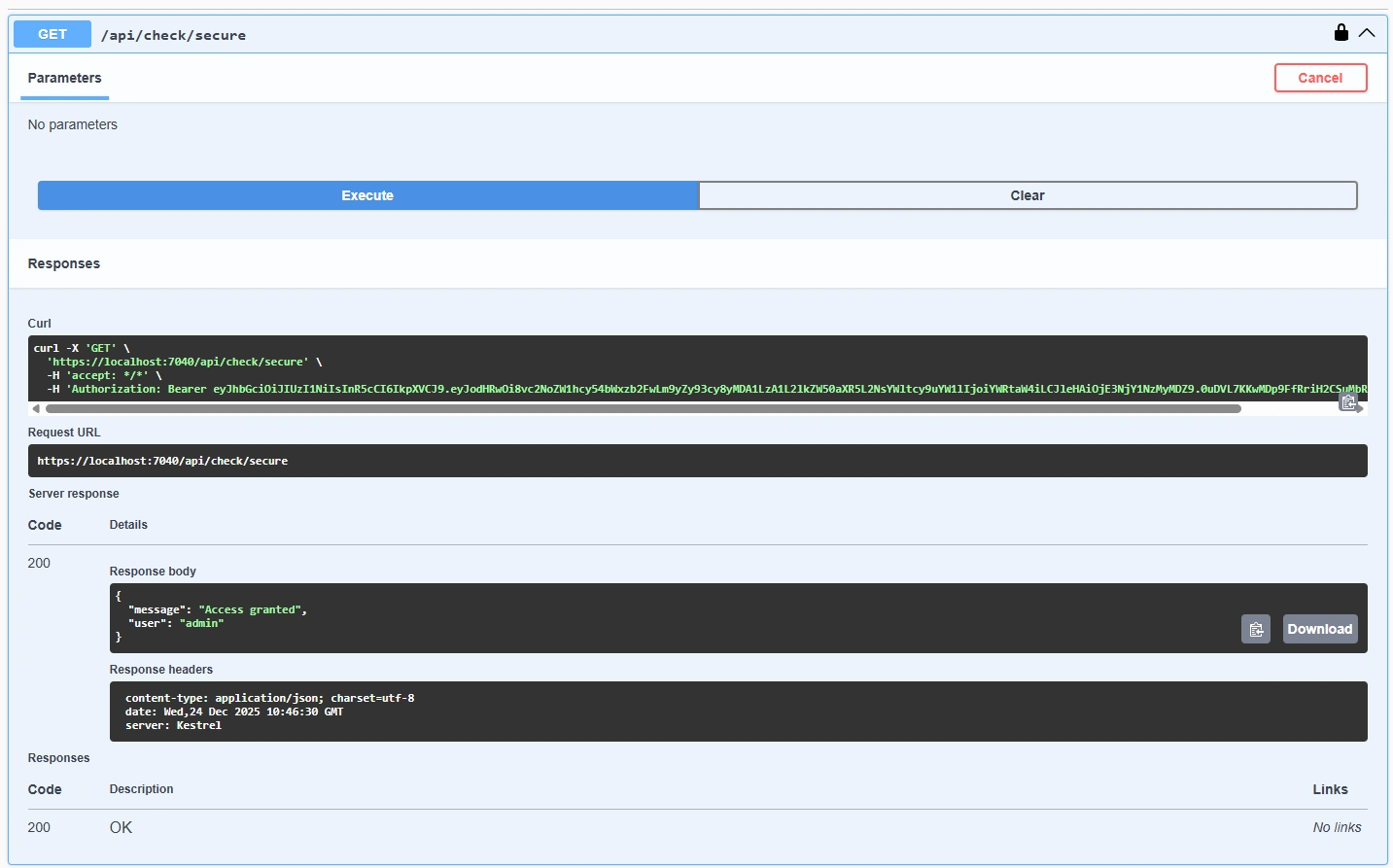
2. Check API Call – Authorization with Valid JWT Token
This screenshot shows the Check API being accessed using a valid JWT token.
API: GET /api/check/secure
Authorization header includes:
Authorization: Bearer <access_token>API returns 200 OK
Confirms that authorization works correctly with a valid JWT.
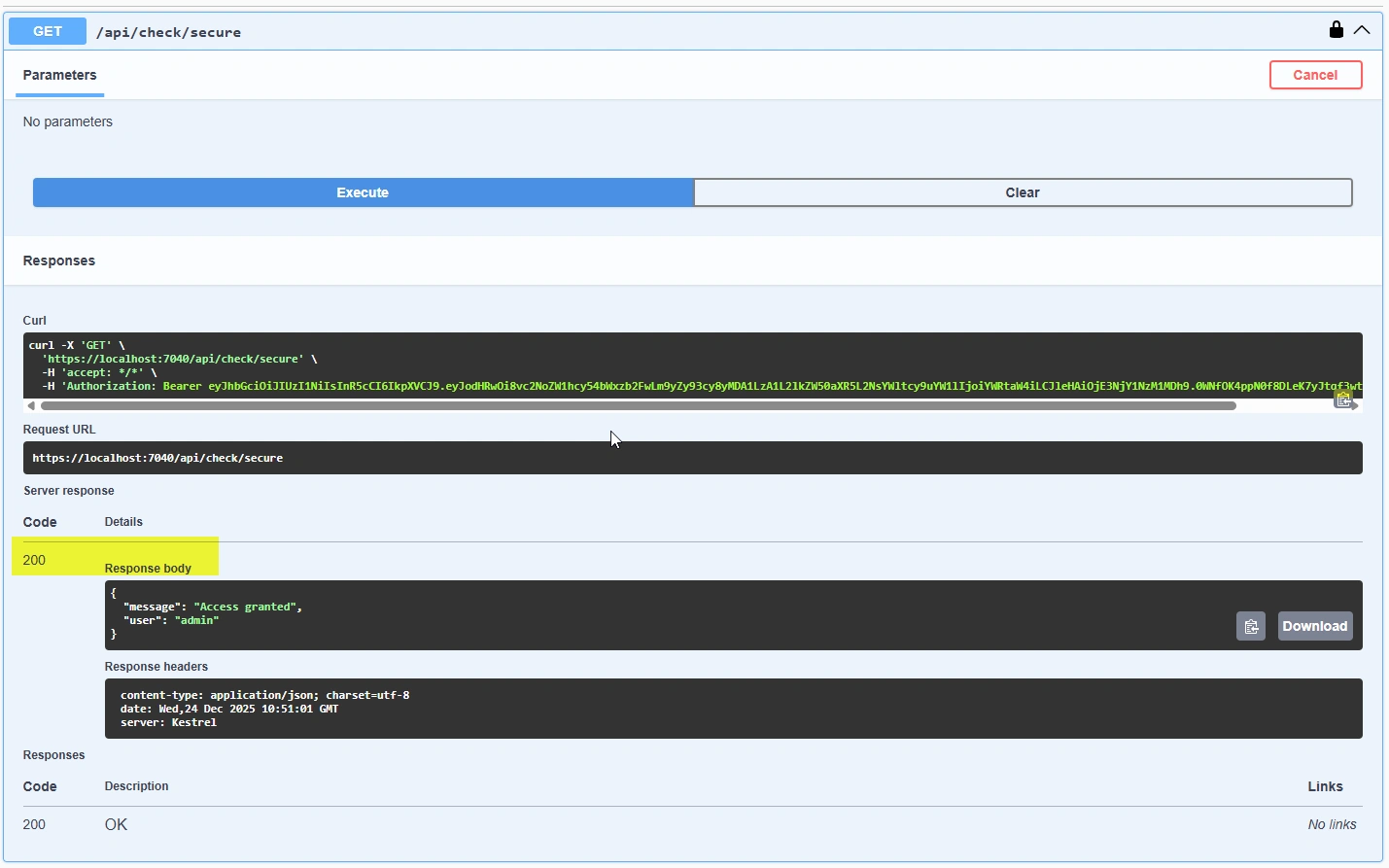
3. Check API Call After Token Expired – Unauthorized Response
This screenshot shows the same Check API call after the JWT token has expired.
API: GET /api/check/secure
JWT token is expired
API returns:
401 UnauthorizedConfirms that expired tokens are rejected by the system.
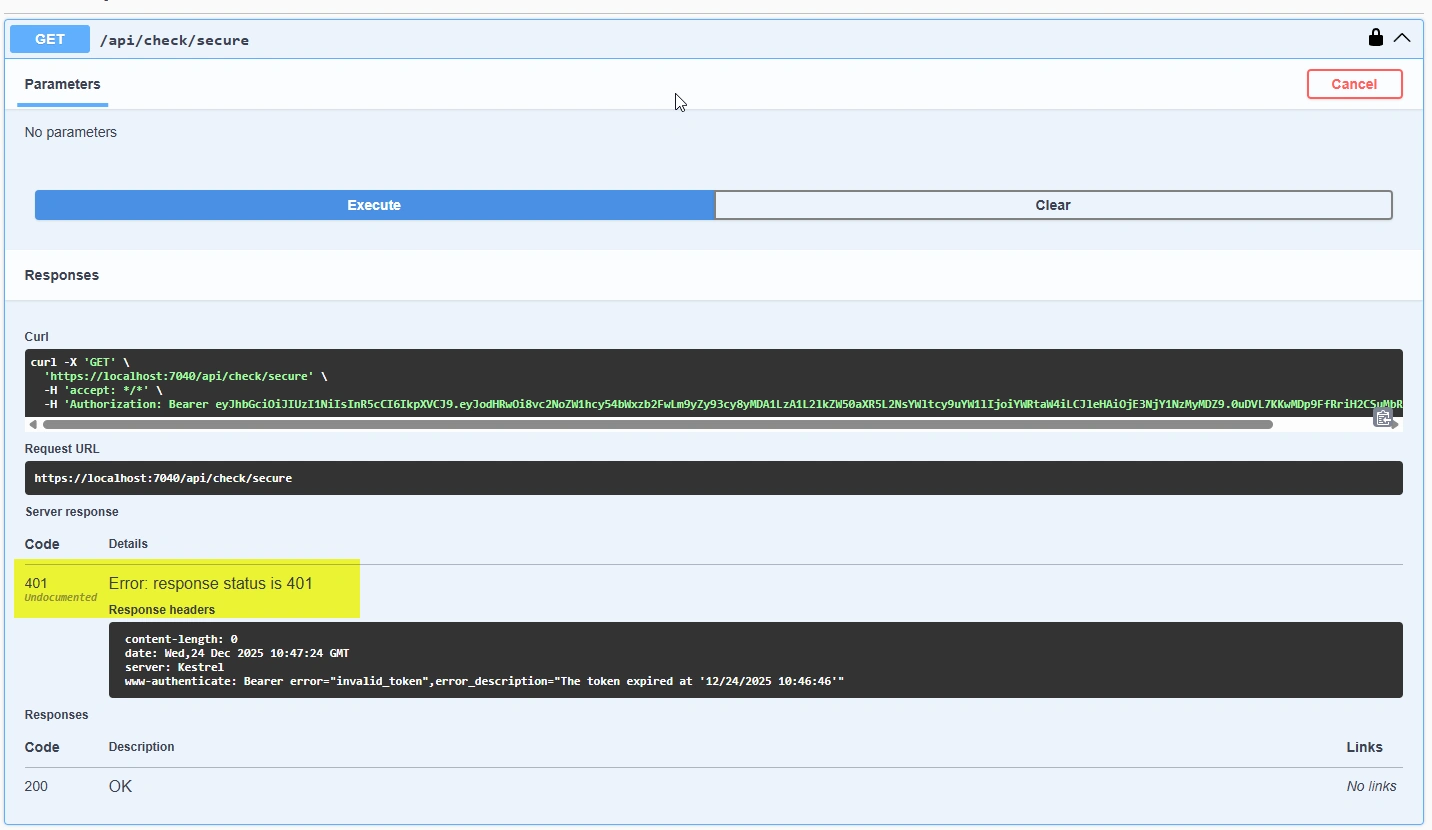
4. Refresh Token API Call – Generate New JWT Token
This screenshot shows the Refresh Token API being called.
API: POST /api/auth/refresh
Refresh token is sent in the request body
Response contains:
New JWT access token
New refresh token (rotation)
This confirms that the refresh token flow works as expected.
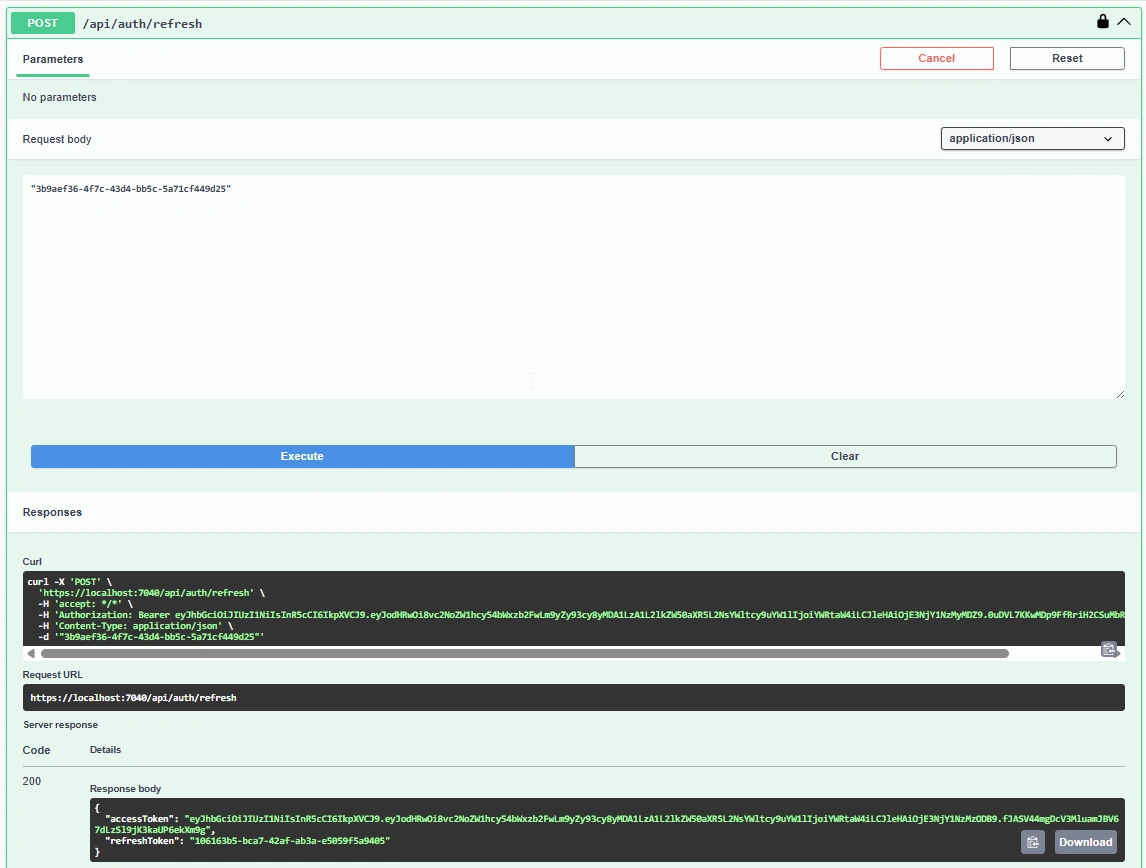
5. Check API Call – Authorization with New JWT Token
This screenshot shows the Check API being accessed again using the newly generated JWT token.
API: GET /api/check/secure
Authorization header includes the new JWT
API returns 200 OK
Confirms that the refreshed token is valid and usable.
Best Practices
Keep access tokens short-lived
Always rotate refresh tokens
Revoke refresh tokens on logout
Use HTTPS only
Store refresh tokens securely (database or cache)
Conclusion
Refresh tokens help maintain a good balance between security and user experience.
Using refresh token rotation and logout revocation ensures that sessions are safe and controlled.
ASP.NET Core 8.0 makes it easy to implement this flow in a clean and structured way.
This approach is suitable for internal applications, external APIs, and modern web systems.
Source Code
You can find the complete working demo here:
GitHub Repository: https://github.com/vishal079/JwtRefreshTokenDemo
Join the conversation! Your thoughts help the community grow.