

This is small article to provide the
information that how you can connect to database from Sharepoint WebPart using
ASP.NET web user control.
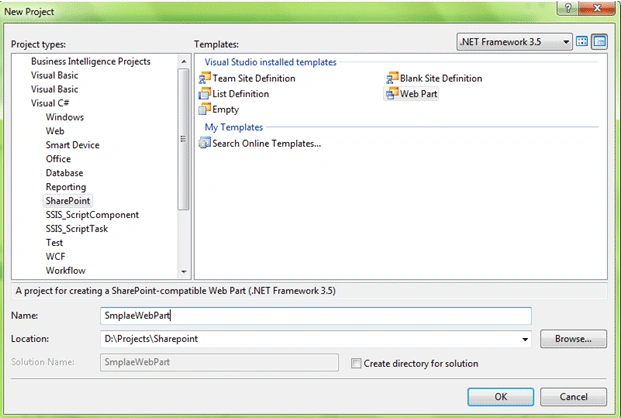
1. Create a Sharepoint Webpart project as below
2. In Solution Explorer, double-click the AssemblyInfo file
Add the following line to the top of the file
using
System.Security;
Add the following line to the bottom of the file
[assembly: AllowPartiallyTrustedCallers]
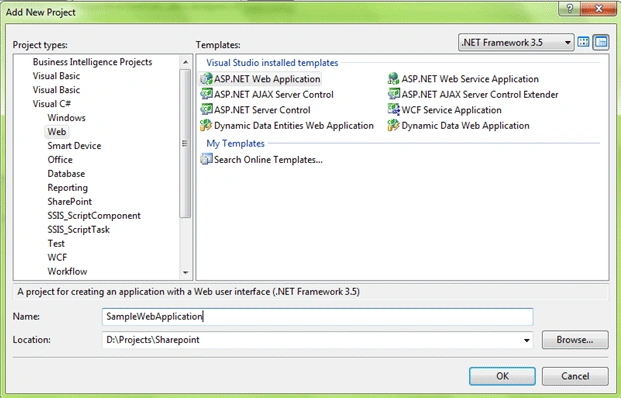
3. Add a new ASP.NET web application to the solution
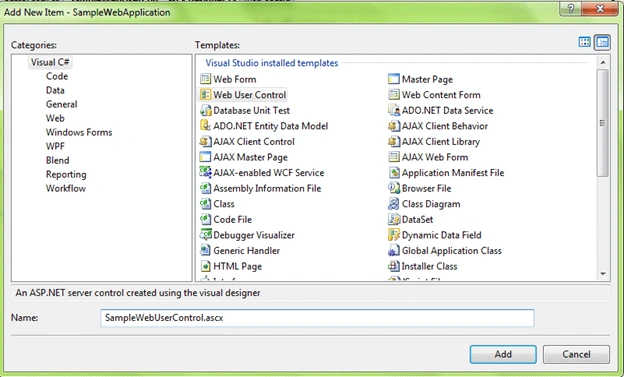
4. Add new web user control
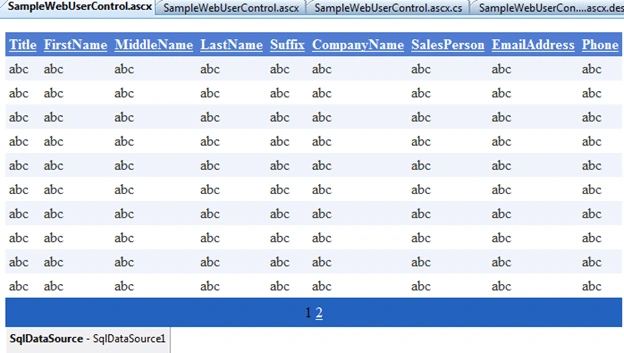
5. Add a GridView to the usercontrol and configure it to retrieve the records
from Customer table of Adventureworks database
6. Delete the CodeBehind attribute in the SampleWebUserControl.ascx file
7. Right-click the MyWebPart project, point to Add, and then click New
Folder. Name the folder Templates.
8. Right-click the Templates folder, point to Add, and then click New
Folder. Name the folder ControlTemplates.
9. Right-click the ControlTemplates folder, point to Add, and then
click New Folder. Name the folder WebPart1.
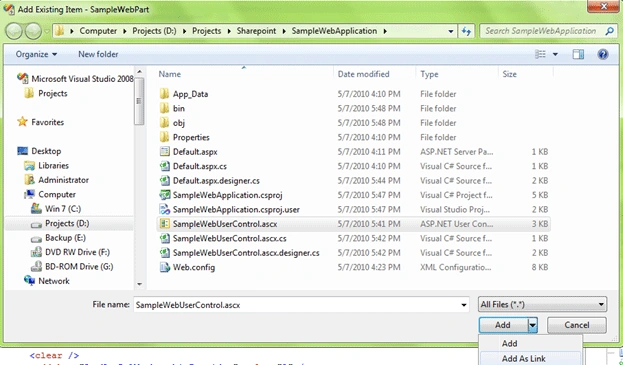
10. Right-click the SampleWebPart folder, point to Add, and then click
Existing Item. Browse to the SampleWebUserControl.ascx file, and then click
Add as Link in the drop-down box.
11. In the SampleWebApplication project, open the SampleWebUserControl.ascx
file. Replace the existing value of the Inherits attribute with
SampleWebPart.SampleWebUserControl, SampleWebPart, Version=1.0.0.0,
Culture=neutral, PublicKeyToken=9f4da00116c38ec5. This allows the code
behind to be compiled into the SampleWebApplication.dll.
<%@
Control Language="C#"
AutoEventWireup="true"
Inherits="SampleWebPart.SampleWebUserControl,
SampleWebPart,
Version=1.0.0.0, Culture=neutral, PublicKeyToken=9f4da00116c38ec5"
%>
12. Update the Webpart1.cs with following
public
class WebPart1
: System.Web.UI.WebControls.WebParts.WebPart
{
Control SampleWebUserControl;
String err;
public WebPart1()
{
this.ExportMode =
WebPartExportMode.All;
}
protected override
void Render(HtmlTextWriter
writer)
{
try
{
SampleWebUserControl.RenderControl(writer);
}
catch (Exception
e)
{
writer.Write(e.Message + " : "
+ err);
}
}
protected override
void CreateChildControls()
{
base.CreateChildControls();
try
{
this.Controls.Clear();
SampleWebUserControl = this.Page.LoadControl("~/_controltemplates/WebPart1/SampleWebUserControl.ascx");
}
catch (Exception
e)
{
err = e.Message;
}
}
}
13. Add connection string for your sql server in sharepoint web.config mine at (C:\inetpub\wwwroot\wss\VirtualDirectories\80\web.config)
<connectionStrings>
<add
name="AdventureWorksConnectionString"
connectionString="Data
Source=.;Initial Catalog=AdventureWorks;Persist Security Info=True;User ID=sa;Password=wintellect"
providerName="System.Data.SqlClient"
/>
</connectionStrings>
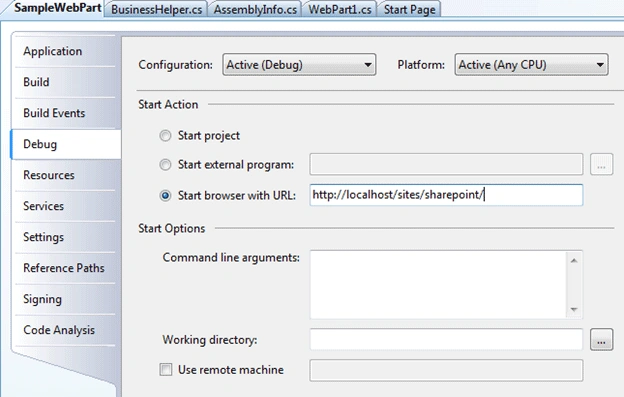
14. Set the Start browser url to a Sharepoint website
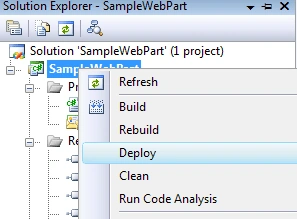
15. Deploy the webpart project
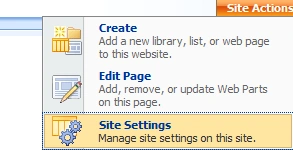
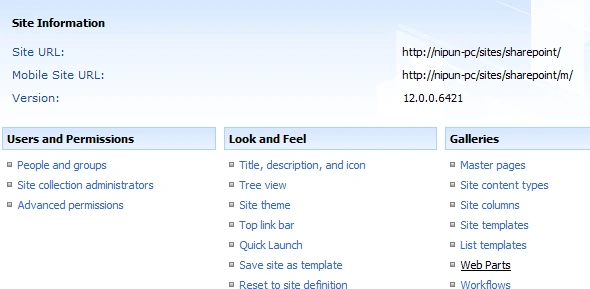
16. Open the sharepoint site and click the Site Actions - > Site Settings
17. Select Galleries -> Web Parts
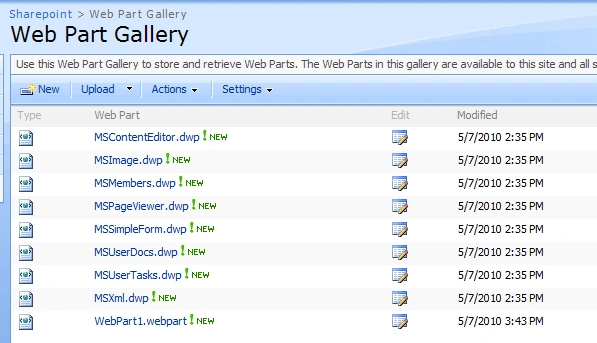
18. You now see a new entry in Web Part gallery (WebPart1.webpart)
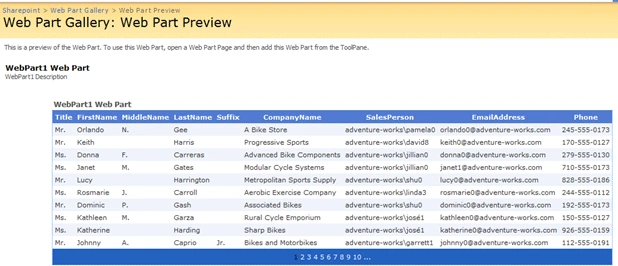
19. Click on the newly added webpart to see the preview
20. Now lets edit a page and add your newly added web part to it. Click on the
Site Actions-> Edit Page
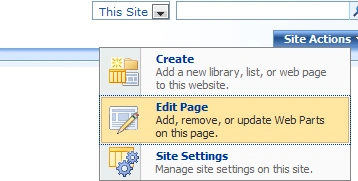
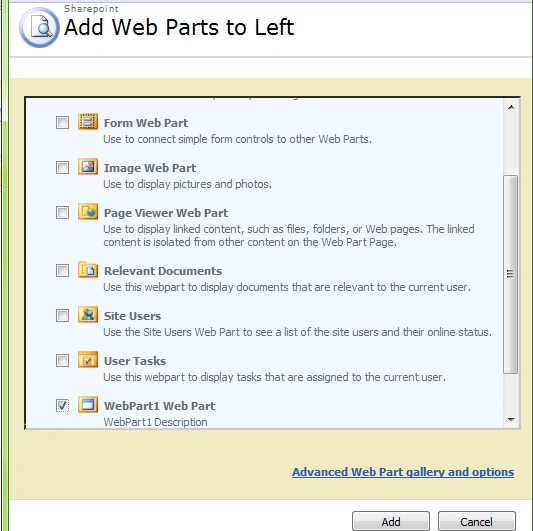
21. Click on the Add a Web Part and select Webpart1.webpart from the list
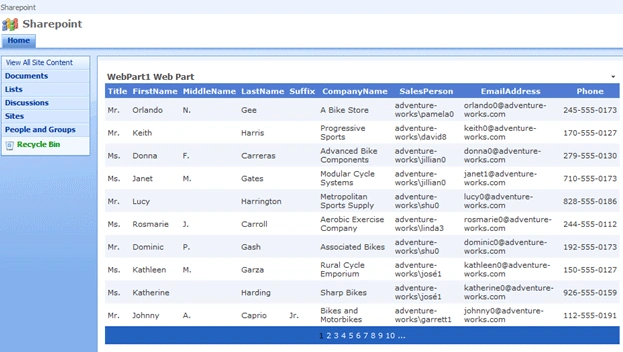
22. And "Exit edit mode" and you get a final screen that will show the Customer
records from Adventure works database in your sharepoint website using webpart
that host a Web User Control.
SUBRAMANI SPosted Jan 13, 2015, 4:32 AM
Actual User control deployed in the "@"~/_CONTROLTEMPLATES/15/ReuseControl/GrdUserCntl.ascx " location. Make sure the Safe control on Visual webpart(right click webpart and go to properties and check safe control attribute set to true) rights have full.I found same error but solved when follow these steps.
muthuramaneditedPosted Feb 21, 2011, 4:33 AMEdited Feb 21, 2011, 4:37 AM
Object reference not set to an instance of an object. : 'SampleWebPart.SampleWebUserControl, SampleWebPart, Version=1.0.0.0, Culture=neutral, PublicKeyToken=9f4da00116c38ec5' is not allowed here because it does not extend class 'System.Web.UI.UserControl'. Please Revert. Regards, Muthuraman M
Jerry biPosted Aug 12, 2010, 5:59 AM
Hi Nipun Tomar, I have followed his steps, but still will not run Ajax. ConfirmButton I add the Ajax, but it is not possible.
shabaPosted May 24, 2010, 9:25 AM
Hi Nipun ...Great Article- very informative and useful! However, I get the following error when on trying to view the webPart "Object reference not set to an instance of an object: The file '/_controltemplates/WebPart1/SampleWebUserControl.ascx' does not exist. I don't understand what I am missing. Your help will greatly be appreciated. Thanks, Shabana