

Introduction
In this post, we will execute a function in a component from another component in Angular. We will pass the data from one component to another component as well. For this, we are using EventEmitter service. In Angular, a component can emit an event using @Output and EventEmitter. The eventEmitter.on() method is used to register listeners, while the eventEmitter.emit() method is used to trigger the event. We can use various options to execute functions from another component in angular.
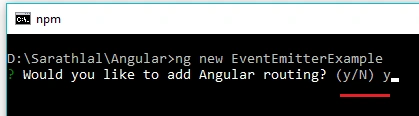
- ng new EventEmitterExample
In Angular 7, we can create a routing module along with the project creation. It will take some moments to create all the node modules. Our project will be created after some time.
We can create three components. “Home”, “First” and “Second” respectively.
We need to change the folder to “EventEmitter” in command prompt and create “Home” component.
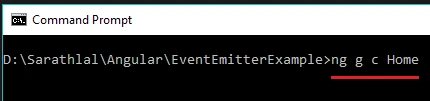
- ng g c Home
- ng g c First
- ng g c Second
We can open the code in any IDE and edit the code. I am using Visual Studio Code for editing the code.
- <ul>
- <li class="active"><a routerLink="home">Home Component</a></li>
- <li><a routerLink="first">First Component</a></li>
- <li><a routerLink="second">Second Component</a></li>
- </ul>
- <router-outlet></router-outlet>
We can create a function inside the “first.component.ts” file and call from “first.component.html” file.
- import { Component, OnInit } from '@angular/core';
- @Component({
- selector: 'app-first',
- templateUrl: './first.component.html',
- styleUrls: ['./first.component.css']
- })
- export class FirstComponent implements OnInit {
- constructor() { }
- ngOnInit() {
- }
- firstFunction() {
- alert( 'Hello ' + '\nWelcome to C# Corner \nFunction in First Component');
- }
- }
- <p>
- First Component
- </p>
- <div>
- <input type="button" value="Call Function" (click)="firstFunction()">
- </div>
We can modify the “app-routing.module.ts” file.
app-routing.module.ts
- import { NgModule } from '@angular/core';
- import { Routes, RouterModule } from '@angular/router';
- import { HomeComponent } from './home/home.component';
- import { FirstComponent } from './first/first.component';
- import { SecondComponent } from './second/second.component';
- const routes: Routes = [
- { path: '',
- redirectTo: '/home',
- pathMatch: 'full'
- },
- { path: 'home', component: HomeComponent },
- { path: 'first', component: FirstComponent },
- { path: 'second', component: SecondComponent }
- ];
- @NgModule({
- imports: [RouterModule.forRoot(routes)],
- exports: [RouterModule]
- })
- export class AppRoutingModule { }

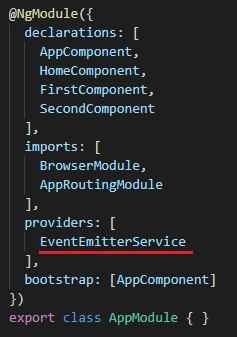
- ng g s event-emitter
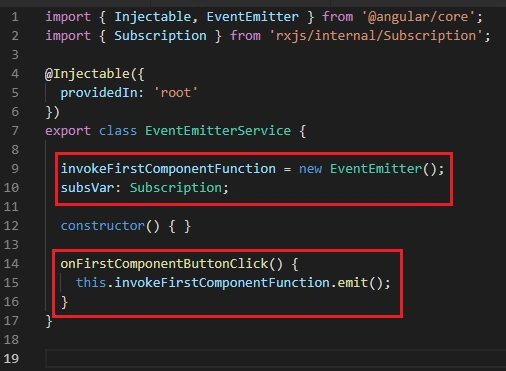
- import { Injectable, EventEmitter } from '@angular/core';
- import { Subscription } from 'rxjs/internal/Subscription';
- @Injectable({
- providedIn: 'root'
- })
- export class EventEmitterService {
- invokeFirstComponentFunction = new EventEmitter();
- subsVar: Subscription;
- constructor() { }
- onFirstComponentButtonClick() {
- this.invokeFirstComponentFunction.emit();
- }
- }
- import { Component, OnInit } from '@angular/core';
- import { EventEmitterService } from '../event-emitter.service';
- @Component({
- selector: 'app-second',
- templateUrl: './second.component.html',
- styleUrls: ['./second.component.css']
- })
- export class SecondComponent implements OnInit {
- constructor(
- private eventEmitterService: EventEmitterService
- ) { }
- ngOnInit() {
- }
- firstComponentFunction(){
- this.eventEmitterService.onFirstComponentButtonClick();
- }
- }
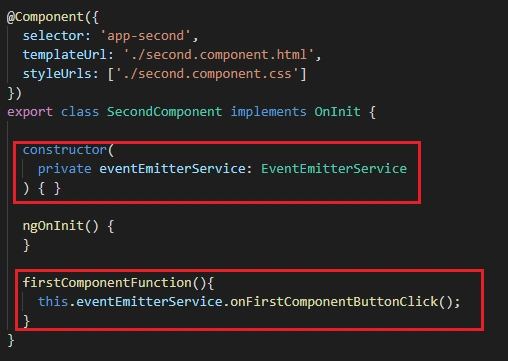
We have created a “firstComponentFunction” to call the event emitter service. This will automatically invoke the event in service.
- <p>
- Second Component
- </p>
- <div>
- <input type="button" value="Call First Component Function" (click)="firstComponentFunction()">
- </div>
- import { Component, OnInit } from '@angular/core';
- import { EventEmitterService } from '../event-emitter.service';
- @Component({
- selector: 'app-first',
- templateUrl: './first.component.html',
- styleUrls: ['./first.component.css']
- })
- export class FirstComponent implements OnInit {
- constructor(
- private eventEmitterService: EventEmitterService
- ) { }
- ngOnInit() {
- if (this.eventEmitterService.subsVar==undefined) {
- this.eventEmitterService.subsVar = this.eventEmitterService.
- invokeFirstComponentFunction.subscribe((name:string) => {
- this.firstFunction();
- });
- }
- }
- firstFunction() {
- alert( 'Hello ' + '\nWelcome to C# Corner \nFunction in First Component');
- }
- }
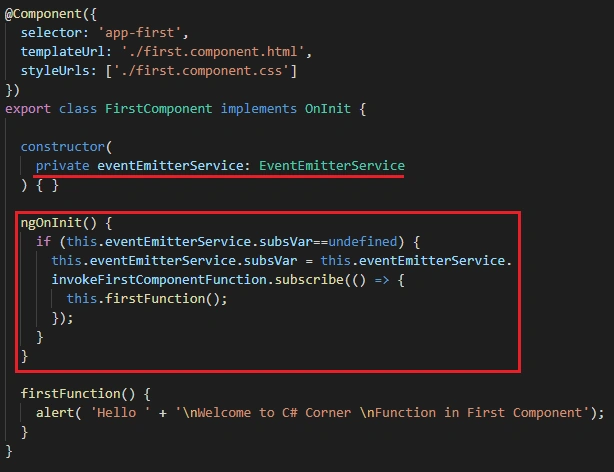
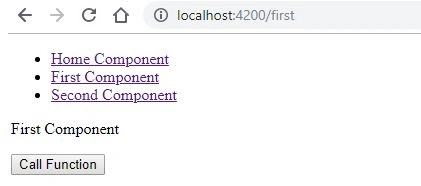
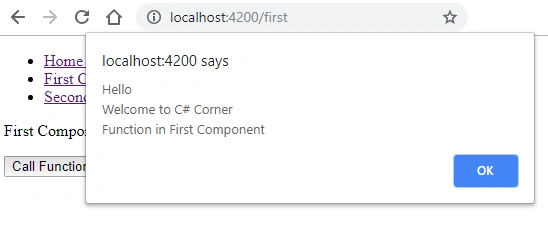
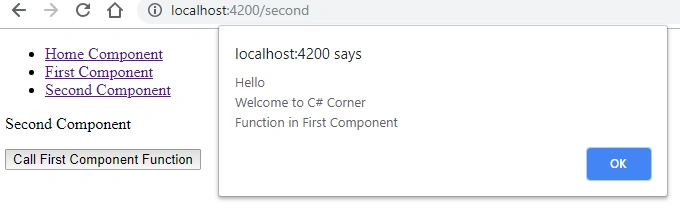
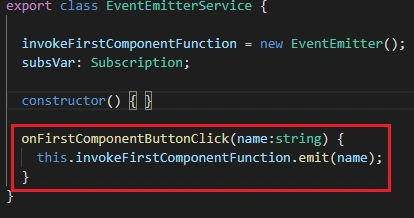
We must modify the “first.component.ts” and “second.component.ts” files too.
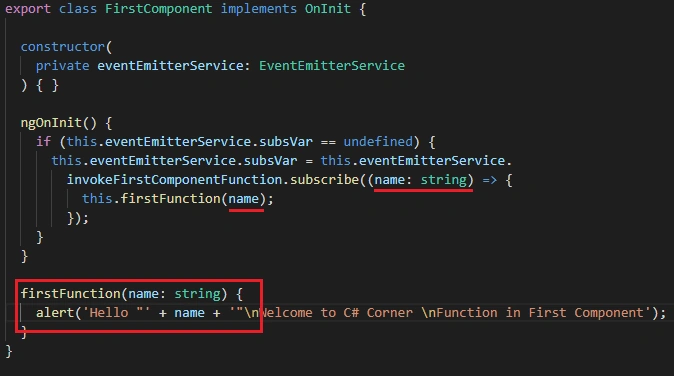
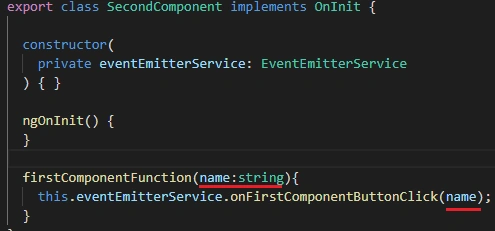
- <p>
- First Component
- </p>
- <div>
- <input type="text" #name>
- <br>
- <input type="button" value="Call Function" (click)="firstFunction(name.value)">
- </div>
Modify the “second.component.html” with the below code.
- <p>
- Second Component
- </p>
- <div>
- <input type="text" #name>
- <br>
- <input type="button" value="Call First Component Function" (click)="firstComponentFunction(name.value)">
- </div>
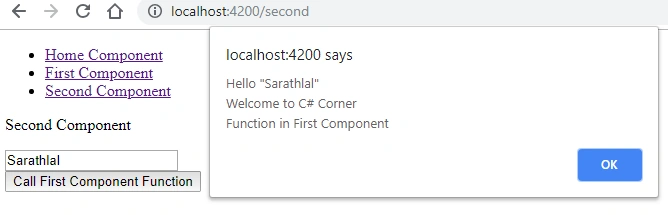
Chaithanya MPosted Feb 17, 2022, 4:33 AM
Thanks, It helped me
Rio RegalaPosted Jan 27, 2021, 8:36 AM
This.invokeFirstComponentFunction.emit(content, message, body); Expected 0-1 arguments, but got 3.
Murali KrishnaPosted Jan 21, 2021, 4:12 PM
How Its working man
chandu maramPosted Sep 17, 2020, 4:08 AM
Thanks you so much Saseendran sir for this article. Step by Step explanation is really nice sir, its helped me a lot
Idhres Ahmed MIPosted Feb 25, 2020, 5:16 AM
Thanks you so much for this article. its helped me a lot
Idhres Ahmed MIPosted Feb 25, 2020, 5:15 AM
Hi Saseedran sir,
Jakson BritzkePosted Jan 18, 2020, 9:46 PM
Congratulations on the post. I have a question, because when I access the second component first, without going through the first, the event doesn't work?
Rohit AiriPosted Oct 11, 2019, 9:37 PM
Hi Sarathlal Saseendran thanks for your article it's working fine for me but i got a problem here. When i load my second component first then try to call first component it's not working? Is there any dependecy that first component should be loaded first?
Luis AyalaPosted Sep 17, 2019, 6:35 PM
How to send multi parameters?
Muthu KumarPosted Jan 3, 2019, 10:33 PM
Step by Step explanation is really nice sir.
First LastPosted Dec 27, 2018, 10:04 AM
I don't understand how executing this.eventEmitterService.onFirstComponentButtonClick(); from the Second component knows to execute the firstFunction() in the First component. How does the event emitter service's method onFirstComponentClick() - this.invokeFirstComponentFunction.emit(); know anything about the First component's firstFunction() method? I don't see how it is linked.
Rushi MehtaPosted Dec 23, 2018, 10:56 PM
Nice Explained every step
Hadshana KamalanathanPosted Dec 23, 2018, 10:44 AM
Nice article
Prashanth KumarPosted Dec 20, 2018, 12:04 AM
Nice article
Prashanth KumarPosted Dec 20, 2018, 12:04 AM
Got it thank you
Prashanth KumarPosted Dec 19, 2018, 11:52 PM
How to send parameters using EventEmittor