

Introduction
In this article we learn what a Text Template Transformation Toolkit (T4) template is using XML. If you are unfamiliar with the T4 template then please read my article What a T4 Template is in MVC.
Let's create an empty MVC4 project.
- Go to File → Project.
- Select ASP.NET MVC 4 Web Application and name it T4TemplateUsingXml.
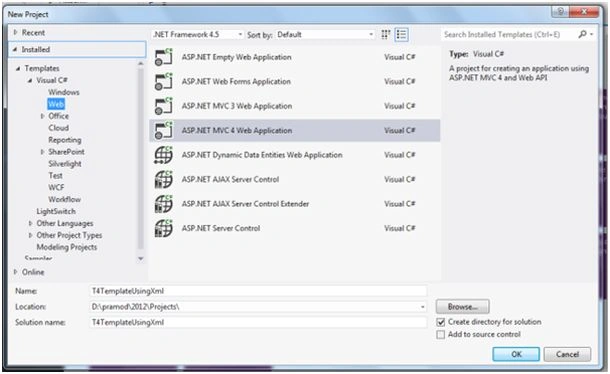
- Click Ok.
- Select an Empty Project.
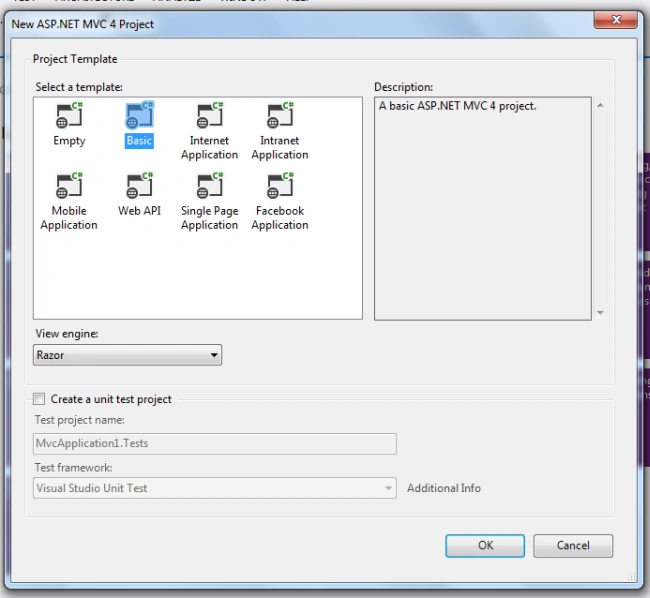
After creating the project let's add a folder called Xml in the root directory.
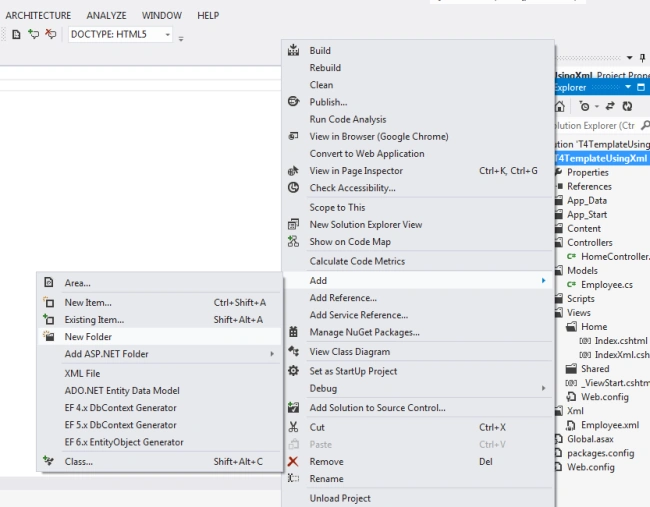
Right-click on the Xml folder and add a XML file and name it Employee.xml.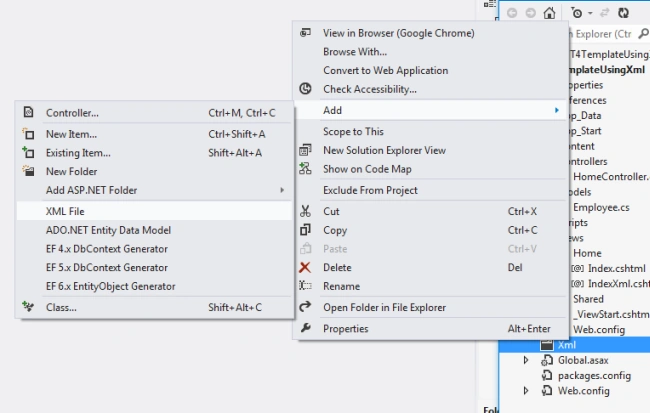
After creating Employee.xml paste in the following code.
- <Employee>
- <EmployeeDetail>
- <Id>E001</Id>
- <Name>Pramod</Name>
- <Email>[email protected]</Email>
- </EmployeeDetail>
- <EmployeeDetail>
- <Id>E002</Id>
- <Name>Ravi Kant</Name>
- <Email>[email protected]</Email>
- </EmployeeDetail>
- <EmployeeDetail>
- <Id>E003</Id>
- <Name>Rahul</Name>
- <Email>[email protected]</Email>
- </EmployeeDetail>
- <EmployeeDetail>
- <Id>E004</Id>
- <Name>Deepak</Name>
- <Email>[email protected]</Email>
- </EmployeeDetail>
- </Employee>
To create a model right-click on the Models folder and add a class and name it Employee and paste in the following code:
- using System;
- using System.Xml.Serialization;
- namespace T4TemplateUsingXml.Models
- {
- [Serializable]
- [XmlRoot("Employee"), XmlType("Employee")]
- public class Employee
- {
- public string Id { get; set; }
- public string Name { get; set; }
- public string Email { get; set; }
- }
- }
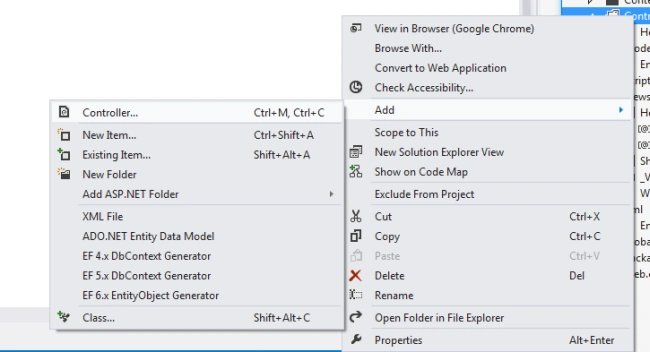
Now we create a controller, right-click on the Controller folder and add a controller named HomeController.
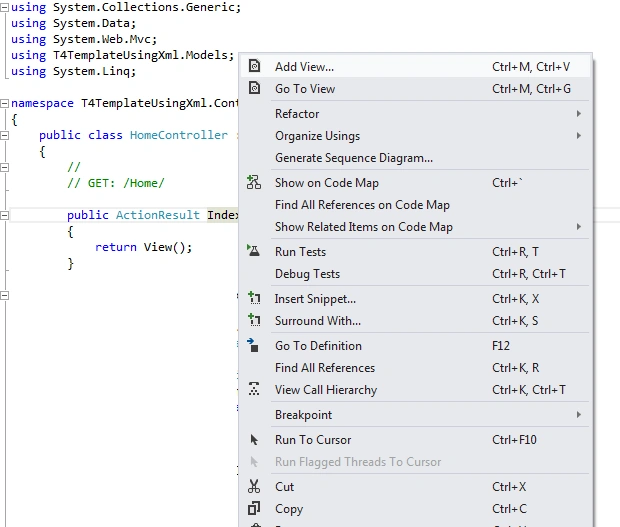
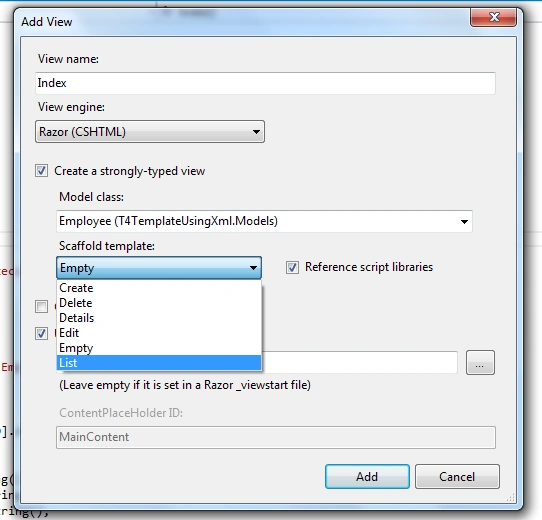
And then right-click on the index code inline and choose Add View using a scaffold empty template.
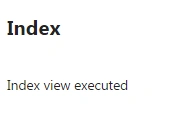
Let's run the project and see the output.
Now I make a copy of List.tt and name it PramodList.tt and make some changes. After that add another view called IndexXml using a scaffold PramodList template.
//Location of List.tt is C:\Program Files\Microsoft Visual Studio 11.0\Common7\IDE\ItemTemplates\CSharp\Web\MVC 4\CodeTemplates\AddView\CSHTML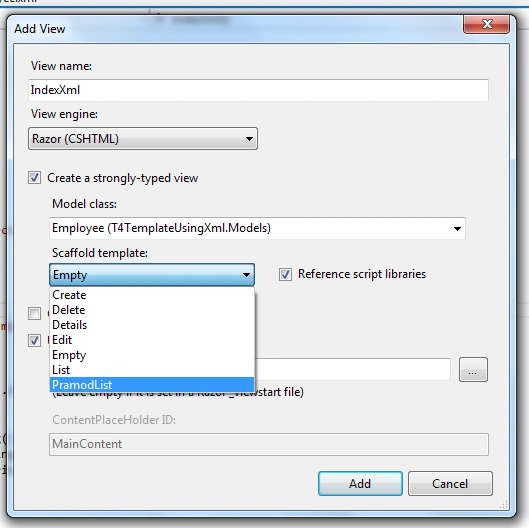
And write some code in HomeController as in the following:
- public ActionResult IndexXml()
- {
- string Data = Server.MapPath("~/Xml/Employee.xml");
- DataSet ds = new DataSet();
- ds.ReadXml(Data);
- var employee = new List<Employee>();
- employee = (from item in ds.Tables[0].AsEnumerable()
- select new Employee
- {
- Id = item[0].ToString(),
- Name = item[1].ToString(),
- Email = item[2].ToString(),
- }
- ).ToList();
- return View(employee);
- }
And run the application.
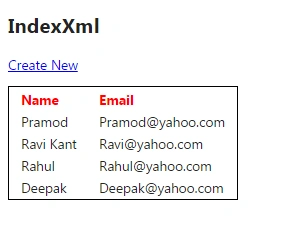
Note: I am attaching a PramodList.tt along with the application. Please paste the PramodList.tt file into the following folder:
C:\Program Files\Microsoft Visual Studio 11.0\Common7\IDE\ItemTemplates\CSharp\Web\MVC 4\CodeTemplates\AddView\CSHTML
In the application I am just attaching Controller, Models, Views and XML folders.
I hope you enjoy this article.
Happy coding.
Arunava BhattacharjeePosted Sep 26, 2014, 1:27 AM
Actually no....I like code-first..for migration projects database approach is fine as they already have large database in place..but for new development I always prefer the code-first as it eliminates .edmx files as it is not secure much and anybody can tamper it,difficult to read, opening/changing lots of headache. See, my intention is to auto-generate some similar kind of classes in the BL. Also concurrency handling and other security majors are handled by code-first as developer has full control over it and also we can enable migrations. I am not talking about EF aspect. All are good approaches. I want to focus on T4 independently, so that I can generate auto-generated code in my wish reducing developing time writing boring similar codes all the time. :)
Arunava BhattacharjeePosted Sep 25, 2014, 11:54 PM
Hmmm...not bad....but something I am looking currently similar to something like this : http://www.c-sharpcorner.com/UploadFile/ff2f08/text-template-transformation-toolkit-t4-templates-and-enti/..Need to auto-generate classes...I will add xml nodes and it will generate classes for me with property..simple POCO classes are enough...not a requirement in my project but I want to see how powerful is this tt is :)
Guest UserPosted Sep 25, 2014, 11:51 PM
its pretty useful feature T4 template. its good you shared this article!