

Overview
Table partitioning in SQL Server:
Introduction
Database Partitioning is a process where large tables are divided into smaller parts or chunks which makes it easier to fetch records and requires fewer table scans and as a result the response time is also less and memory utilization is less.
There are two types of Partitioning in SQL Server:
- Vertical Partitioning
- Horizontal partitioning
Let’s start with vertical partitioning.
- Vertical Partitioning
As the name suggests vertical partitioning is nothing but to split tables vertically. Let me give you an example. Consider an employee table having employee name, employee address, employee city, employee id, employee number, and employee salary. Now consider a big organization where there are lots of employees, such as BANKS. Here HR needs to analyze employee data and generate reports on daily basis. Employee address and employee city are not required -- those are less required fields so you can put that data in one part. Employee ID, number, name, and salary -- these columns are used constantly to fetch reports so you can split these columns in another chunk . This becomes easier for fetching reports. Let me illustrate with a figure: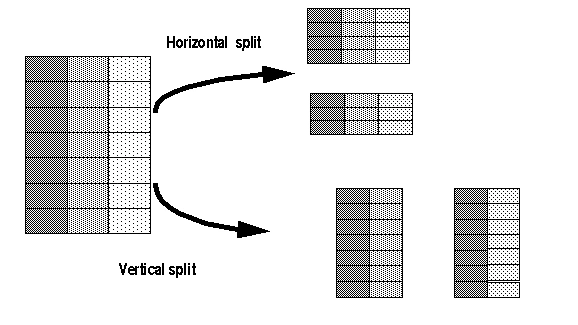
(Image Source - www.lcard.ru)
In the above figure you can clearly see how a vertical split is done and how a horizontal split is done. Now let’s concentrate first on vertical split.
TIP - Vertical split or partitioning is done on columns.
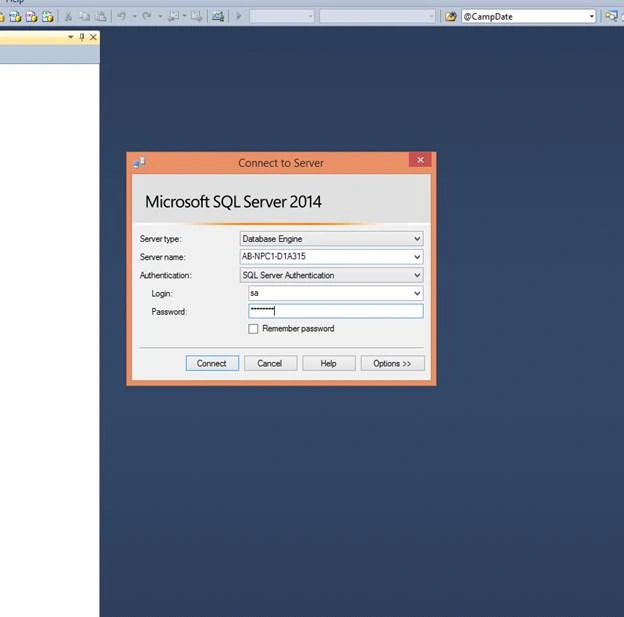
- Open SSMS
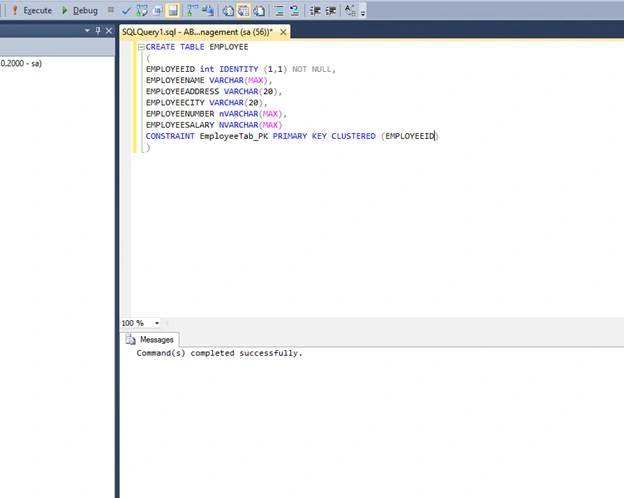
- Lets Create a Table Employee,
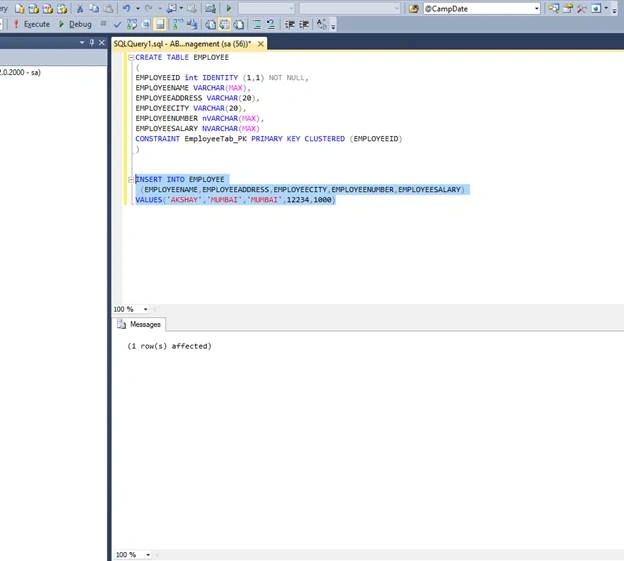
- Lets insert a value,
- Now let’s start by setting statistics on how many logical reads we are getting.
NOTE
Here I am using a local PC as I am searching on a single row so the logical reads will be less as there is no data in that table. It's advisable to run this on the server where table size is huge. Just for your information.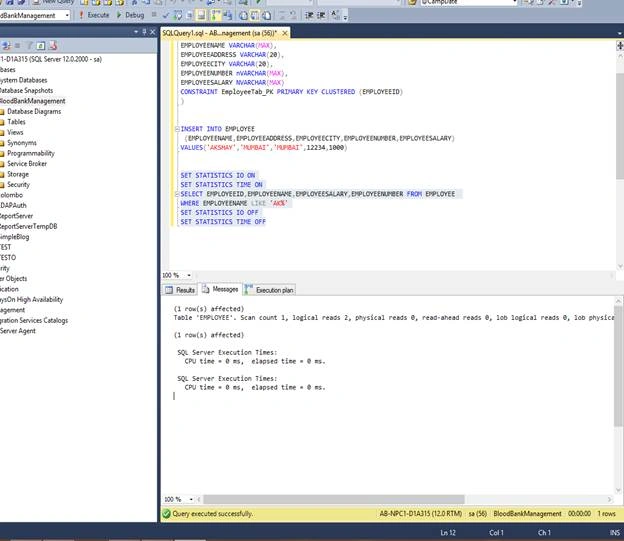
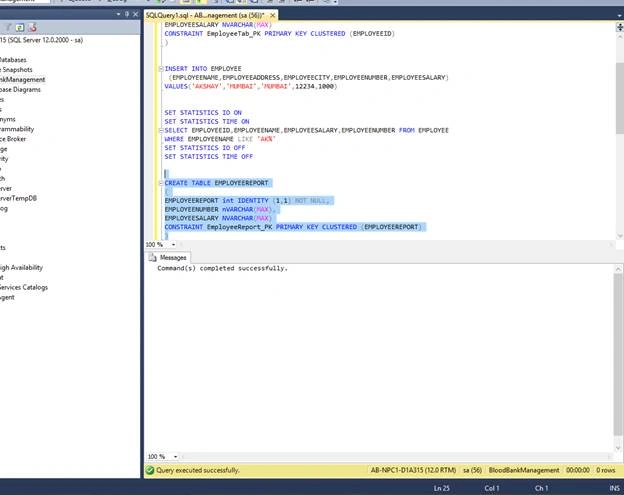
- Now let’s create a table where we can pump the data,
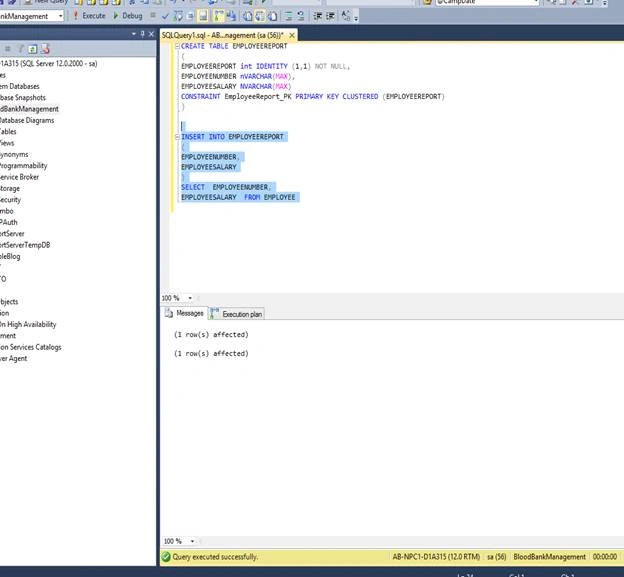
- Now let’s insert data,
- Now let’s again search that query on a new table.
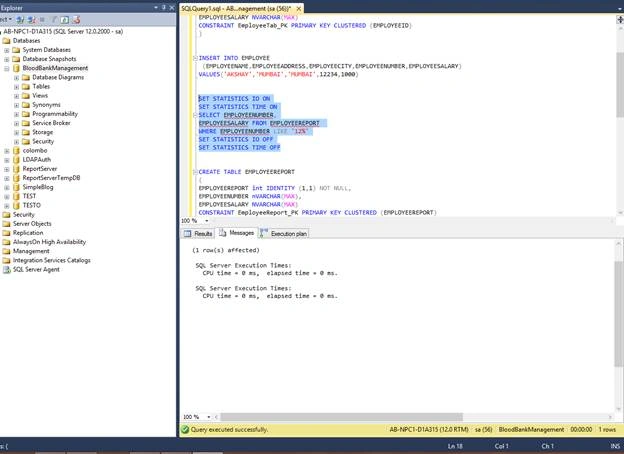
Search it on larger data and you will get desired results.
Vertical partitioning is not helpful in all the cases if table is having lots of data and you want to restrict access vertical partitioning helps.
- Horizontal partitioning
As the name says horizontal partitioning divides a table with the same number of columns with fewer rows . This scenario is possible from From date – To Date , this Year to that year and so on.
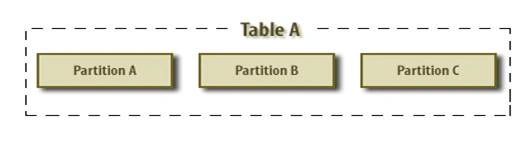
(image source - www.relationaldbdesign.com)
The diagram gives you a clear indication of how partitioning is done.
Lets see how horizontal partitioning is done.
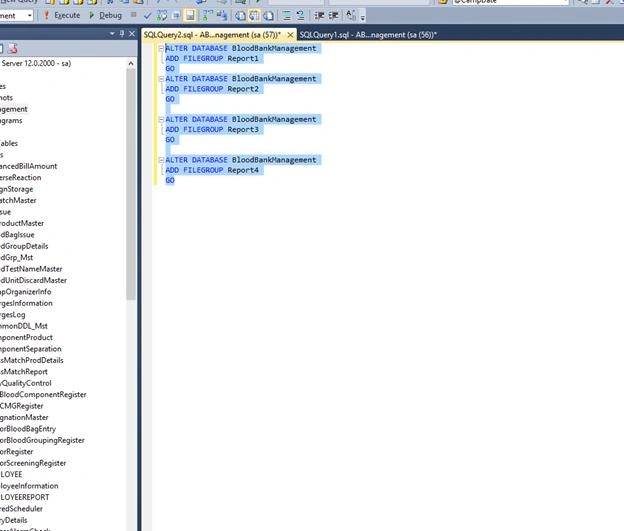
- Add Filegroups as report1,report2,report3 and so on and from that we can fetch result.
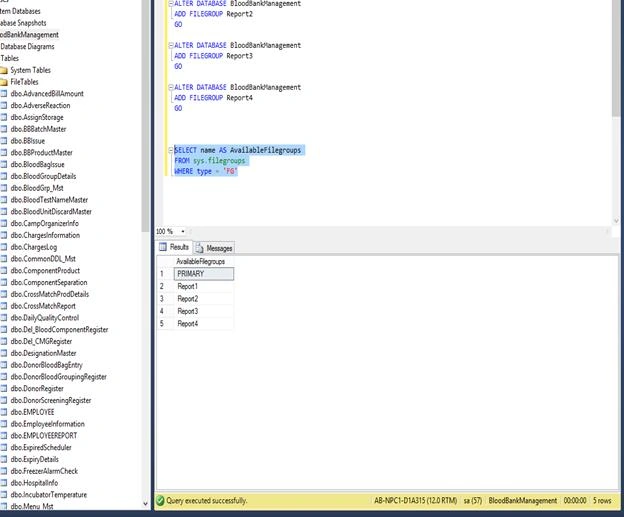
Now let’s se if that file group was created or not .
Now let's Create File group for each of the reports as we need to create data file in order to fetch results,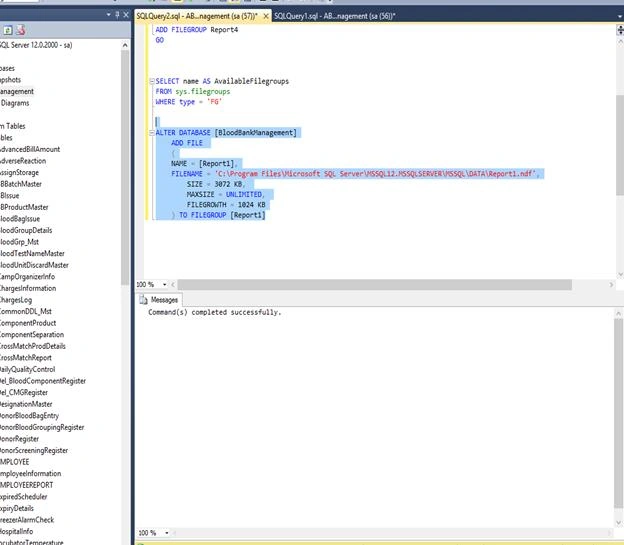
- For Report 2
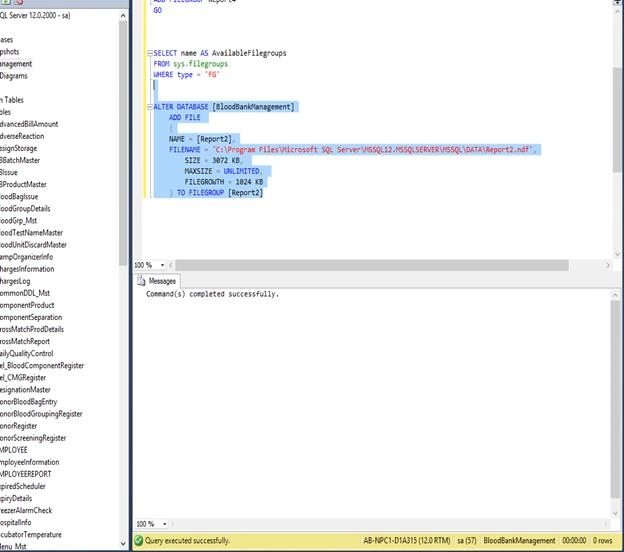
- For Report 3
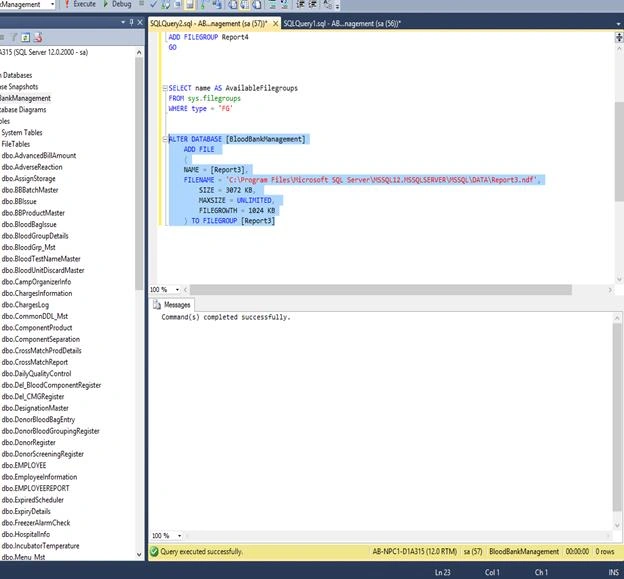
- For Report 4
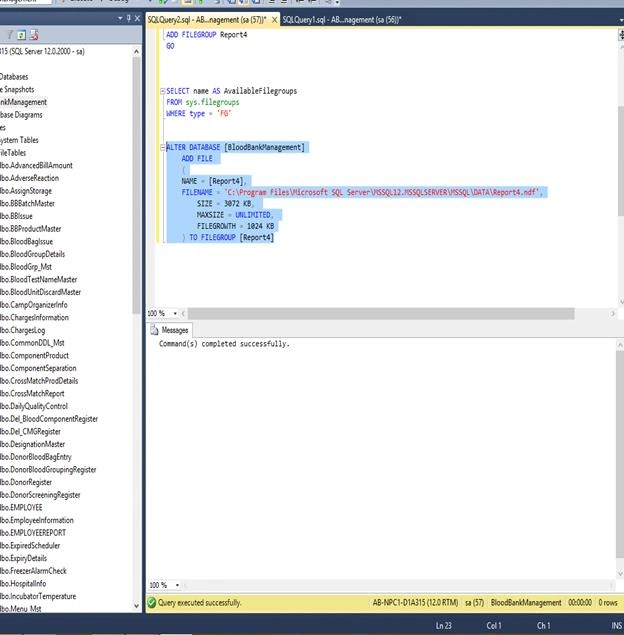
Now let’s see that NDF file got created.
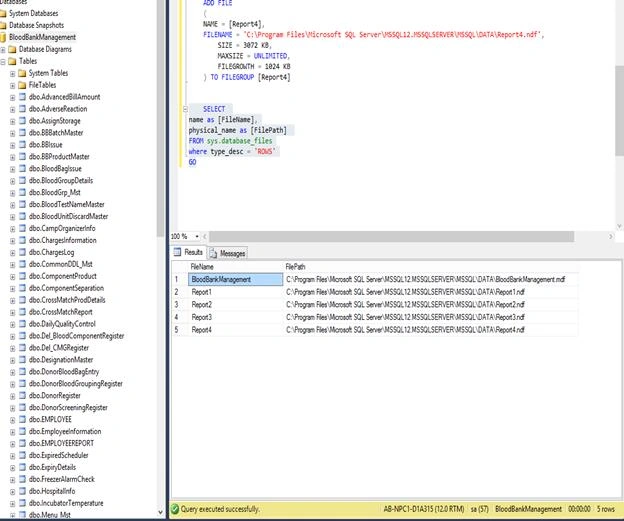
Now let’s create partition as per location, now refer to the screenshot below,
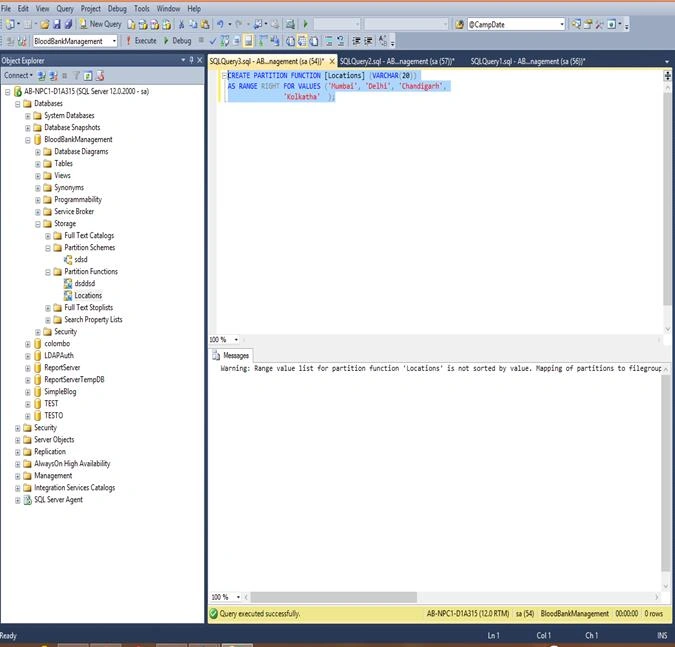
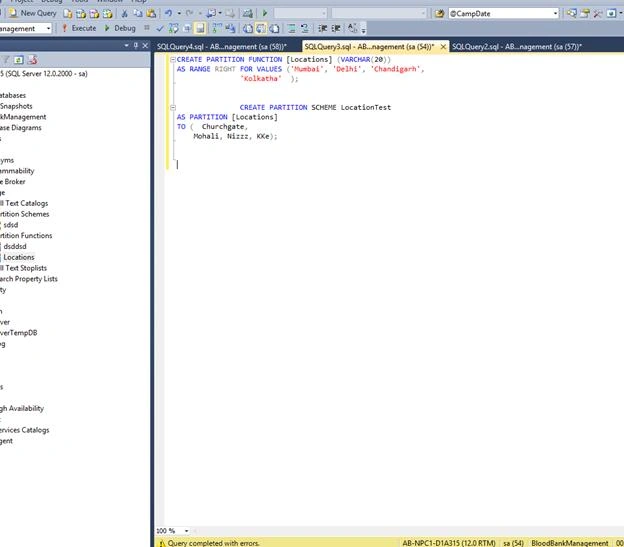
Now Just Fetch the records.
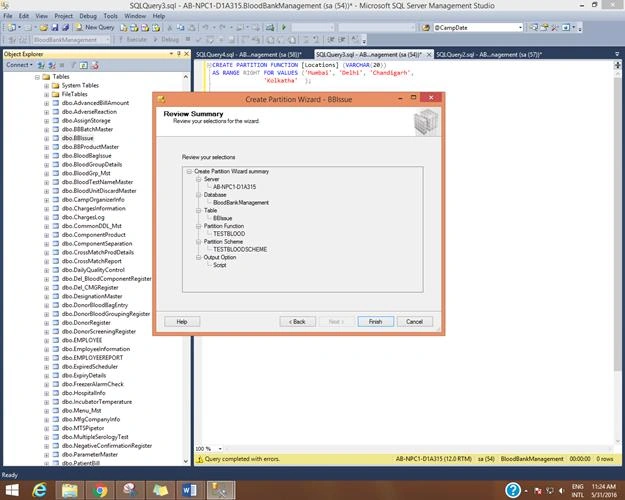
- Partitioning with GUI based
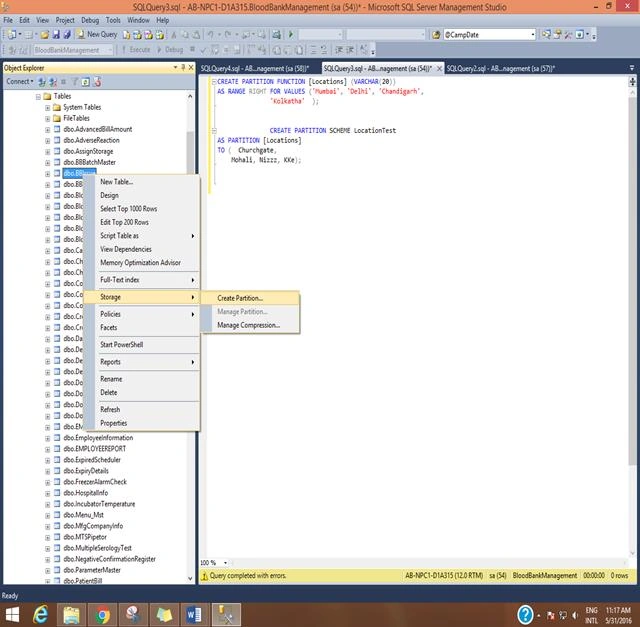
Click on Next,
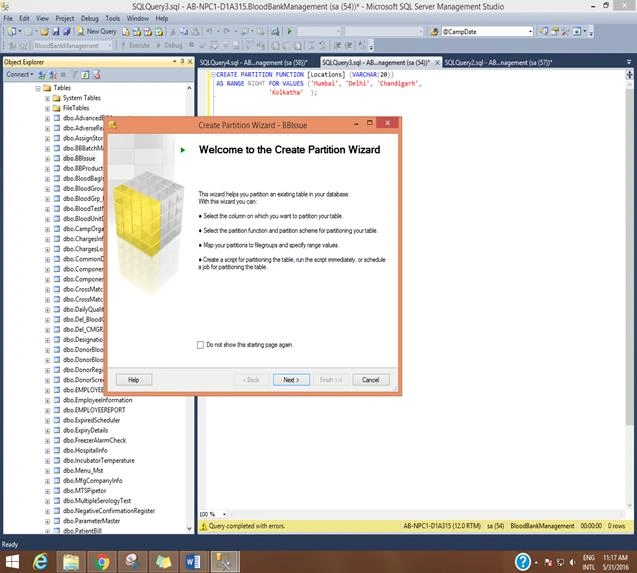
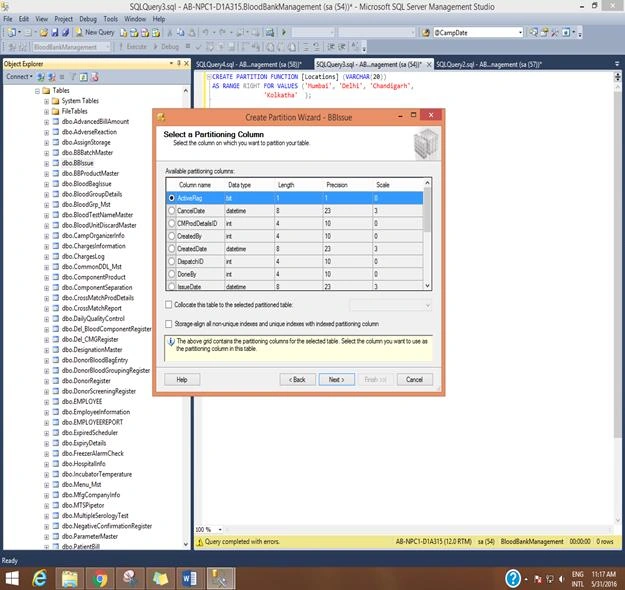
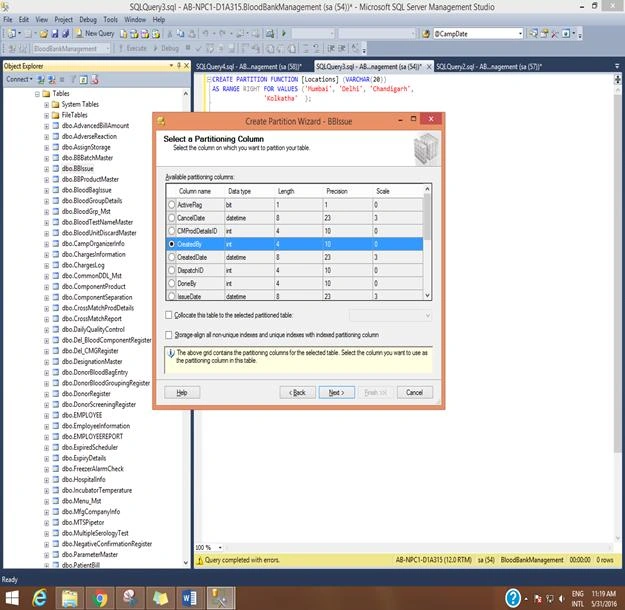
Select the field which you want to select -- you will be using created date field -- click on next,
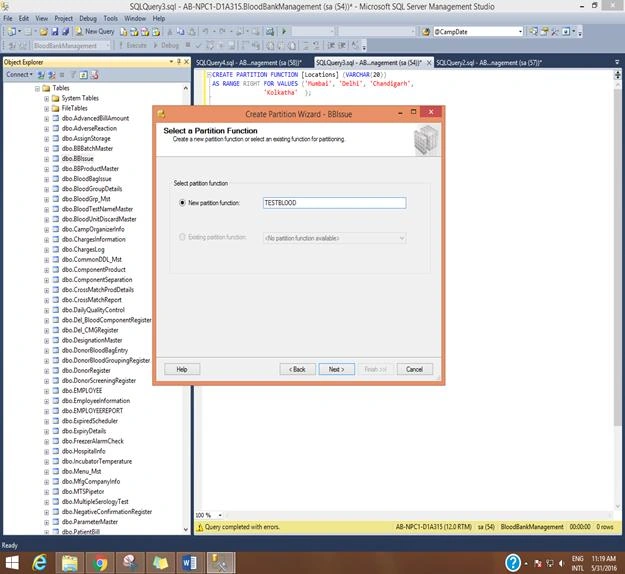
Give Suitable name to New Partition Function,
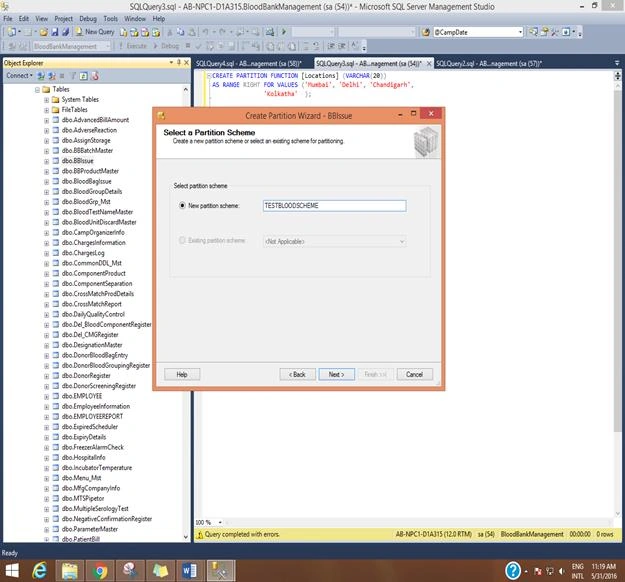
Partition Scheme Name,
Now you will see that dropdown which we created through queries are appearing, and you can select Primary; i.e., primary here are the mdf files and respective report files which we created.
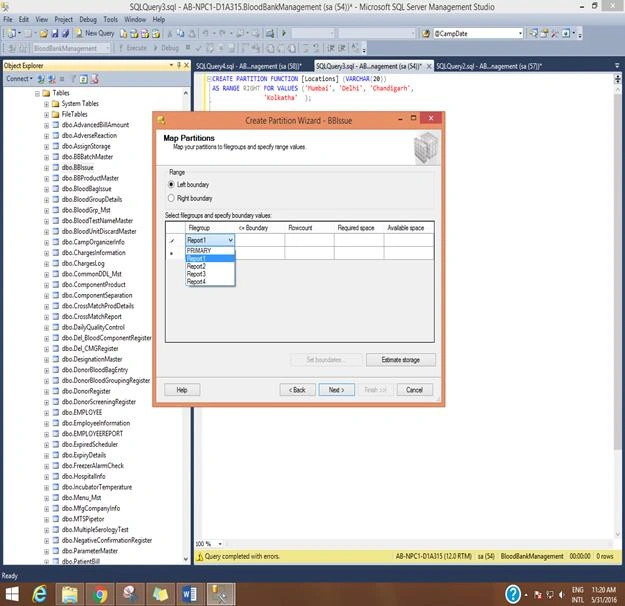
Here Left and right boundary are referred to as Left boundary is <= and right boundary is <,
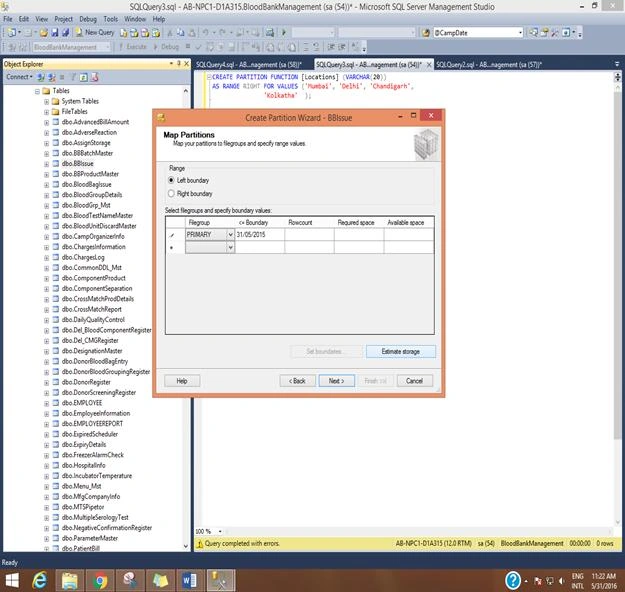
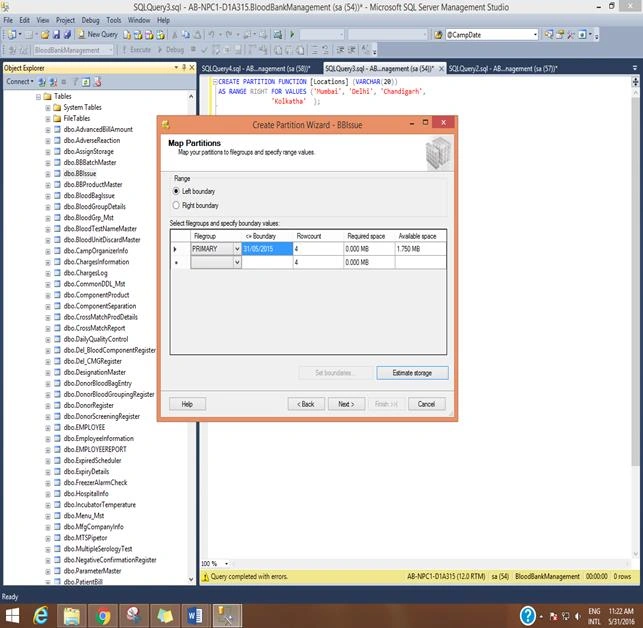
Click on Estimate Storage it will give you storage estimation,
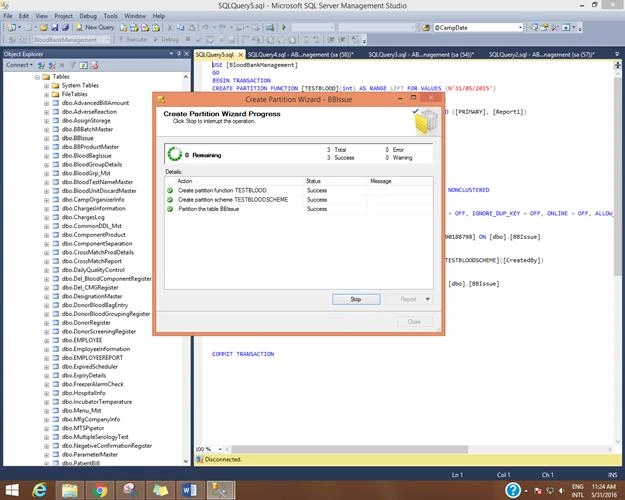
Click on Next and Run that Script,
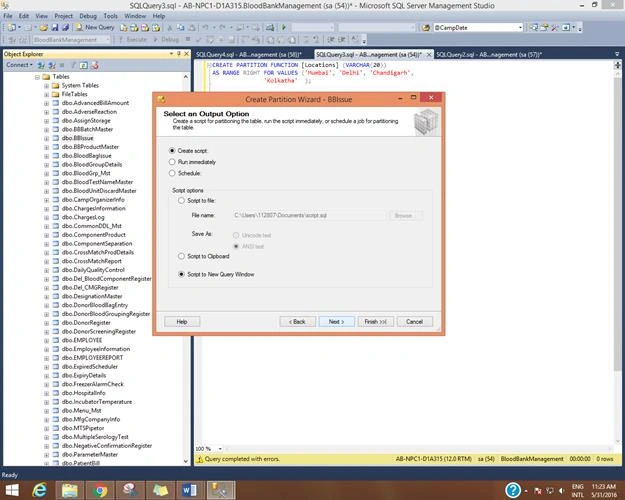
Make Sure Everything Is Right.
Advantages
- Maintenance operation becomes easier as you are maintaining the subset instead of whole table.
- As it is a subset the query performance becomes easier resulting in faster query performance.
These are the advantages I found out working on it. Kindly let me know the disadvantages too.
Conclusion
That’s all on SQL server partitioning. Kindly let me know if the article was helpful and in case of any queries feel free to ask.
Anandu G NathPosted Jan 4, 2024, 3:53 AM
Good article , Nicly explained
Manas MohapatraPosted Jun 23, 2016, 3:31 AM
Good one
Sonu ChaudharyPosted Jun 6, 2016, 9:59 AM
good one...
Vignesh ManiPosted Jun 1, 2016, 12:42 PM
Nice