

Abstract
In this article, we are giving an overview of free tools to create and test Regex expressions. Even if one is skillful in creating Regex expressions, if they are complicated or you do not do it often, it is good to have an available tool to test Regex on different texts and verify they work properly.
Introduction
In this article, we will give a short overview of a selection of freely available tools to test Regex, which are regularly maintained and up to date. We plan to provide a brief overview of the main characteristics and our impressions. Here is a list of free tools that caught our attention on the internet:
Website tools, free
- Website Regex101
- Website RegexPal
- Website RegExr
- Website CyrilEx Regex Tester
Windows apps, free
- Regex Hero application
- Expresso application
Visual Studio-addon, free
- Visual Studio extension – Regex Editor
We will shortly test every tool with the same Regex expression and text:
- Regex expression: /[-.\w]+@([\w-]+\.)+[\w-]+/g
- Test string: “[email protected] @ hisaa.bb.cc @ [email protected]”
Website Regex101
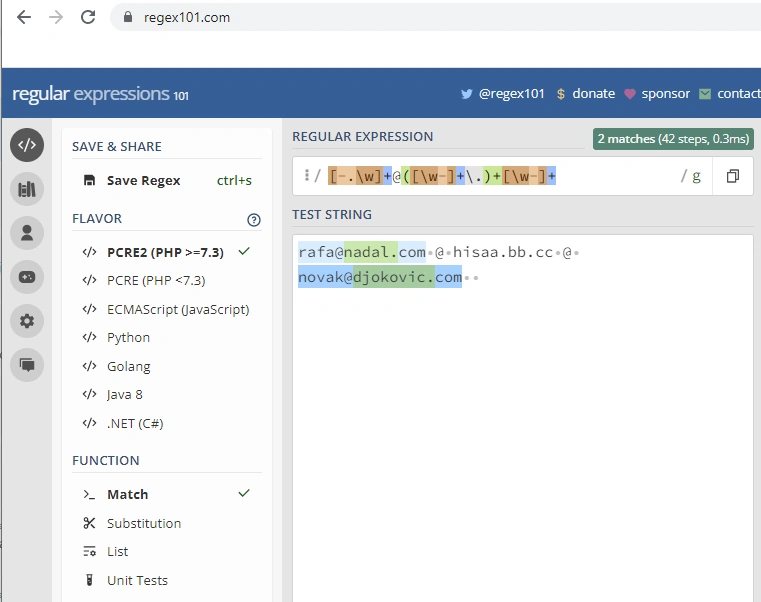
This is a website tool. Lovely interface and coloring of both expressions and test text. Here is a screenshot of the main form, divided into 2 parts to fit the article:
Left side panel
Right side panel
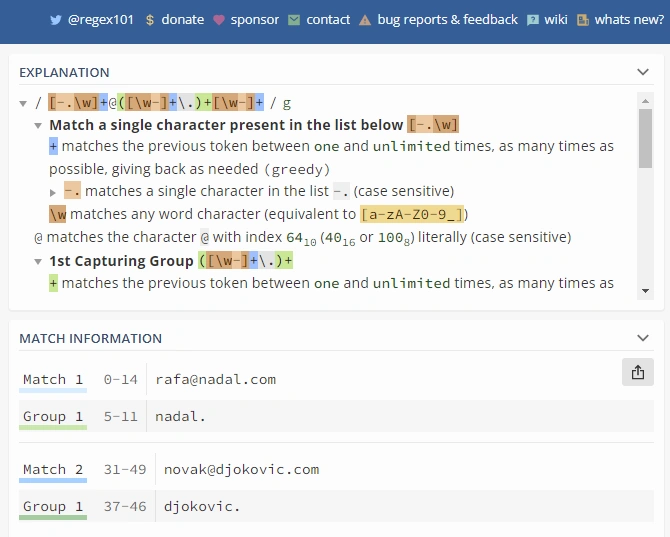
Please notice the following in the main form,
- Ability to choose the flavor of Regex (i.e., Javascript, C#, etc.) tested
- You can choose the function (match, substitution, etc.) tested
- Notice that it shows how many steps were performed to analyze the text (in this case, 42 steps). That can help to establish how efficient your Regex is
- It provides an excellent "Explanation" in the natural language of Regex expression.
- Shows a list of matches for the test text
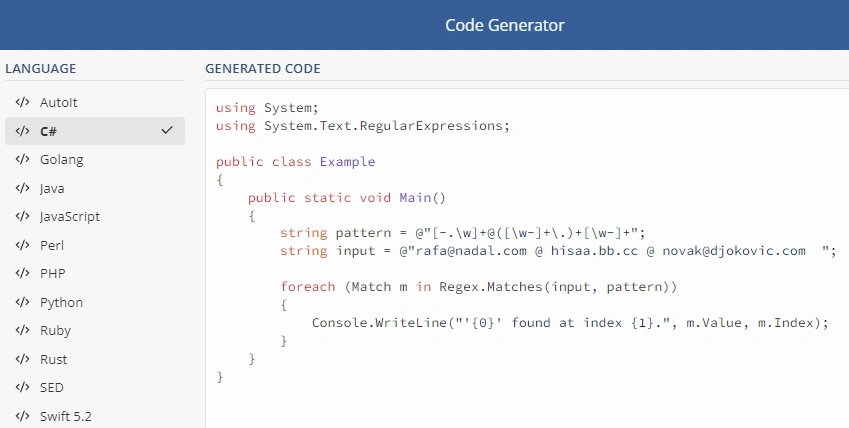
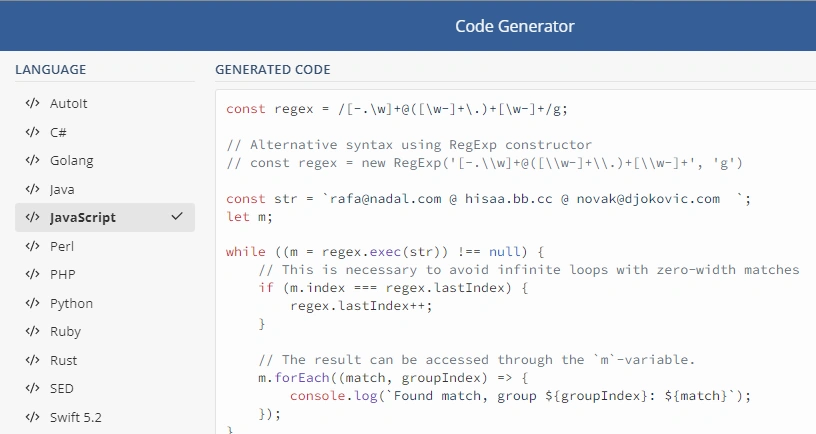
Interesting is a Code generator function that can generate code in different languages:
Generated code C#
Generated code Javascript
Interesting is the "Regex debugger" function, which is available just in the PHP version of Regex, that can help analyze the execution of Regex and its complexity, and you can execute Regex step-by-step and see where it fails.
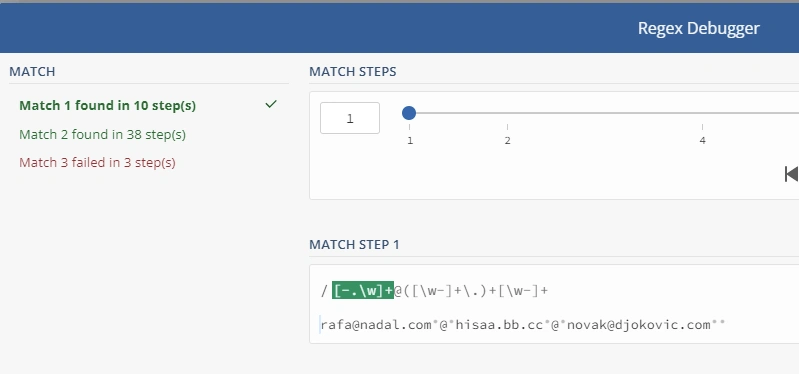
Altogether, it gives a nice impression of this online tool.
Website RegexPal
This is a website tool. Here is a screenshot of the main form,
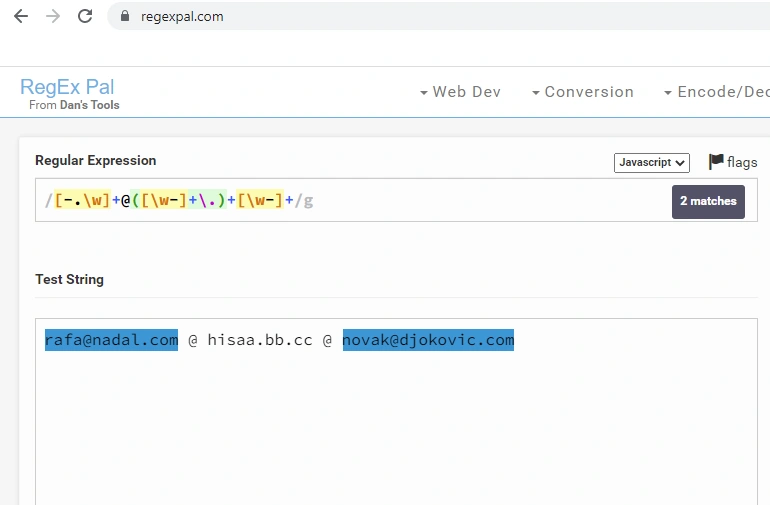
Note the following,
- The tool is oriented toward Javascript and Perl (PCRE) versions of Regex
- Nice coloring of Regex expression
- Matches are not listed separately but highlighted
Generally, it gives an impression of a humbler version of the test tool.
Website RegExr
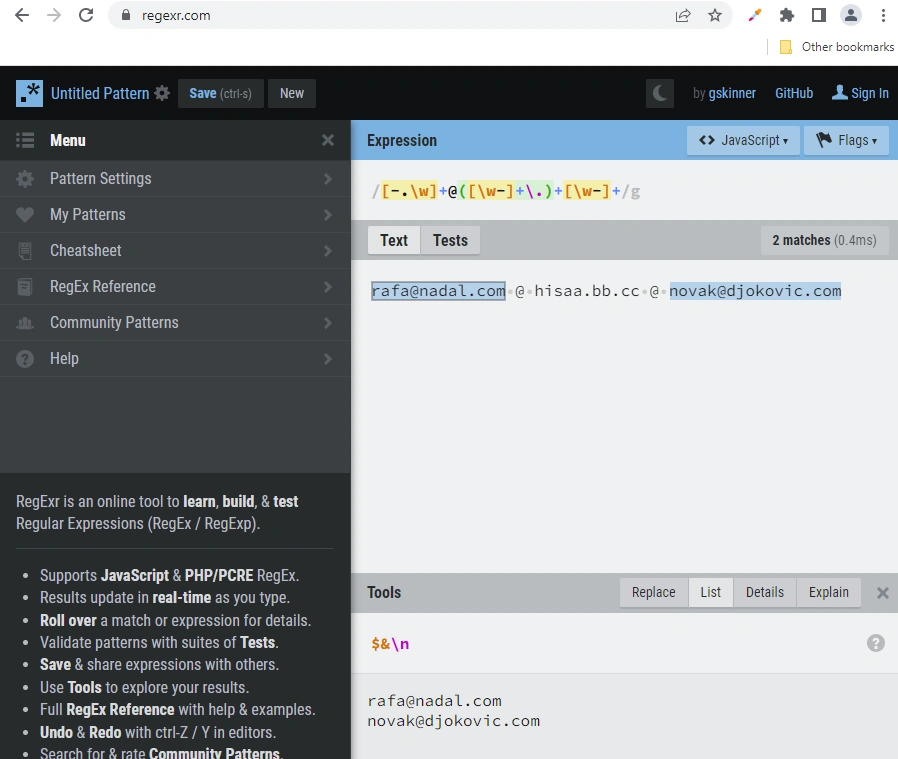
This is a website tool. Here is a screenshot of the main form, divided into 2 parts to show different panels:
Panel "List" selected,
Panel "Explain" selected,
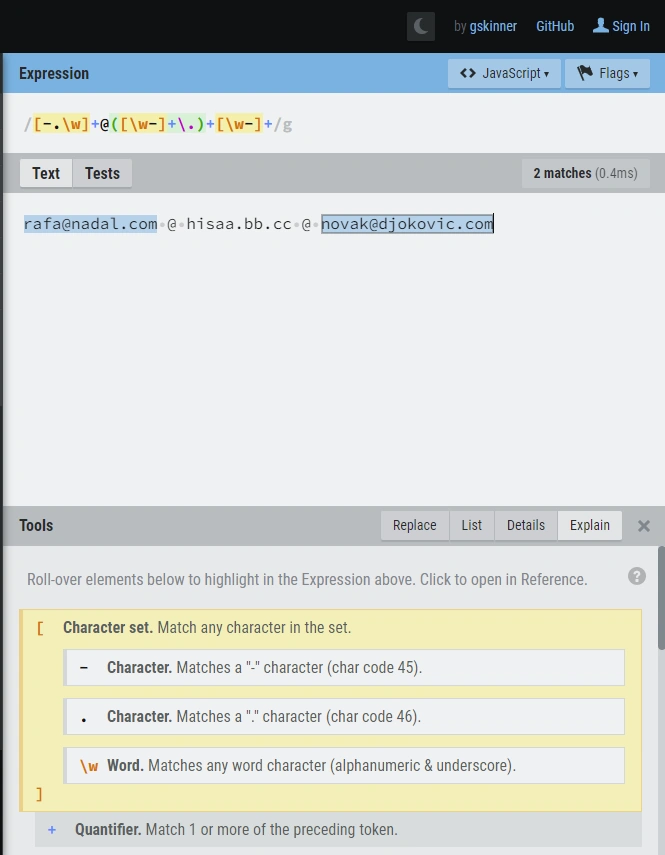
Note the following,
- The tool is oriented toward Javascript and Perl (PCRE) versions of Regex
- Nice coloring of Regex expression
- Matches are listed below, but for info on groups, you need to change the panel and select the match in the browser.
- It provides an "Explain" panel that graphically shows an explanation of the Regex expression. We find it interesting and even better than "natural language explanation". The web form is rigid, and it isn't easy to see the full expression. You need to scroll, and that ruins the fun of it.
We didn't like that the web form is so rigid, and it is impossible to move borders and enlarge panels of interest.
Website CyrilEx Regex Tester
This is a website tool. Here is a screenshot of the main form,
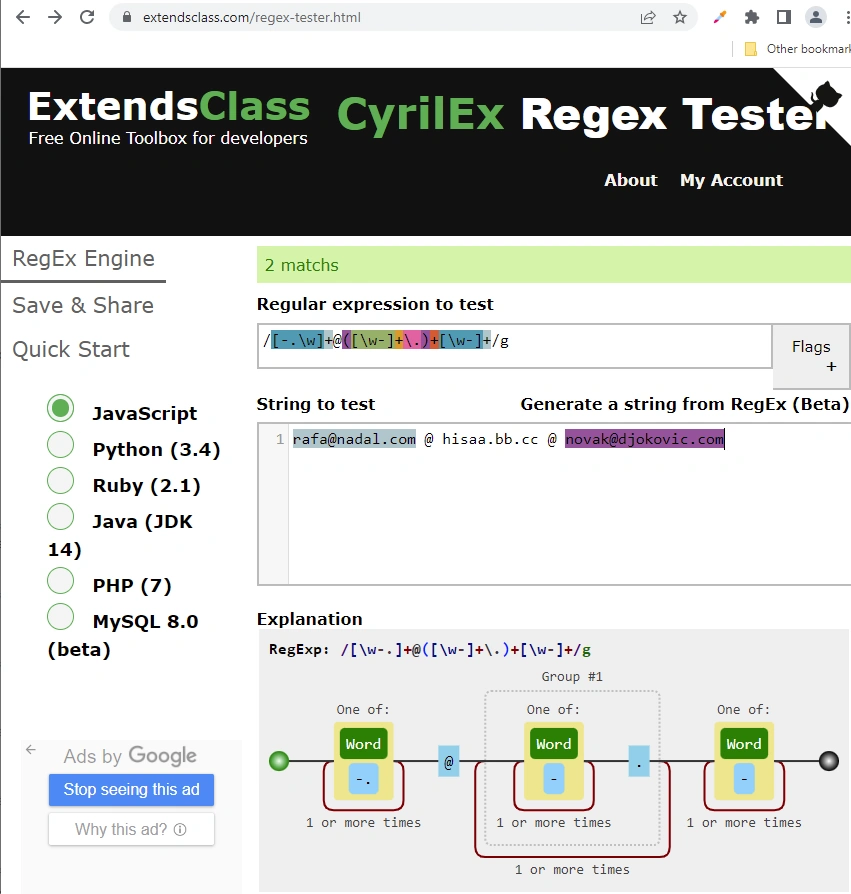
Please notice the following in the main form,
- Ability to choose the flavor of Regex (i.e., Javascript, Java, etc.) tested
- Nice coloring of Regex expression
- Matches are not listed separately but are highlighted. I didn't see a way to see groups.
- Very nice graph representation of the Regex
We really liked the graph it produced, and so far, it was the best explanation shown. But other options are a bit humble.
Regex Hero application
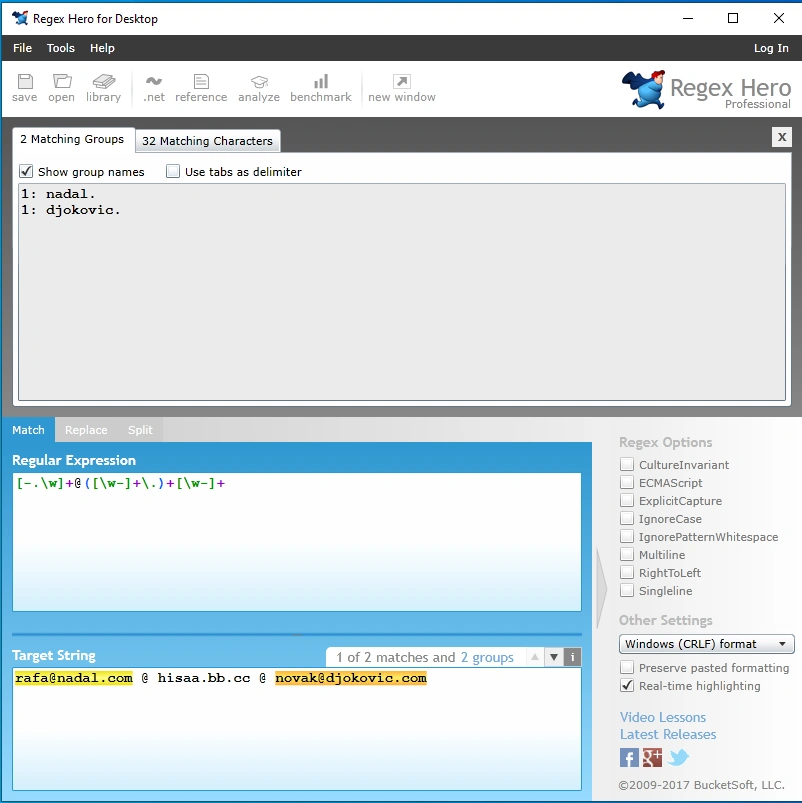
This is a standalone Windows application. Here are screenshots:
Main panel
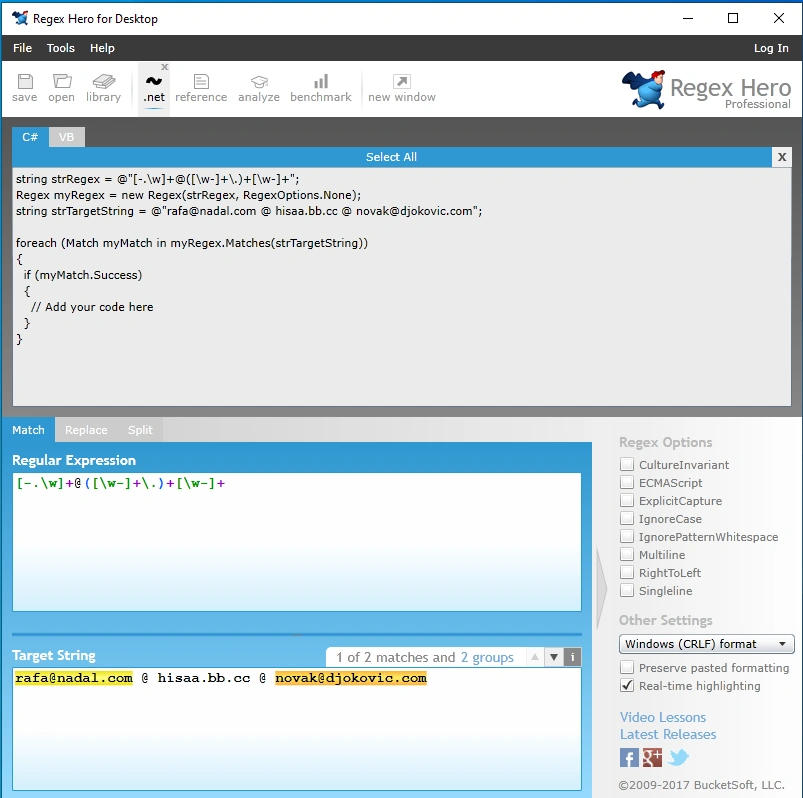
Code generator panel
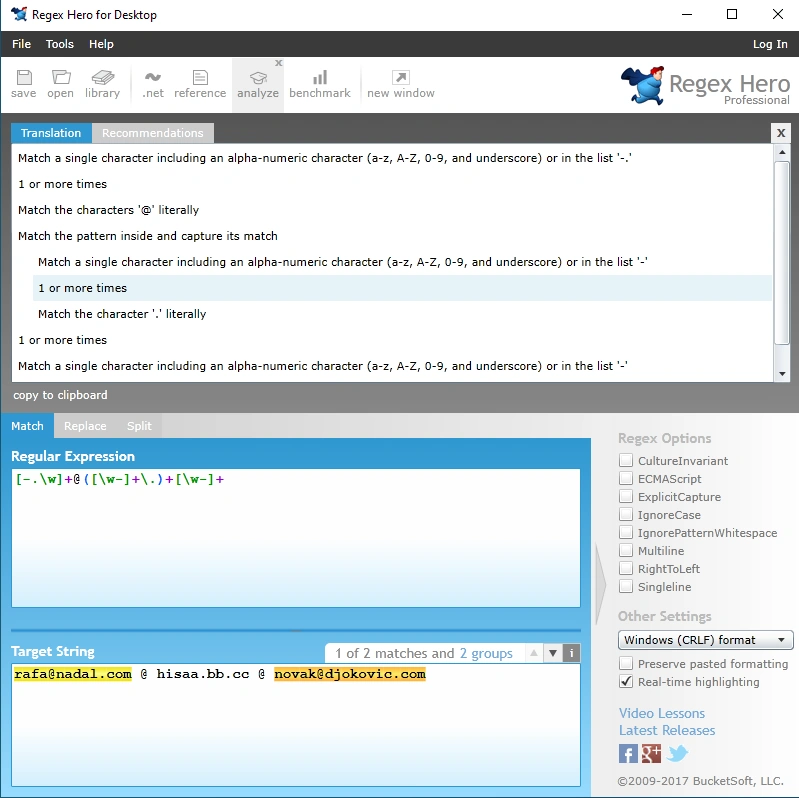
Panel with "natural language explanation" of the Regex,
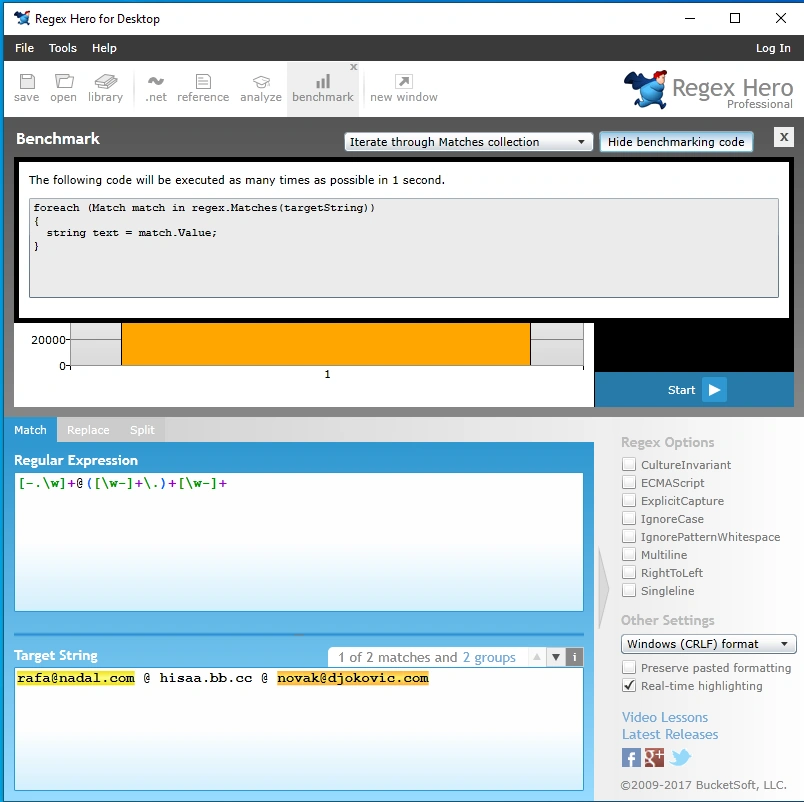
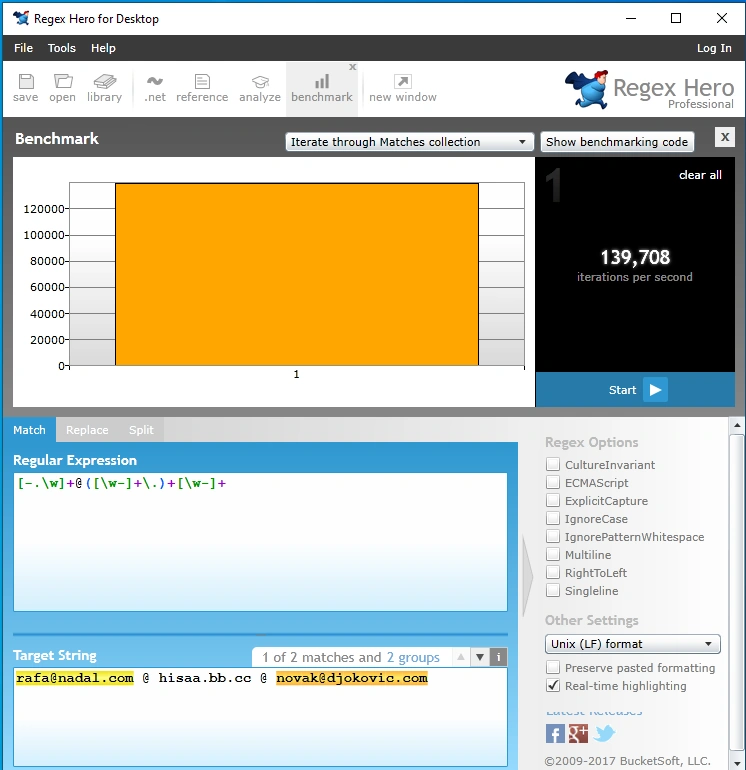
Benchmark panel
Executed Benchmark
Please notice the following,
- This tool is oriented only toward the .NET environment and the .NET version of Regex.
- Panels nicely show Regex coloring and highlight Matches
- Generation of C# and VB code is supported
- Provides "natural language" explanation of the Regex
- Interestingly, it provides Benchmarking. It works by iterating through an iterator (collection), so all matches are evaluated. That is equivalent to Javascript Match/g execution when a response array is created. The pity is that it does not show how many "steps" are needed to evaluate Regex but gives a benchmark in the form of iteration per second, which is a machine/processor dependent mark.
It looks nice and can be useful to .NET developers.
Expresso application
This is a standalone Windows application. Here are screenshots:
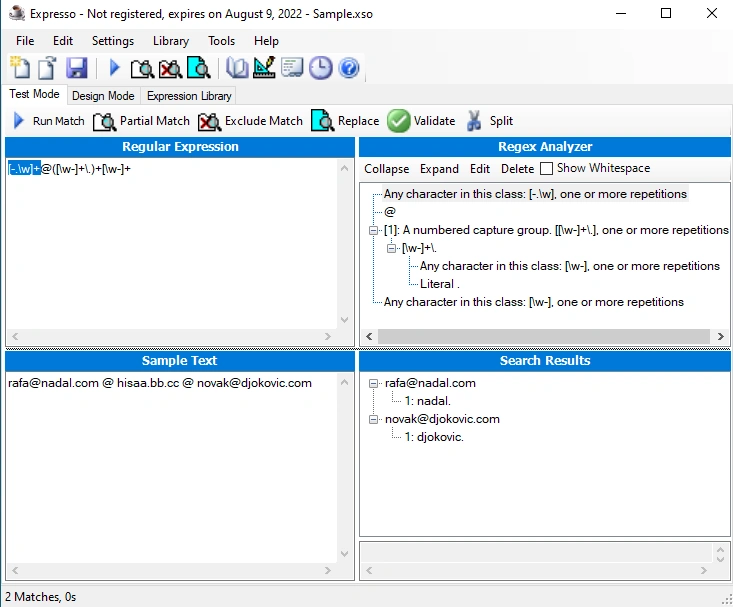
Main panel
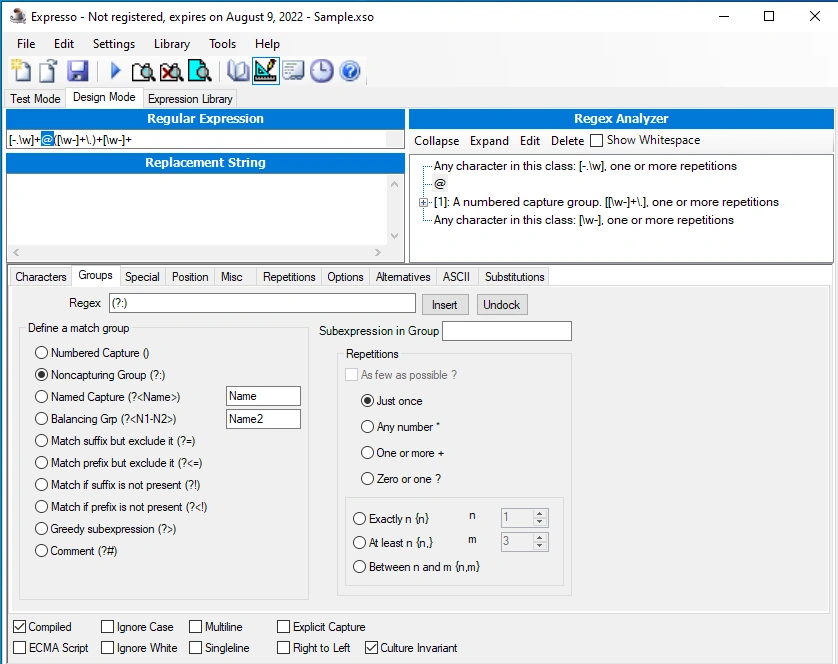
Expressions designer panel
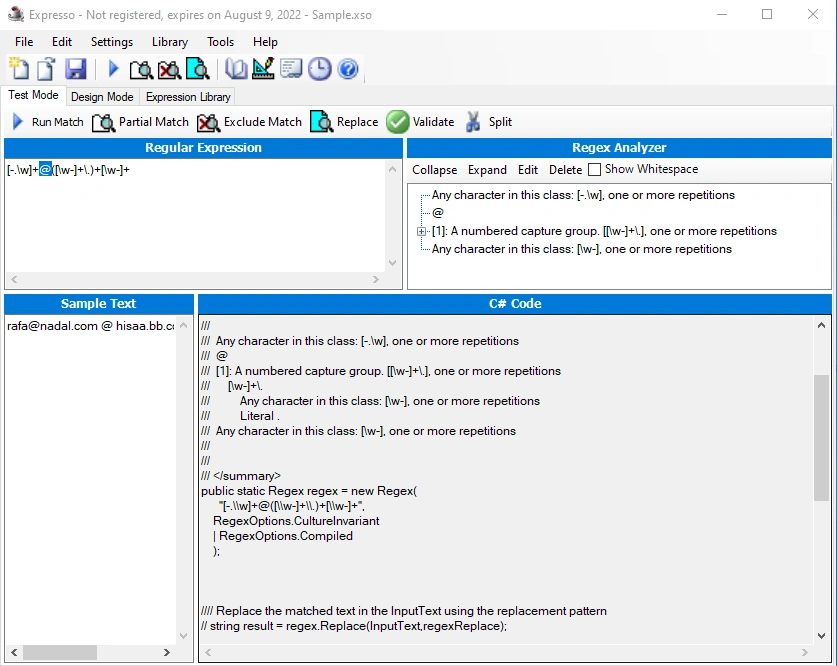
Code generator panel
Benchmark panel
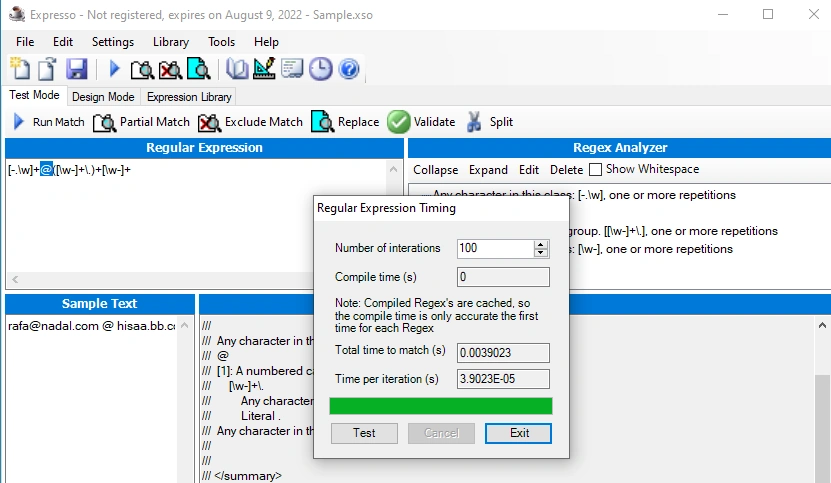
Please notice the following,
- This tool is oriented only toward programmers in C++, C#, and VB on the .NET platform.
- The main window shows matches, groups, and an analysis of the Regex expression.
- It features an advanced Designer panel for creating Regex expressions
- Enables code generation for C++, C#, VB
- It enables testing of the speed of execution of Regex expressions
The application leaves an impression of a well-thought-out and well-rounded application for creating and testing Regex expressions for the need of a .NET developer.
Visual Studio extension - Regex Editor
This is a Visual Studio 2022 extension. Here are screenshots:
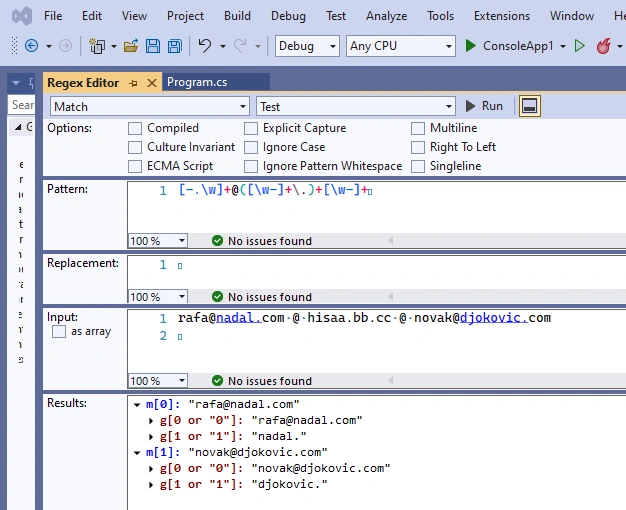
Main panel
Code generator panel
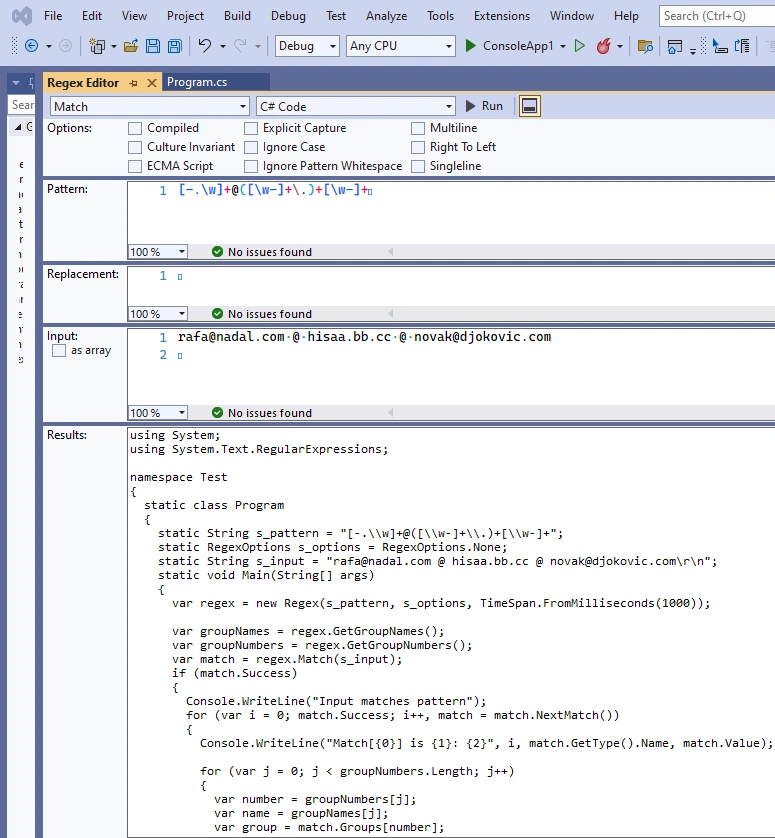
Please notice the following,
- This is a tool oriented toward the Visual Studio environment and C# and VB
- Panel nicely shows Regex coloring and highlights Matches and groups
- Generation of C# and VB code is supported
- Funny thing, VS2022 complained during startup that this extension is slowing. VS2022 has a slow startup problem always, so maybe it is just blaming any extension you might have for it. Since I do not use Regex that often, I uninstalled it after tests. Maybe it is smarter to use an external tool for this.
It looks very tidy, and some will prefer such a tool integrated into Visual Studio.
Conclusion
It is always handy to have around good tools for testing Regex expressions. They are useful for those that create Regex expressions often or complicated ones. They are useful for those that create them once in a while and whose skills have diminished over time, so they need advanced tools to assist them and refresh their skills.
In our opinion, out of the presented tools, the best impressions were left by
But, of course, everyone will have his preferences.
Join the conversation! Your thoughts help the community grow.