

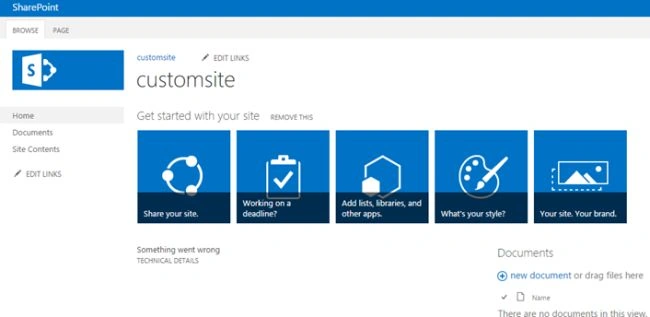
Step 1. Open the SharePoint team site.
Step 2. Open SharePoint Designer.
Step 3. Create a new custom.CSS file under Site Assets.
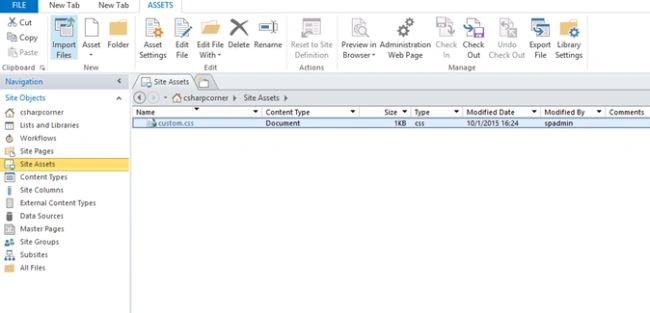
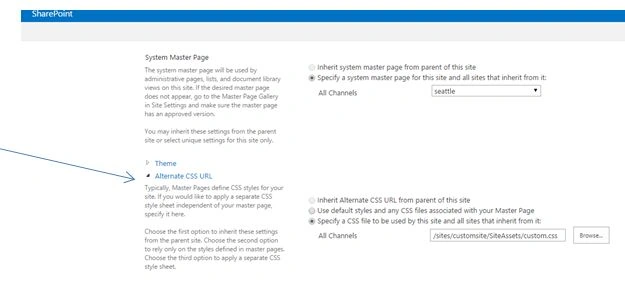
Set the alternate CSS URL.
Step 4. Click site actions, then site settings.
Under look and feel.
Click Masterpage.
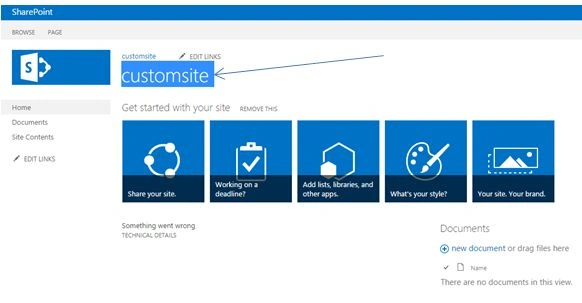
In the first step remove the Page title.
Code
CSS
#pageTitle {
   display: none;
}
Result
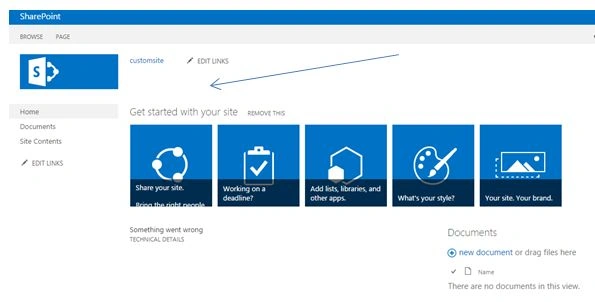
Step 5. The next step is to remove the Edit Links Option on the page
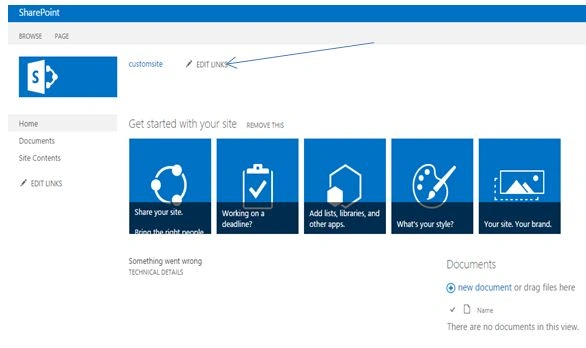
Code
CSS
#zz13_TopNavigationMenu_NavMenu_Edit {
    display: none;
}
Result

Step 6. Remove the left quick links bar.

Code
CSS
#sideNavBox {
   display: none;
}
Result
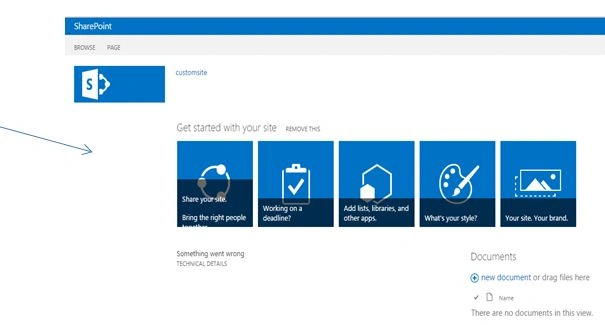
Step 7. Move the widgets to the left margin.
Code
C#
#contentBox {
   margin-left: 10px;
}
Result
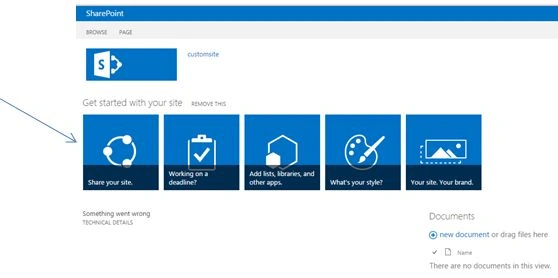
Step 8. Now remove all the default widgets from the page and add some web parts.
Step 9. Set the background color for the web part header and fonts.
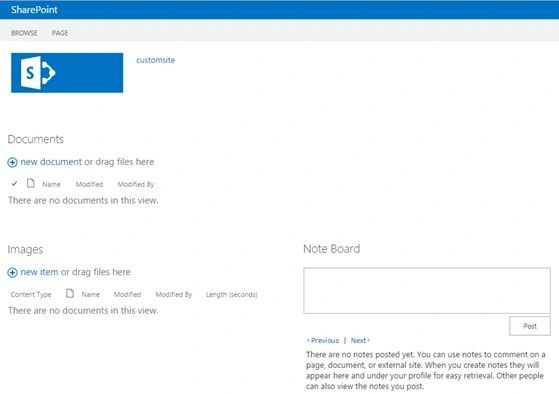
Code
CSS
.ms-webpart-titleText,
.ms-webpart-titleText > a {
    background-color: Orange;
    font-size: 12px;
    font-weight: bold;
    color: White;
    padding: 5px 5px;
    border-top-left-radius: 1em;
    border-top-right-radius: 1em;
}
Result
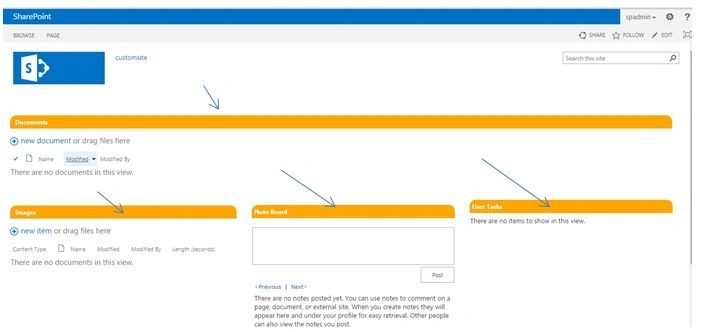
Step 10. The next one is to remove the browse, follow, and share from the top ribbon.
Code
CSS
#s4-ribbonrow {
   display: none;
}
Result

Remove another bar.
Code
CSS
#suiteBar {
   display: none;
}
Result
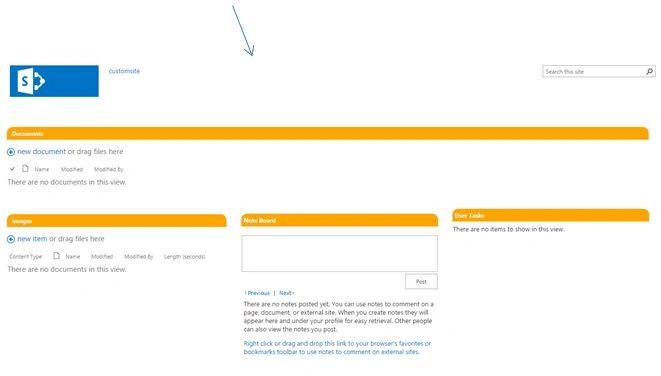
Full code
CSS
#pageTitle {
    display: none;
}

#zz13_TopNavigationMenu_NavMenu_Edit {
    display: none;
}

#sideNavBox {
    display: none;
}

#contentBox {
    margin-left: 10px;
}

.ms-webpart-titleText,
.ms-webpart-titleText > a {
    background-color: Orange;
    font-size: 12px;
    font-weight: bold;
    color: White;
    padding: 5px 5px;
    border-top-left-radius: 1em;
    border-top-right-radius: 1em;
}

#s4-ribbonrow {
    display: none;
}

#suiteBar {
    display: none;
}
This is the of branding the SharePoint page using custom CSS.
Vinodh NarayananPosted Oct 8, 2015, 9:59 AM
Thanks a lot shile
Sihle KhalalaPosted Oct 8, 2015, 3:51 AM
nice
Vinodh NarayananPosted Oct 6, 2015, 9:16 AM
Thanks a lot harsher
Harshad PansuriyaPosted Oct 6, 2015, 9:00 AM
Nice one
Sumit JoshiPosted Oct 3, 2015, 4:49 PM
thanks for sharing.
Vinodh NarayananPosted Oct 2, 2015, 6:01 AM
Thank youAnit Kumar
Anit KumarPosted Oct 2, 2015, 5:34 AM
Good one.
Vinodh NarayananPosted Oct 2, 2015, 4:25 AM
I dont know am update it while publishing but they didnt approve my changes Abhay Shanker
Vinodh NarayananPosted Oct 2, 2015, 4:24 AM
Thanks a lot Abhay Shanker
Abhay ShankerPosted Oct 2, 2015, 4:17 AM
But Why the category is .Net 2015?
Abhay ShankerPosted Oct 2, 2015, 4:17 AM
Nice Share
Vinodh NarayananPosted Oct 2, 2015, 2:34 AM
Thanks a lot Karthikeyan K
Vinodh NarayananPosted Oct 2, 2015, 2:34 AM
Thanks a lotIbrahim Ersoy.. I know it but hopefully it will be help full for sharepoint beginners
Ibrahim ErsoyPosted Oct 2, 2015, 2:04 AM
Thank you for sharing.You don't need to add your custom CSS file to "Alternate CSS Url".You can also edit your default masterpage for this.Cheers
Karthikeyan KPosted Oct 2, 2015, 1:36 AM
Good one sir...Thanks for sharing
Vinodh NarayananPosted Oct 2, 2015, 1:25 AM
Thanks a lot Harshad Pansuriya
Harshad PansuriyaPosted Oct 2, 2015, 1:10 AM
Nice One
Vinodh NarayananPosted Oct 2, 2015, 1:07 AM
Thanks a lotNilesh Jadav
Nilesh JadavPosted Oct 2, 2015, 12:13 AM
Nice share sir ! Great grip in sharepoint
Vinodh NarayananPosted Oct 1, 2015, 10:56 PM
Thanks a lot sir
Santhakumar MunuswamyPosted Oct 1, 2015, 3:55 PM
Good One
Vinodh NarayananPosted Oct 1, 2015, 2:04 PM
Thanks a lotPriyaranjan K S
Priyaranjan K SPosted Oct 1, 2015, 1:52 PM
Good One ..